


The Central Board of Direct Taxes (CBDT) made a significant change in July 2022 by making it mandatory to electronically file Form 10F. Initially, non-residents without Permanent Account Number cards were given a relaxation, but this grace period has now ended. Starting from October 1, 2023, anyone seeking treaty benefits must electronically file Form 10F, regardless of whether they have a PAN card or not.
Fill Form for ITR & TDS Compliance Software
Easy Steps to File Online Form 10F for NRIs
To assist non-residents in navigating the electronic filing process for Form 10F, here is a step-by-step guide:
Step 1: Access the E-Filing Web Portal
- Go to the e-filing web portal at https://eportal.incometax.gov.in/
- To begin the registration process, click the “Register” button located in the upper right-hand corner of the webpage.
Step 2: Registration Category
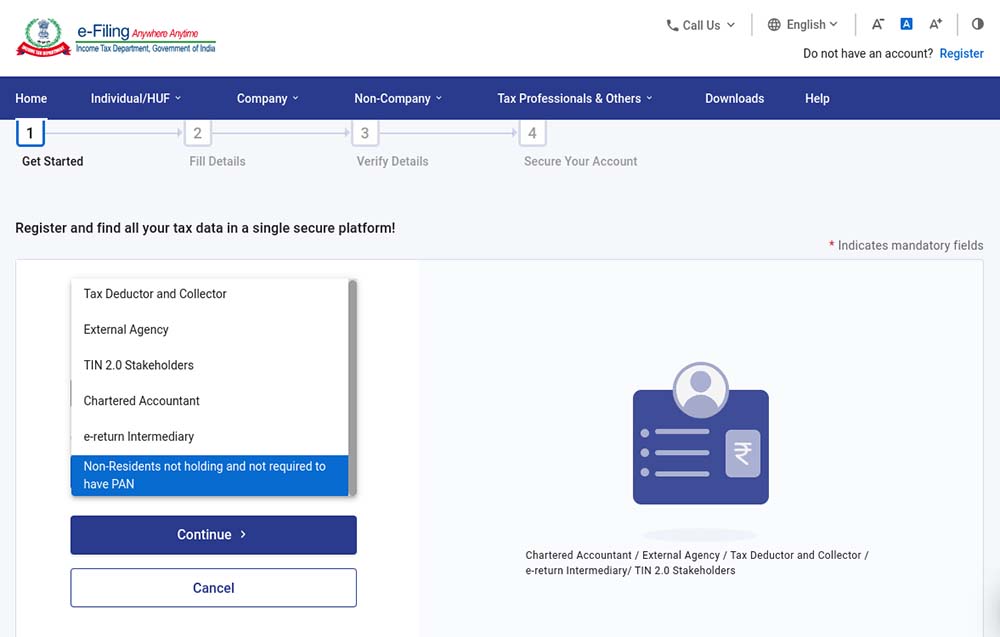
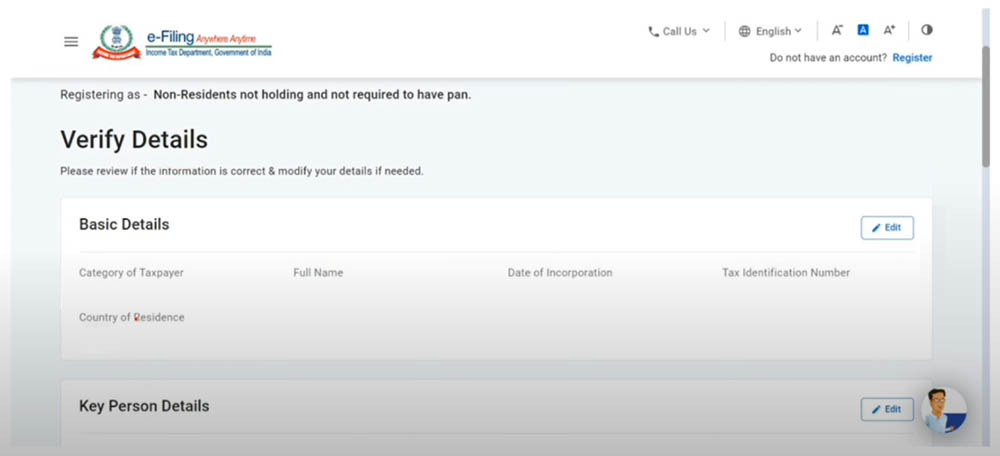
- Choose the “Others” option and click on “Non-residents not holding and not required to have PAN” from the provided list of choices in the drop-down menu.
Step 3: Taxpayer Information
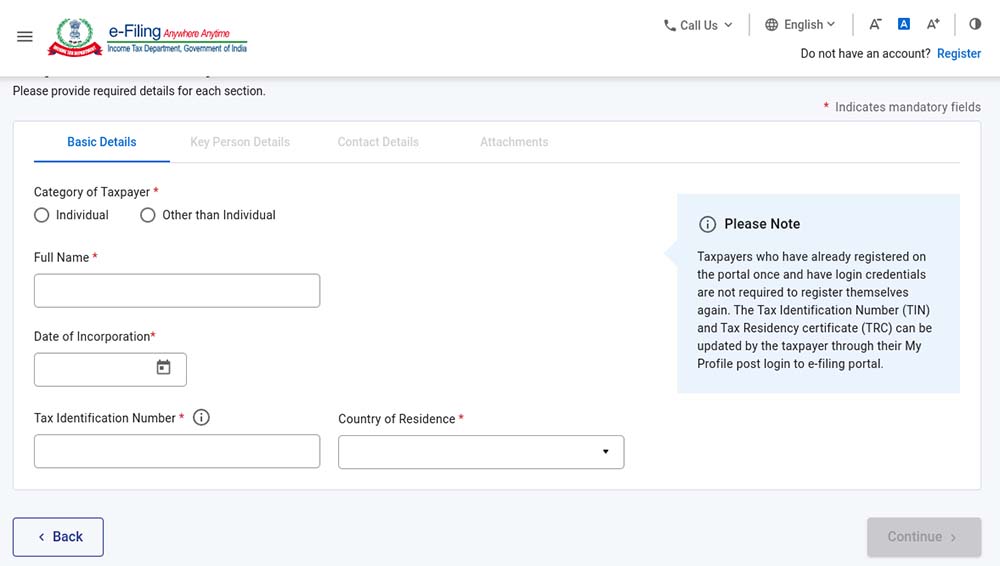
- Fill in the necessary details, including your full name, date of incorporation/birth, tax identification number, and country of residence.
Step 4: Key Person Details
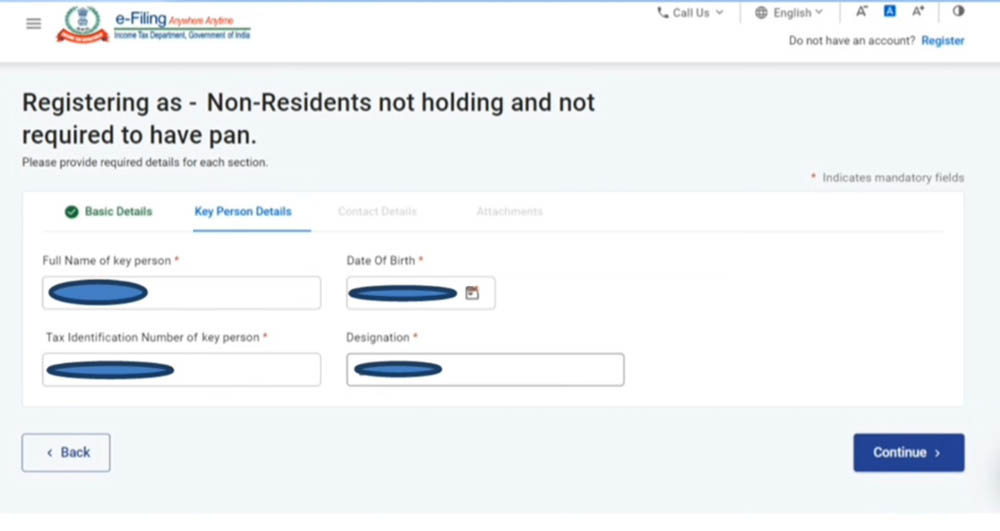
- Furnish the relevant information concerning the key person, which includes their full name, date of birth, tax identification number, and designation.
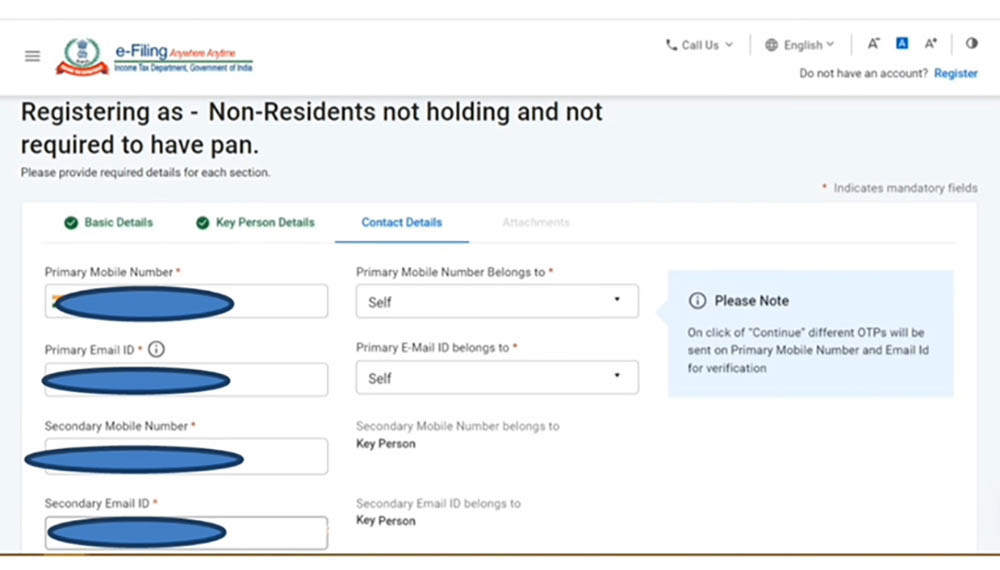
Step 5: Contact Information
- Provide contact details for the key person, including a secondary email address and additional contact information. Keep in mind that you will receive a one-time password (OTP) on your primary mobile number and email ID.
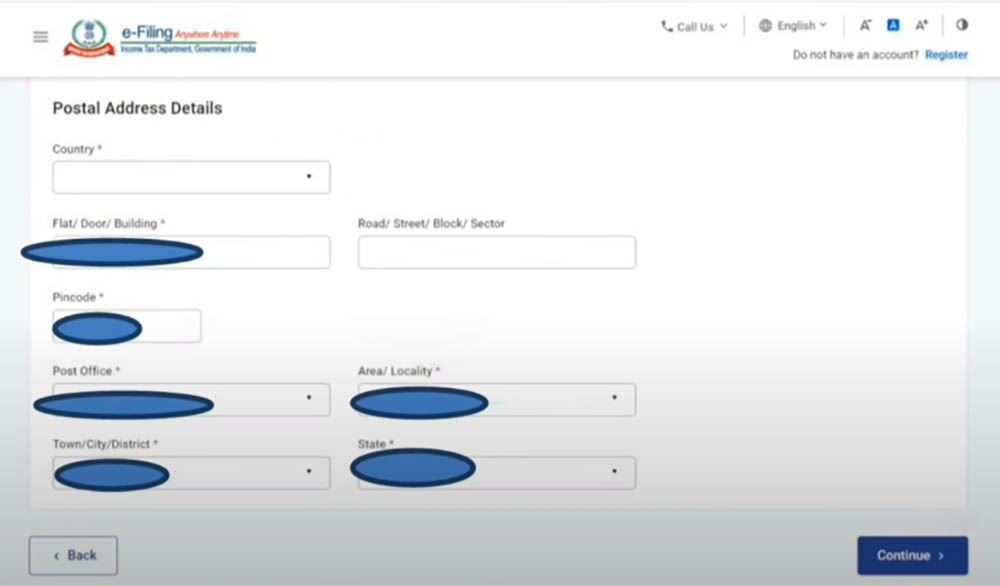
Step 6: Postal Address
- Enter the company’s postal address.
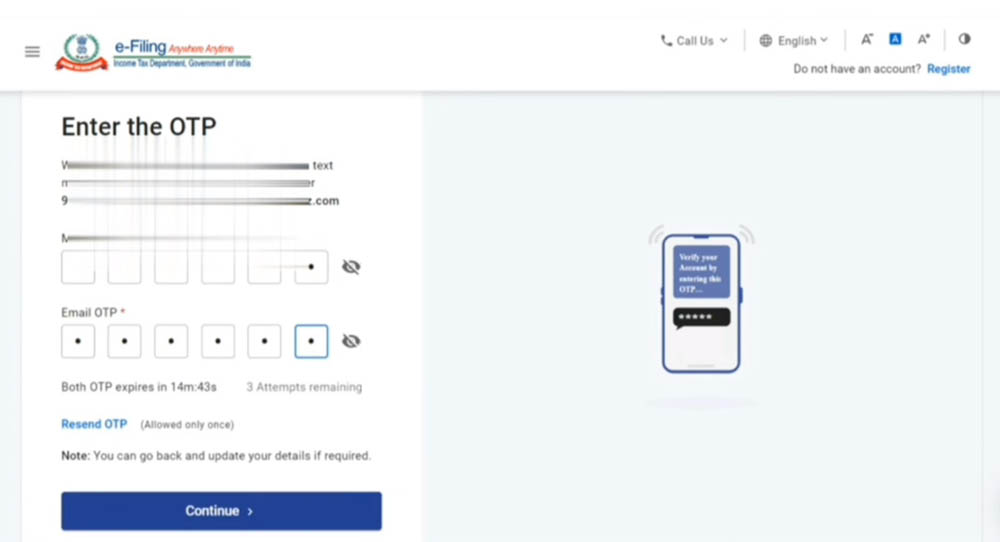
Step 7: OTP Confirmation
- Enter the One-Time Password (OTP) that you have received on your main email address and primary mobile number.
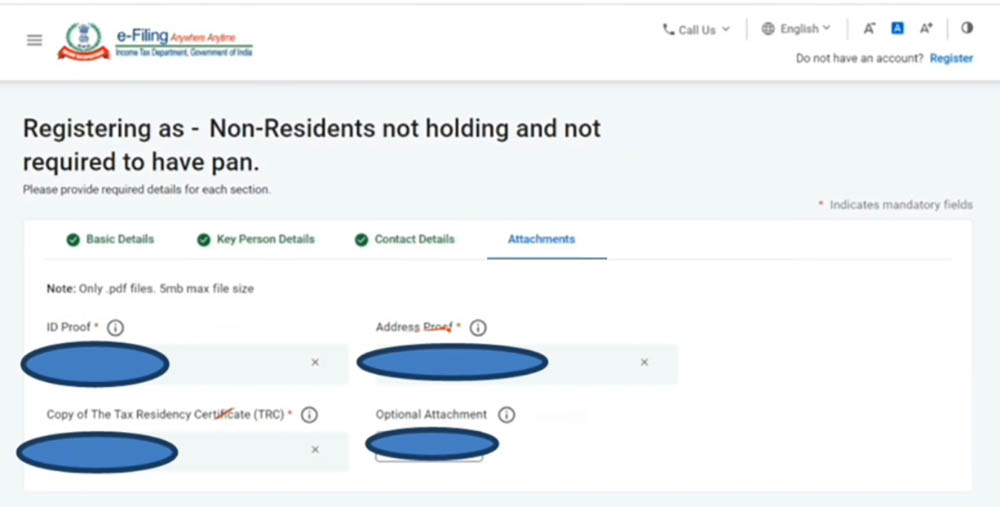
Step 8: Document Attachments
- Attach the necessary documents, such as the Tax Residency Certificate, as required.
Step 9: Submission
- Once you have completed all the previous steps, submit the Form.
By following the aforesaid instructions, non-residents can effectively submit their Form 10F on the Income Tax Portal. E-filing of Form 10F is crucial for availing of Tax Treaty benefits, and this guide provides a hassle-free process for fulfilling all the necessary prerequisites.







Filling the form 10F, the result is this error: “invalid format for ARN”.
Our profile is: NON RESIDENT (OTHER THAN INDIVIDUAL)
We don’t have PAN and we have our business unit and production plant in Italy only.
All profile details are filled properly, as well as the details of the Key Person.
No special characters are written.
We have also tried to find how to delete our account in order to register then from zero, but we didn’t find any solution.
Thank you in advance for your help.
For foreign suppliers who doesnot have indian mobile number, how they can generate form 10F online as the portal doesnot allow non indian mobile number. How this situation to be handled?
For foreign suppliers who doesnot have indian mobile number, how they can generate form 10F online as the portal doesnot allow non indian mobile number. How this situation to be handled?
after successful registration i did not copy ID no how can i get it?
the otp for email and mobile doesnt come