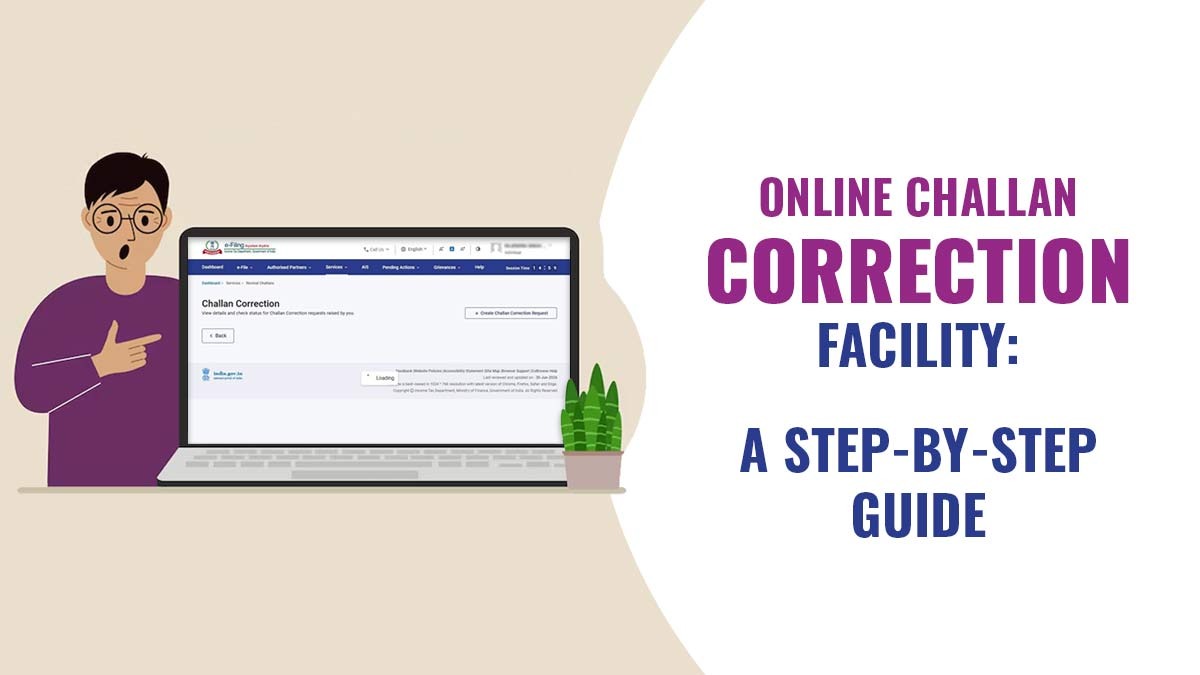
The Income Tax Department has executed an Online Challan Correction Request on the IT portal. This initiative allows taxpayers to correct common mistakes made during the tax payment process without having to visit the tax department office.
This new feature can lessen the compliance hassles for taxpayers who inadvertently select the incorrect Assessment Year, Tax Year, Major Head, or Minor Head at the time of filing taxes. Earlier, these errors often needed longer correspondence with tax authorities or visits to the Jurisdictional Assessing Officer (JAO). Now the online facility provides a faster and more transparent correction procedure for eligible challans.
Significance of Challan Correction
A tax challan serves as proof of payment made to the government. A small mistake during the generation of a challan can have consequences like-
- Notices from the Income Tax Department
- Difficulties in filing Income Tax Returns (ITR)
- Delays in refund processing
- Tax credit not reflecting in Form 26AS or AIS
- Outstanding tax demands are appearing on the portal
Taxpayers, via the online correction facility, can resolve such issues before they become major compliance issues.
Corrections Made During Online Challan
The e-filing portal permits rectification of the below-mentioned challan attributes-
Major Head
The facility allows correction of the major tax category under which the payment was made.
Minor Head
Taxpayers can correct errors in the form of tax payment chosen at the time of depositing tax.
Assessment Year (AY) or Tax Year (TY)
Taxpayers can rectify the year against which the tax payment was originally made if it was chosen wrongly at the time of generating the challan.
Eligible Challans for Online Correction
There is no way of correcting every challan online. The facility is available at present solely for-
- Challans relating to the Assessment Year 2020-21 onwards
- Unconsumed tax challans
- Challans paid under Minor Heads:
- 100 – Advance Tax
- 300 – Self-Assessment Tax
- 400 – Demand Payment as Regular Assessment Tax
Taxpayers must approach their Jurisdictional Assessing Officer regarding challans related to earlier years of other minor heads.
Also Read: How Does ITR Software Help Taxpayers with Online Rectification
What Does Unconsumed Challan Signifies?
An unconsumed challan is specified as a challan that has not been adjusted against any tax obligation or processed for tax credit purposes till now. After a challan gets consumed, it becomes final and cannot be rectified via the online facility. The taxpayers encountering these conditions may be required to seek help from their Jurisdictional Assessing Officer.
Challan Correction Requests Time Limit
The income tax department has mentioned rigid timelines for making corrections.
| Correction Type | Time Limit |
|---|---|
| Assessment and Tax Year | Within 7 days of the challan deposit date |
| Major Head Correction | Within 30 days of the challan deposit date |
| Minor Head Correction | Within 30 days of the challan deposit date |
After a lapse of these deadlines, the taxpayers may be required to approach the Jurisdictional Assessing Officer for relief.
Mechanism to Submit a Challan Correction Request
Below, we have discussed the step-by-step process to submit a challan correction request:-
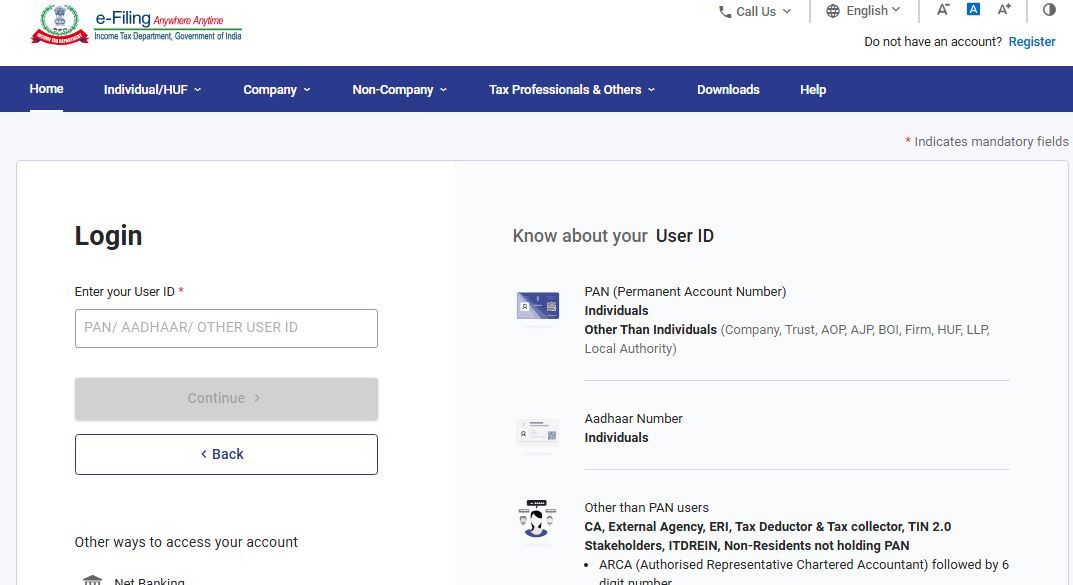
Step 1: Log in to the e-Filing Portal
Log in using your PAN, password and authentication credentials.
Step 2: Navigate to Challan Correction
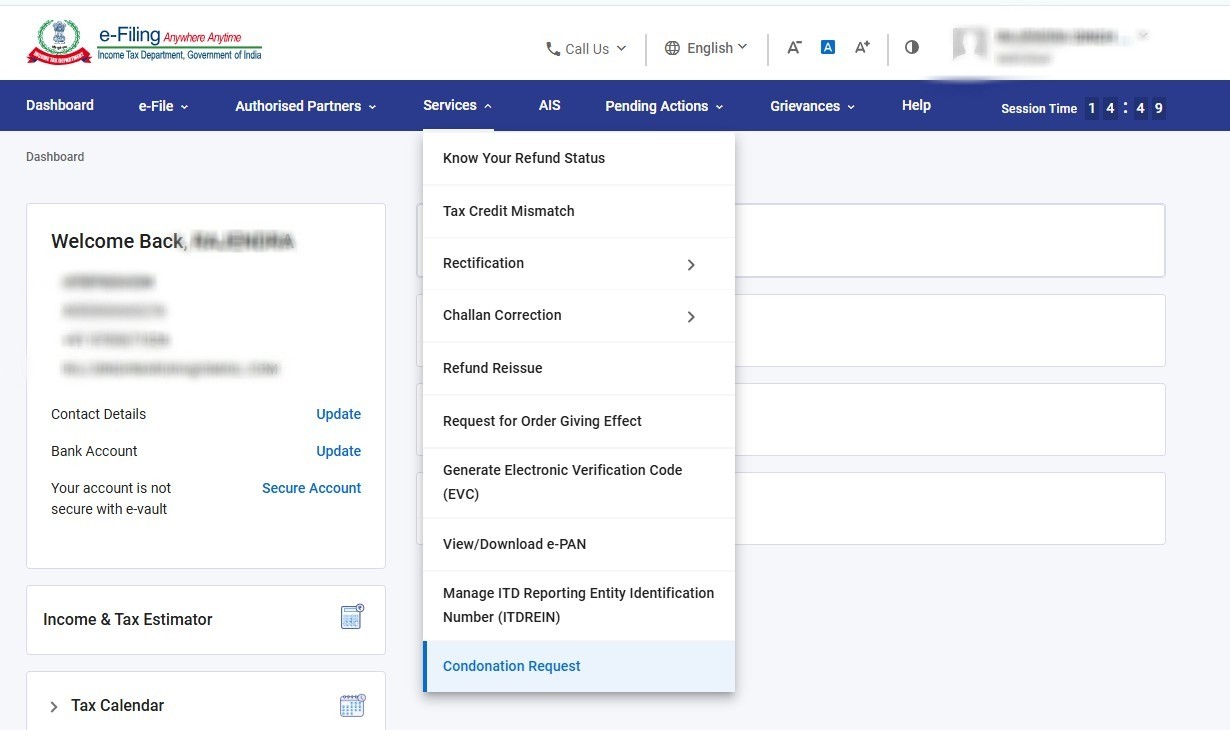
Go to:
Services → Challan Correction
Step 3: Create a New Request
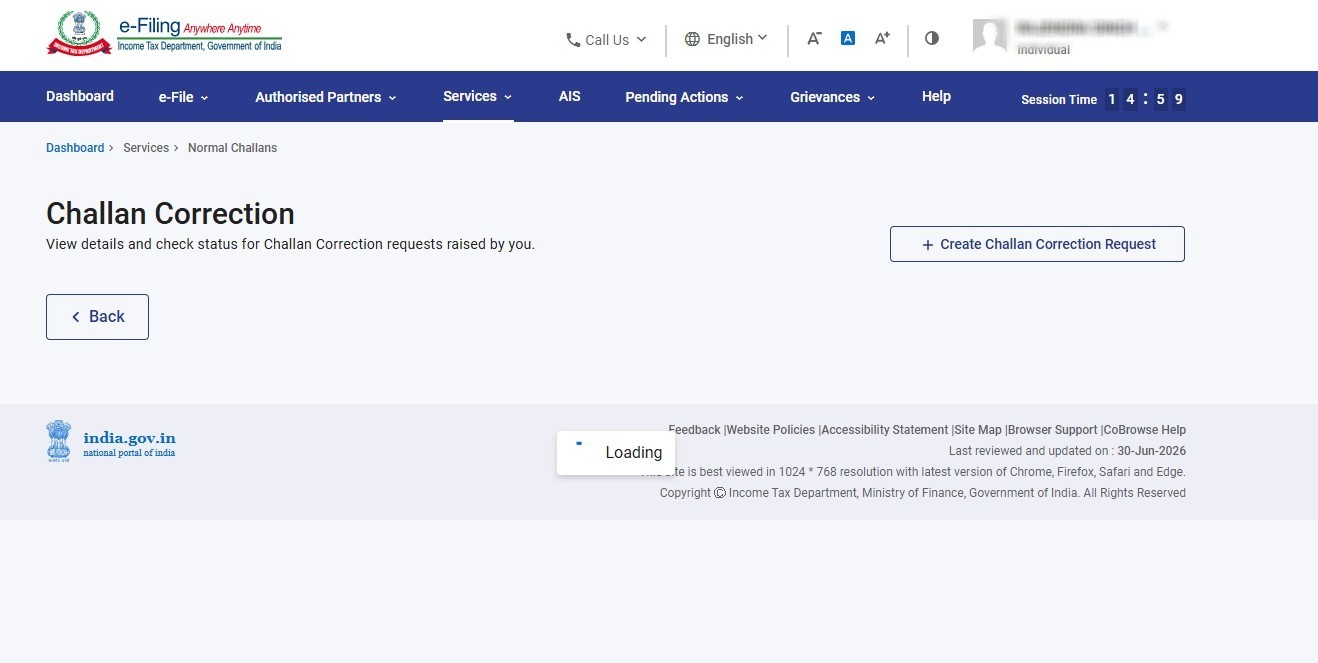
Select the option:
- Create Challan Correction Request
Step 4: Choose Correction Type
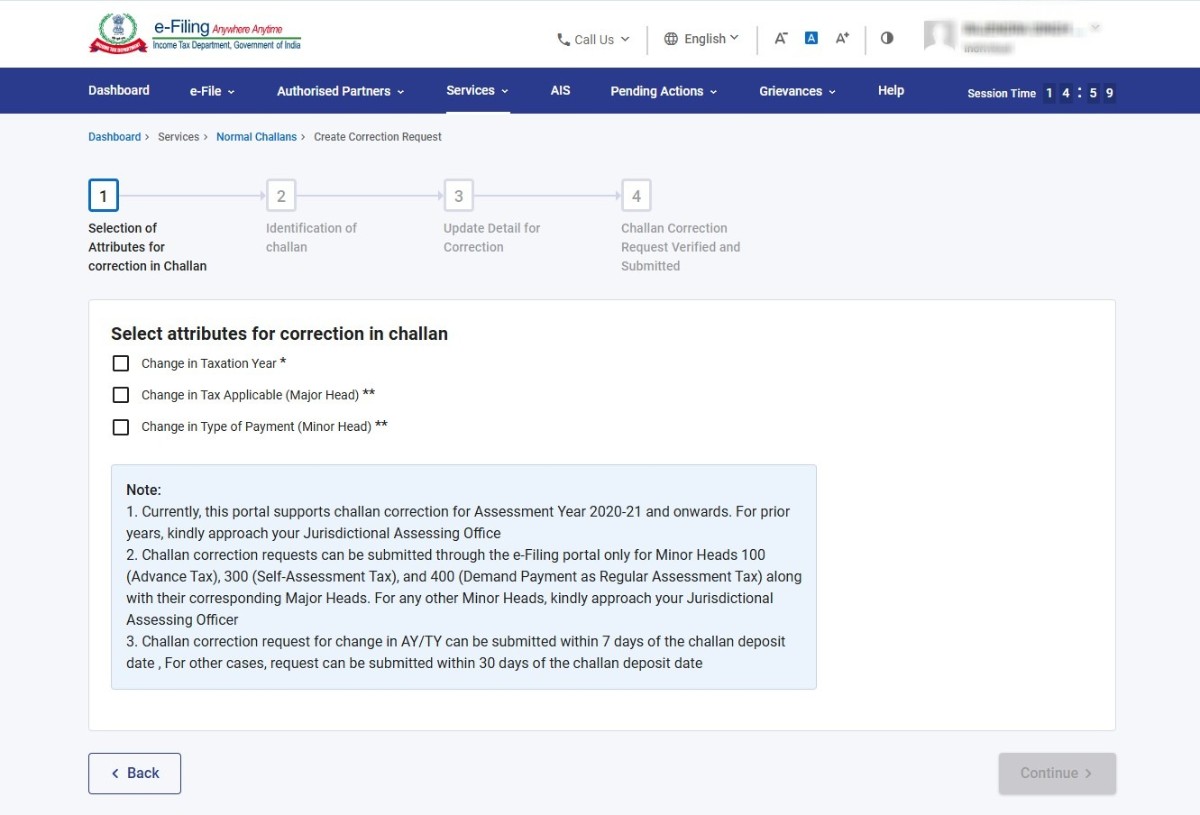
Select one or more applicable correction categories:
- Assessment Year / Tax Year
- Major Head
- Minor Head
Step 5: Select Challan
Locate the challan either through:
- Challan Identification Number (CIN)
- Assessment Year
- Tax Year
Only eligible unconsumed challans will appear for correction.
Step 6: Update Details
Enter the corrected information for the selected fields.
Step 7: Verify Proposed Changes
Review the summary carefully before submission.
Step 8: Complete e-Verification
The request must be authenticated through:
- Aadhaar OTP
- Electronic Verification Code (EVC)
- Digital Signature Certificate (DSC)
- Other available verification modes
Step 9: Track Status
Taxpayers on successful submission can track the progress via the Challan Correction dashboard.
What Time Does Processing Take?
As per the Income Tax Department’s user manual, status updates may take nearly 7 to 20 days after submission of the correction request. Taxpayers can track their applications online and download the corrected challan information after approval.
Restrictions That Taxpayers Should Note
The facility comes with specific limitations:
TDS and TCS Challans Not Covered
The online challan correction facility is created for PAN-based tax payments. Corrections for TDS/TCS challans need to be processed via the TRACES system and applicable procedures.
No Modifications After Submission
After submission of a correction request, the same could not be edited. If the request gets cancelled, then a fresh application may be filed as per the eligibility.
Correction Permitted Only Once
A challan can be corrected only one time via the e-Filing portal. If other corrections are required later, the taxpayer should approach the Jurisdictional Assessing Officer.
Offline Modifications Will Not Occur on the IT Portal
Jurisdictional Assessing Officer manual processing of corrections is not shown in the Challan Correction dashboard. Taxpayers can check the impact via Form 26AS or the Annual Information Statement (AIS).
Important Frequently Asked Questions (FAQs)
Q.1 – Can I correct a challan more than once?
No. Only one correction request is allowed per challan on the e-Filing portal. Additional corrections need intervention from the Jurisdictional Assessing Officer.
Q.2 – Can I correct challans for AY 2019-20 or earlier?
No. At present, the online facility helps only for AY 2020-21 onwards. Older challans need manual assistance from the Assessing Officer.
Q.3 – Can I correct a challan after it has been consumed?
No. Consumed challans cannot be corrected via the online portal.
Q.4 – Where can I download the corrected challan information?
Post-approval, taxpayers can access: Services → Challan Correction → Download Corrected Details