

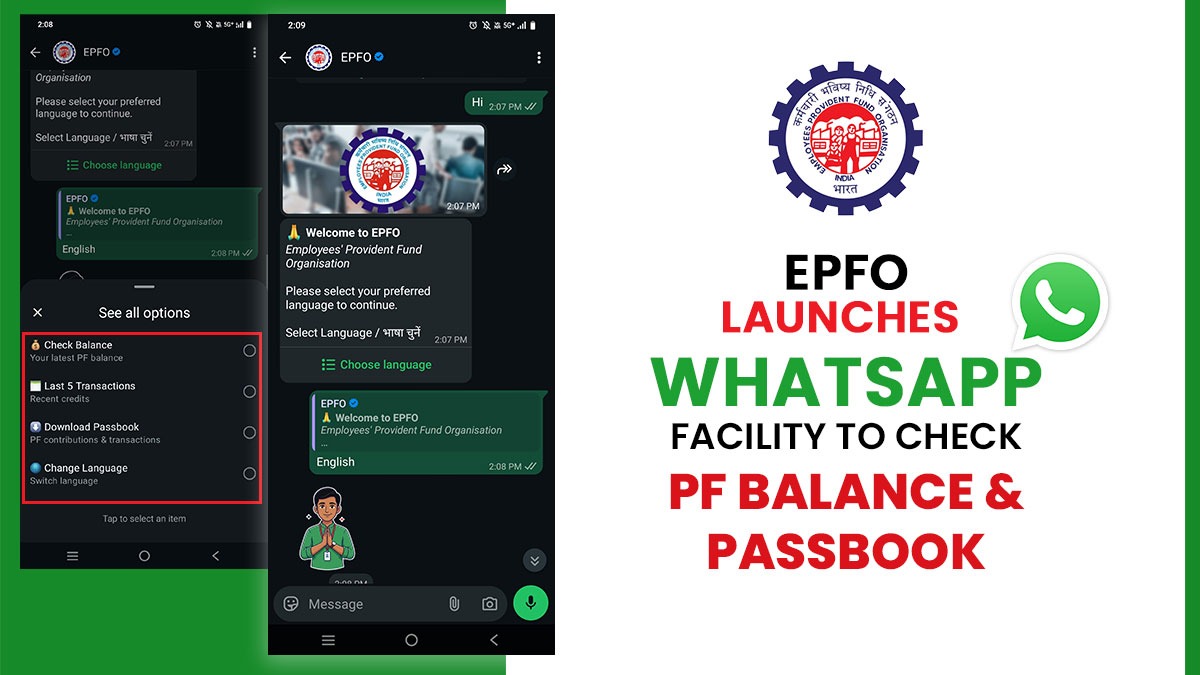
EPFO (Employees’ Provident Fund Organisation) has launched a service on WhatsApp in which one person can see their EPF (Employees’ Provident Fund) balance through one simple message. In this service, you can also check the last 5 transactions by writing a simple ‘Hi’ message on WhatsApp. Let us see the working of this new service.
EPFO’s new WhatsApp service will help members access crucial Provident Fund (PF) account details easily. The facility has been launched by the Union Labour and Employment Minister, Mansukh Mandaviya.
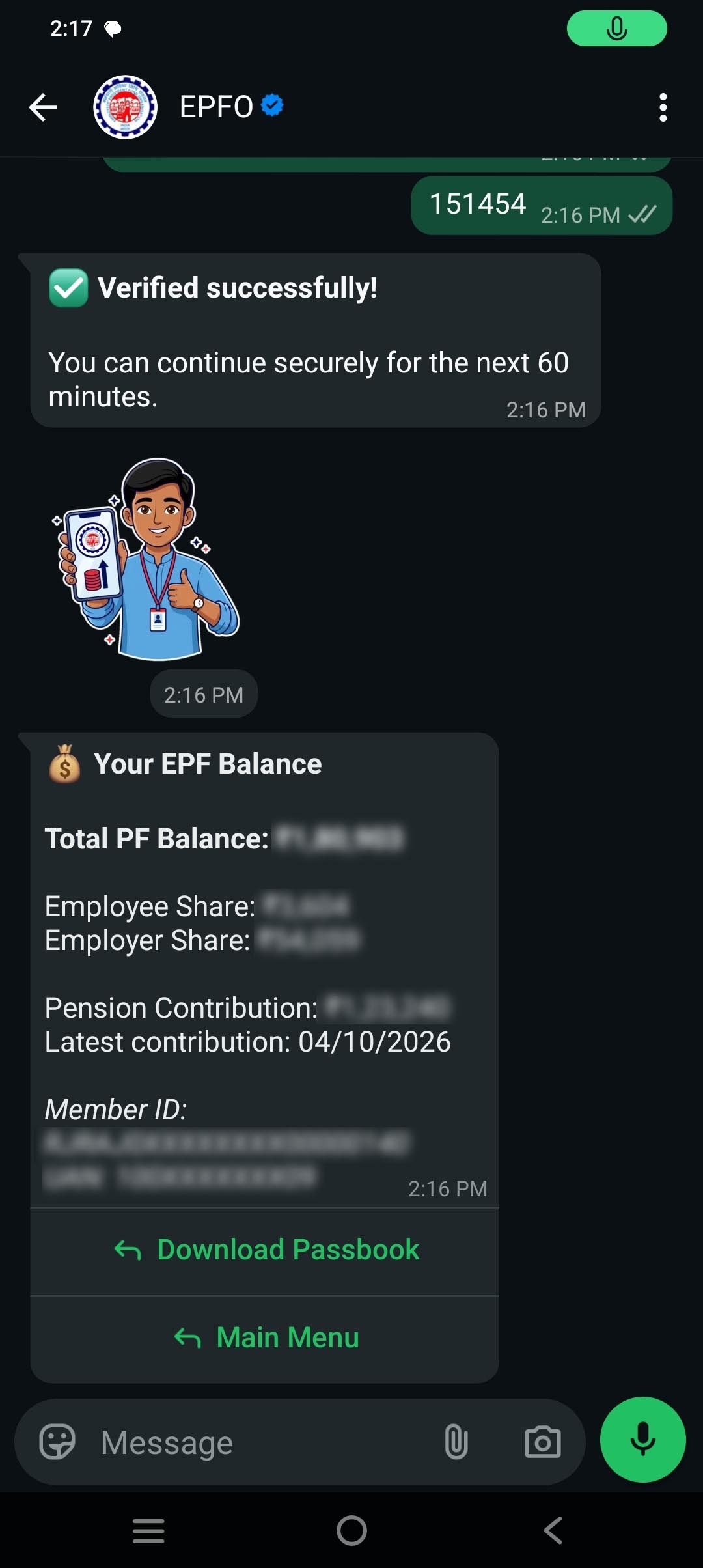
With this service, EPF members are allowed to check their PF balance, view details of their last five transactions, and download their account passbook directly through WhatsApp.
In a post on X (formerly Twitter), EPFO has declared the initiative, sharing information about the new facility and the measures that members are required to follow to access it.
Read Also: Easy Guide to Online PF Transfer Via EPFO Portal with FAQs
Services Available to EPFO Members via WhatsApp
The updated WhatsApp facility permits members to access various PF-related services without visiting an EPFO officer or navigating multiple online platforms.
Members, with the help of the service, can:
- Check their PF Account Balance
- View Details of Their Last Five Transactions
- Download their PF Account Passbook
- Access Important PF Account-related Information
EPFO WhatsApp Service Number
To avail of this facility, members need to contact the official EPFO WhatsApp number: 8796441800.
How to Check PF balance via WhatsApp?
EPFO members can follow the below measures to access their PF account details via WhatsApp:
Step 1: Save the EPFO WhatsApp number 8796441800 on your phone. Type ‘Hi’ and send the message.
Step 2: Select your preferred language from the list.
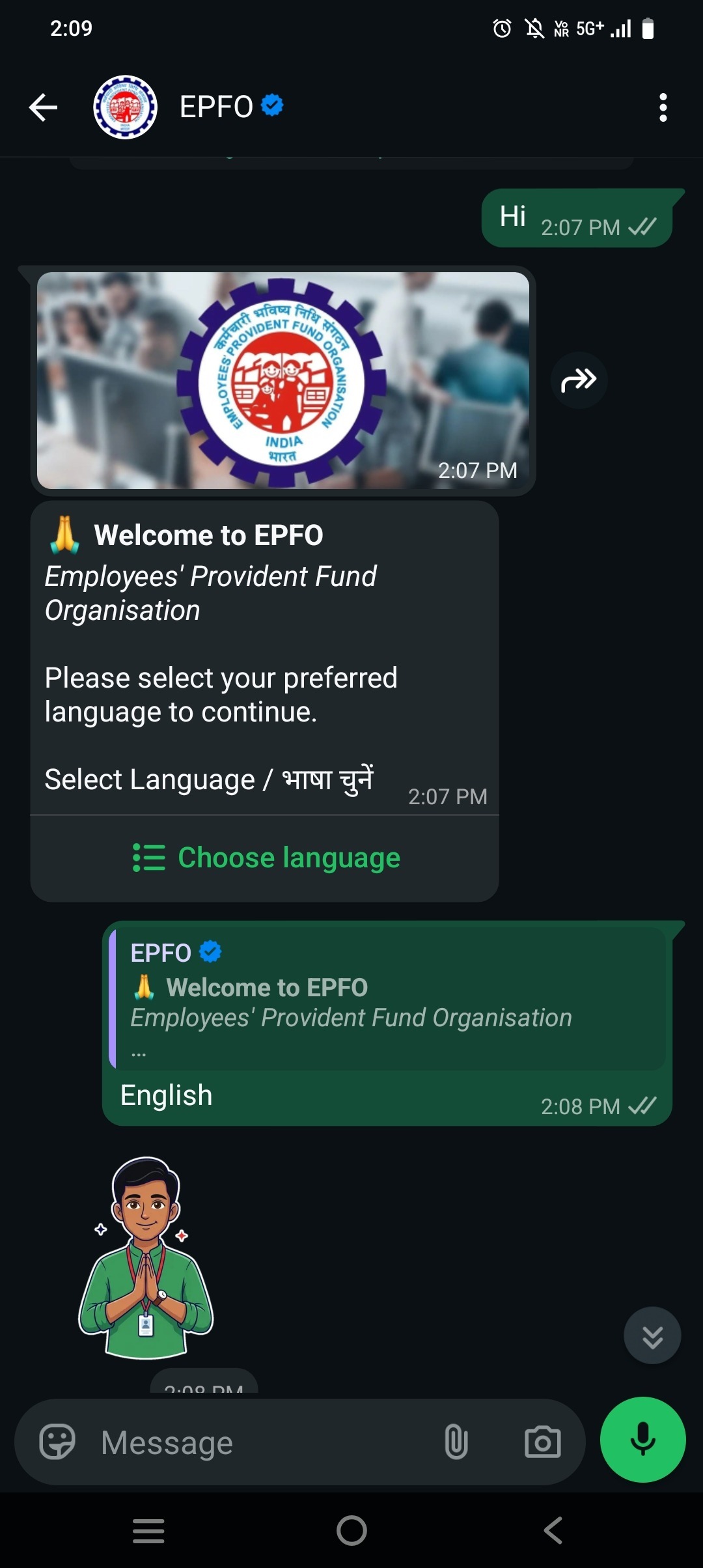
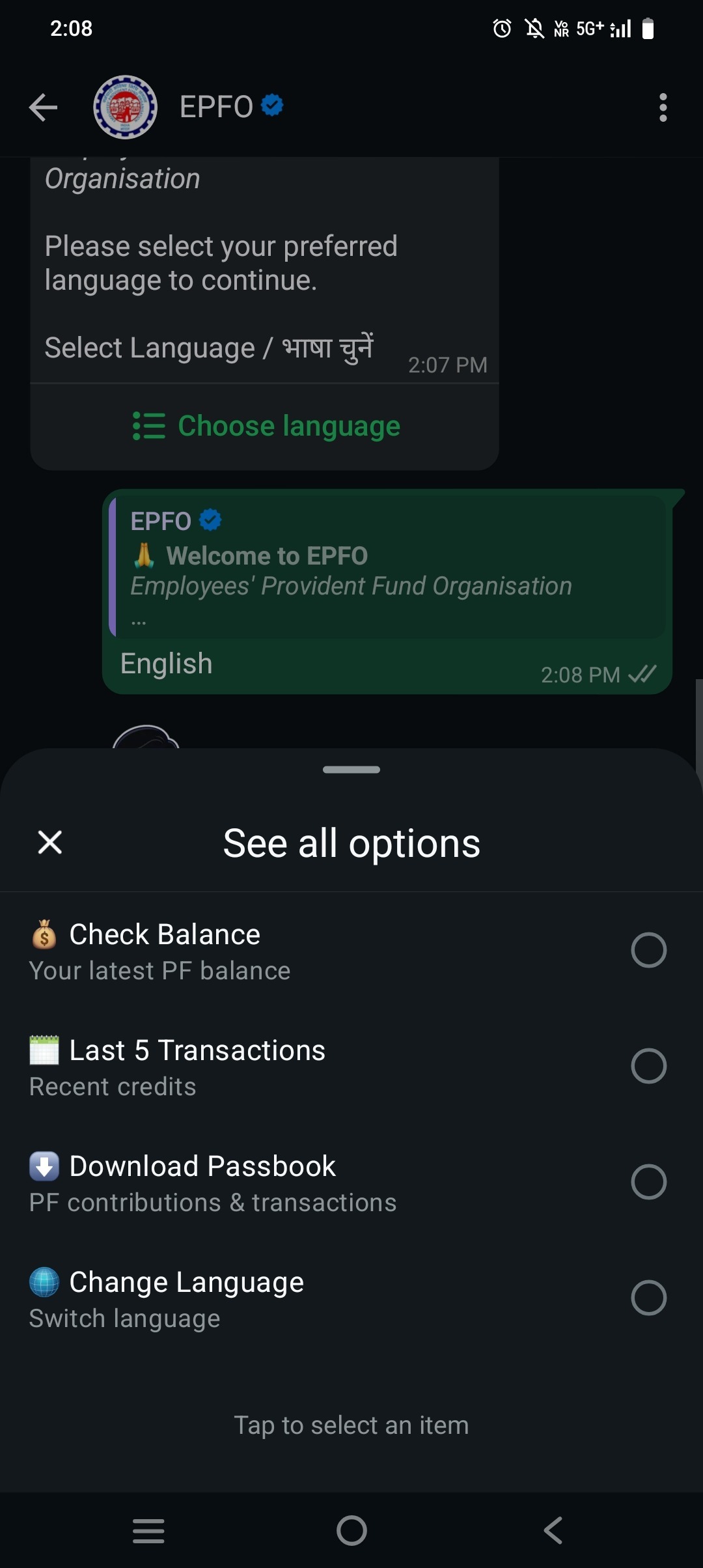
Step 3: Click on “See All Options” to proceed to the next step.
Step 4: After clicking on “See All Options,” select your preferred service from the list, such as Check PF Balance, View Last 5 Transactions, or Download Passbook.
Step 5: After selecting your preferred option, you will receive an OTP on your registered mobile number. The OTP is valid for 5 minutes.
Step 6: Enter the OTP in the official WhatsApp chat to complete the verification process.
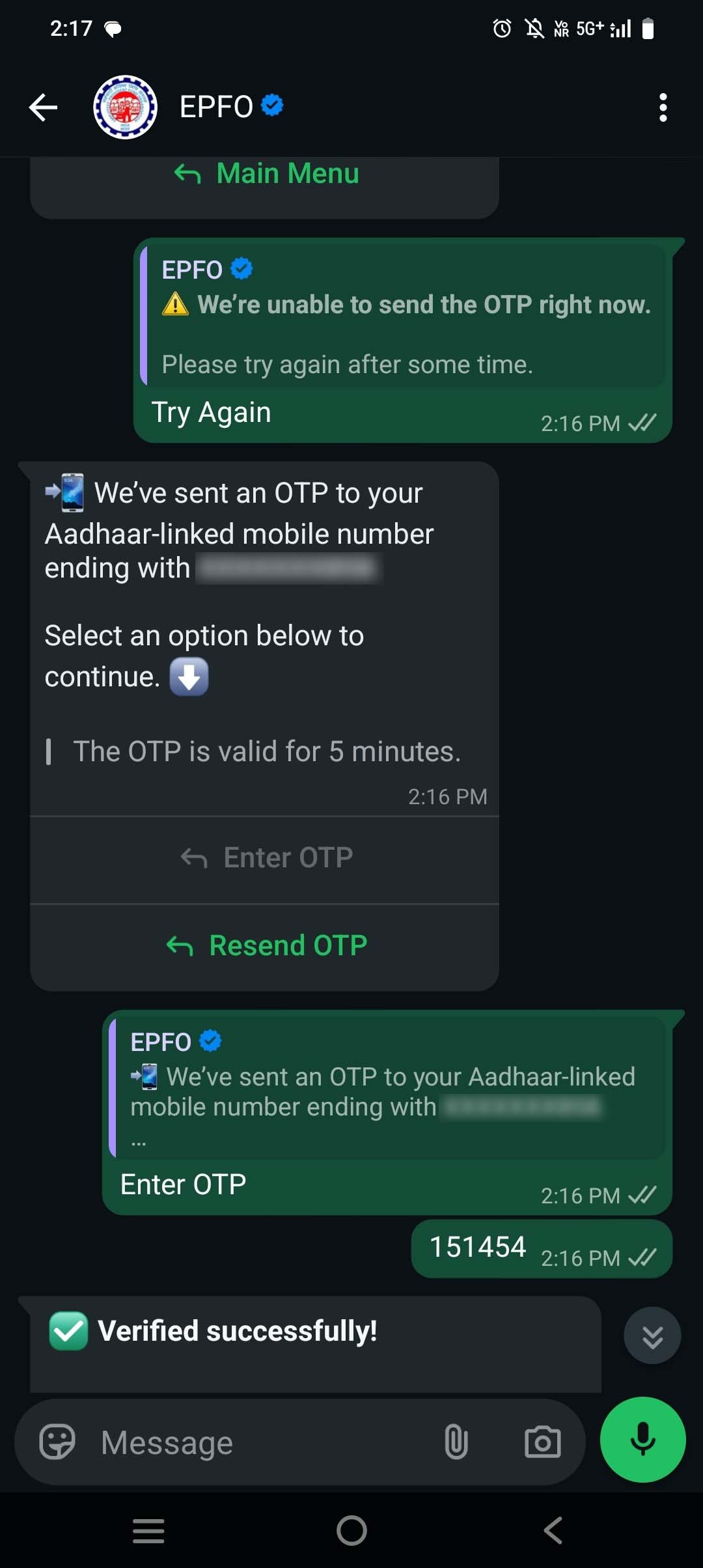
Step 7: Once verified, select the service you wish to access, such as checking your PF balance, viewing transaction details, or downloading your passbook.