


The Income Tax Department launched the new website of Income Tax on June 7th, 2021. The website has had various technical problems since its launch. One of these is the problem related to ITR. Let’s know it in detail here.
Various Errors Related to ITR
People were excited about the new Income Tax website, but after the launch, they are facing various problems with it. The long list of problems also includes problems related to ITR filing, due to which people are getting frustrated. It is obvious that ITR filing is one of the main functions of the Income Tax website, along with other functions. But right now, the website is not able to perform its main function properly.
Submit Query for Error Free Return Filing Software
Common ITR Issues Faced by Taxpayers in FY 2024-25
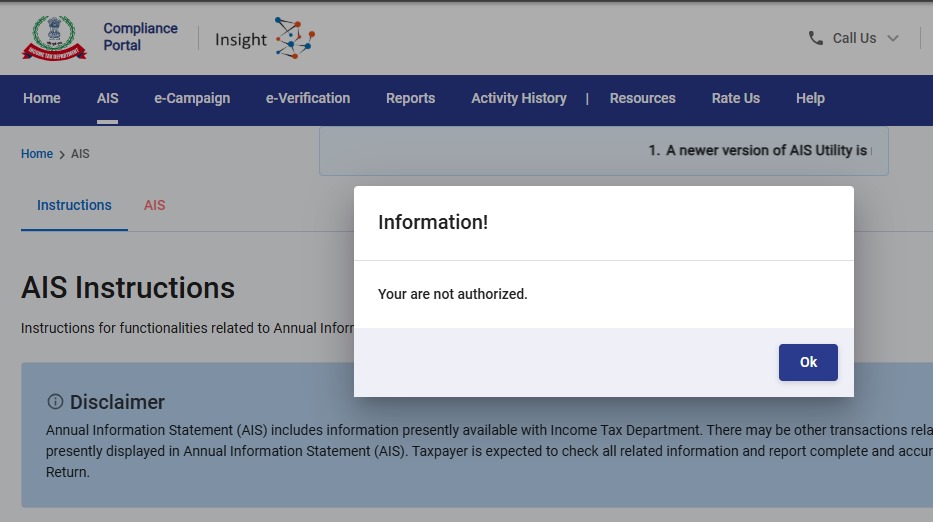
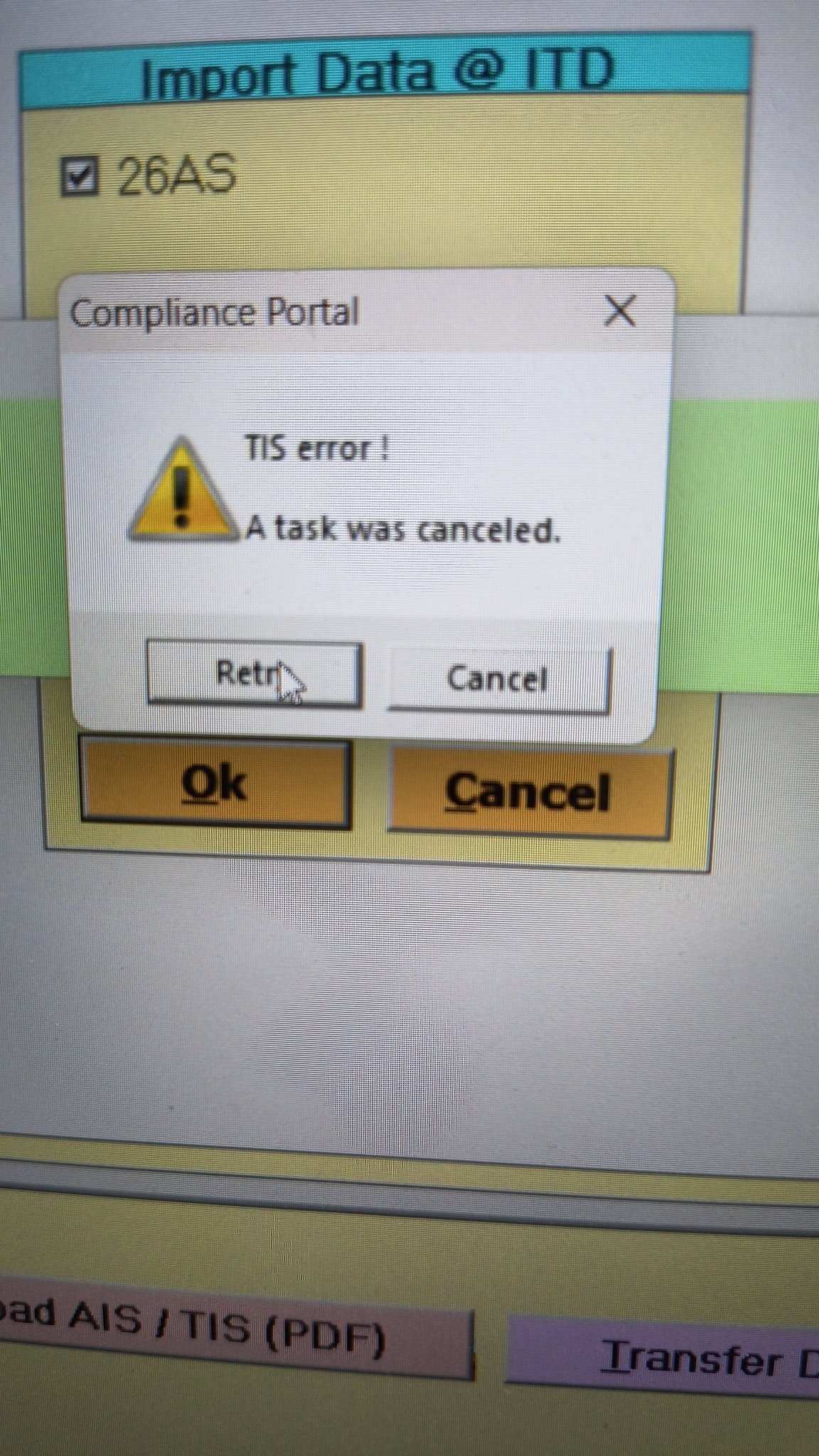
- Error 1: The income tax portal has been issuing an error for the past few days, making it impossible to download the AIS and TIS Data. According to the given challenges in the ITR filing, it would be mindful to think about extending the additional deadline by 2 to 3 weeks. The lack of these important records significantly complicates the tax filing process. Here is the error below –
- Error 2: While submitting the return in ITR-2, the Assessee is facing the following validation error. This error is not coming while filing ITR-3:
- In Schedule CG, the value of b1eii should be: (a) the difference of B1eiA and B1eiB, if eiA > eiB, else 0, if the date of acquisition is before 23 July 2024 and the transfer is on or after 23rd July 2024; (b) 0 in any other case.
- Error 3: While submitting the return in ITR-2, the Assessee is facing the following validation error. This error is not coming while filing ITR-3: In schedule CG, the dropdown at sl. no. B10a, &; Whether the date of limitation /withdrawal was before 23rd July 2024 & is not selected.
- Error 4: While submitting the return in ITR-2, the Assessee is facing the following validation error:
- In Schedule Part-BTI, Sl. No. 15 Aggregate Income of Schedule B-TI is not equal to Sl. No. 12 – 13 + 14
Genius Software Makes Income Tax Filing Easy and Secure
Since Assessment Year 2001-02, Genius tax software has been the number one tax return filing software among Indian tax professionals. Clients can file unlimited returns with this software, including income tax, TDS, AIR/SFT, and other tax forms. Gen BAL (Balance Sheet), Gen IT (Income Tax), Gen CMA, Gen FM, TDS (Tax Deducted at Source) and AIR/SFT make up the six modules of the Genius program. Among the best taxation software in India, Genius provides multiple features such as Backup, Restore, and Password Settings.



In the portal, I am unable to raise a Refund Re-issue request for my validated bank account.
In Services> Raise Refund Re-issue Request, I have selected the Acknowledgement number and clicked Continue. But unable to see any pre-validated bank accounts on the page. There
is no way to select an already added and validated bank account.I checked all possible ways and sent an email with attached documents to efilingwebmanager@incometax.gov.in. But they are asking for Error snapshots. Any suggestion on this
Cannot down load IT RETURNS
if you faced a problem while filling of form 10IE in the Case of HUF like an Input submission error then click on the profile section and select the key personal details and fill the Karta of huf details. After that you can file Form 10IE.
Please google the error – Category of defect A :You will not be allowed to upload the return. Kindly correct below errors in order to proceed further.
You will find an Instruction booklet of 52 pages. This appears a very complicated error involving new tax regime u/s 115BAC option.s newly introduced for AY 20-21. We have to make some clear options. Otherwise this error will not allow us to file.
Instructions to Form ITR-1 (AY 2021-22) – Income Tax …https://www.incometaxindia.gov.in › ITR2021 › I…PDF
Category A defect are the defects, wherein return will not be allowed to be uploaded and error message will be displayed to the taxpayer. List of Category A …
52 pages
S.No. Error Description Suggestion
1. You can not file return under section as the time limit to file the return under this section is over
To solve this problem… you have Tick/ select option After due date instead of On and Before due date option, then file your returns I did same technique and its works !
In this case if there is any carry forward loss of the current year, it will not be allowed to be carried forward…….
I am not able to file rectification of ITR2020-2021 due to Error-ITD-EXEC-2003
I send mail to Ewebmanagerepotprtal but problem not solved.
The new e-filing portal 2.0 gives a lot of trouble for generating evc online. I failed to generate evc for ay 22-23 online since 10.6.22 post successful submission of itr. Always a message comes ” Your special request cannot be processed” while processed through net banking of sbi. I am fed up. Pl help.
Not able to select that option.Not sure how to proceed
option to select after due date is disabled…then what shoud i do?
I am not able to select option after due date. i have mistakenly clicked on before due date but after that got error and i am trying to change it but it is not changing. please guide me what should i do?
1] Log out from the portal and try to login again.
2] Try to select Select Assessment year* 2021-22 (Current A.Y.)
Select Mode of Filing* :Online (Recommended)
3]Start filling new.
4] Enter the same as previous and then before conforming select the filing option after due date.
5] reset same process .
6] The new form will be saved as draft once everything is validated you can e-verify .
Hope this will help you guys.
I am not able to get that option as it shows that option is fixed with on or before due date and cursor is not moving. now what to do.
Thank you Pramod. It works.
I am getting error code validation ef20113 while filling ITR 6. How to get it resolved. Please help.
register your DSC once again
Category of defect A :You will not be allowed to upload the return. Kindly correct below errors in order to proceed further.
S.No. Error Description Suggestion
1. You can not file return under section as the time limit to file the return under this section is over
Hi Lokesh, is the issue resolved? If yes, Can you please update the solution here as I am also getting the same error.
To solve this problem… you have Tick/ select option After due date instead of On and Before due date option, then file your returns I did same technique and its works !
Is this solve sir, because i have also recived same error what should i do