


The Income Tax Department launched the new website of Income Tax on June 7th, 2021. The website has had various technical problems since its launch. One of these is the problem related to ITR. Let’s know it in detail here.
Various Errors Related to ITR
People were excited about the new Income Tax website, but after the launch, they are facing various problems with it. The long list of problems also includes problems related to ITR filing, due to which people are getting frustrated. It is obvious that ITR filing is one of the main functions of the Income Tax website, along with other functions. But right now, the website is not able to perform its main function properly.
Submit Query for Error Free Return Filing Software
Common ITR Issues Faced by Taxpayers in FY 2024-25
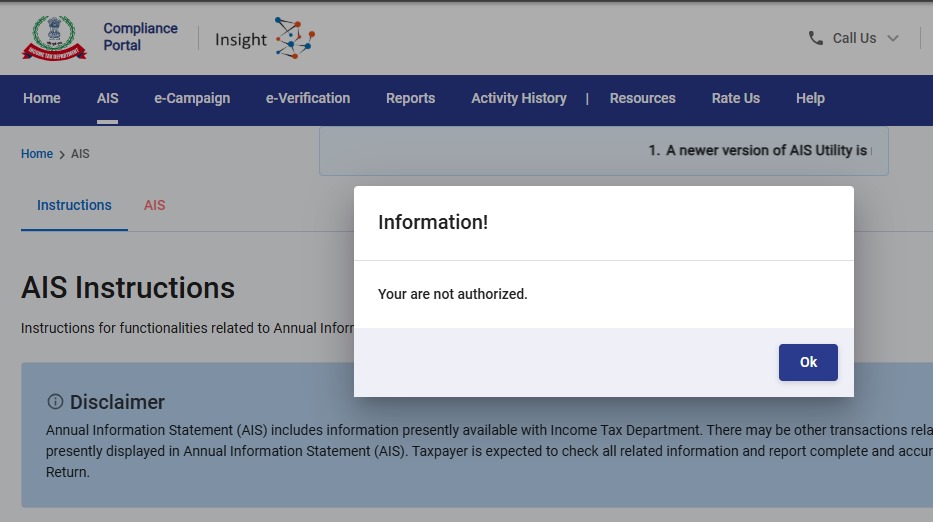
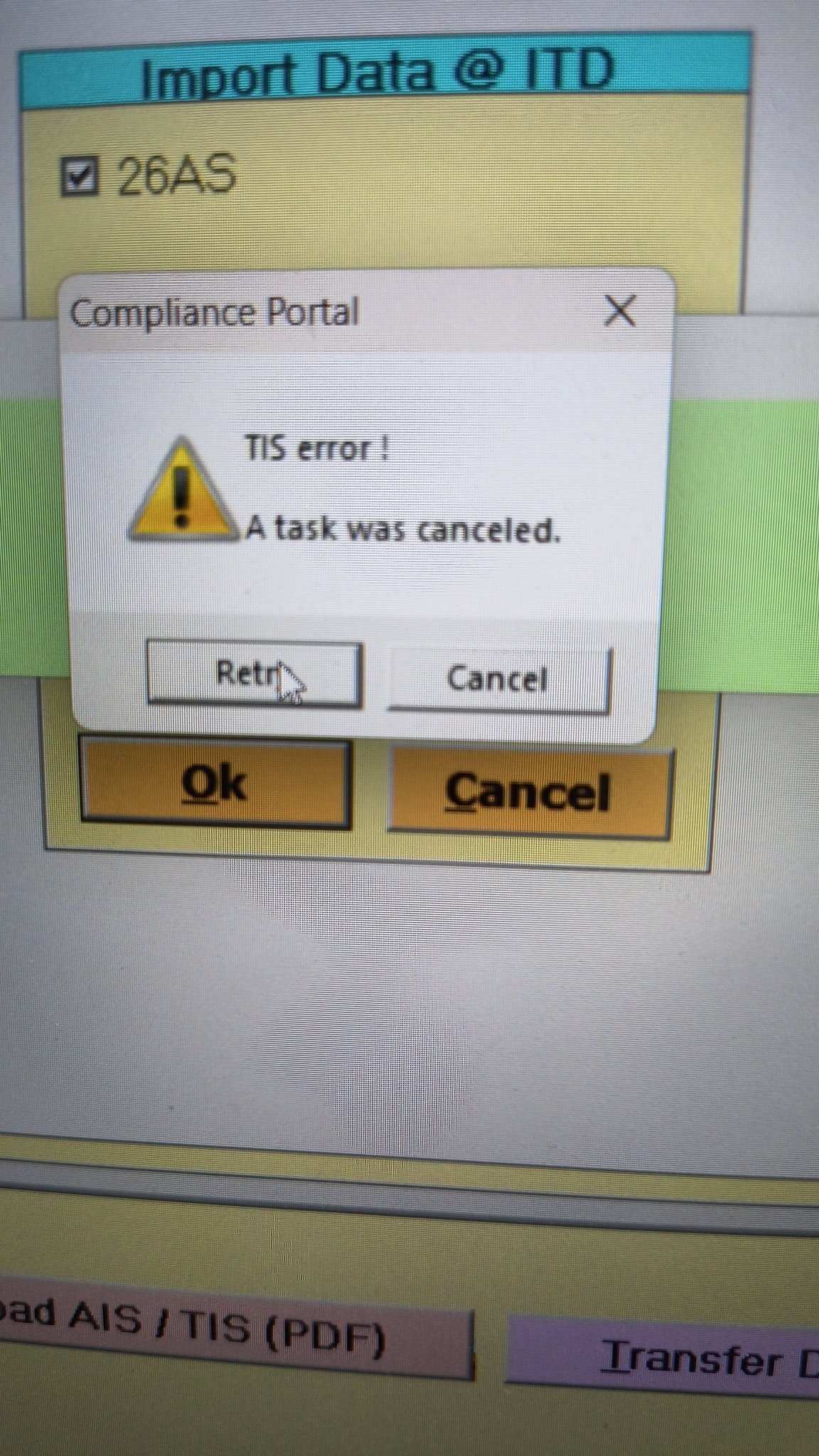
- Error 1: The income tax portal has been issuing an error for the past few days, making it impossible to download the AIS and TIS Data. According to the given challenges in the ITR filing, it would be mindful to think about extending the additional deadline by 2 to 3 weeks. The lack of these important records significantly complicates the tax filing process. Here is the error below –
- Error 2: While submitting the return in ITR-2, the Assessee is facing the following validation error. This error is not coming while filing ITR-3:
- In Schedule CG, the value of b1eii should be: (a) the difference of B1eiA and B1eiB, if eiA > eiB, else 0, if the date of acquisition is before 23 July 2024 and the transfer is on or after 23rd July 2024; (b) 0 in any other case.
- Error 3: While submitting the return in ITR-2, the Assessee is facing the following validation error. This error is not coming while filing ITR-3: In schedule CG, the dropdown at sl. no. B10a, &; Whether the date of limitation /withdrawal was before 23rd July 2024 & is not selected.
- Error 4: While submitting the return in ITR-2, the Assessee is facing the following validation error:
- In Schedule Part-BTI, Sl. No. 15 Aggregate Income of Schedule B-TI is not equal to Sl. No. 12 – 13 + 14
Genius Software Makes Income Tax Filing Easy and Secure
Since Assessment Year 2001-02, Genius tax software has been the number one tax return filing software among Indian tax professionals. Clients can file unlimited returns with this software, including income tax, TDS, AIR/SFT, and other tax forms. Gen BAL (Balance Sheet), Gen IT (Income Tax), Gen CMA, Gen FM, TDS (Tax Deducted at Source) and AIR/SFT make up the six modules of the Genius program. Among the best taxation software in India, Genius provides multiple features such as Backup, Restore, and Password Settings.




After successful validation of ITR 2 the verification shows Error:
Gratuity amount re enter under Sec10(10).
Even after re entry the error persists.
Hi Saji,
Same issue here. Have raised grievance. Received a standard reply saying trying filling fresh online form or new offline utility. Tried everything. Error persists. Have you found a solution?
Only thing I can think of is to not report the Gratuity. Anyway, there is not tax implication if less than 20 lakh.
Regards,
Arun
Same error related to Sec 10(10). No resolution yet despite repeated grievance’s with efiling manager as well as income tax grievances portal.
If there is a resolution, pls post.
thanks
I received an email that my grievance was resolved to which I sent a strongly worded email stating that the grievance has NOT been resolved and that they should not close the ticket. After that I received a call from CPC Bangalore stating that they will organize a webex call with the relevant team who will guide me. 5 days since then and I am still waiting. Keep raising grievances and keep mailing them. Lets get this issue up in the list of bugs to fix. That’s the only way!
Exemption u/s 10(10) for gratuity shall not exceed income offered under the head salary under sub head gratuity receipt and cannot exceed Rs20 lakhs
Exactly facing the same error.
Even after splitting up the ‘Nature of Salary’ to have Gratuity reflect the value, it is not allowing the same value in exempt allowance and throwing the above error.
keep emailing error to efilingwebmanager@incometax.gov.in
how did you over come this?can you help me please? i have tried 100 time s already
I was able to add the gratuity exemption under “Any other” and description as under section 10(10) gratuity
One thing the utility had to be completely closed and reopened for this to work. Otherwise even after this change it was giving the same error.
Reason was the earlier error was not opening up the link directly when clicked and so any modification still gave the same error.
This is definitely a bug that needs to be fixed and have raised grievance also.
Thanks, that worked! Looks like as part of the resolution, they added Gratuity and some other categories of income (Leave Encashment) in the Salary break-up dropdown. Providing the break-up using “Add Another” ensured the rectification of validation error.
I also faced the same problem but as you mentioned. Yesterday mailed to IT department efiling mail ID but not receive any response and today also called to the helpline and raised the ticket for the same and they told me that I will get the response within 24 to 48 hours.
Thank You for the solution which you had posted & it worked. Removed the gratuity field and added the same in “Any Other” option under section 10(10) exemption with the same description I had provided in “any other” field.
Thank you again for the solution.
Thanks this worked for me also. Essentially the deductions under section 10 like gratuity, leave encashment etc. should be provided under the salary breakup by adding “Add Another” section. But its a bug nonetheless.
Thank you Rajesh… your post helped me file my ITR2.
Namaskar! For me the issue is the ITR2 form shows ZERO salary, ZERO income from other sources. If I try to put in the salary as per Form 16, the ITR2 utility does not allow me to edit the salary. I raised Grievance on 4 August and again I reported on 11 Nov. I also sent email to efilingwebmanager@incometax.gov.in. No resolution so far. Anybody facing this kind of issue?
Hello- Were you able to resolve this error ? I am facing the same error !
It was never resolved, so I filled it manually. It took me a long time to fill in manually every field of the ITR2 form.
Missed seeing this message, replying really late. Hope it was better for you, i.e., got a solution.
I am getting below error while adding the Advance Tax and Self Assessment Tax payment for the assessment year 2021-22.
Error: Date of deposit cannot be prior to 01-04-2020.
I had deposited the challan on 16/10/2021 and selected the same date but I am still getting the same error.
I am also facing the same problem. Is your problem resolved?
I am getting the same error. has anyone been able to get this resolved?
Hi Murali, Did u you find solution for the Error: Date of deposit cannot be prior to 01-04-2020 ?
change the browser to google chrome… it worked for me…
Error resolved or not.same prob here if solution tell
I was also getting this error in safari browser. So I tried using chrome browser and it worked.
change the browser to google chrome… it worked for me…
After facing same issue for past 08 days today I updated my chrome browser in my phone , cleared cookies and filled it through my phone itself and finally submitted successfully without error. Earlier I was trying through my iPad and It was continuously giving errors.
Hi Ankit, I tried your method of clearing caches in Google Chrome but I am still getting date error while filling Self assessment tax details . Because of this error, I am not able to verify my return. Do you have any other solution?
It was giving the error today in chrome as well. I went to incognito mode and then it worked!
I got the same error when paid on 17/12/21.
I am also facing the same error. Tax deposited on 20 Dec 2021 but it gives the same error as faced by you
try in incognito mode
I also get the same issue: Date of deposit cannot be prior to 01/04/2020
After successful validation no acknowledgement no. and message on email is coming also not verifying….
ITR FOR AY 20-21 INTIMATION HAS BEEN RECEIVED AND ALSO REFUND RECEIVED BUT ITR SHOW UNDER PROCESSING AND ITR STATUS BY ACK NO SHOW E VERIFIED
Forgot password in income tax portal don’t get OTP for forgot password
Still facing e-filling through black. It’s saying the error “your filling encountered an error at IT”.since one month facing the same issue. Kindly do the needful. Due to this error I am unable to receive my return ammount.