



The Income Tax Department launched the new website of Income Tax on June 7th, 2021. The website has had various technical problems since its launch. One of these is the problem related to ITR. Let’s know it in detail here.
Various Errors Related to ITR
People were excited about the new Income Tax website, but after the launch, they are facing various problems with it. The long list of problems also includes problems related to ITR filing, due to which people are getting frustrated. It is obvious that ITR filing is one of the main functions of the Income Tax website, along with other functions. But right now, the website is not able to perform its main function properly.
Submit Query for Error Free Return Filing Software
Common ITR Issues Faced by Taxpayers in FY 2024-25
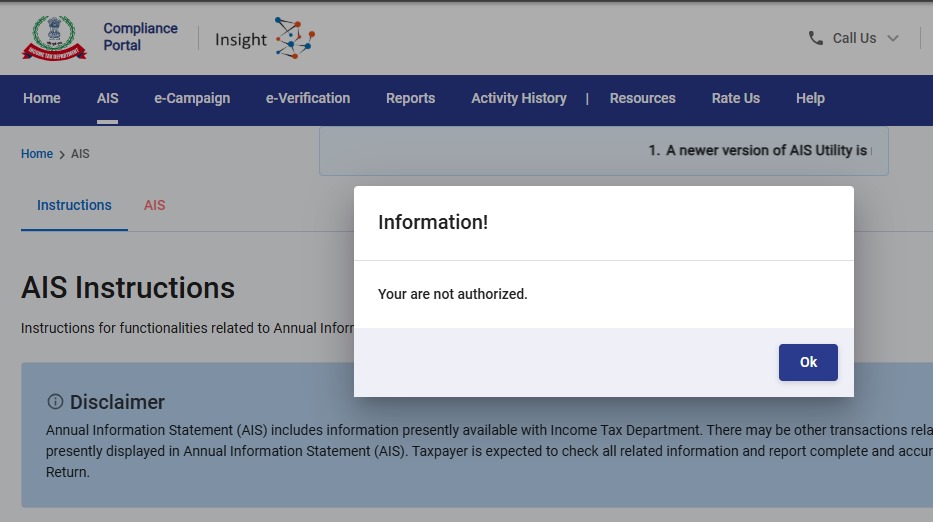
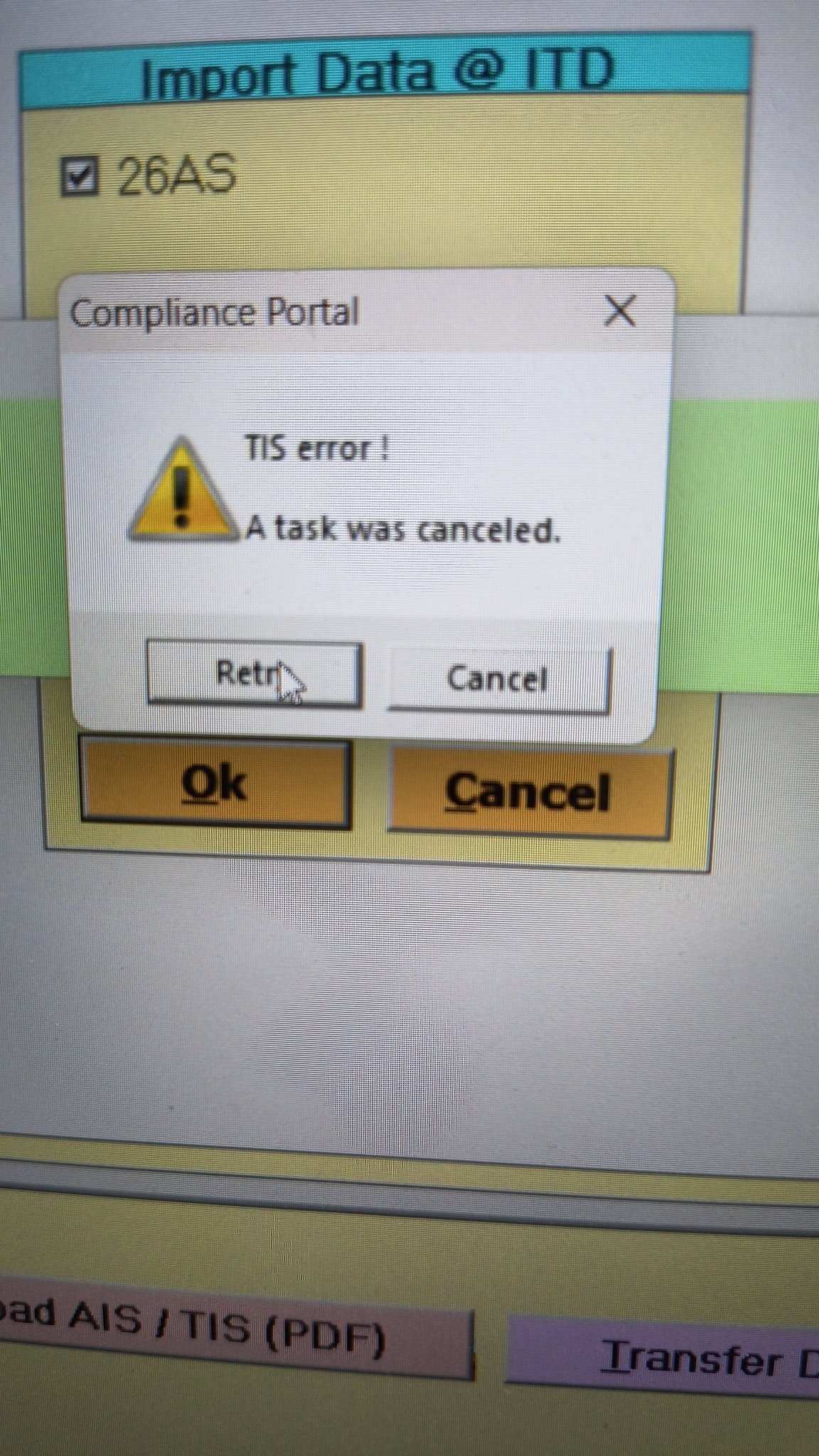
- Error 1: The income tax portal has been issuing an error for the past few days, making it impossible to download the AIS and TIS Data. According to the given challenges in the ITR filing, it would be mindful to think about extending the additional deadline by 2 to 3 weeks. The lack of these important records significantly complicates the tax filing process. Here is the error below –
- Error 2: While submitting the return in ITR-2, the Assessee is facing the following validation error. This error is not coming while filing ITR-3:
- In Schedule CG, the value of b1eii should be: (a) the difference of B1eiA and B1eiB, if eiA > eiB, else 0, if the date of acquisition is before 23 July 2024 and the transfer is on or after 23rd July 2024; (b) 0 in any other case.
- Error 3: While submitting the return in ITR-2, the Assessee is facing the following validation error. This error is not coming while filing ITR-3: In schedule CG, the dropdown at sl. no. B10a, &; Whether the date of limitation /withdrawal was before 23rd July 2024 & is not selected.
- Error 4: While submitting the return in ITR-2, the Assessee is facing the following validation error:
- In Schedule Part-BTI, Sl. No. 15 Aggregate Income of Schedule B-TI is not equal to Sl. No. 12 – 13 + 14
Genius Software Makes Income Tax Filing Easy and Secure
Since Assessment Year 2001-02, Genius tax software has been the number one tax return filing software among Indian tax professionals. Clients can file unlimited returns with this software, including income tax, TDS, AIR/SFT, and other tax forms. Gen BAL (Balance Sheet), Gen IT (Income Tax), Gen CMA, Gen FM, TDS (Tax Deducted at Source) and AIR/SFT make up the six modules of the Genius program. Among the best taxation software in India, Genius provides multiple features such as Backup, Restore, and Password Settings.





I am facing the following validation error while filing my IT for AY 2021-22 today,
The date should be before 01/04/2021.
Can anyone suggest how and where to correct it?
I got the same problem
Did you find any solution for that
same issue
I got the same error, did you or anyone else find the solution ?
I am getting the same issue.. Did anyone found solution?
Hi . Try changing browser from Safari to Chrome, it should work.
Switching from safari to chrome solved the problem.
When going to register TAN at efiling through traces link it says ” request to go to traces can not be completed. Please try tan registration after some time” this error occurs from last two months how to solve it. ?
Got the same issue .have been trying to submit the return for weeks now .always showing this same error
“The date should be before 01/04/2021 for AY 2021-22.”
No idea how to rectify this. Please suggest a solution if some found something . In another site some one said its a browser issue some people opened the site in chrome rather than in safari was able to verify the Return .but now a days chrome is also showing the same error.
Mozilla Firefox is working fine. I switched from Safari to Firefox and did not get the error anymore.
This issue happens in safari browser. I tried submitting the form in chrome and it worked.
To confirm if this will work, check that the ip is listed next to place on the second last step.
I was facing the same problem while filing the return from my iPhone/iPad. Then I tried from android phone. It worked and there was no error.
On new IT TAX Portal – Getting Error during validating ITR-2 . For TDS 2 – Tax Deducted at Source on Income – TDS Credit relating to Self – selected as Self and not the other person or Spouse selected but still it gives error during validation that PAN is Mandatory.
Why should it ask for PAN if TDS Credit is being claimed for Self ?
I am getting the same error. Were you able to find a resolution?
No still the same issue.
Worst thing is it asks to update Self for each and every entry in TDS 2.
Every time I patiently do that to file IT return in ITR-2 and later when go for validation it gives error PAN Mandatory.
I have been doing this since last 3 months. Every month it asks to Pay some additional Self Assessment Tax. Really very frustrating experience.
Not sure how much more, honest tax paying citizens have to shell out more TAXES because of this system.
How can CBDT be so insensitive to issues raised by tax payers ?
I am getting similar error after successful validation in verfication and submission stage
“Kindly enter sum of amount filled in “TDS b/f” and “TDS deducted” in the field TDS claimed”
Hey, I am also getting the same error. What is the solution for this??
There is no solution. I am also facing this error. Such a poor design by Infosys. Pathetic implementation. Shame on Infosys.
Can’t even design this basic system. I am sure they must be failing badly on advanced client deliverables.
Personal information data not getting validated. Even on clicking confirm option it is not getting validated and asking for validation
are you able to get a resolve on this one?
getting the same error, even after click on confirm button, it’s not confirming the verification
Facing same issue. Is it resolved?
Did you able to resolve it
If you are getting such error, the solution is to discard the draft and start afresh. Don’t select the draft in which you are getting the error. Select the ITR as if you don’t have a draft in the first place. This will fix the above error.
Not able to validate prefilled date as confirmed button doesn’t work. Please let me know if anyone knows how to resolve
Same here ! Got a solution yet?
Receiving this Error Message while submitting Condonation Request on Portal :
“error Error : : Due to some technical error not able to process. Please check corresponding class and error code ITD-EXEC2003”
Any Clues !!
Thanks
I HAVE SHOWING SAME ERROR CODE AGAINST REFUND REISSUE CLAIM ASSESSMENT YEAR 2020-21
Can someone share how did they resolve the error as below, ” In Schedule OS, Sl. No. 10 the quartely break up of Dividend Income (i+ii+iii+iv+v) is not equal to [1a – DTAA Dividend -System calculated value at 3aii] of Schedule OS ” this error im getting on 14th sept 2021?
I am facing a problem to change password by dsc. Although DSC is made by PAN verification, but after inputting the DSC details, it says that PAN in DSC is not matching. in Google chrome, Edge or Mozila browser. Internet Explorer is also not opening the login page. If anybody knows the solution, please let me know.