


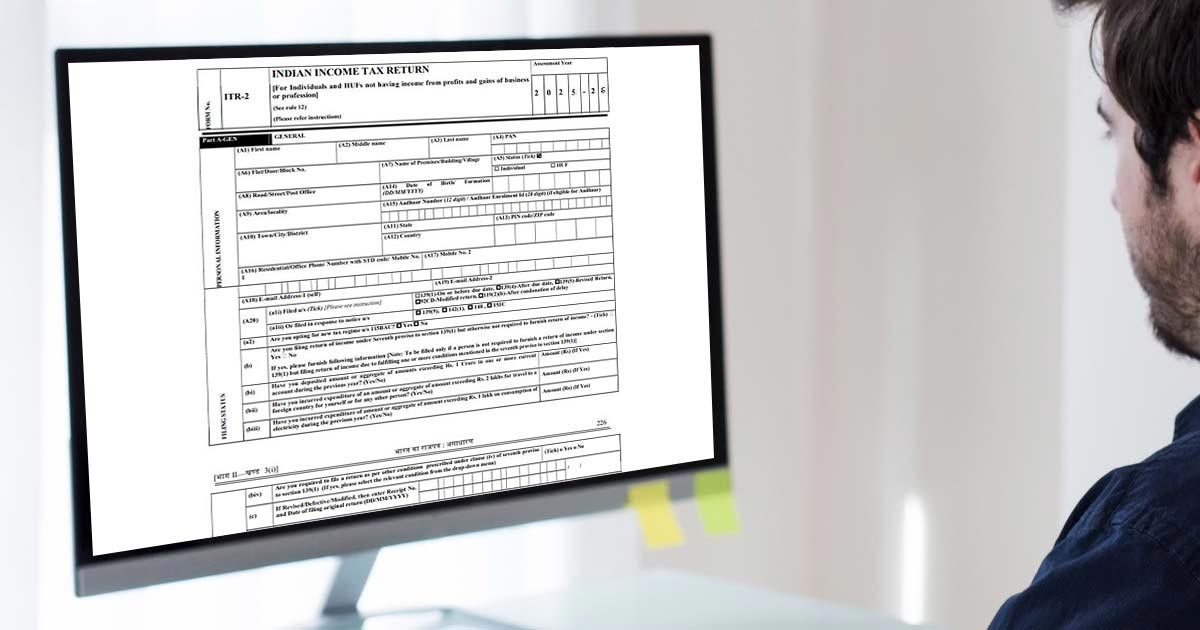
What is the ITR 2 Form?
The ITR-2 is filed by individuals or HUFs not having income from profit or gains of business or profession and to whom ITR-1 is not applicable. It includes income from capital gains, foreign income, or any agricultural income of more than Rs 5,000.
- What is ITR 2 Form
- Eligibility File ITR 2 Online AY 2026-27
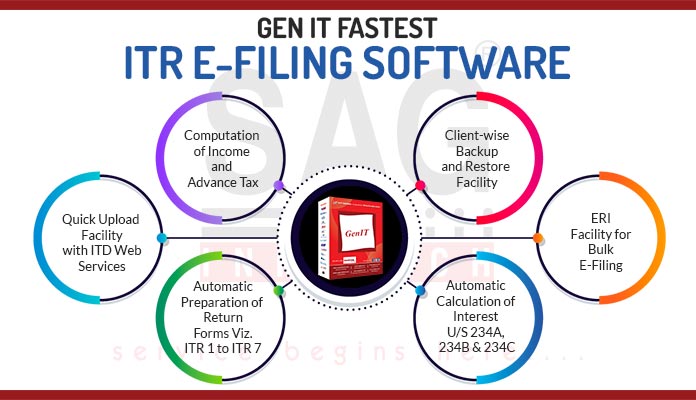
- File ITR 2 Via Gen IT Software
- ITR 2 Due Date for AY 2025-26
- Structure of ITR 2 Filing
- ITR 2 Form Filing Online and Offline Mode
Latest Update
- Now, taxpayers can download the Excel-based utility V1.3 for ITR-2 AY 2026-27 from the official e-Filing portal. Download now
ITR 2 Filing Start Date for Taxpayers
The Income Tax Department has not yet started online filing for the ITR-2 form.
Eligible Taxpayers for Filing ITR 2 Online AY 2026-27
The taxpayers who are eligible for filing the ITR-2 form are the persons whose source of income is as mentioned below:
- A resident having any asset located outside India or a signing authority in any account.
- A non-resident or non-ordinary resident.
- Taxpayers who earn agricultural income above Rs. 5000/-.
- Income from winnings of a lottery, horse race, gambling, etc., under the head of other sources.
- Both short and long-term capital gains/losses from the sale of property/investments/securities. (if there is only long term capital gain exempt u/s 10(38) then ITR-1 can be filed)
The taxpayers who are not eligible to file the ITR-2 form are as follows:
- Taxpayers who earn from a business or profession
- Taxpayers who are eligible to file an Income Tax Return 1.
File ITR 2 Via Gen IT Software, Get Demo!
Due Date for Filing ITR 2 Online AY 2026-27
| Financial Year | Due Date |
|---|---|
| FY 2025-26 (AY 2026-27) | 31st July 2026 |
| FY 2024-25 (AY 2025-26) | |
| FY 2023-24 (AY 2024-25) | 31st July 2024 |
Every year, on or before 31st July, is termed as the last date for filing ITR 2.
Note: ITR-2 form corrigendum via Notification No. 58/2026. Read More
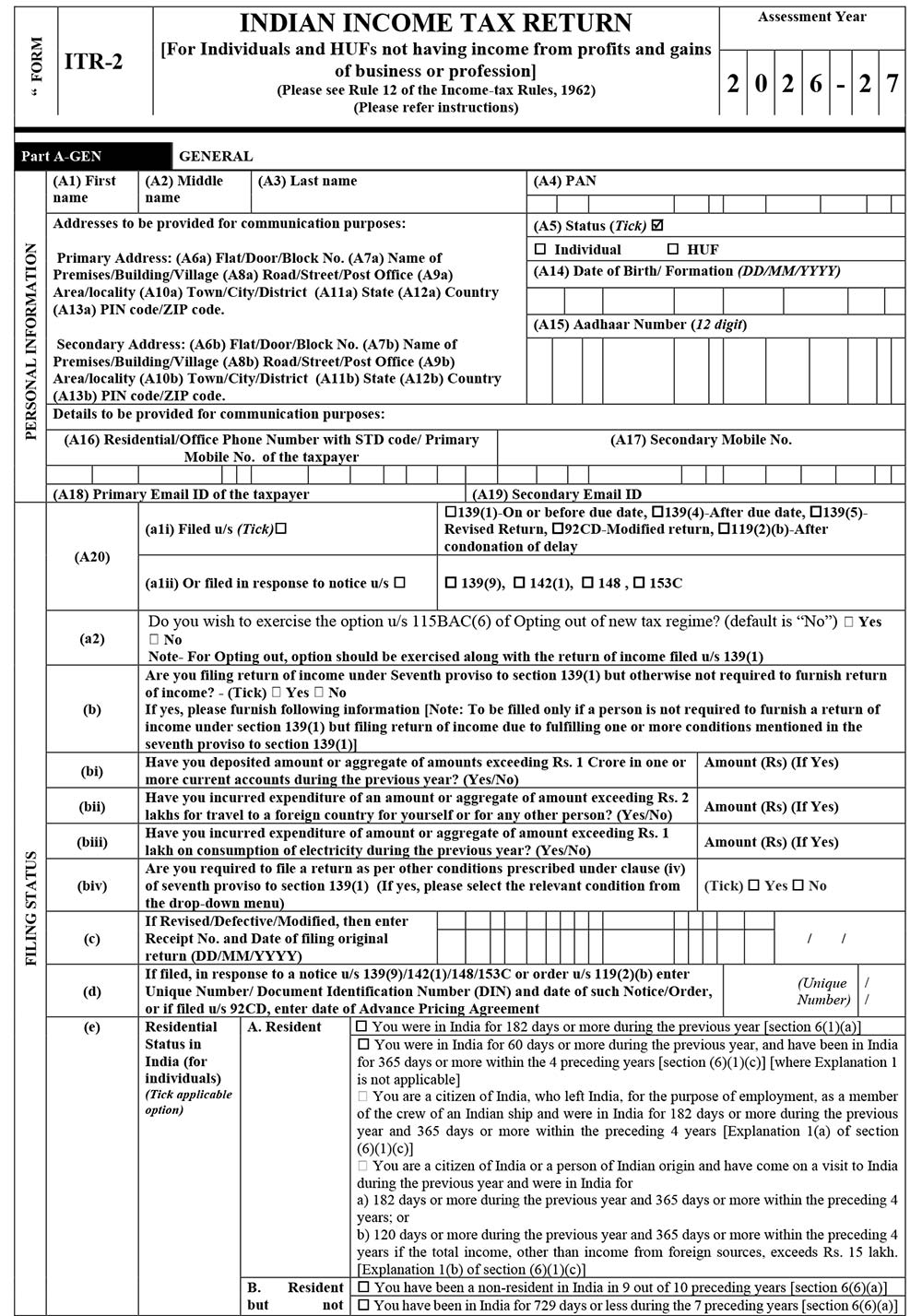
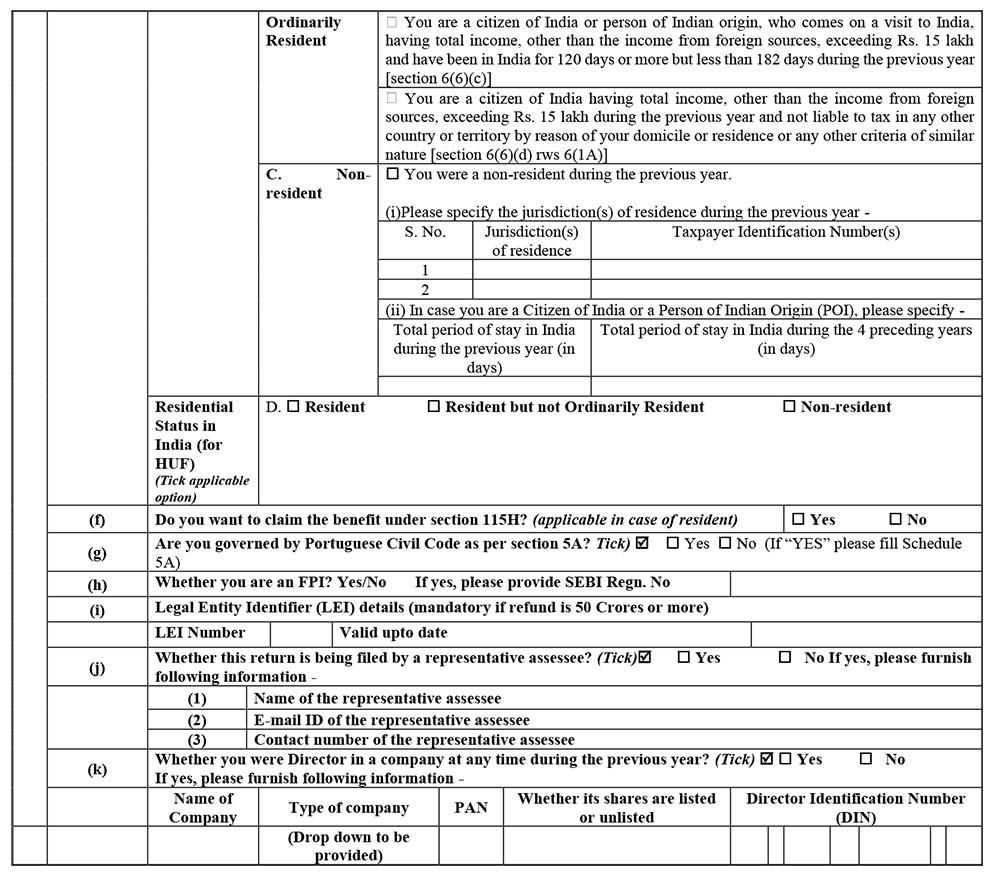
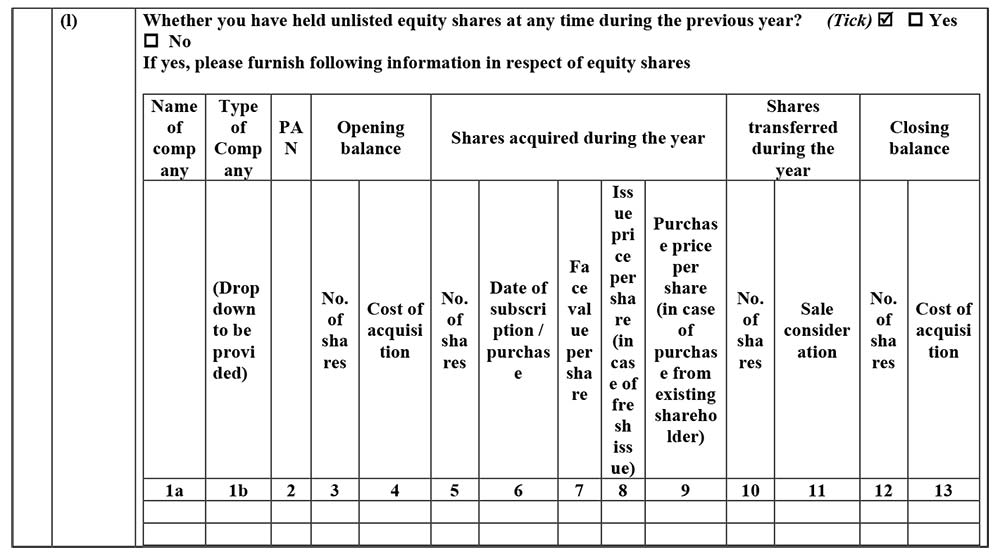
Structure of ITR 2 Filing for AY 2026-27 Online
Part A: General Information
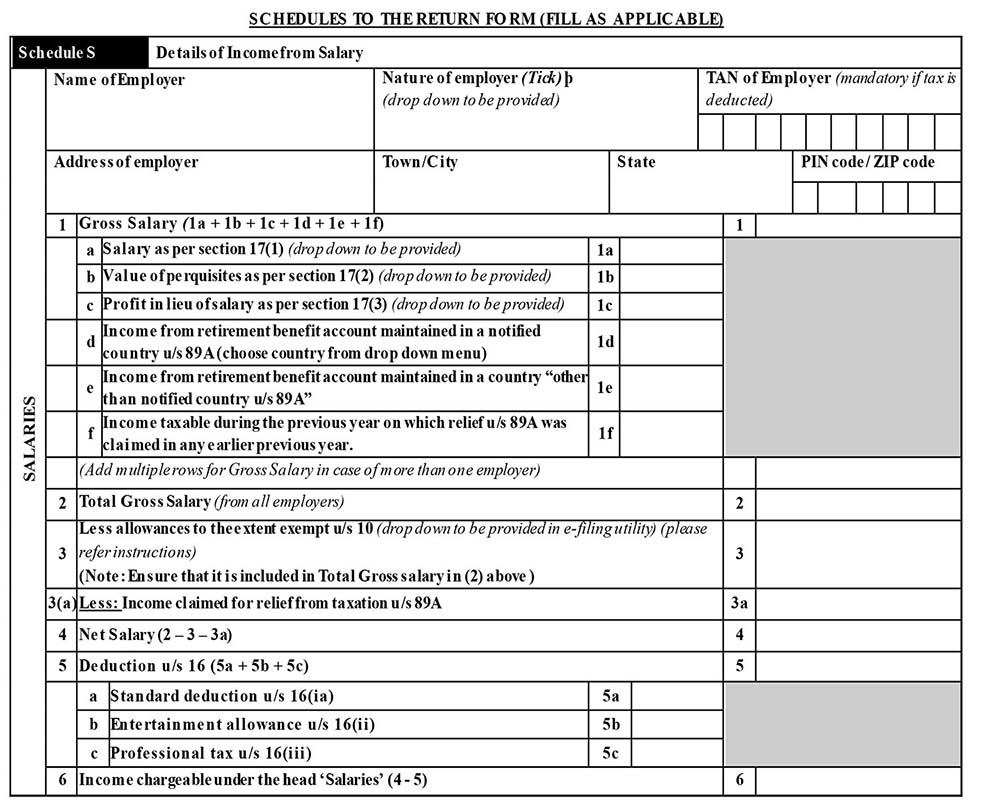
Schedule S: Details of Income from Salary
Schedule HP: Details of Income from House Property

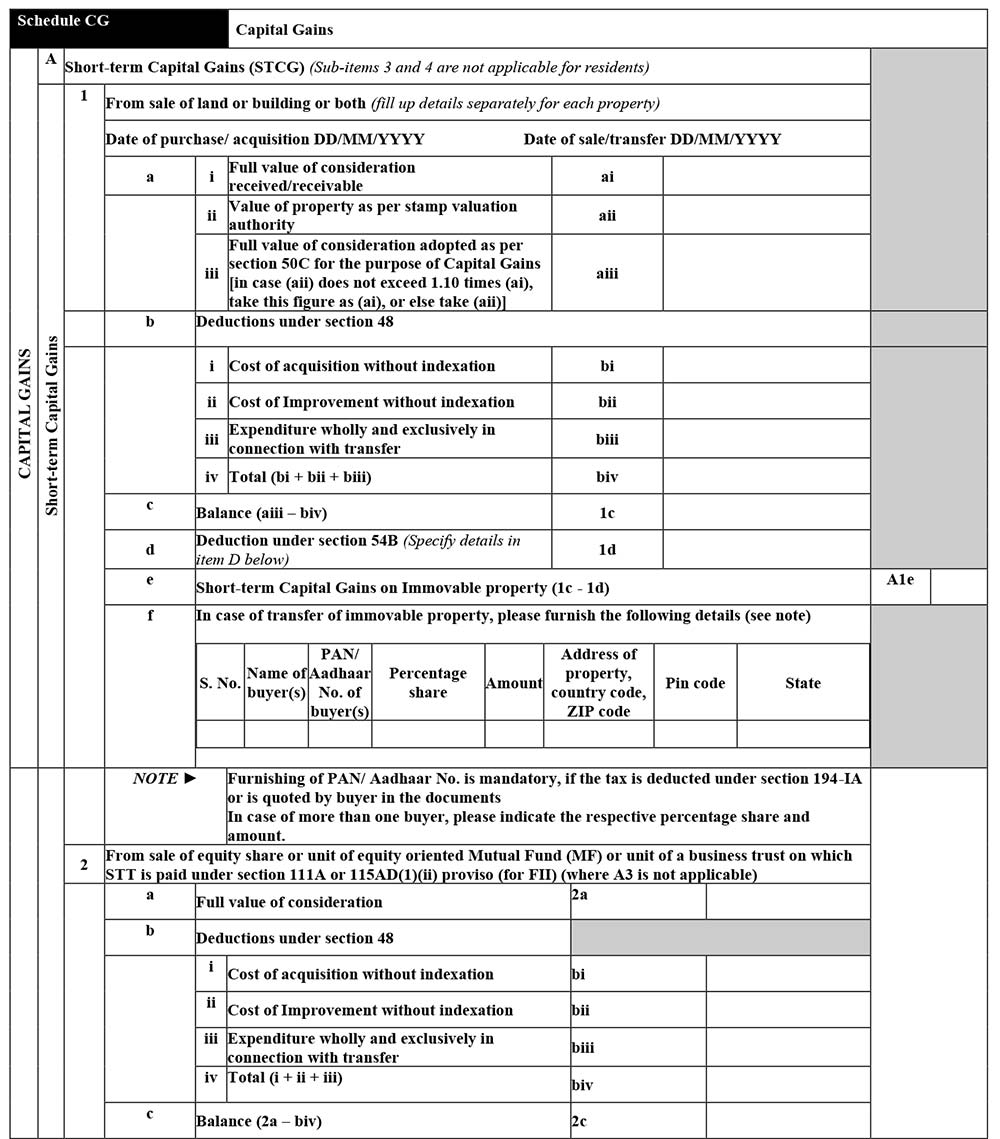
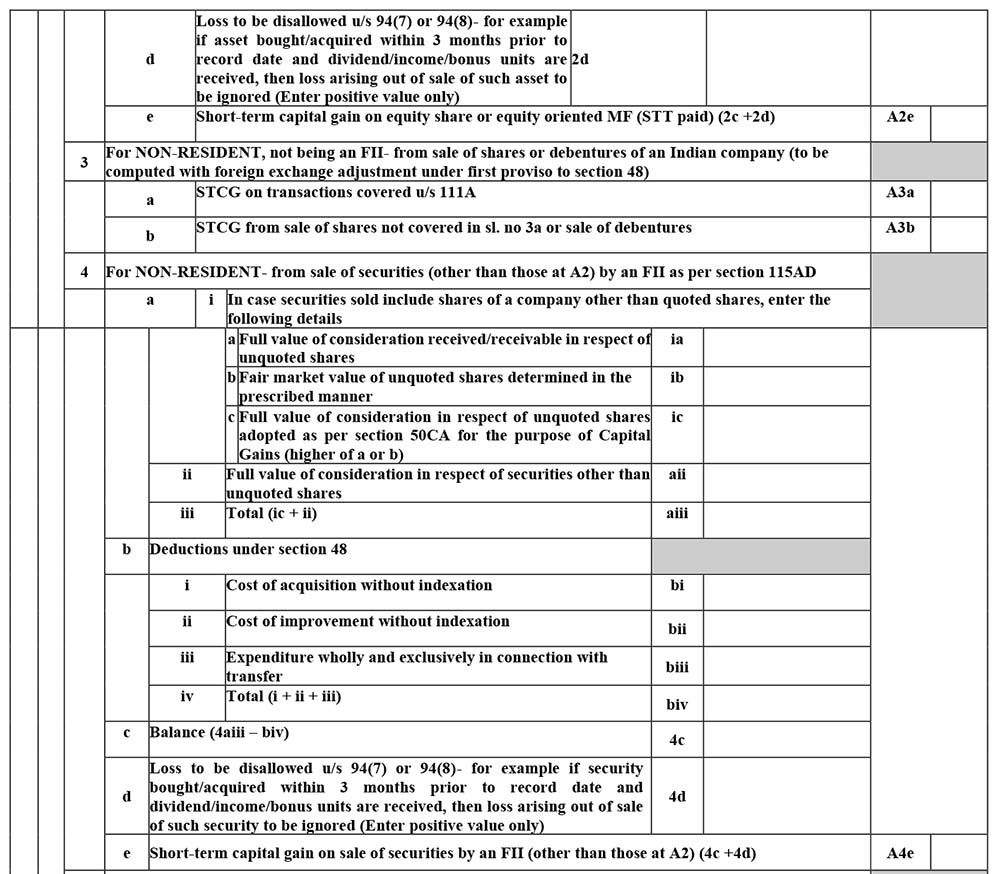
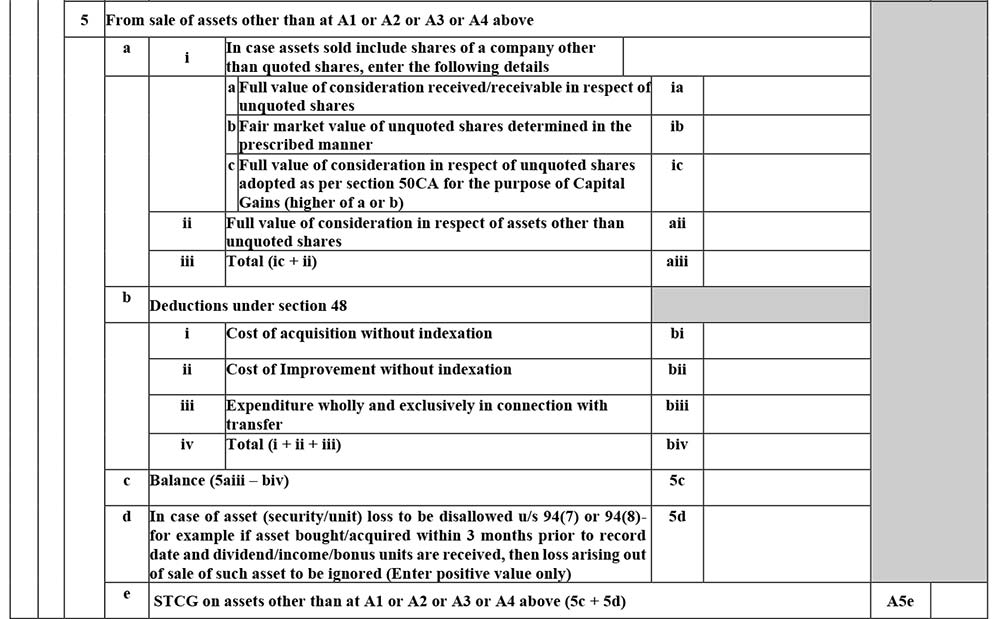
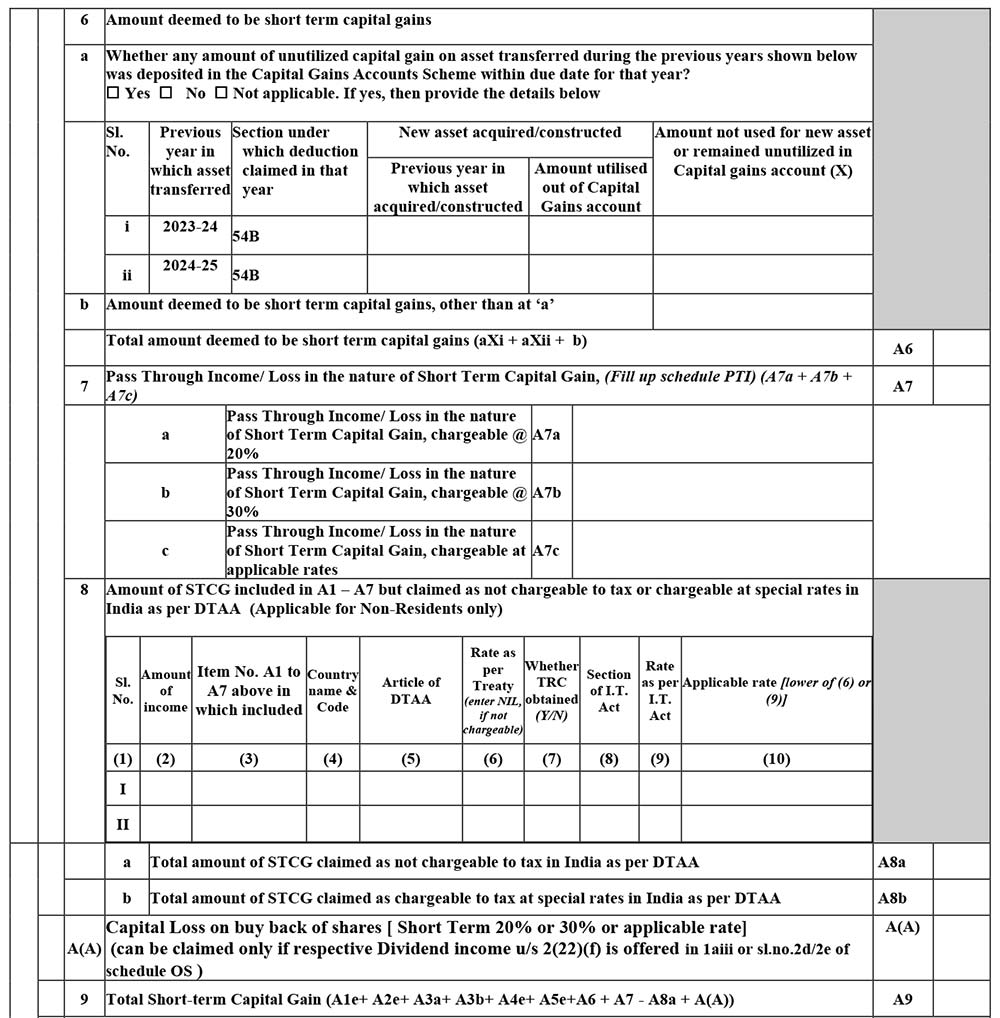
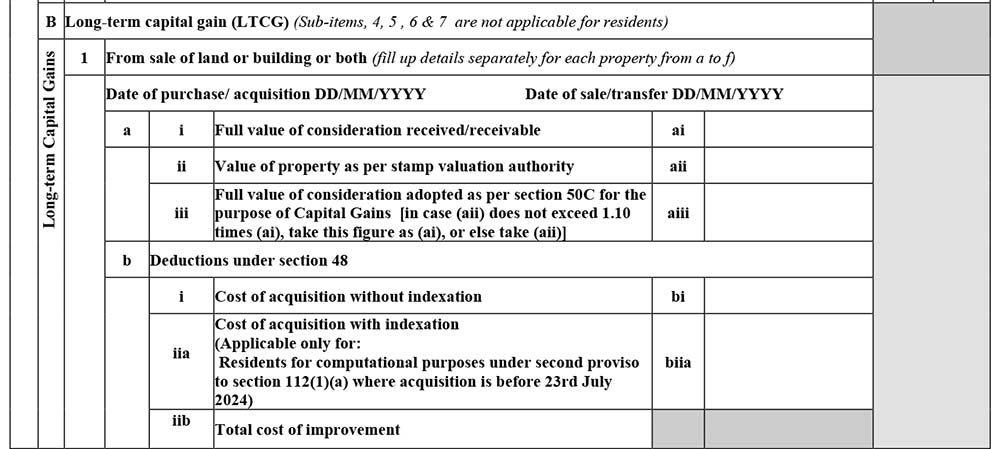
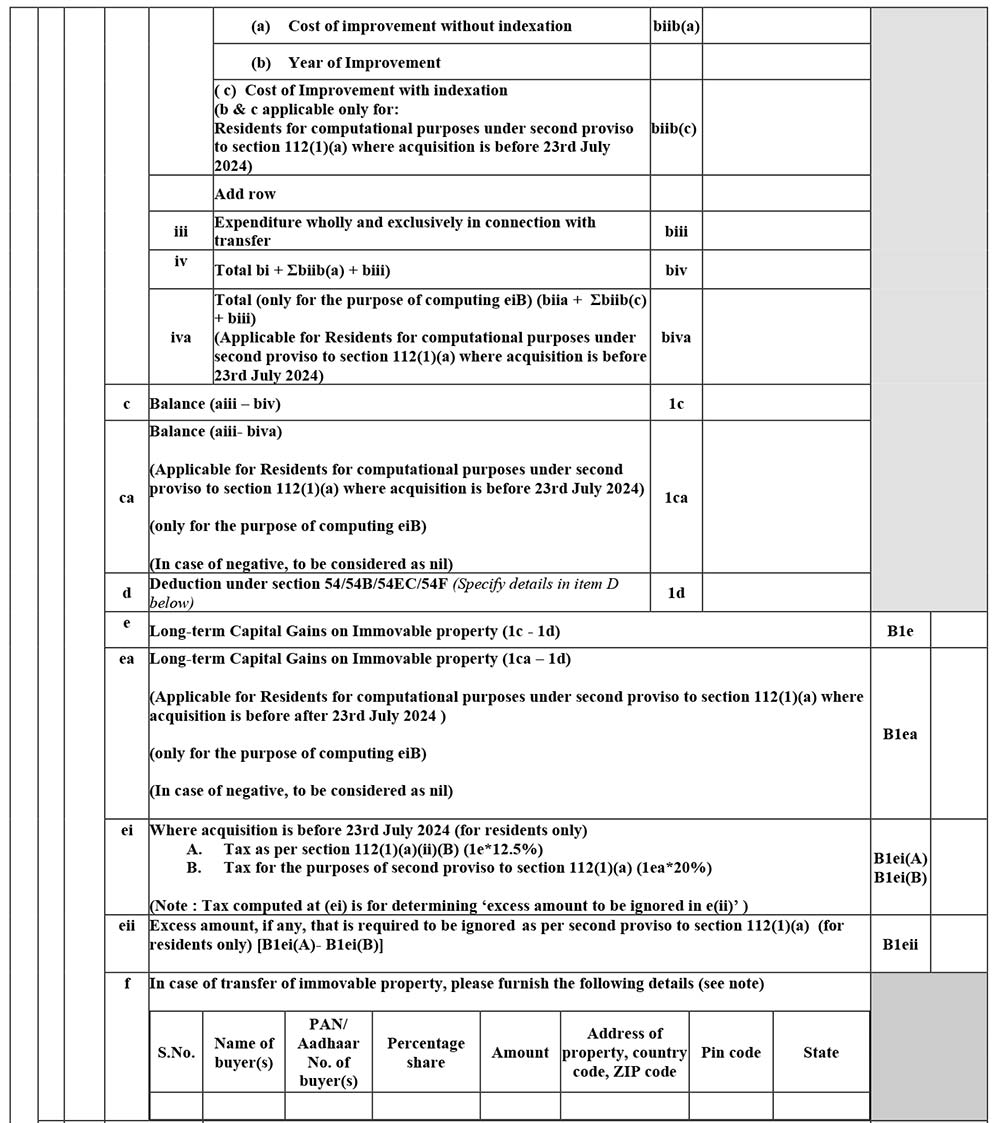
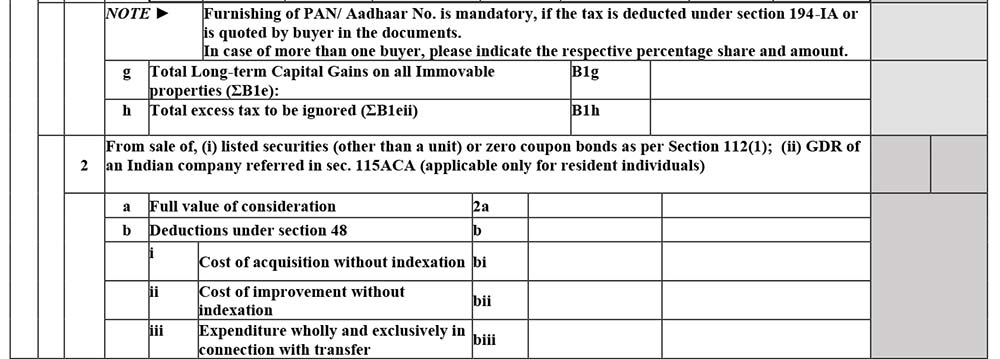
Schedule CG: Capital Gains
The information regarding Capital gains is enclosed with the following details of the taxpayer to furnish:
A. Short-term Capital Gains (STCG)
B. Long-term capital gain (LTCG)
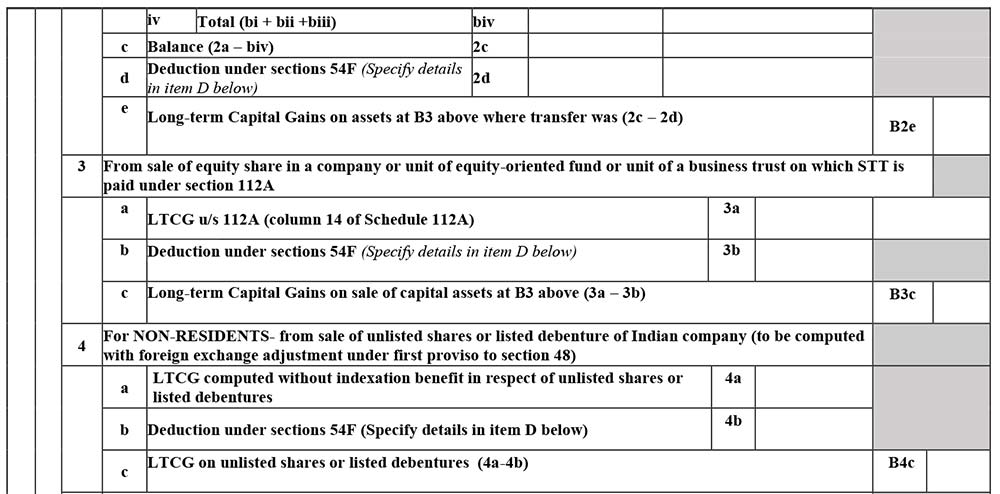
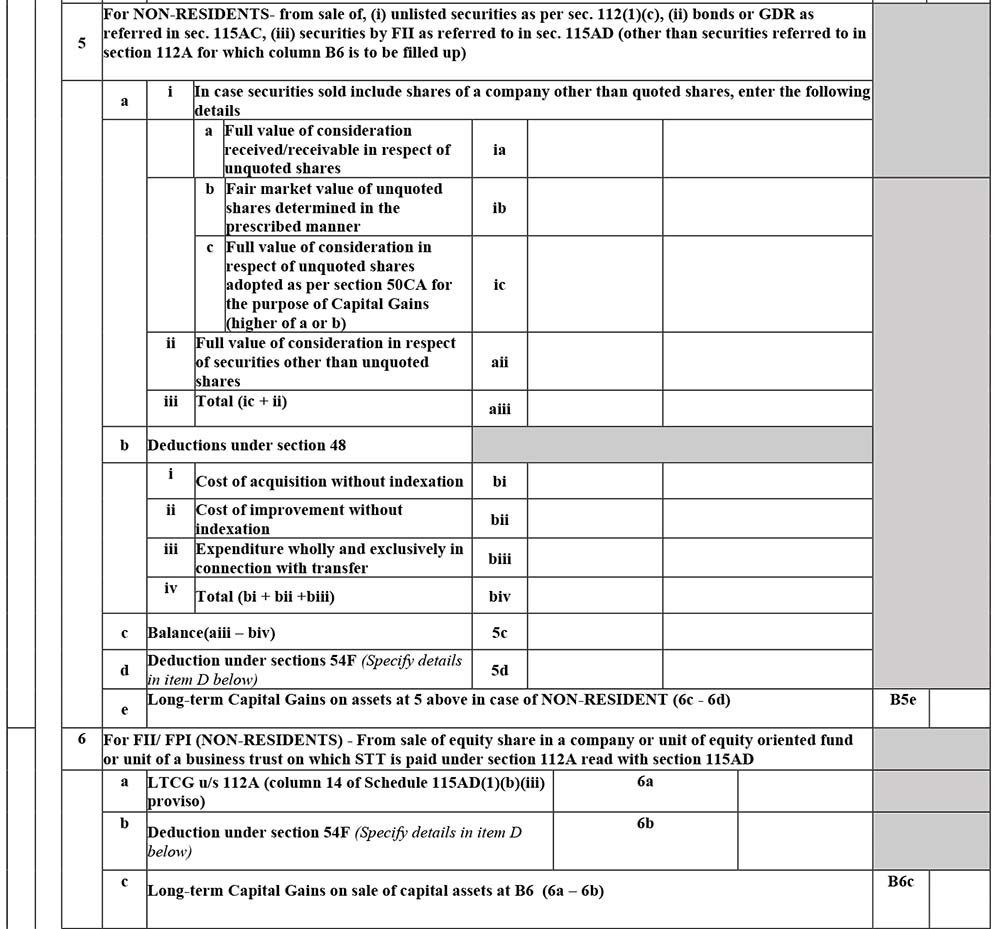
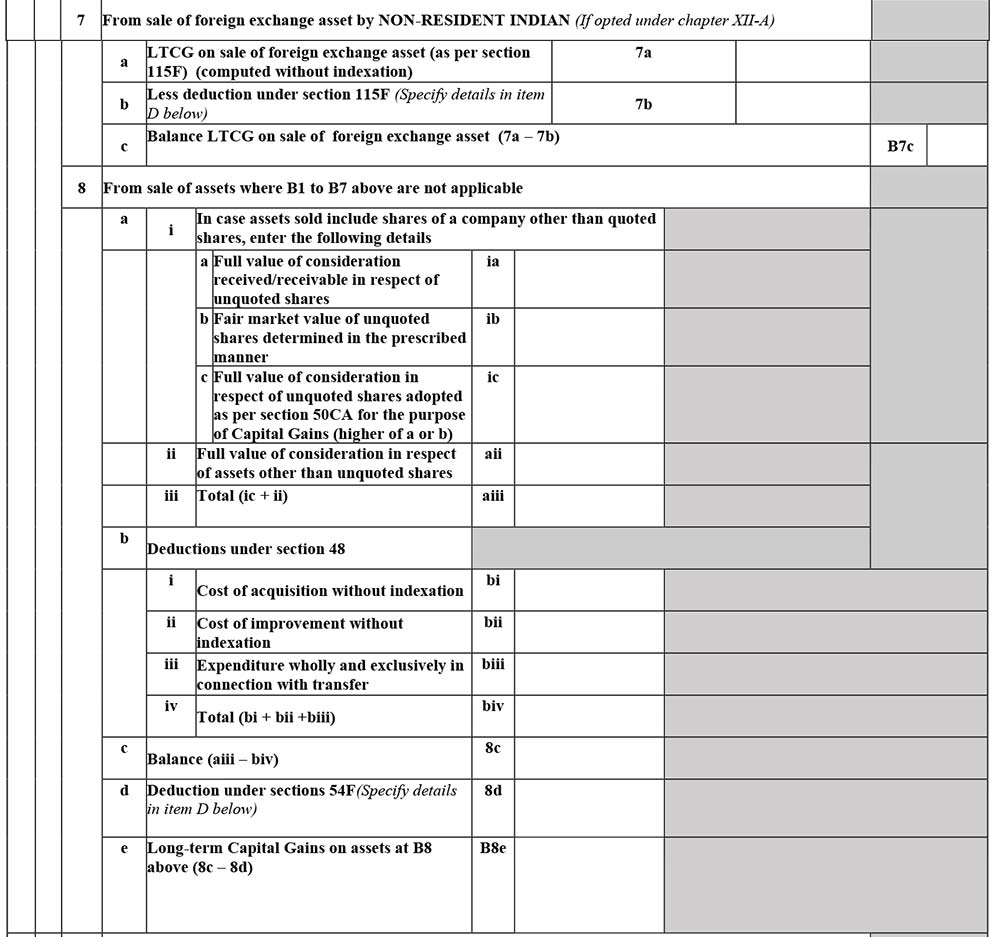
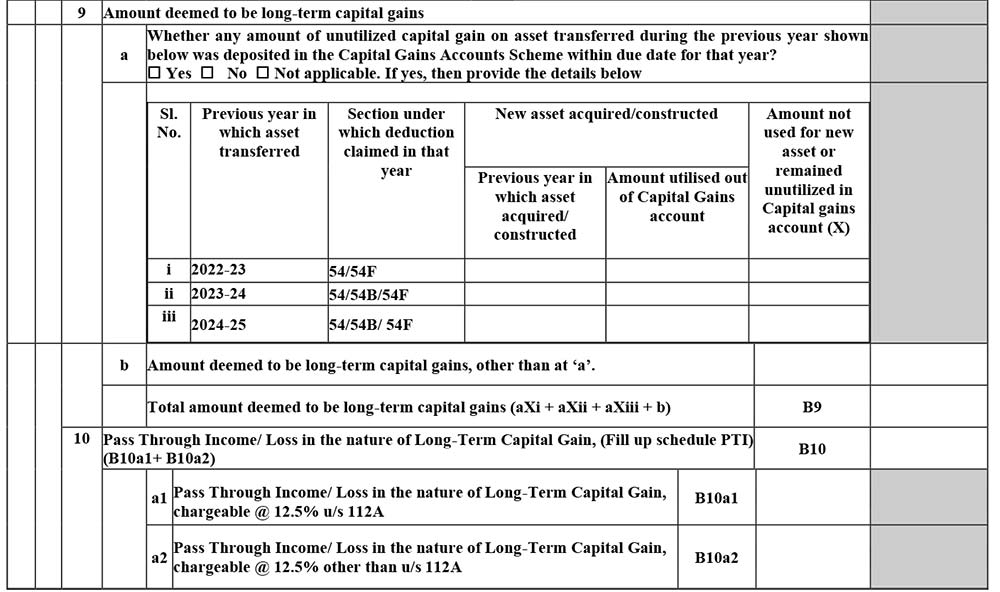
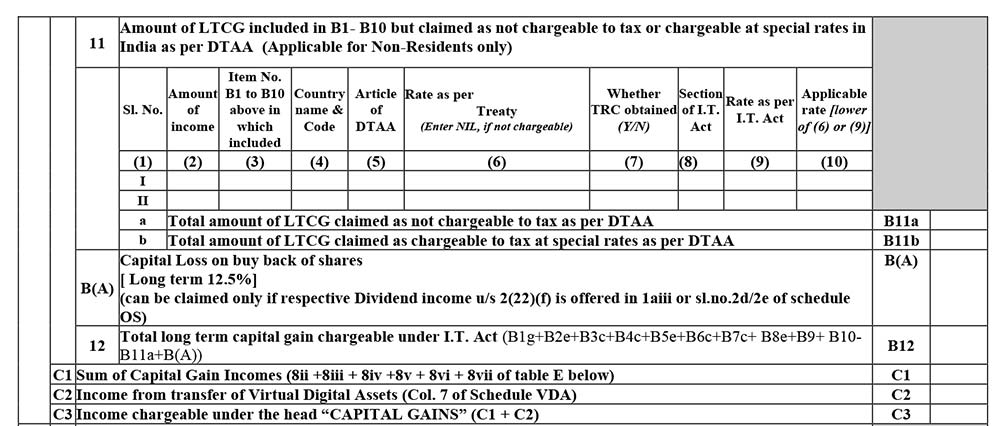
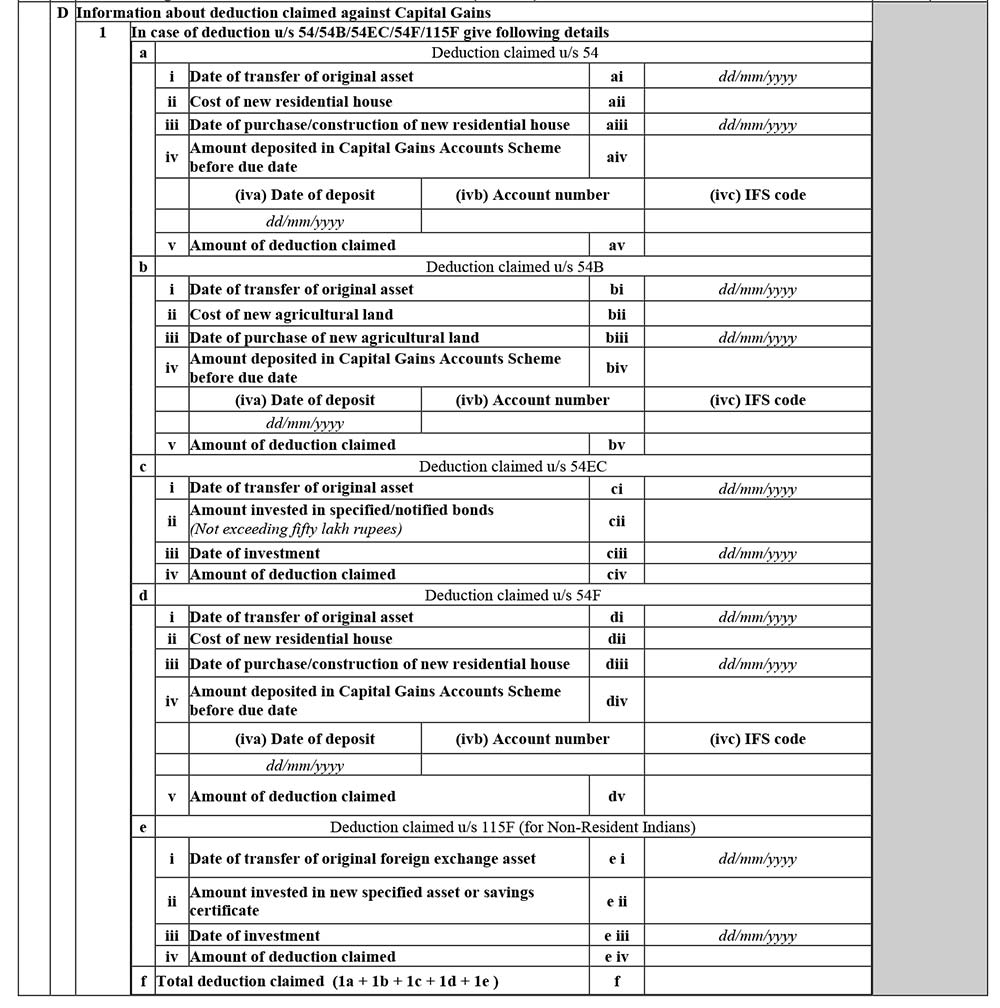
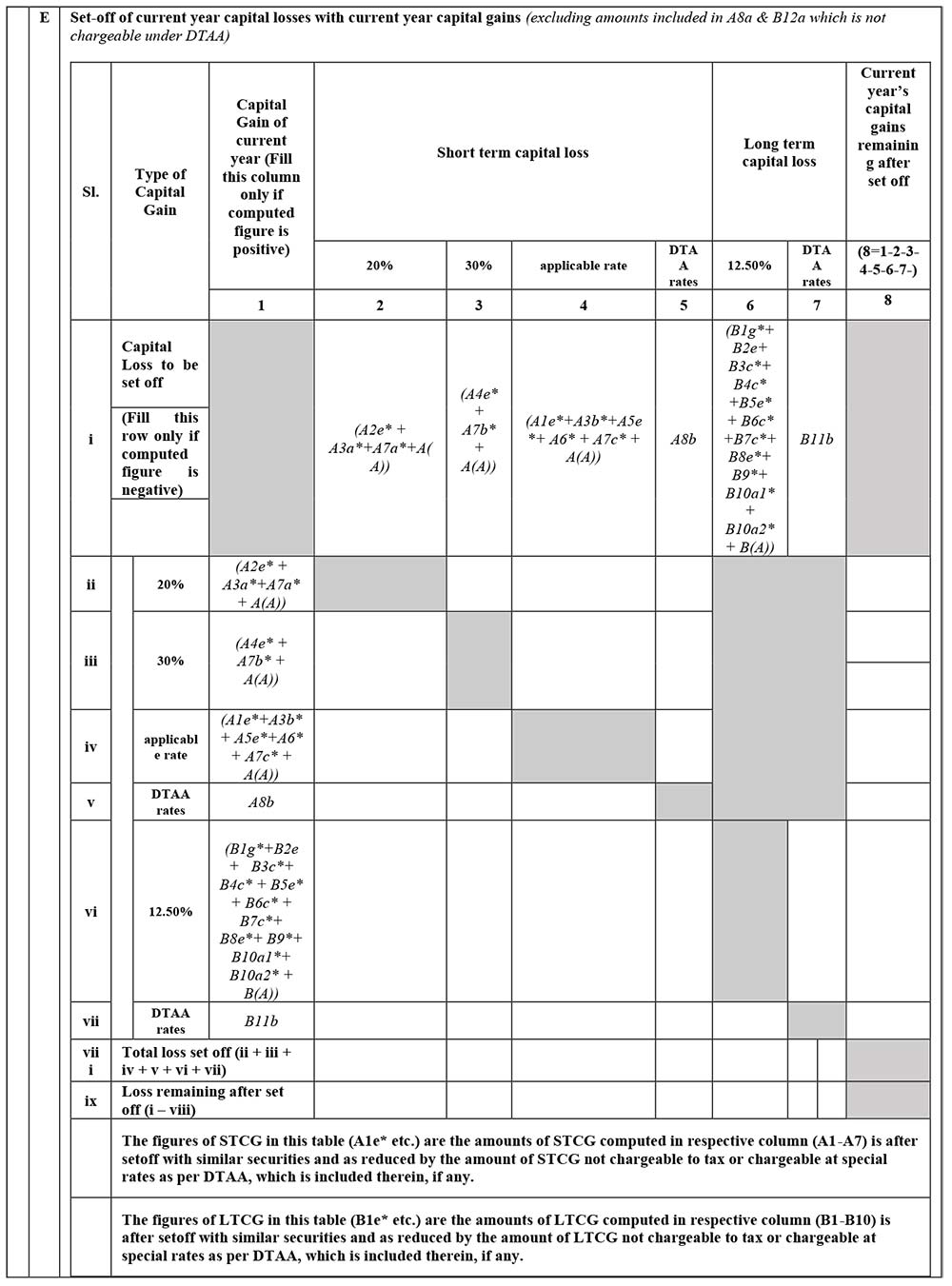
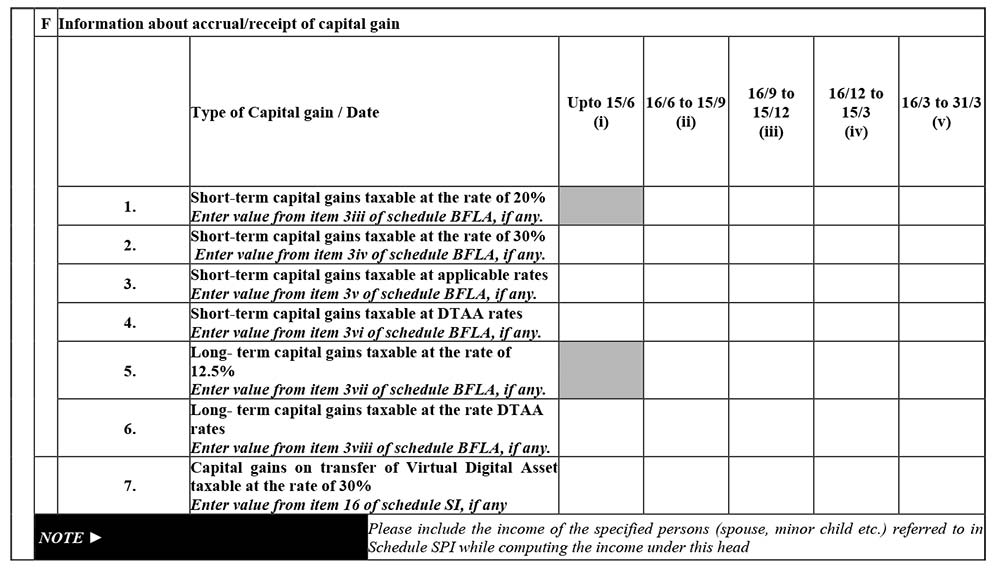
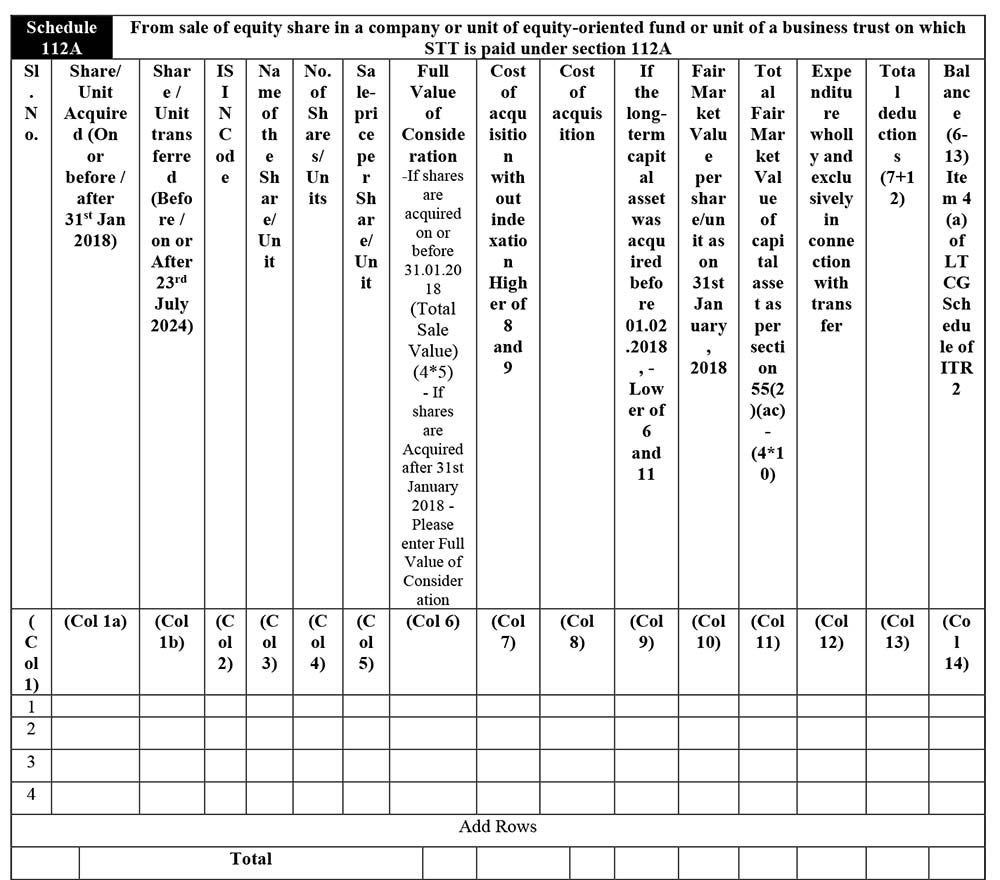
Schedule 112A:
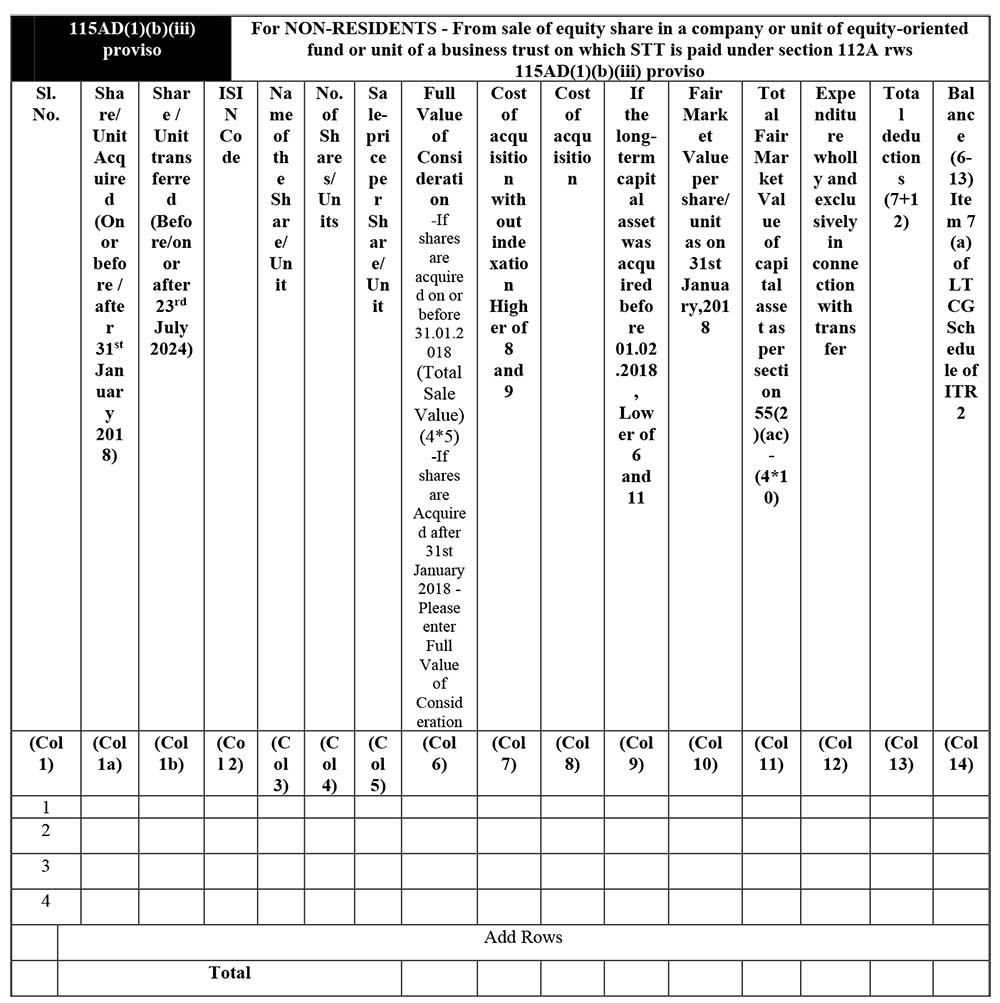
115AD(1)(b)(iii) proviso
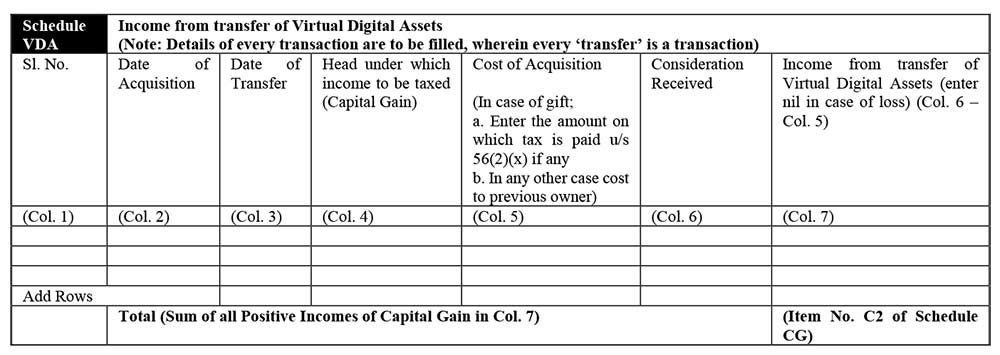
Schedule VDA
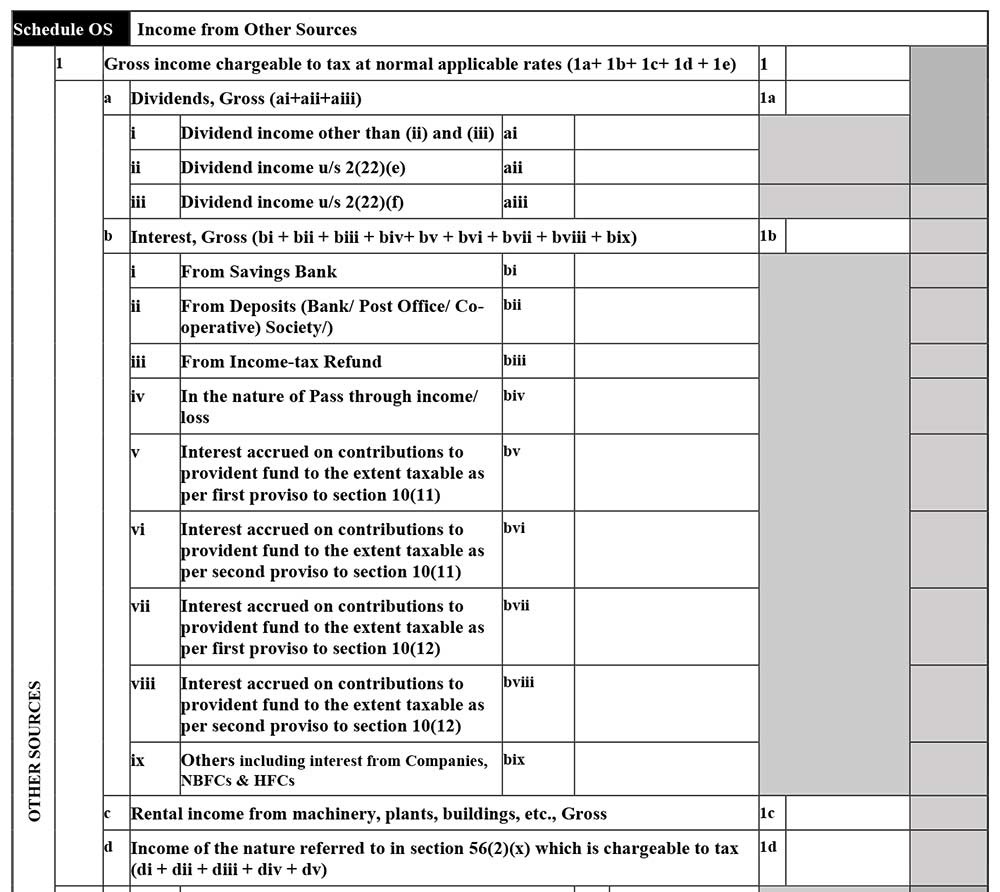
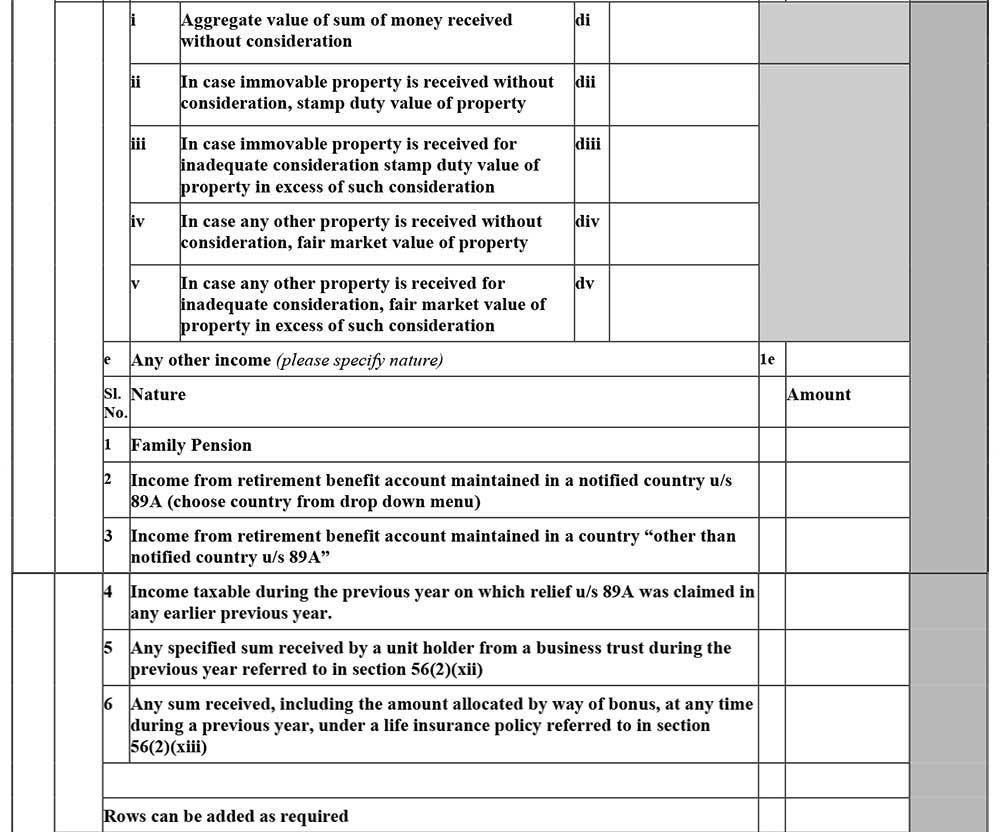
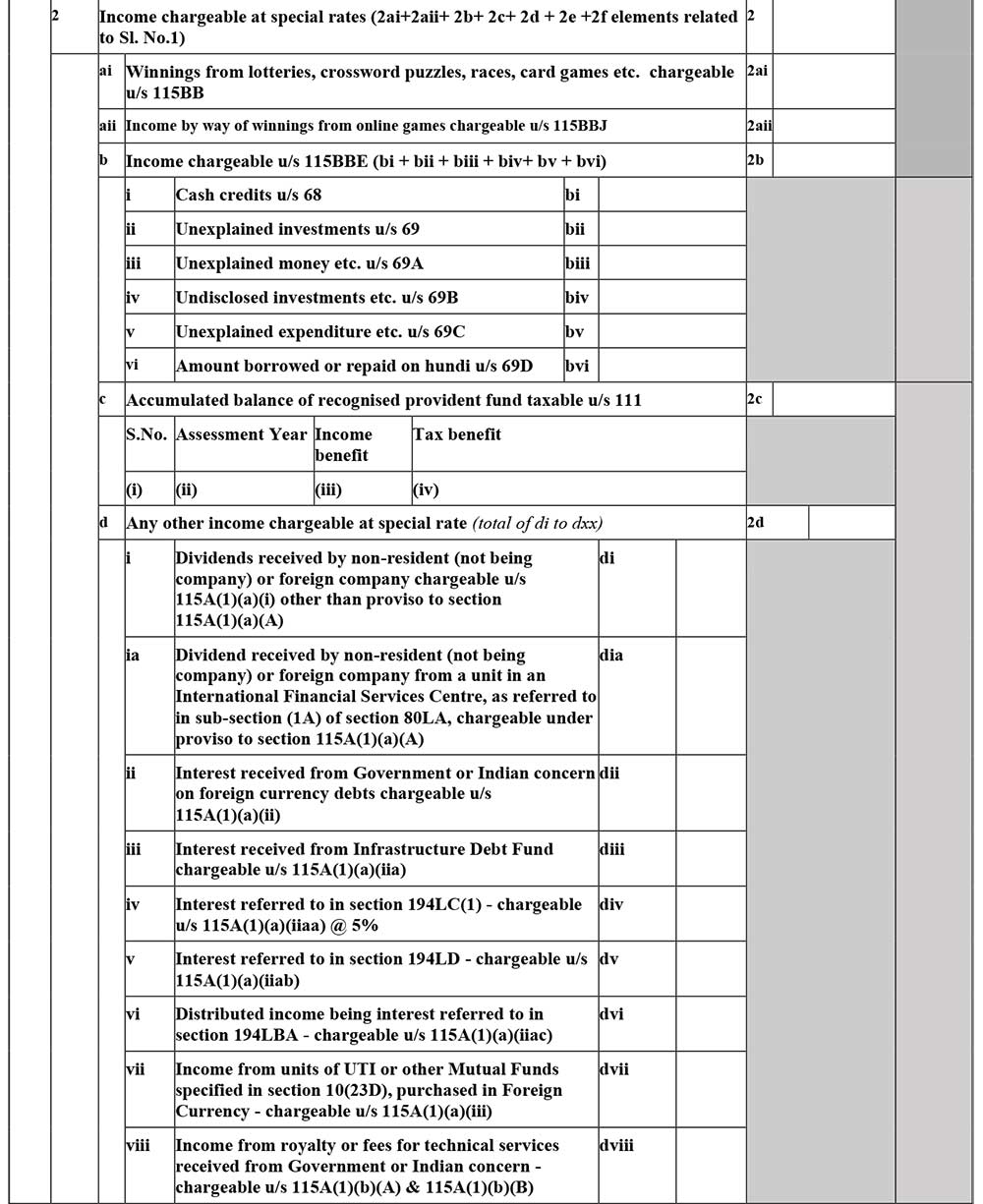
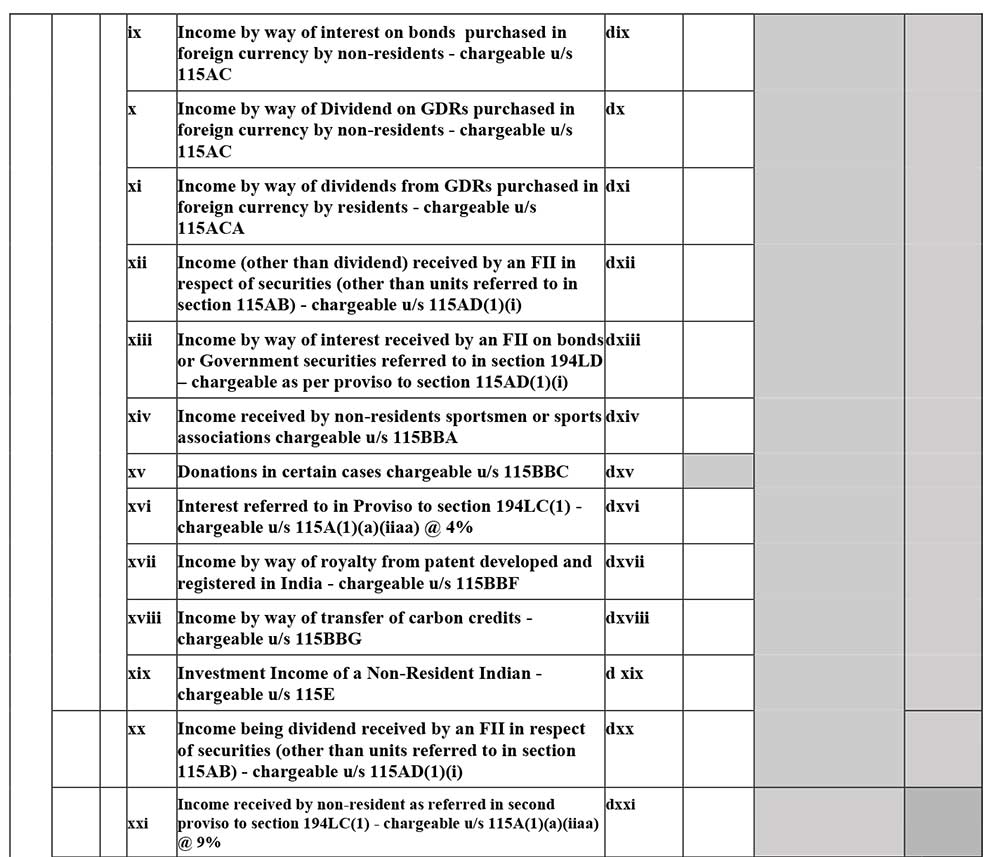
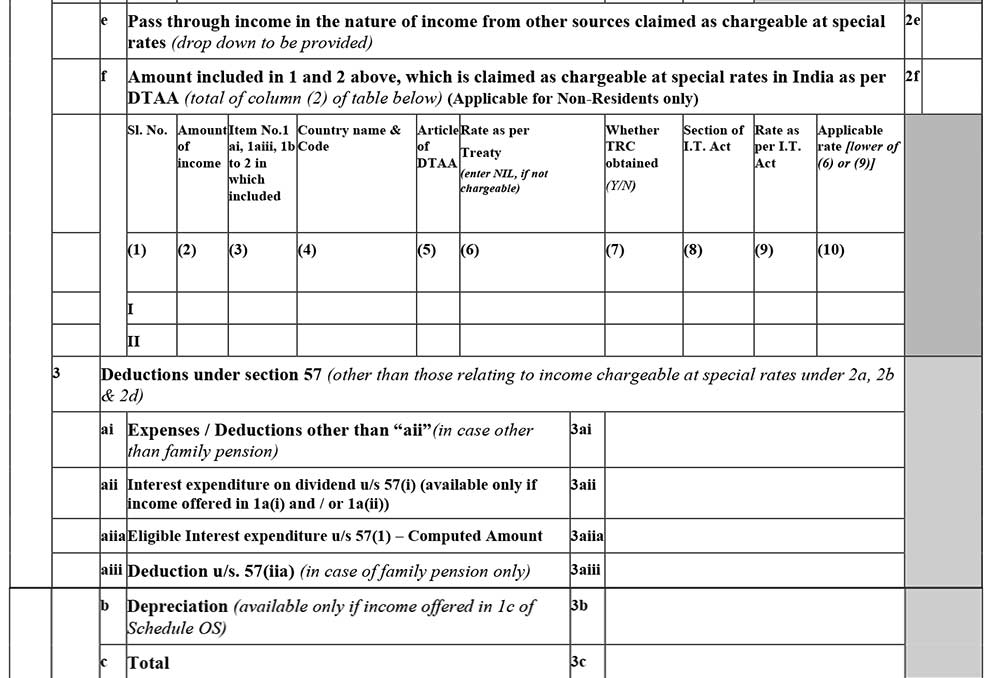
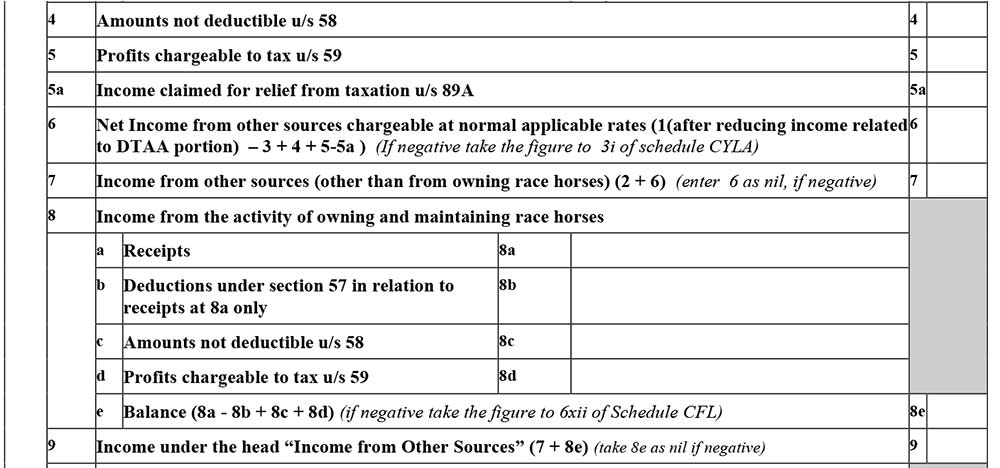
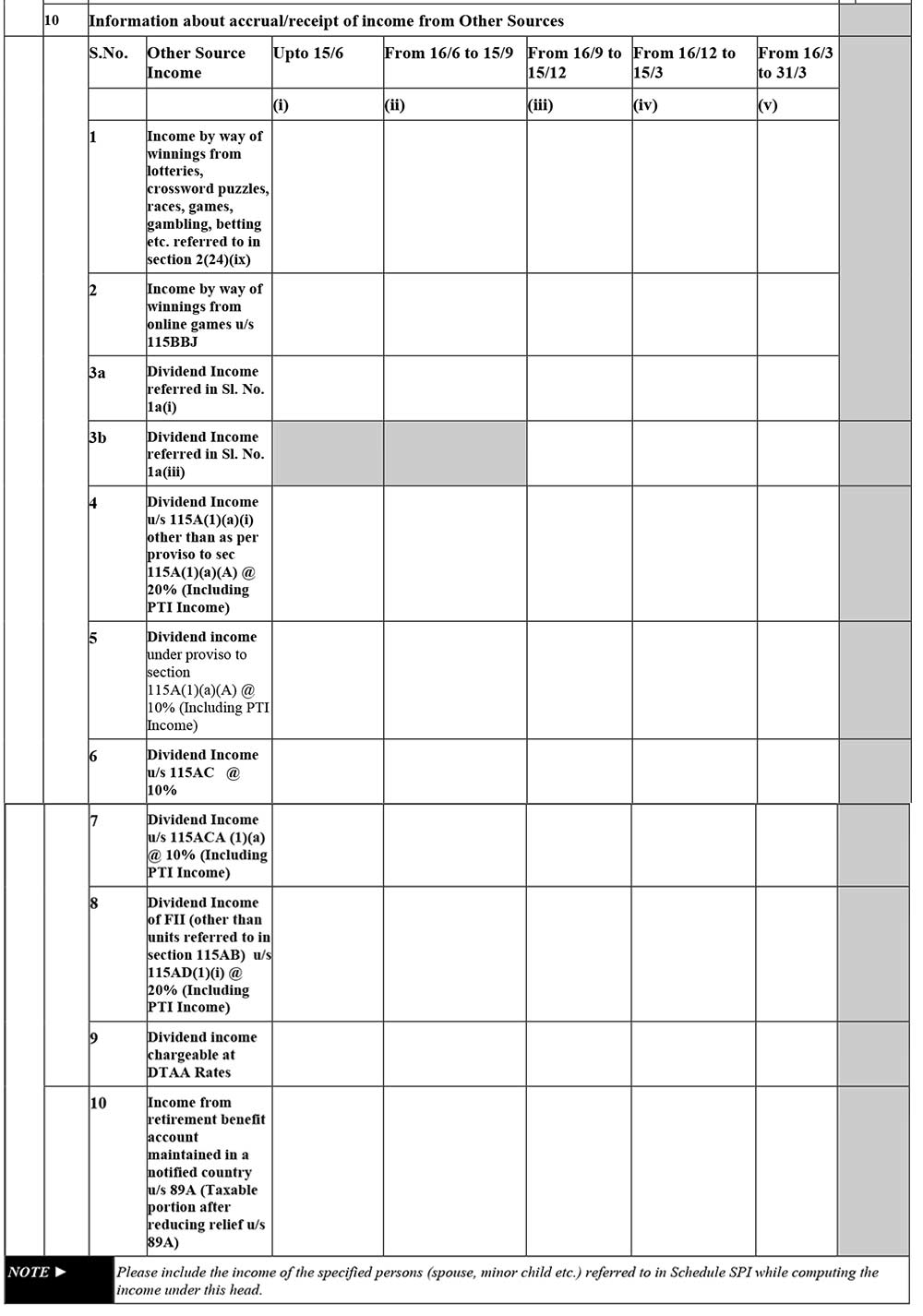
Schedule OS:
- Income from other sources: The information regarding income from other sources is enclosed.
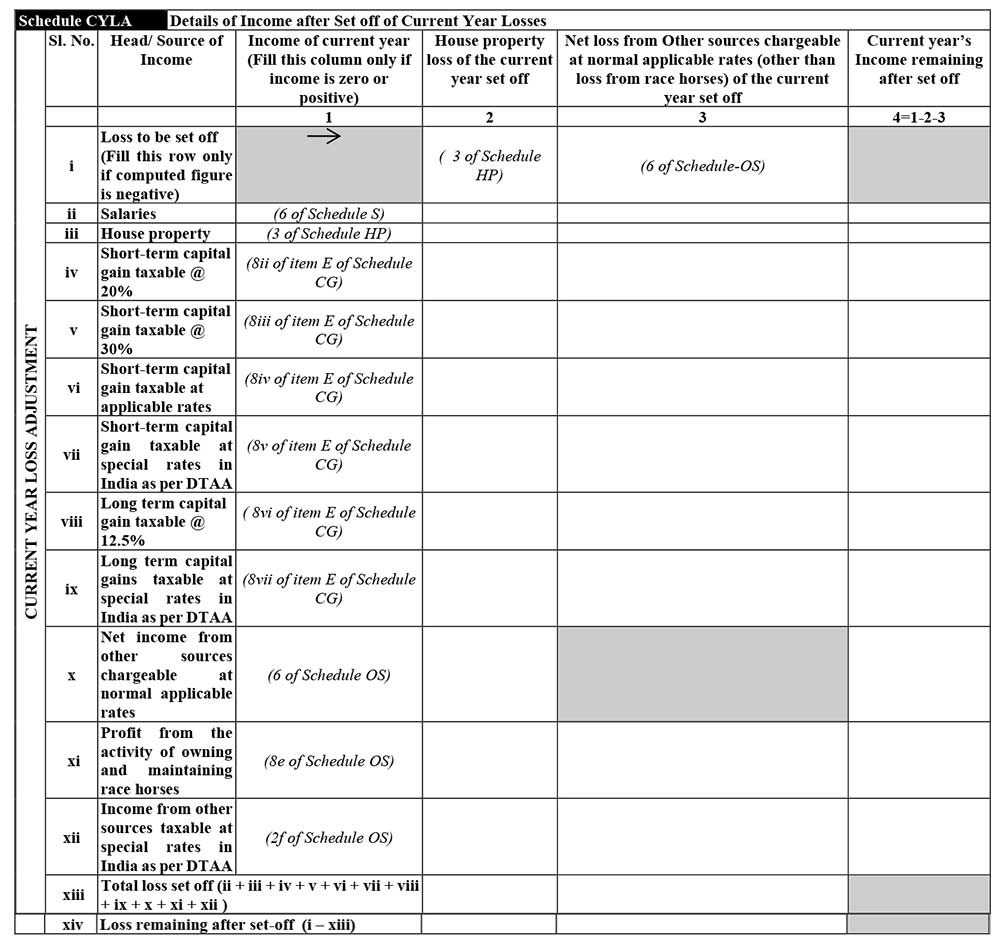
Schedule CYLA:
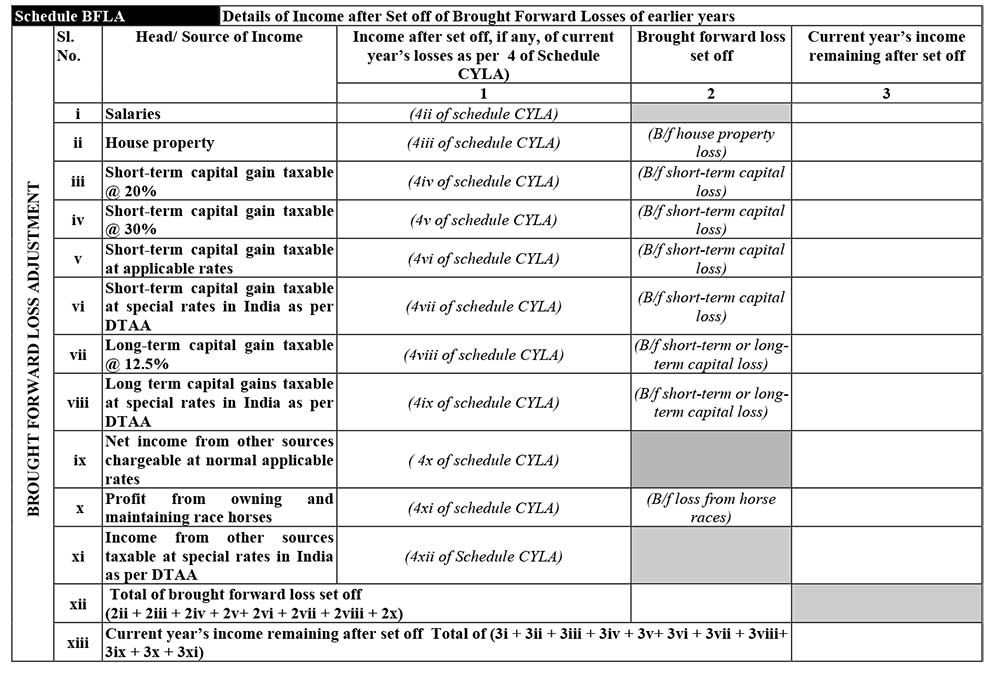
Schedule BFLA:
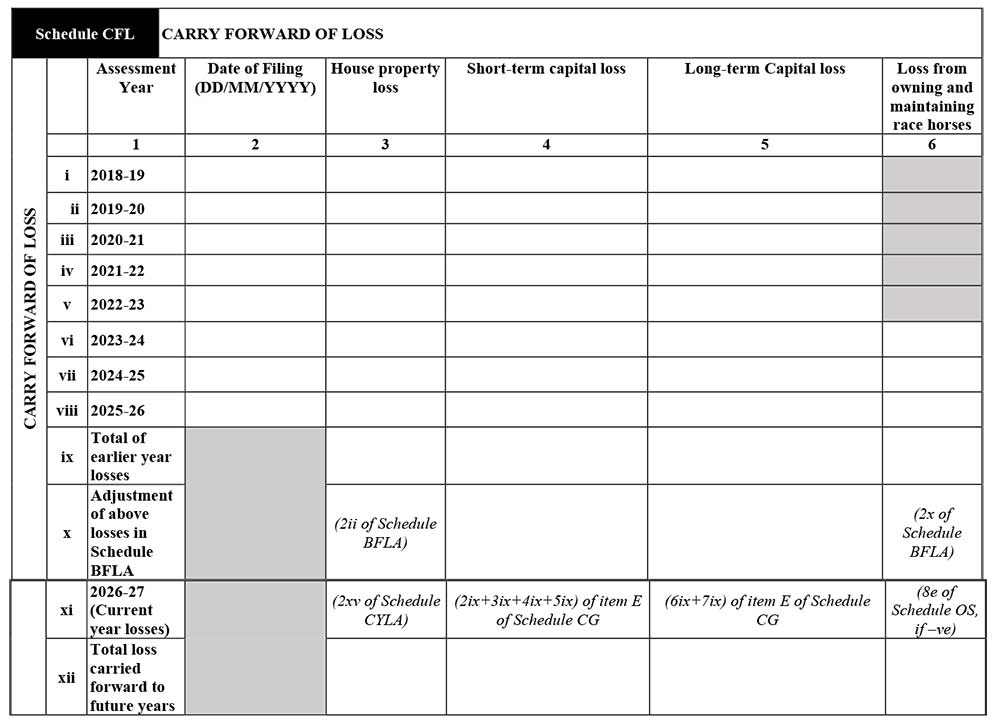
Schedule CFL: Carry Forward of Loss
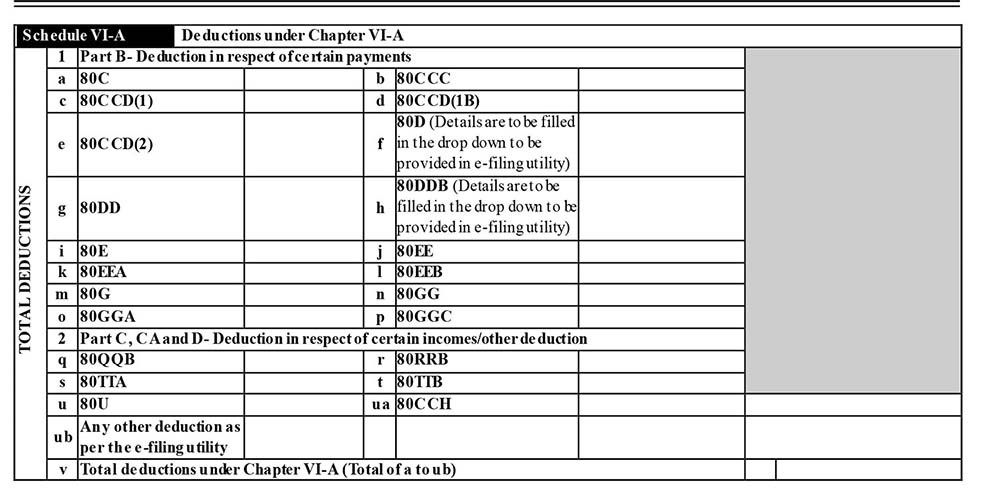
Schedule VI-A: Deductions under Chapter VI-A
Details under this title are enclosed with the following details of the taxpayer to furnish:
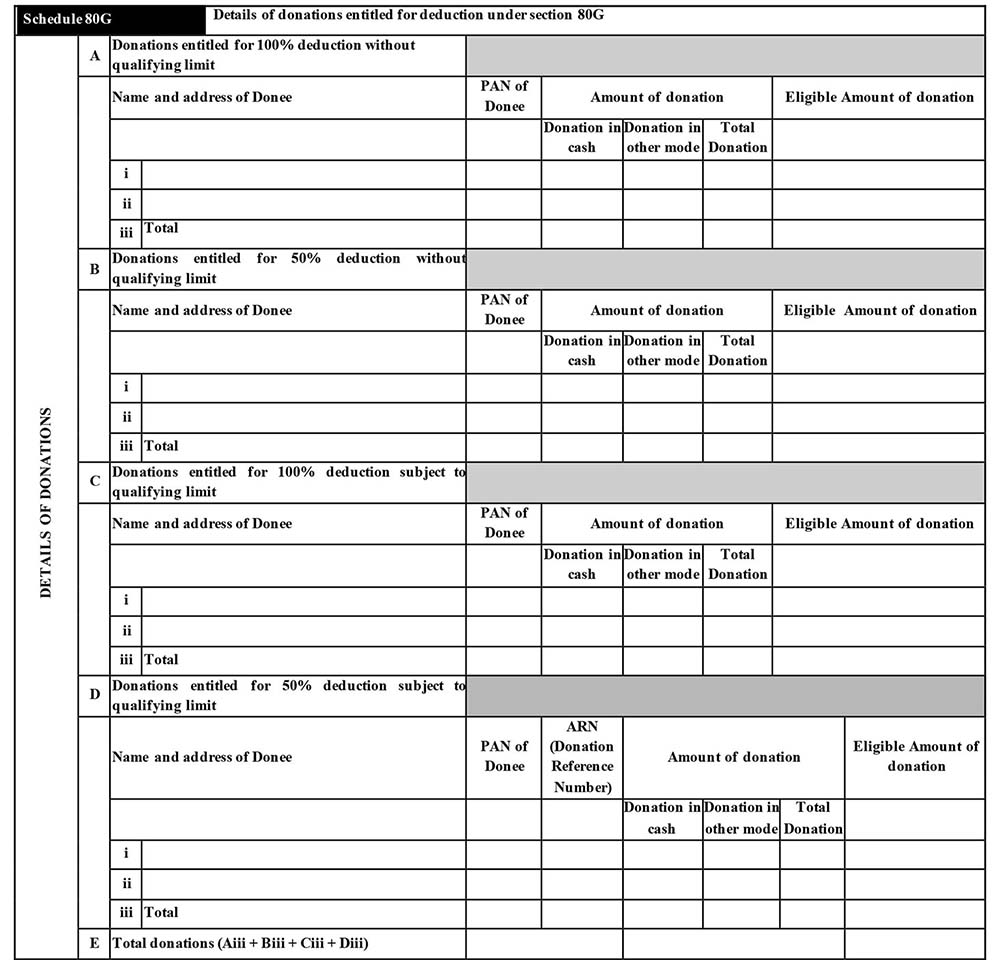
Schedule 80G: Details of donations entitled for deduction under section 80G
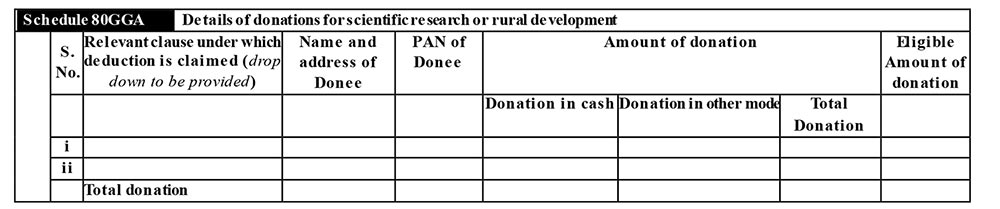
Schedule 80GGA: Details of donations for scientific research or rural development
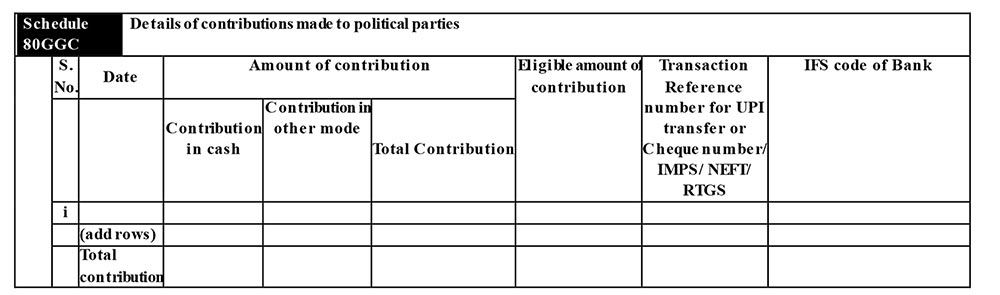
Schedule 80GGC: Details of contributions made to political parties.
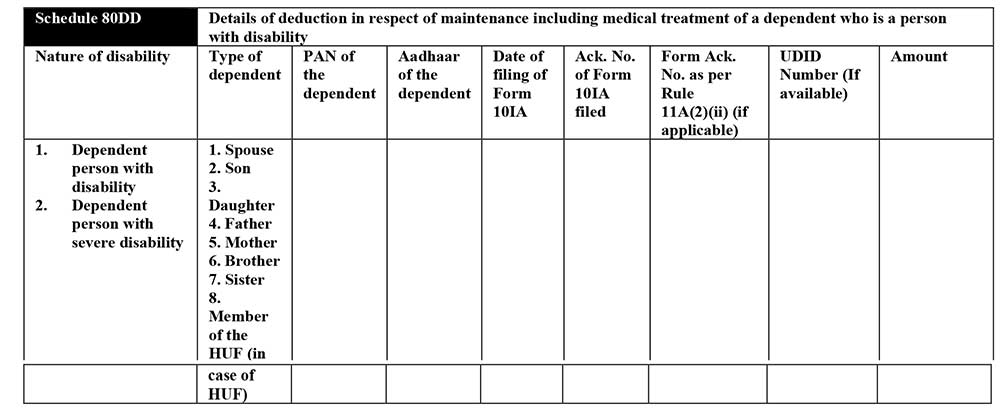
Schedule 80DD: Details of deduction in respect of maintenance including medical treatment of a dependent who is a person with disability.
Schedule 80U: Details of deduction in case of a person with disability

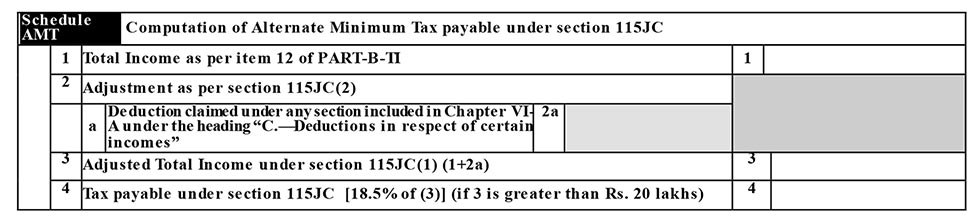
Schedule AMT: Computation of Alternate Minimum Tax payable under section 115JC
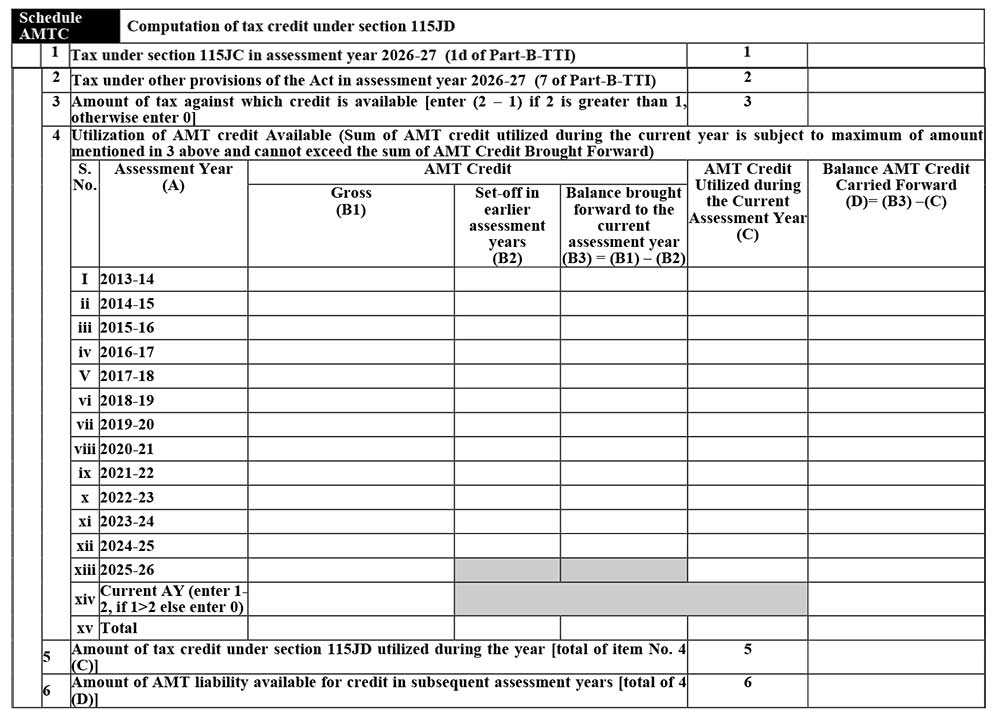
Schedule AMTC: Computation of tax credit under section 115JD
Schedule SPI: Income of specified persons (spouse, minor child etc.), includable in the income of the assessee as per section 64

Schedule SI: Income chargeable to tax at special rates
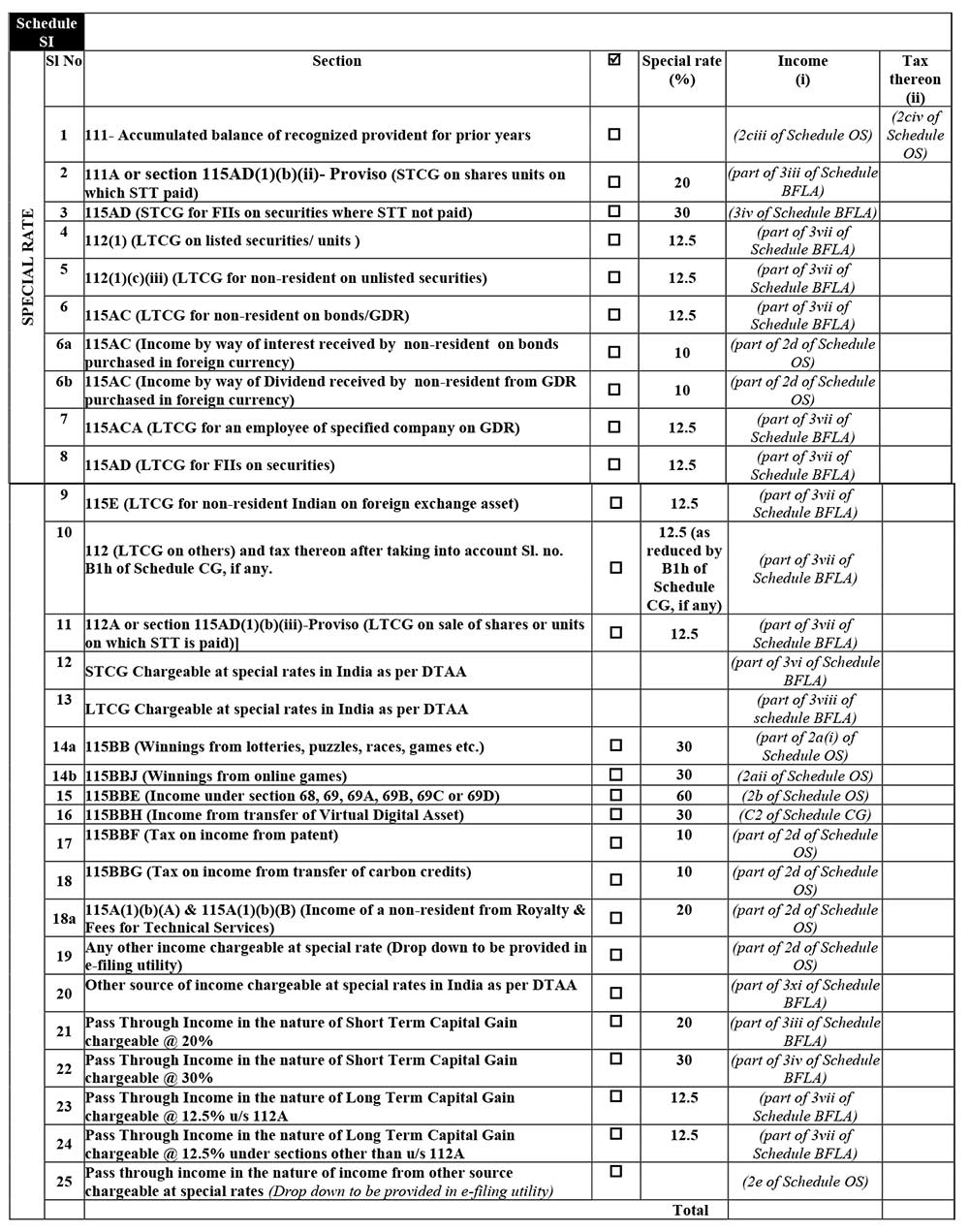
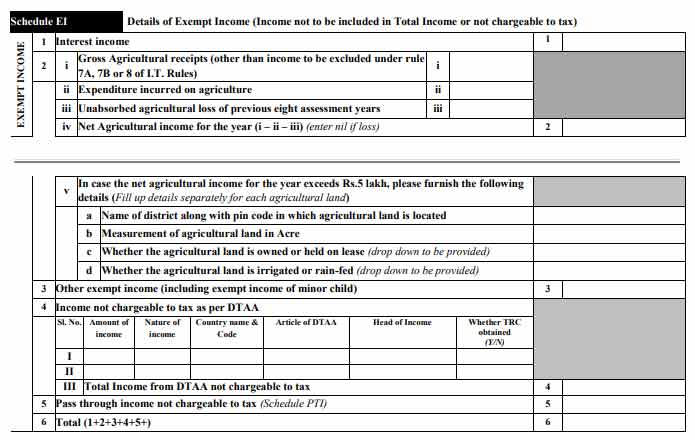
Schedule EI: Details of Exempt Income (Income not to be included in Total Income or not chargeable to tax)
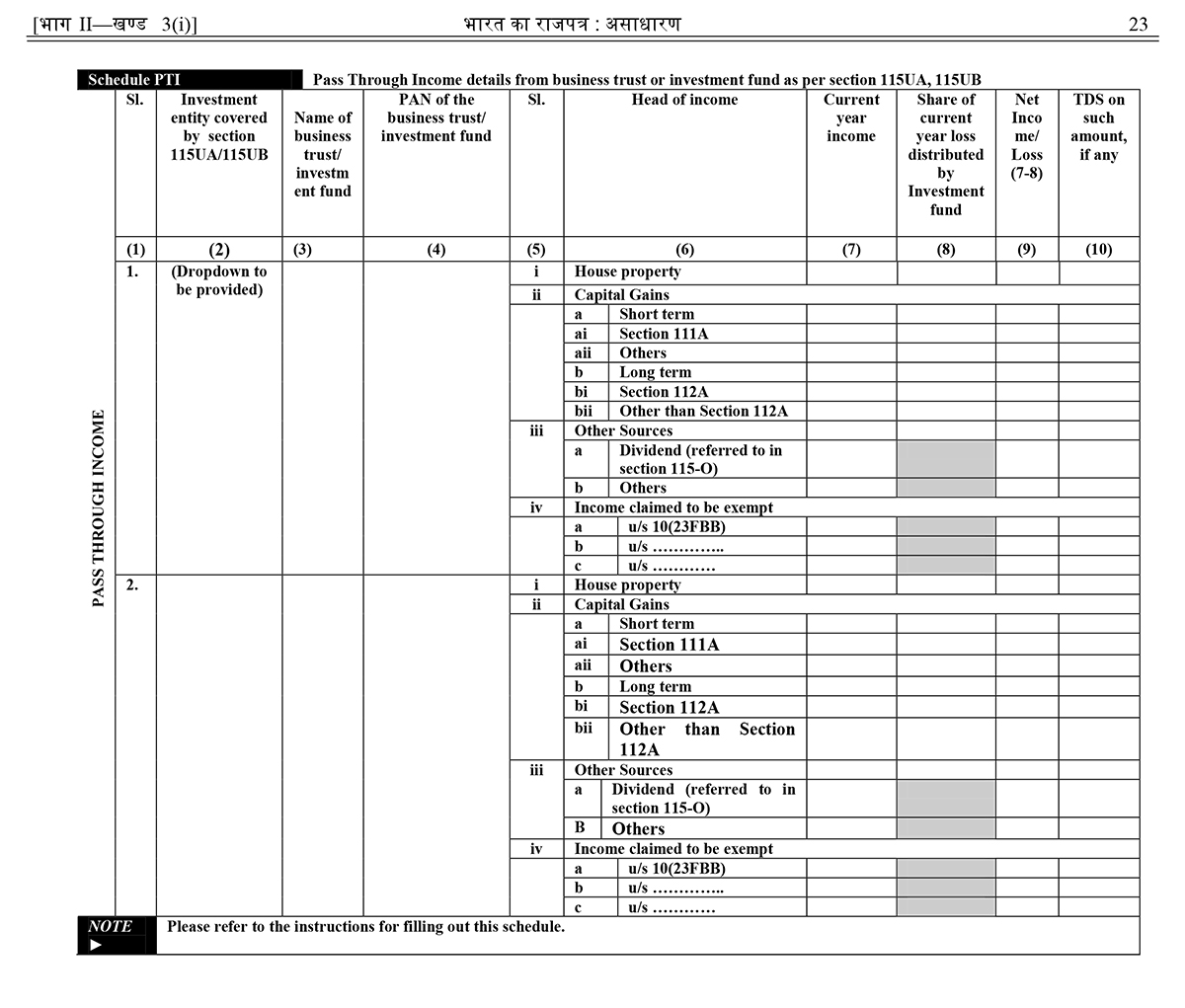
Schedule PTI: Pass Through Income details from business trust or investment fund as per section 115U, 115UA and 115UB
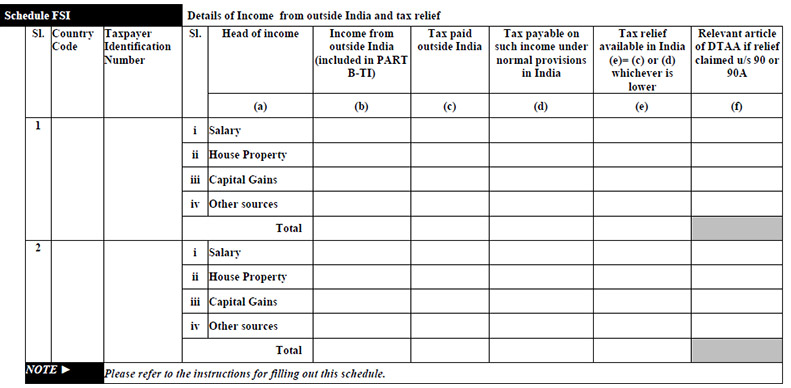
Schedule FSI: Details of Income from outside India and tax relief
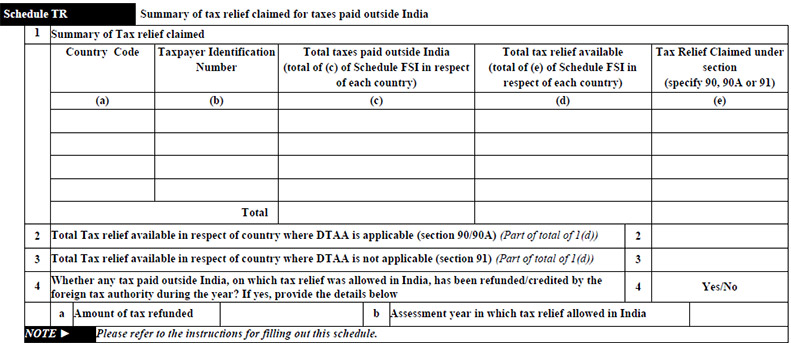
Schedule TR: Summary of tax relief claimed for taxes paid outside India
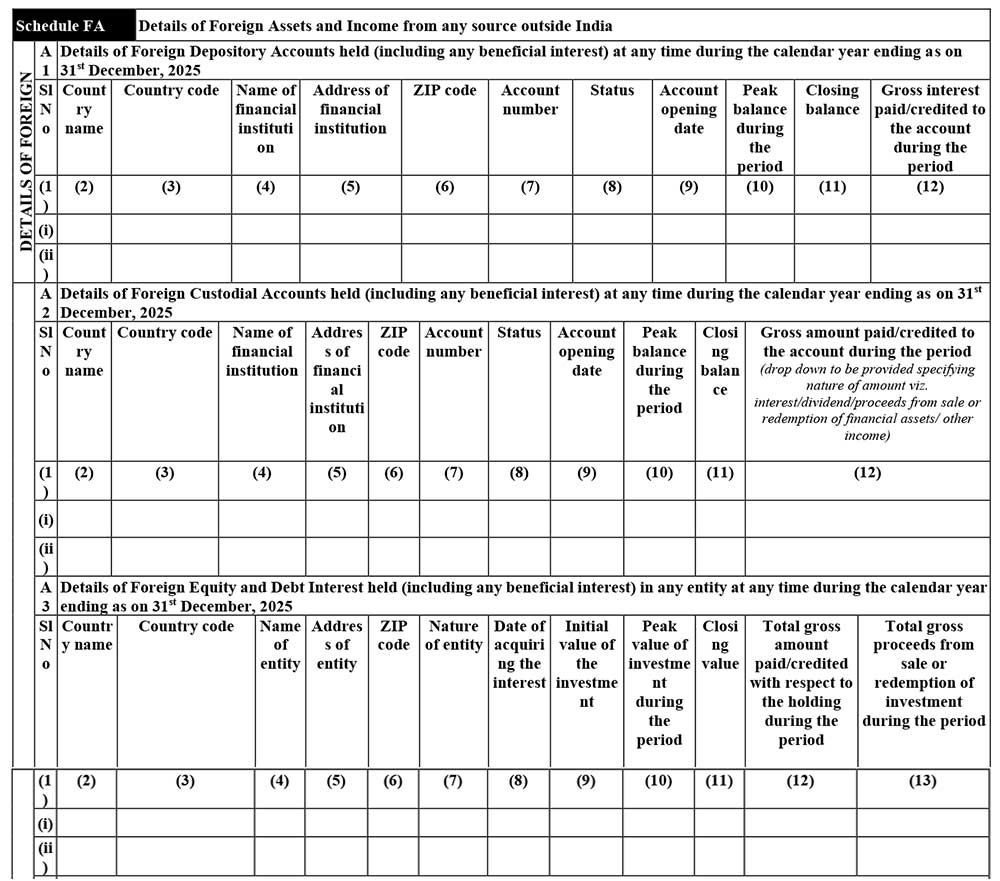
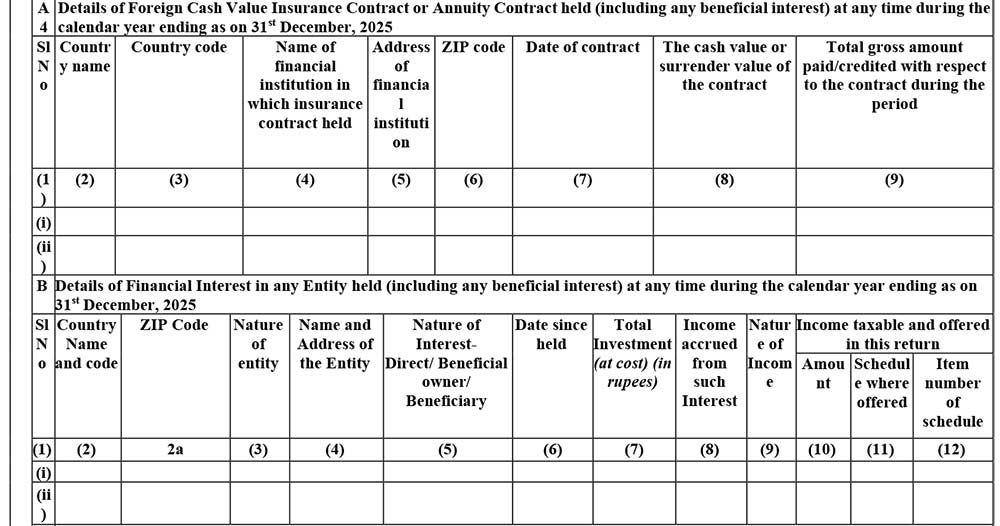
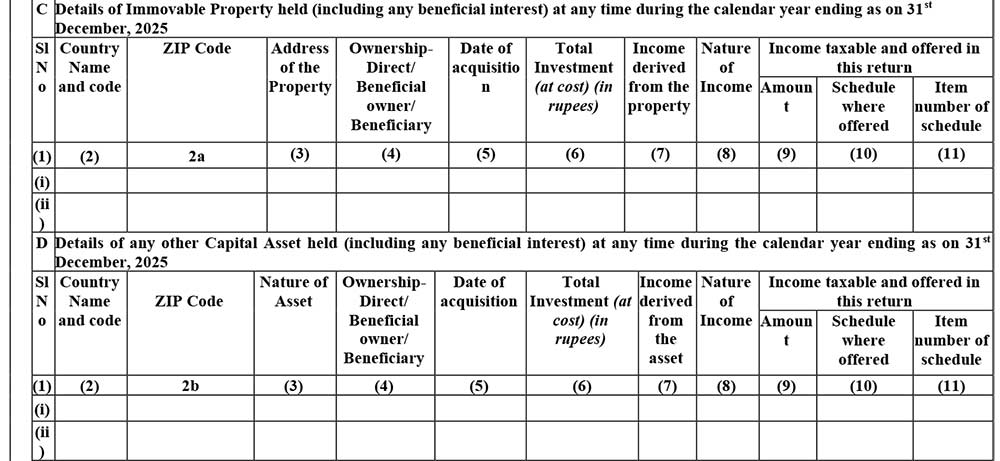
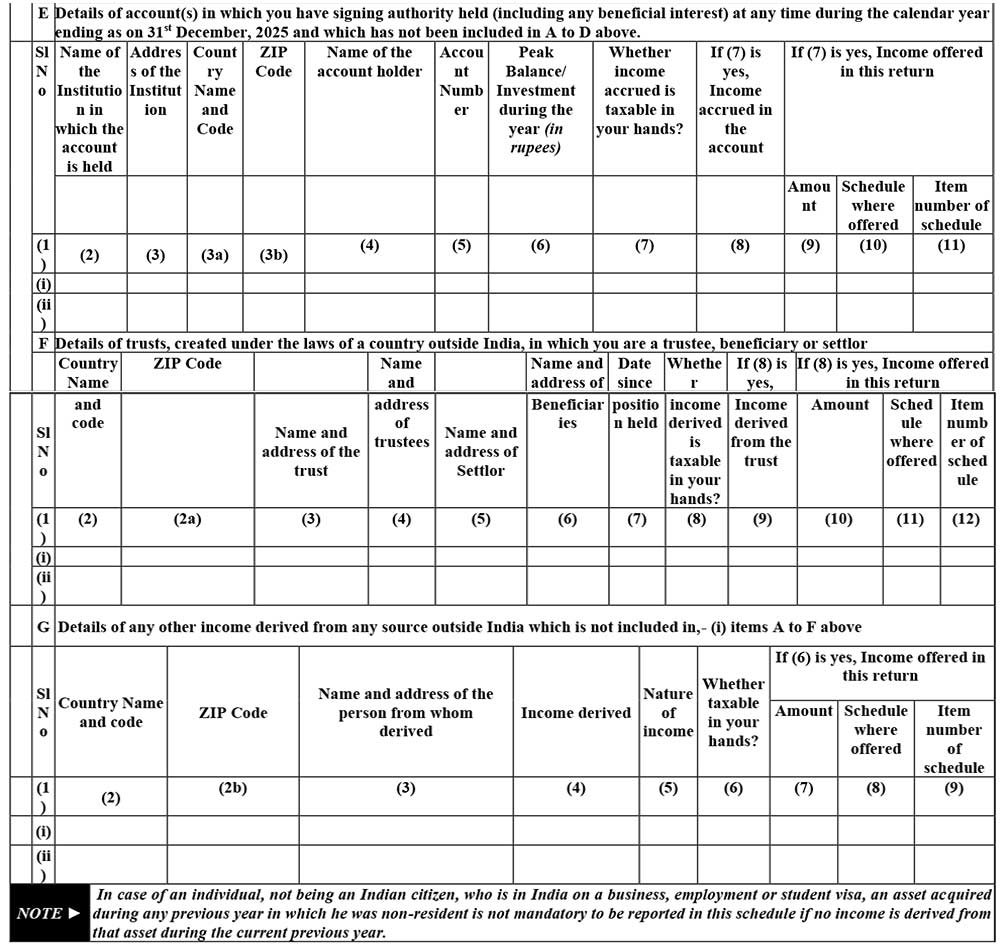
Schedule FA: Details of Foreign Assets and Income from any source outside India
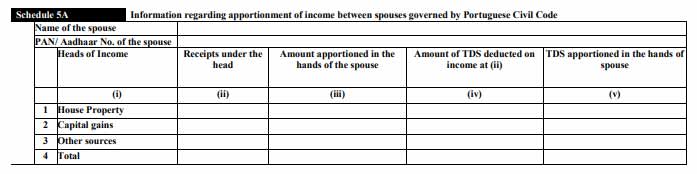
Schedule 5A: Information regarding apportionment of income between spouses governed by Portuguese Civil Code
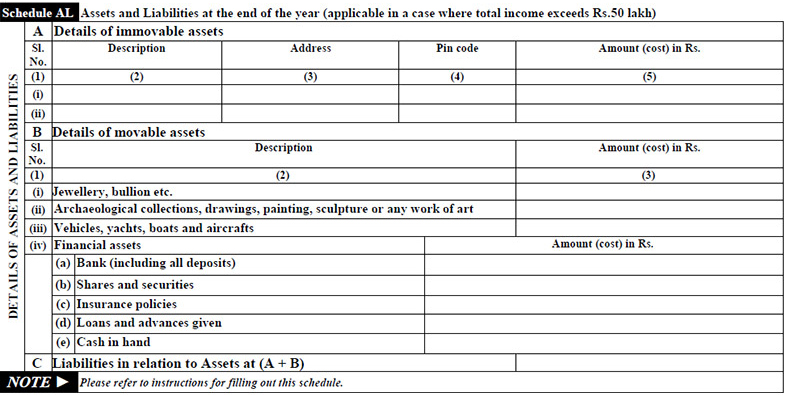
Schedule AL: Assets and Liabilities at the end of the year (applicable in a case where total income exceeds Rs. 1 Crore)
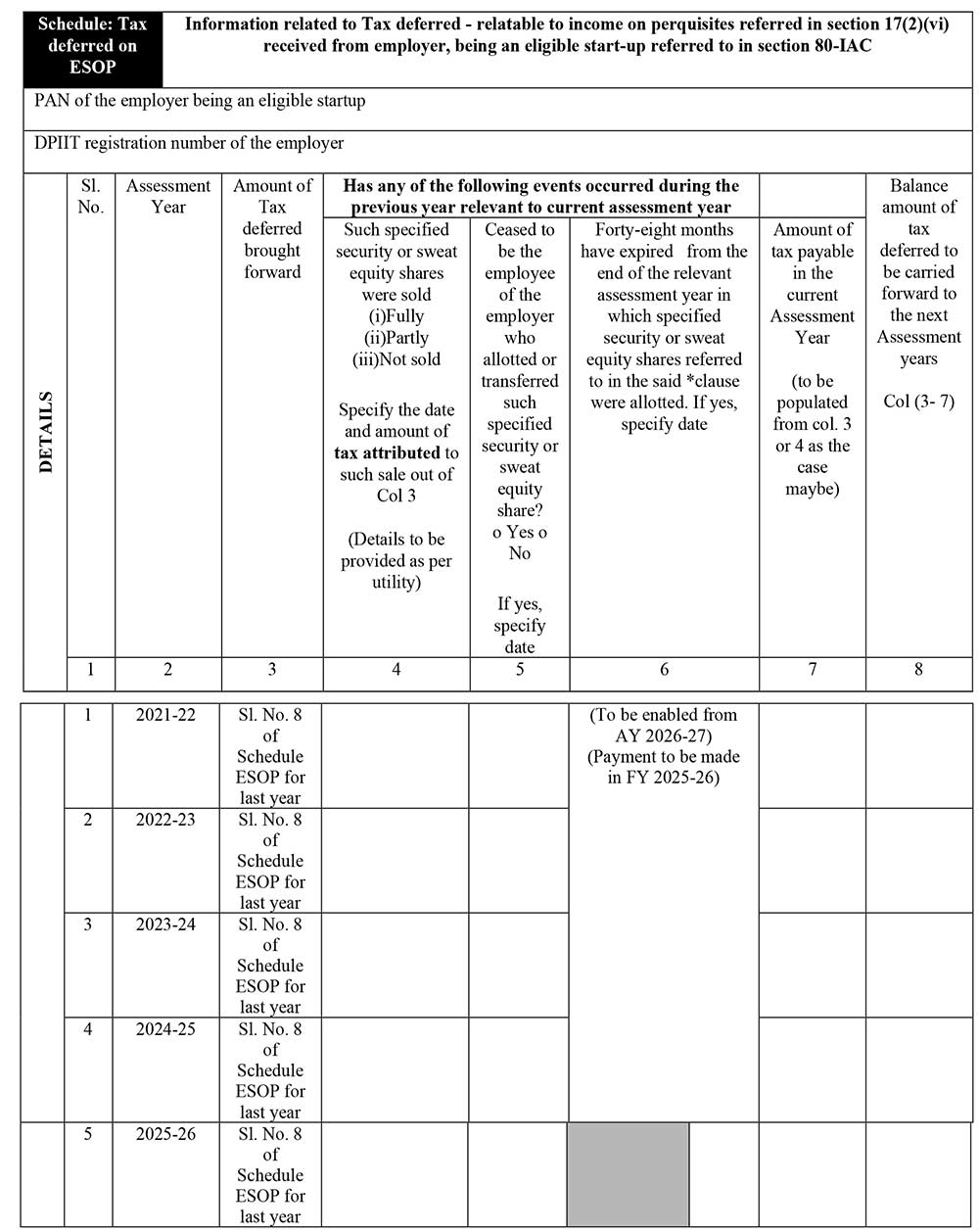
Schedule Tax-deferred on ESOP: Information related to Tax deferred – relatable to income on perquisites referred in section 17(2)(vi) received from employer, being an eligible start-up referred to in section 80-IAC
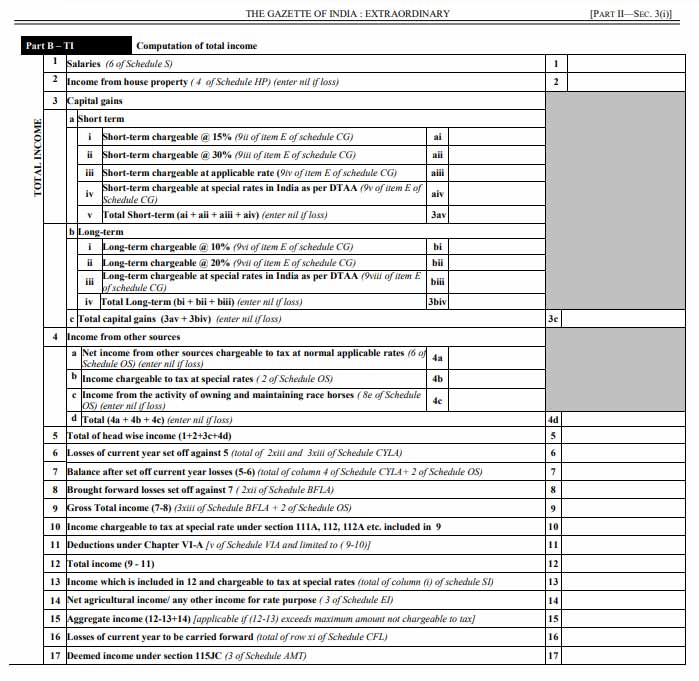
Part B-TI: Computation of Total Income
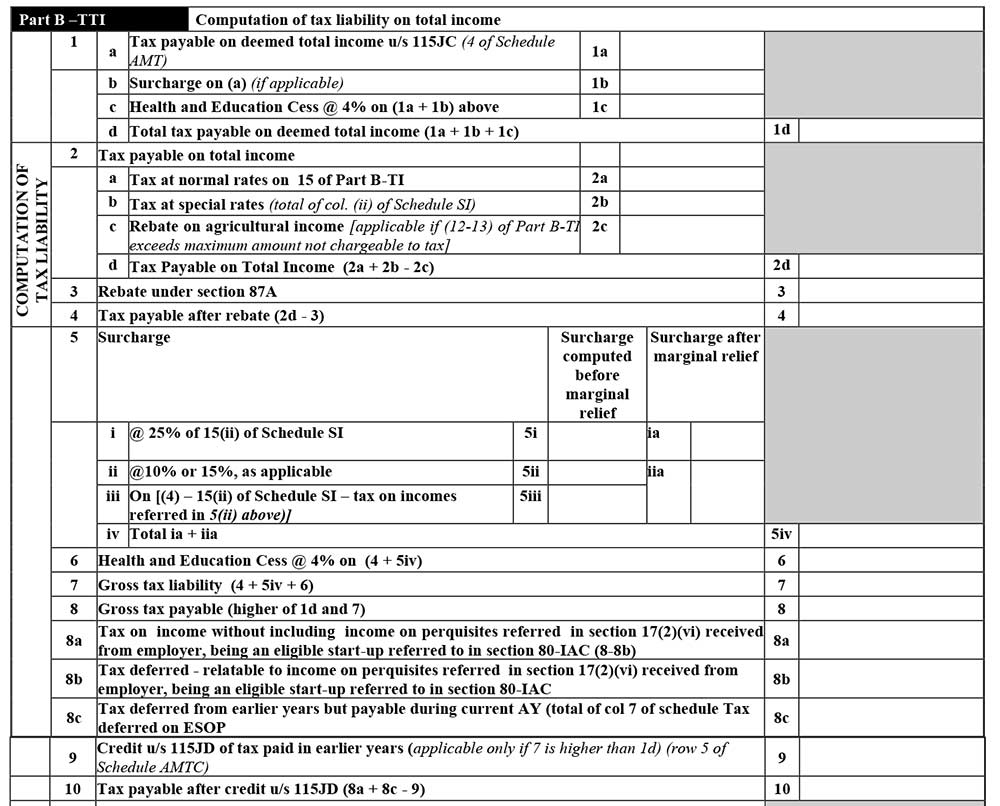
Part B-TTI: Computation of tax liability on total income
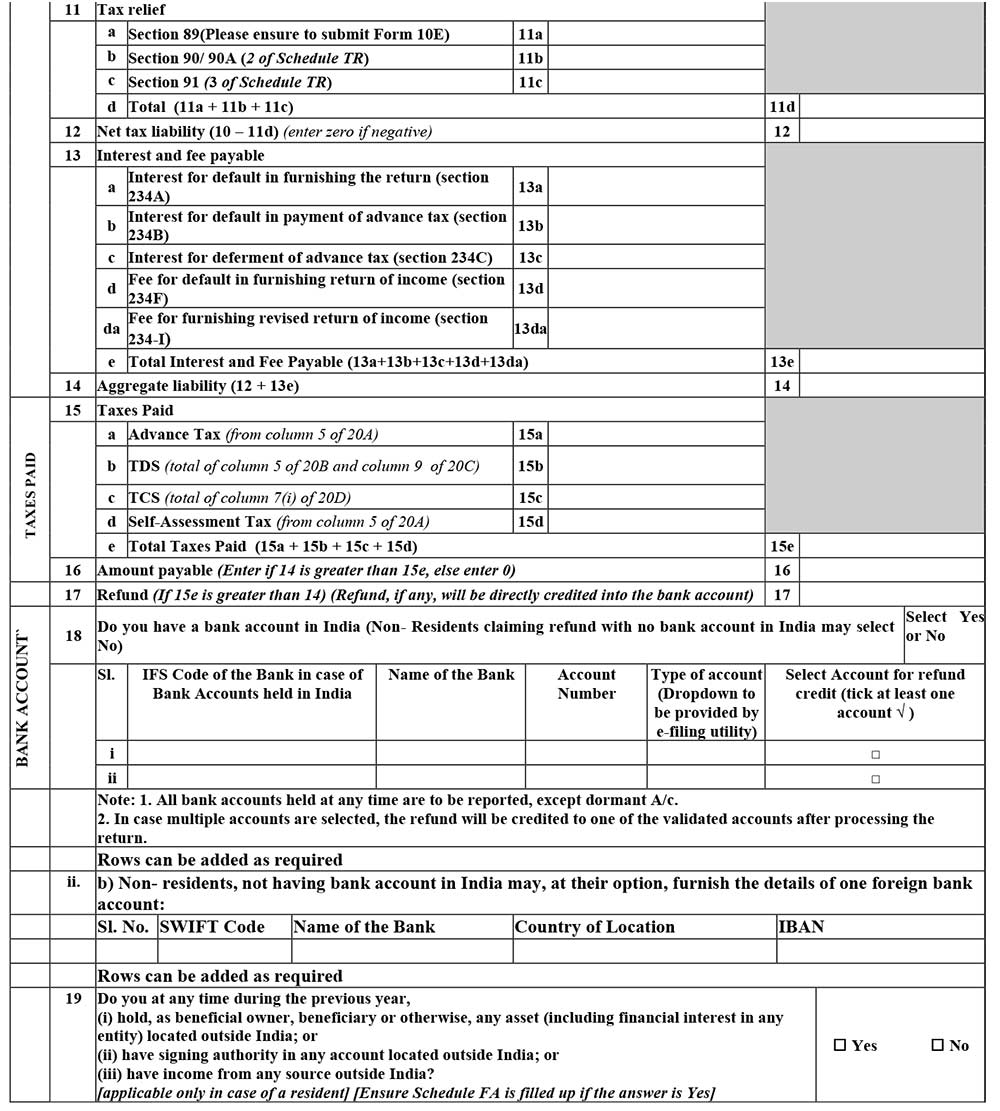
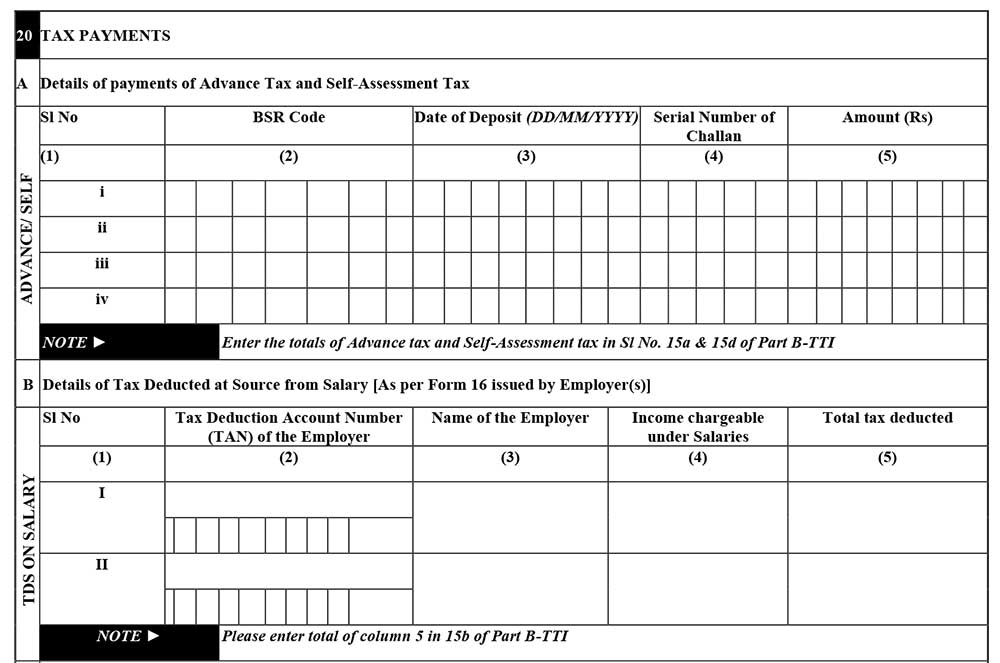
20 Tax Payments
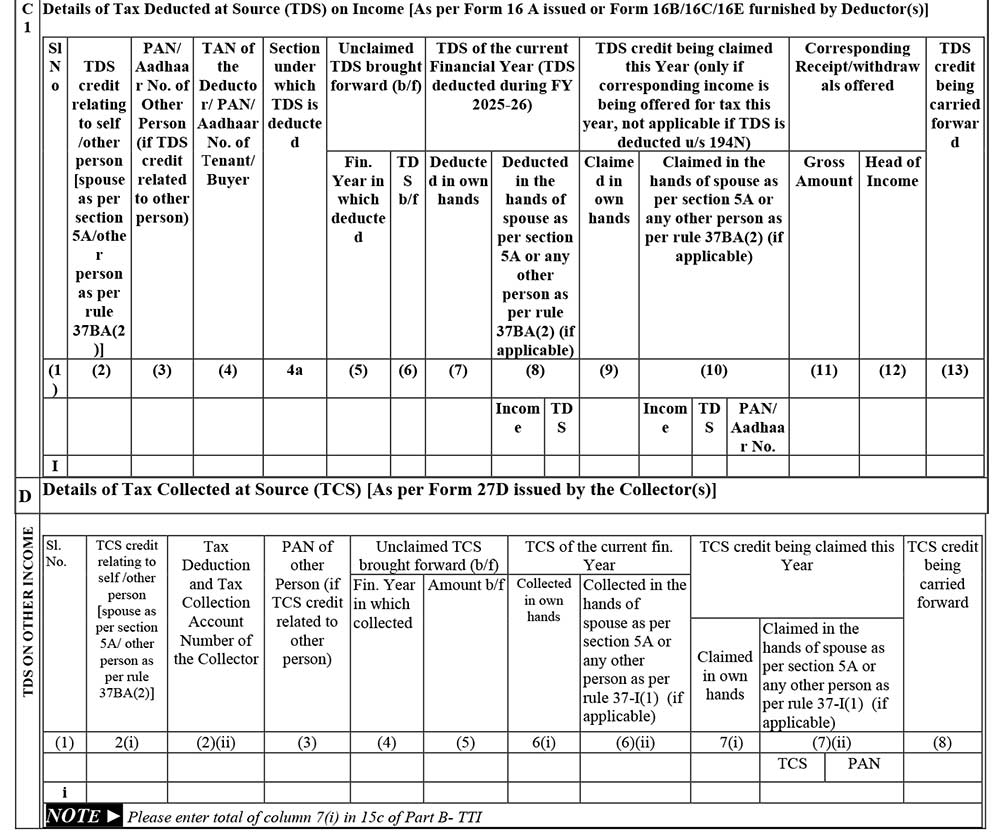
Verification: There will be verification at the end of all the General, Part B TI and Part B TTI, ensuring that the details given are factually correct and self-attested by the taxpayer.
If the return has been prepared by a Tax Return Preparer (TRP), give further details below:
- Identification No. of TRP
- Name of TRP
- Counter Signature of TRP
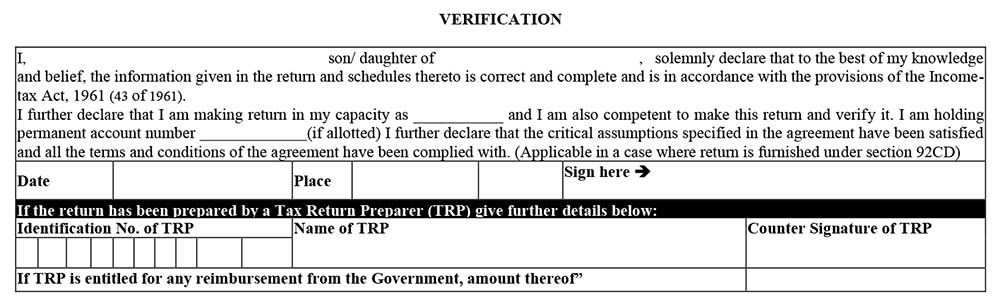
Income Tax Return 2 Form Filing Mode
An ITR-2 form can be furnished either online or offline. In offline mode, a JSON file (generated via a utility) needs to be uploaded. Alternatively, the user can log in to the portal and select ‘Prepare and submit online’. Data is pre-filled from the AIS, TIS, and Form 26AS. Super senior citizens (80+) may be eligible for paper filing under specific conditions.
Online:
- While furnishing ITR-2 online, feed the details and e-verify the return using EVC via Bank Account/Net Banking/Demat Account/Aadhar OTP or
- 2. Feed the details using an electronic medium and send a physical copy of ITR V to the Centralised Processing Centre (CPC), Bengaluru, through speed post or normal post. When you furnish the ITR-2 return form using an electronic medium, the receipt will be seen in the inbox of the registered email ID. It can also be downloaded from the official income tax website manually. After downloading the acknowledgement, you need to sign the form and then send it to the CPC office, Bangalore, before completing 30 days counting from the e-filing date. On the other hand, it is not required to send the ITR V to the CPC if the EVC/OTP option is used
Offline:
- If the age of the person is 80 or more years during the respective tax period or in the previous year, he/she can opt for offline return filing.





I am an NRI and I am filling ITR2, lastly one error comes as “In schedule SI, tax computed can not be null, if income is grater than zero.” how to clear the error.
This Error is related to income tax portal
Hello!
Filing a return for a retired private pensioner, while verification recd error – Caught Error Description as null, What does it mean..
Also, while generating JSON issues found-
File is not being saved in path specified by the text message.. I cant find my file so I converted Excel to JSON using online sites.
And, the verification summary shows only Schedule S – with 1 entry, other schedules like CG, OS, HP are not there in the summary in the utility.
Please help me out
Is it mandatory to fill TRP number and TRP name while e-filling ITR-2 form? I have not used any TRP and left the field blank. This is giving error in the verification stage that the ky “IdentificationNoofTRP” not found.
I have a question – in which schedule of ITR2 should we fill details pertaining to income from business trusts like REIT, InvIT, etc? should one split it as dividend, interest income, etc?
Under section 10 of ITR-2 wherein amount of gratuity and Commuted value of pension is inserted, The system says that amount in column 10 should not be more than 20 lacs while I have received 20 lacs as gratuity and 10 lacs as Commuted value of pension
I M ALSO FACING SAME PROBLEM ARE YOU ABLE TO SOLVE THE PROBLEM
In which schedule of itr2 tax paid amount to be shows.