AOC 4 is an E-form that companies need to file on a yearly basis to file their financial statement and other documents with the ROC. Every registered company is compulsorily required to File AOC 4 for the end of the financial year. The generated AOC 4 has to be submitted by the company within 30 days from the date of the Annual General Meeting (AGM).
Required Documents to File AOC 4 Form:
- Audited Balance Sheet
- Profit and Loss Statement
- Cash Flow Statement
- Statement of Change in Equity
- Auditor Report
- Directors report
- Other Relevant Documents, (if Any Required)
Why Choose Gen CompLaw with XBRL Software for AOC-4 Filing?
Gen Complaw software is used for the preparation of the ROC e-Forms, XBRL, Resolutions, Minutes, Registers & various statutory reports. The software is coded by SAG Infotech for the companies & directors, etc to make filing fast and efficient. Gen Complaw software with XBRL (MCA/ROC Filing) is updated with the Latest E-forms, cost audit XBRL AS-XBRL, XBRL-IAS tool, etc. Moreover, the software also provides an import facility for various forms with others to give fast responses within a short time.
Steps by Step Guide to File AOC 4 via Gen Complaw with XBRL Software
Step 1: Firstly, install a complete setup of a Gen Complaw with XBRL Software
Step 2: After installing the software, open the software dashboard
Step 3: Now select the ‘e-form’ option from the dashboard
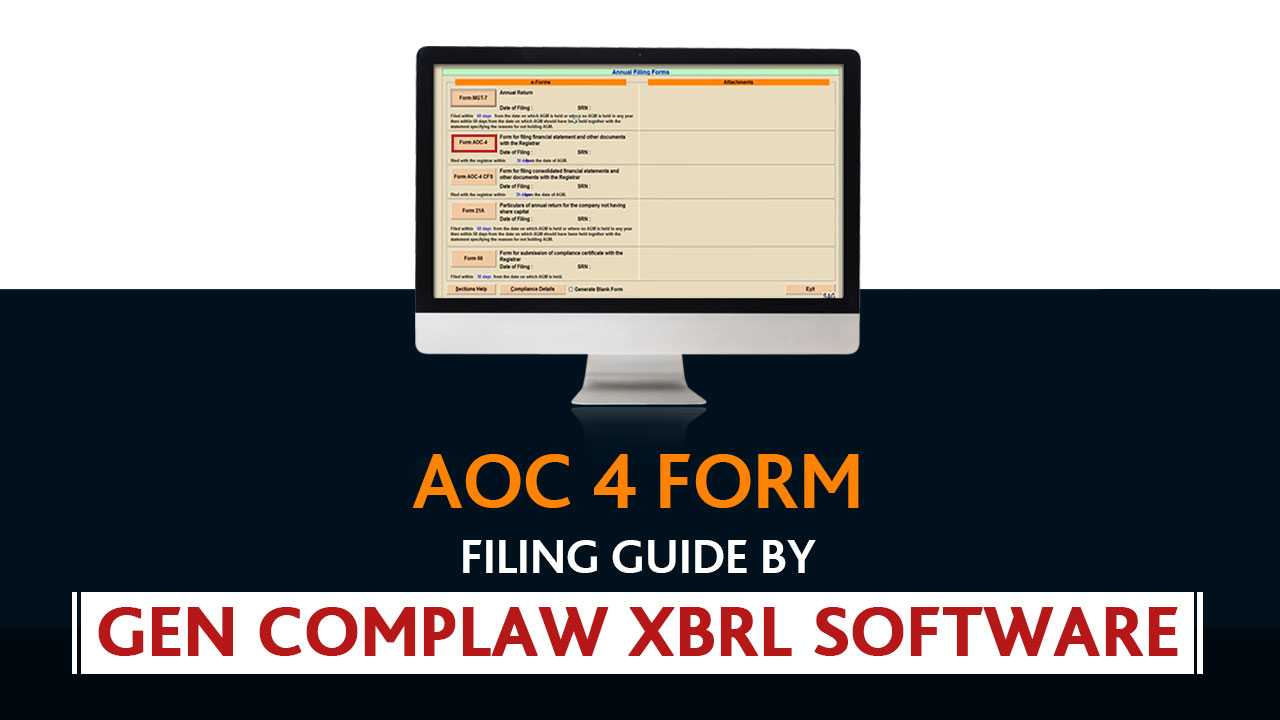
Step 4: After selecting the ‘e-form’ option, click on the ‘Annual Filing form’ from the dashboard.
Step 5: Then, select the ‘AOC 4 form‘ from the e-form dashboard
Step 6: After clicking the AOC 4 button, fill in all required details such as balance sheet, profit, and loss, etc. Moreover, the user can also import the details from AOC-4 forms. From the previous year’s data, after filling in the information, click the ‘update’ button to save the data.
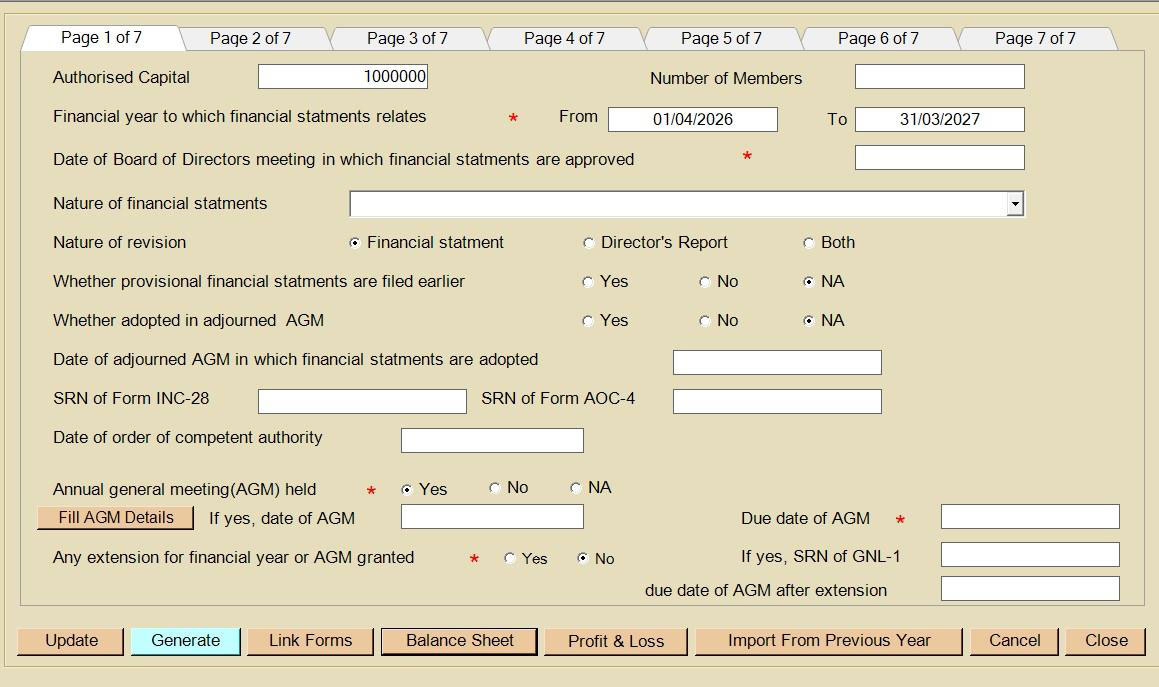
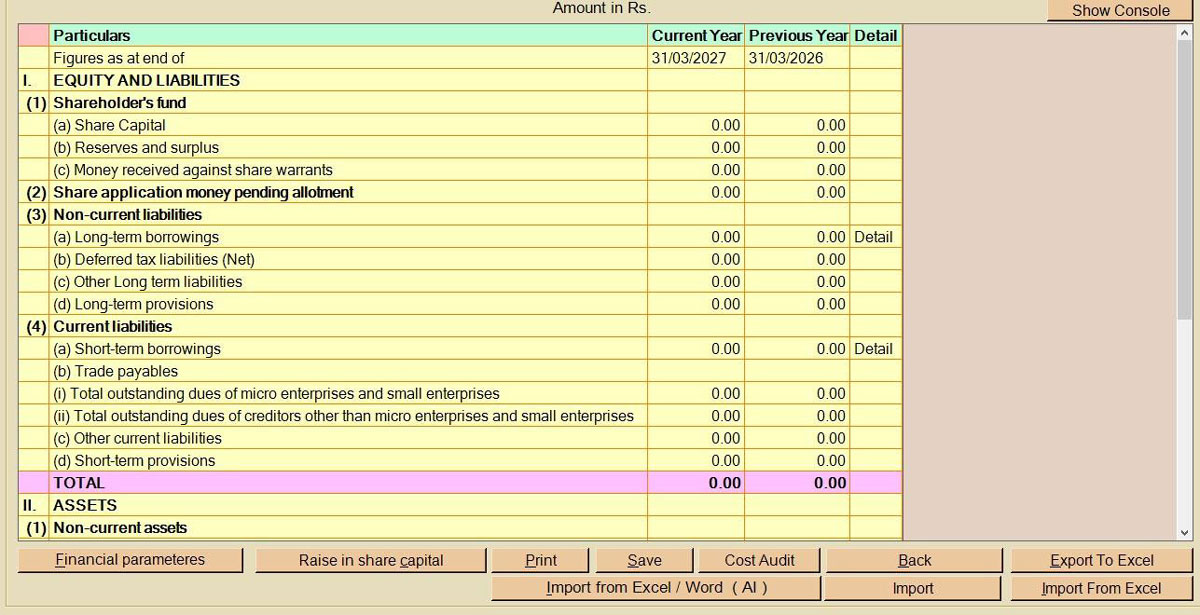
Step 7: Then fill in the details, create a balance sheet for the current and previous year. You can also import the data via Genius software, previous year database, E form AOC-4, and ITR6 XML. The user can import previous year data from MCA. A new facility has been introduced that allows the user to import data into the balance sheet by using the AI import facility. With this facility, all data in the balance sheet, balance sheet notes & financial parameters can be filled automatically.
Provide the details of the raise in share capital during the current financial year manually, or a user can import it from the software if such information has already been entered there. If the cost audit is applicable, mention that too. After that, save the data by clicking on the save button.
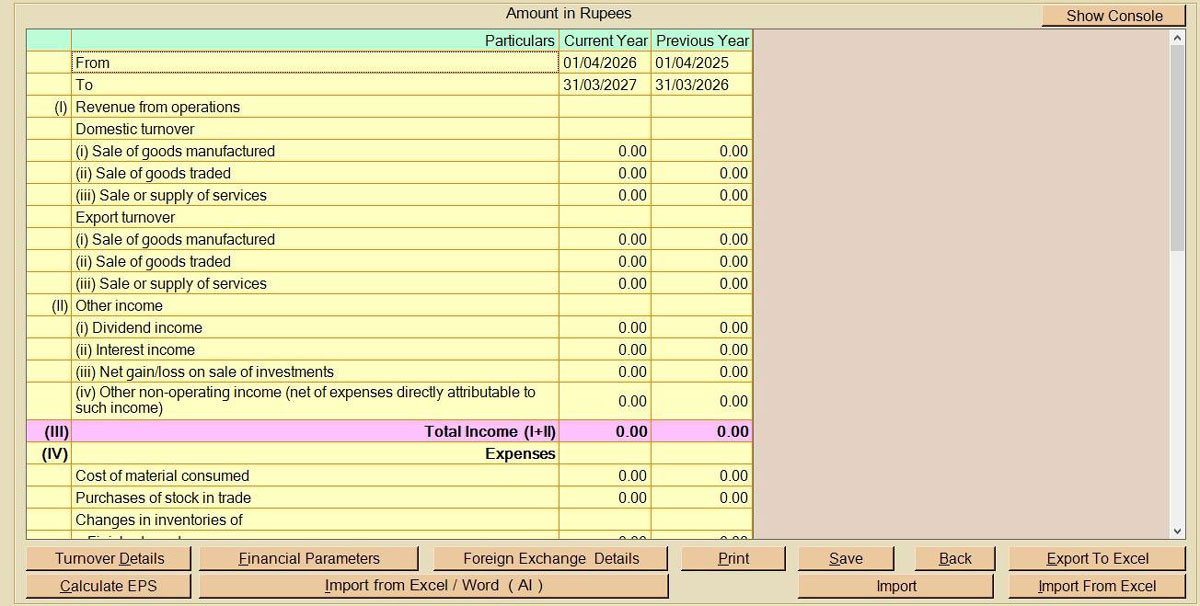
Step 8: In this step, fill in the details of the profit & loss section for the current and previous year. Otherwise, import details via Genius software, Import previous year data and import via an AOC 4 form. The user can import previous year data from MCA. A new facility has been introduced that allows the user to import data in Profit & Loss statement by using the AI import facility. With this facility, all data in the Profit & Loss statement, Profit & Loss statement notes & financial parameters can be filled automatically.
Provide the details of turnover, foreign exchange, if any & after that save the data by clicking on the save button.
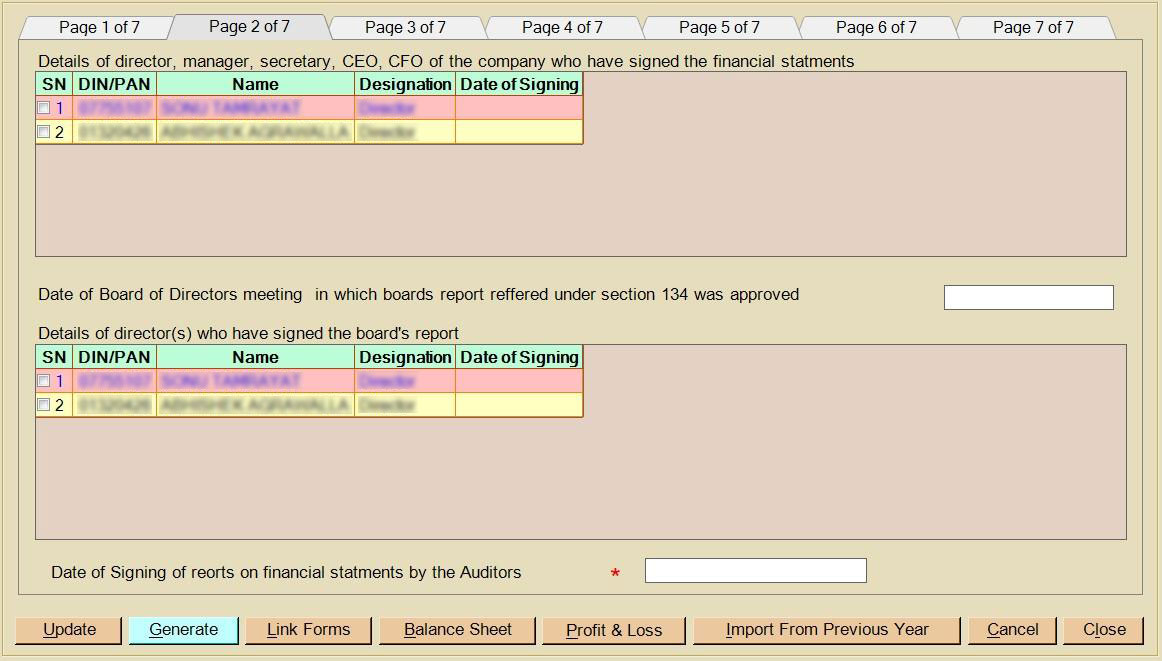
Step 9: Select the back option for the main window of the form, now move the cursor to Page 2, the director tab. The details of the director will automatically get filed if you have provided the details in software, such as DIN, name, designation and date of signing & mention the date of signing of the financial statement & board report, the date of the board meeting in which the board report was approved, and the date on which the auditor signed the financial statement.
Step 10: Now move the cursor to page 3 & go to the subsidiary tab if the company is a subsidiary of another company & this is applicable then details, if provided in the software, will automatically get imported; else fill the details of the holding company CIN number, company holding name and provision. If the company has a subsidiary, then click on yes and after clicking, the user has to file AOC-1 as a linked form.
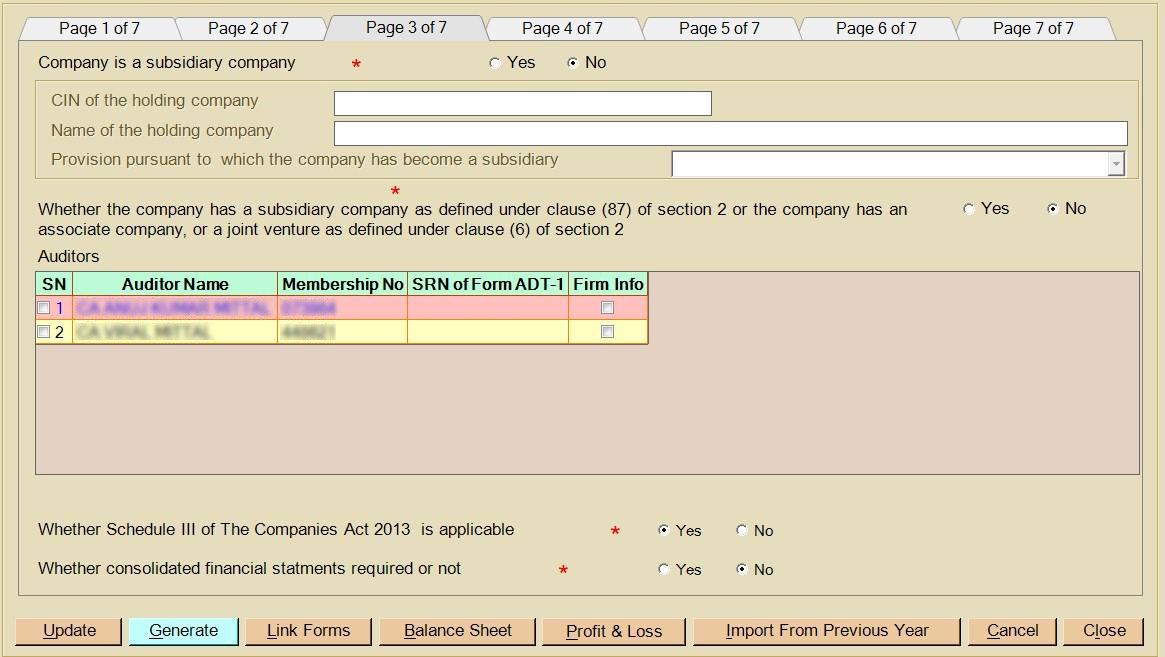
Provide the details of the auditor, such as the auditor’s name & SRN of the previously filed ADT-1. If the consolidation of account required, then AOC-4 CFS should also be filed as a linked form.
Read Also: Steps to Create a New Company and Director via Gen XBRL Software
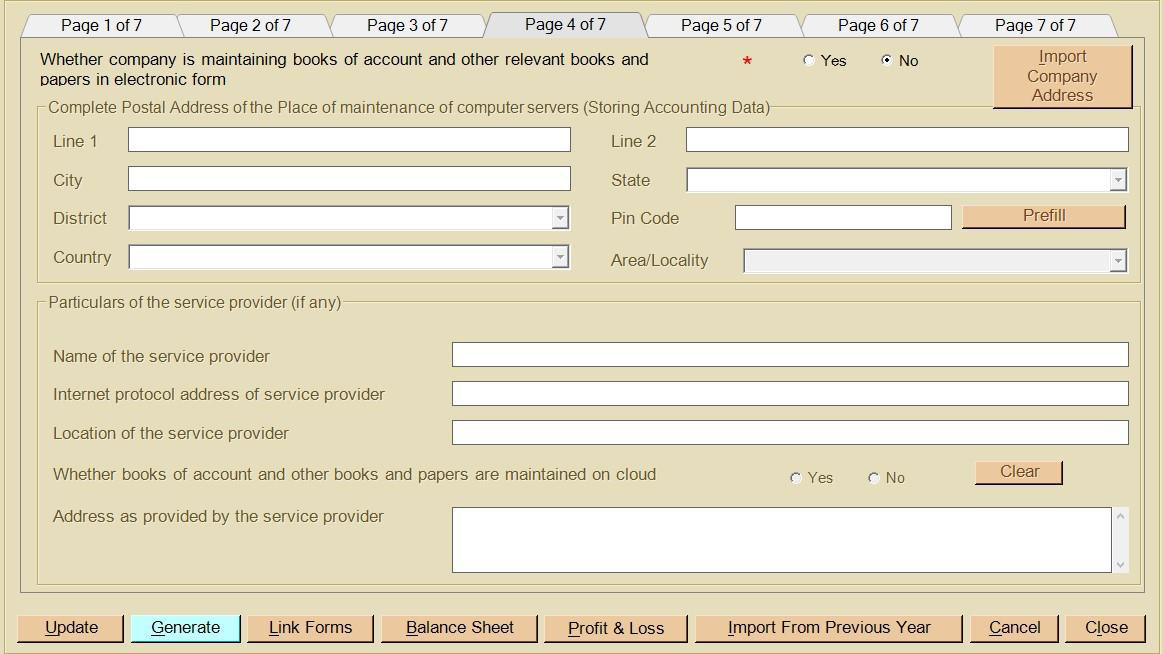
Step 11: On page 4, click on ‘Books’ and fill in the postal address and company server storing account data such as service provider name, IP address, location and address.
Step 12: After filling in the details of the ‘book’, provide details in case of a government company, whether the Comptroller & Auditor General of India has commented upon, supplemented the audit report. Indicate yes or no for any transaction entered with a related part if yes, then file Form AOC-2 as a linked form. Select CSR applicability if CSR is applicable, then file CSR-2 as a linked form.
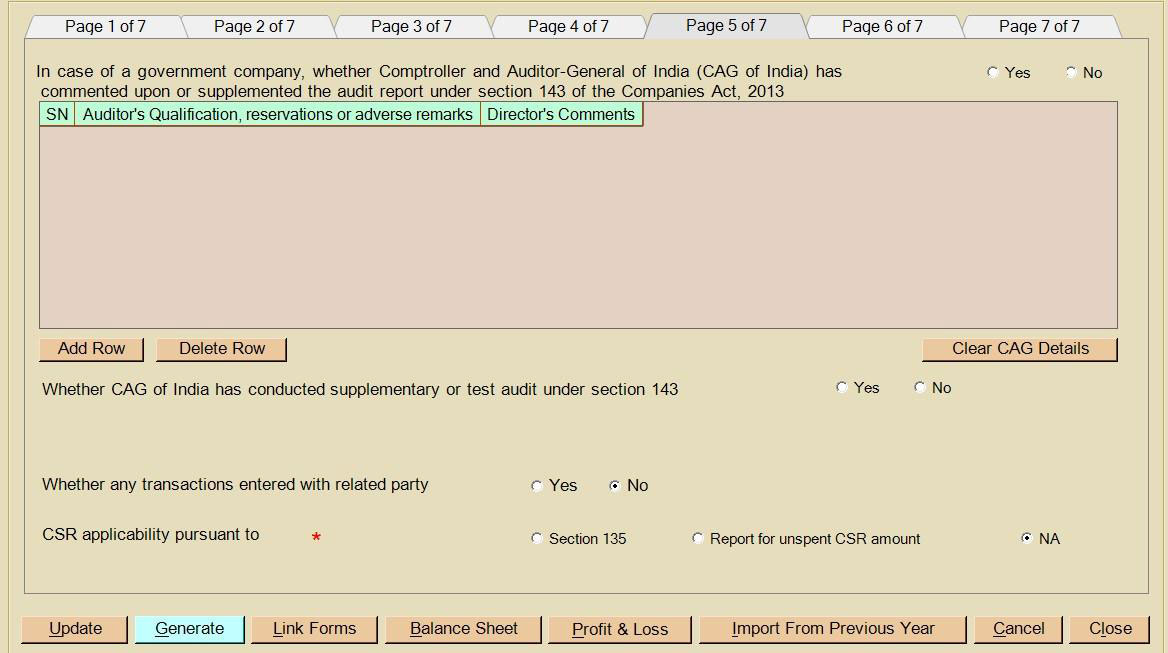
Step 13: Now, click on page 6 if Secretarial Audit is applicable, then select yes and provide all relevant details, such as any remarks, qualifications and reservations.
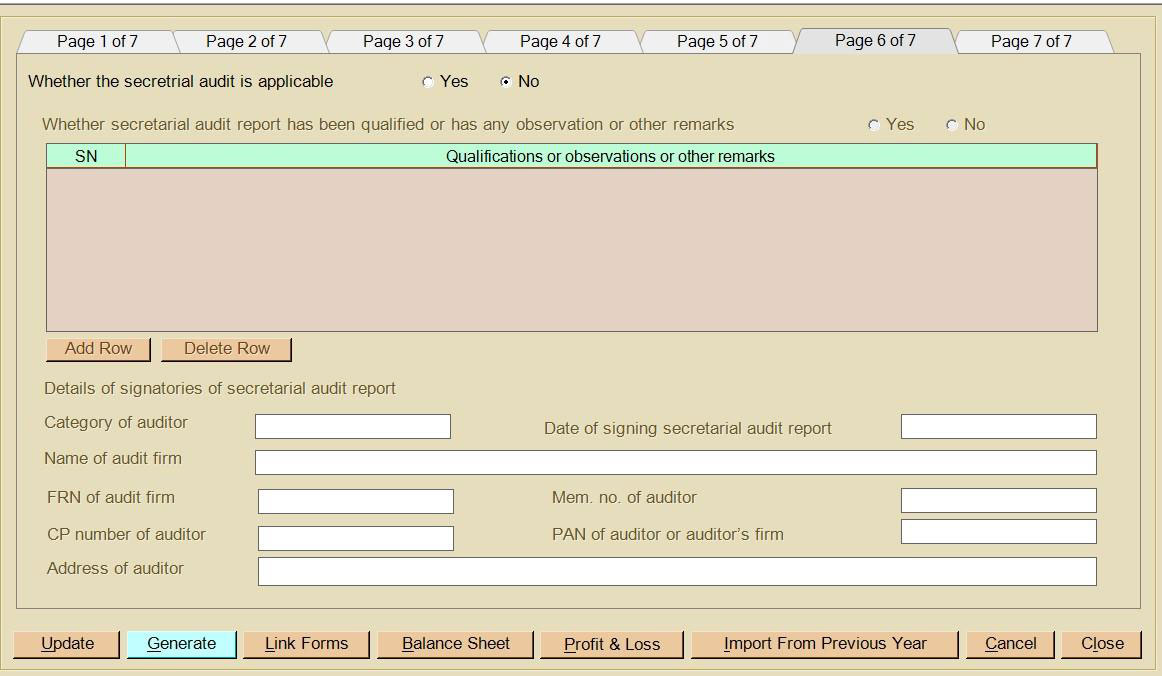
Step 14: On page 7, provide the resolution number and date, select the director/manager/MD or secretary whose DSC you want to put on the form, and select the professional, i.e., CA, CS and COA, whom you want to certify the form if applicable.
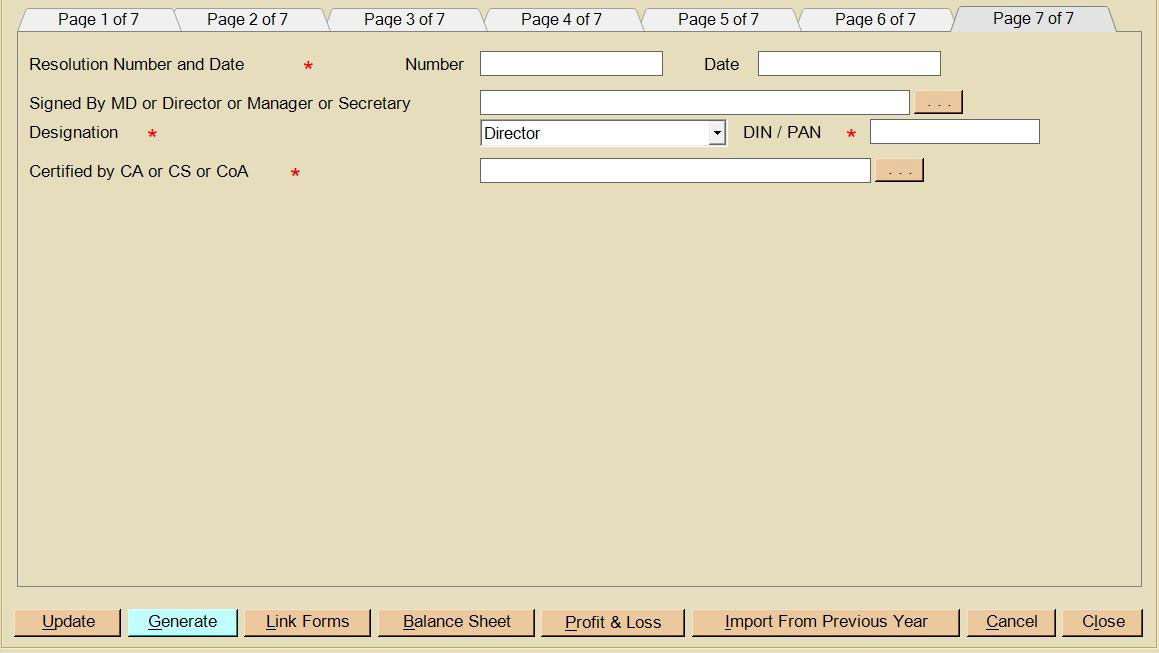
Step 15: After filling all the details, a user can fill linked forms- Extract of board report & Extract of audit report (standalone) & Extract of audit report (consolidate) in case AOC-4 CFS is filed by clicking on link forms section available within a form itself or alternatively they can be accessed separately from dashboard in the annual filing section by clicking on AOC-4 link forms, now click on the generate button. The user can generate AOC-4 independently or file AOC-4 along with the linked form.
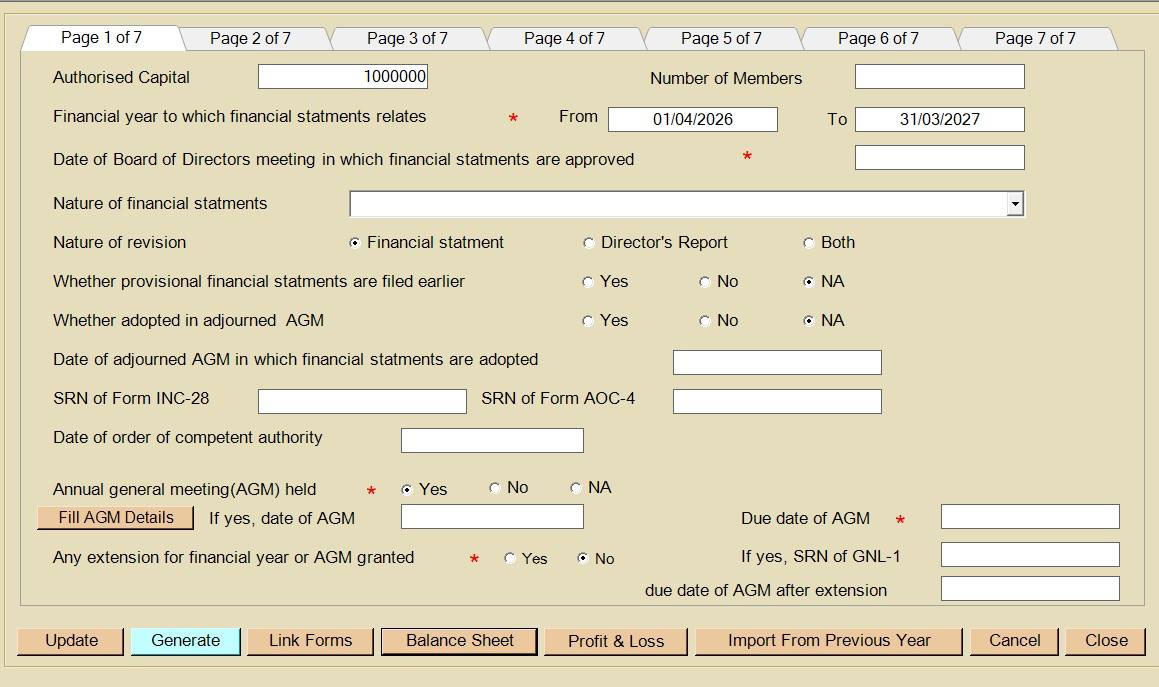
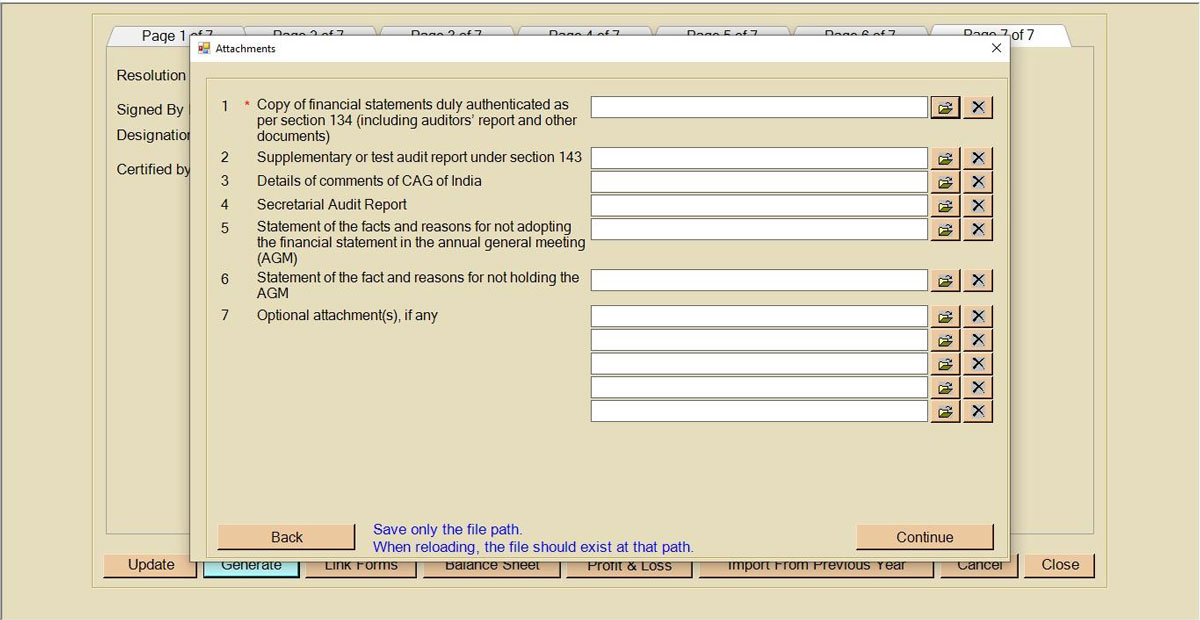
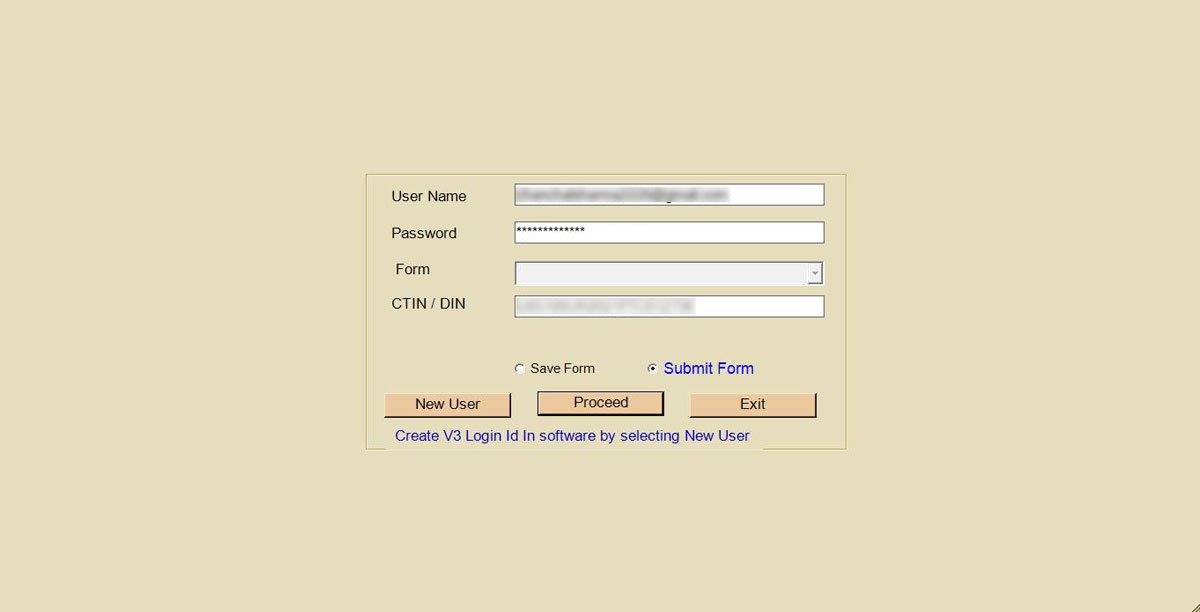
Step 17: Generate the form & attach the required attachment of AOC-4 & its linked forms. Thereafter, select the MCA user ID & password of the user under whom the form gets uploaded, then upload the forms on the MCA portal. After that, download the PDF from the software, affix the DSC of the concerned person & upload it on the MCA portal. Finally, save the AOC 4 PDF in our desktop, then click the pre-fill button to get the details that have been mentioned by Gen Complow with XBRL software.