


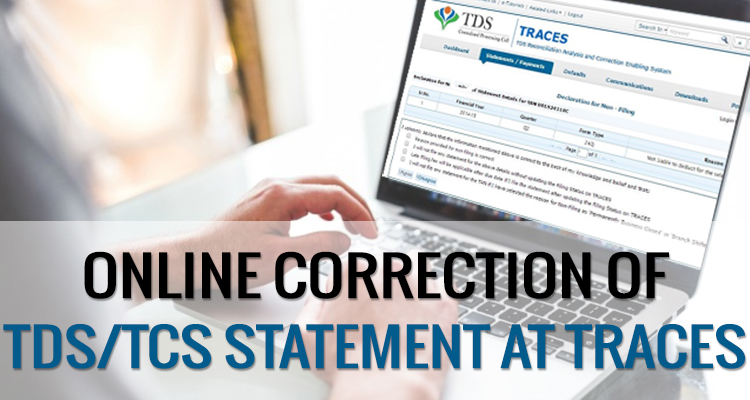
If the deductor has filed a TDS return, but some mistakes occur while furnishing the TDS statement, such as wrongly mentioned PAN, short deduction of TDS amount, excess utilisation of any challan, etc. In that case, the assessee has to do online corrections in the TDS statement on “TRACES” (TDS Reconciliation Analysis and Correction Enabling System).
Steps for Online Corrections in TDS/TCS Statement
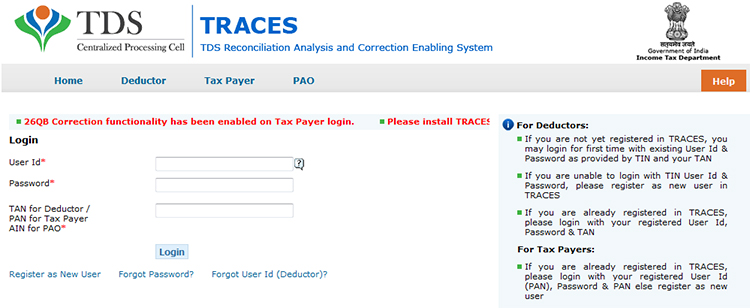
Step 1: Log in to the TRACES website
Step 2: Go to “Request for correction” under “Defaults” by entering the relevant Quarter, Financial Year, Form Type, and Latest Accepted Token number. The correction category should be “Online”, and the request number will be generated
Step 3: The request will be available under “Track Correction Request” when the request status becomes “Available” Click on Available / In progress status to proceed with the correction and provide information of valid KYC
Step 4: Select the type of correction category from the drop-down as “Challan Correction”
Step 5: Make the required corrections in the selected file
Step 6: Click “Submit for Processing” to submit your correction (only available to an admin user). Alternatively, the request can be submitted via a digital signature by an Authorised person.
Step 7: A 15-digit token number will be generated and mailed to the registered e-mail ID
Online Corrections’ List of TDS/TCS
All types of corrections, such as “Personal information, Deductee details and Challan correction,” can be made using the online correction functionality available after the expiry of two years from the end of the financial year in which the original statement was filed.
For quarters 1, 2 and 3, corrections can be made within two subsequent financial years. For Q4, corrections can be filed within two subsequent financial years plus one additional financial year, as the filing due date for Q4 falls in a subsequent financial year.
| Type of Error or Defaults | Correction Type | DSC Required |
|---|---|---|
| If the challan is unmatched | Challan correction | No |
| Add a new challan | Add a challan to the statement | No |
| To clear the interest and late fee demand payment | Pay 220, interest, levy, late filing | No |
| To move the deductee row | Request for overbooked challan (move the deductee row from the challan) | No |
| To update PAN | PAN correction | Yes |
| To add/modify the deductee row | Add/Modify deductee details | Yes |
| To update personal details | Personal information | Yes |
| To modify salary details | Add or delete salary details | Yes |
Note: For the paper return, online correction cannot be done
Status of Online Correction Requests
- Requested: When the user submits a request for correction.
- Initiated: The request is being processed by TDS CPC
- Available: Request for correction is accepted, and the statement is made available for correction. The user can start correcting the statement. Clicking on the hyperlink will take the user to the validation screen. Once the user clicks on the request with ‘Available’ status, the status of the request/statement will change to ‘In Progress
- Failed: Request cannot be made available due to a technical error. The user can resubmit the request for the same details
- In Progress: The user is working on a statement. Clicking on the hyperlink will take the user to the validation screen
- Submitted to Admin User: Sub-user / Admin User has submitted a correction statement to Admin User
- Submitted to ITD: Admin User has submitted a correction statement to ITD for processing
- Processed: Statement has been processed by TDS CPC (either for Form 26AS or for defaults)
- Rejected: Statement has been rejected by TDS CPC after processing. Rejection reasons will be displayed in the ‘Remarks’ column.






FY 16-17-Q4 -UNDER THE NIL CHALLAN 4 DEDUCTEES 15G/H FILED. THEN IN AUDIT ONE, ANOTHER CHALLAN FILED.
QUESTION IS-IN NIL CHALLANS DEDUCTEES CREDIT AMOUNT REQUIRED 0. ALSO, CORRECTION AND FILED BUT RETURN REJECTEDREASON IS-Date of Deposit doesn’t lie in the same quarter for Unmatched Challan
PLZ SOLVE
You cannot show NIL challans in the TDS statement. Statement gets rejected if NIL challans are shown. The deductee entries of 15G/H are shown in the matched challans only.
I have placed a request for correction. The status is being shown as “Initiated” since a week. Please help with the resolution process.
Please contact GSTN helpdesk to resolve the issue
Hi Sir,
The status is being shown as “Initiated” since a week. how long it will be shown as same, bcz I am also faceing the same problem
Sir
I have filed a correction statement online but it is getting rejected again and again. The following error is showing “Validation Error. Tax Deducted in challan should be=sum of Tax Deducted in attached deductee row’ Please Suggest how can I correct this?
Please check whether the”Total Tax deposited” shown in deductee rows is in fraction or whether the challan is overbooked.
Please resolve the validation error as TDS deducted and deposited in challan should be equal to deductee row. Correct the challan amount.
2014-15 Q4 26Q return processed with demand. Form 16A cannot download due to challan mismatch. for challan correction traces requires the token number, challan details and PAN and amount, all given correctly, but traces says its wrong. Challans are book adjustments but challans given in statement not marked “yes”. how to solve this issue
Please elaborate your query.
online only PAN change