


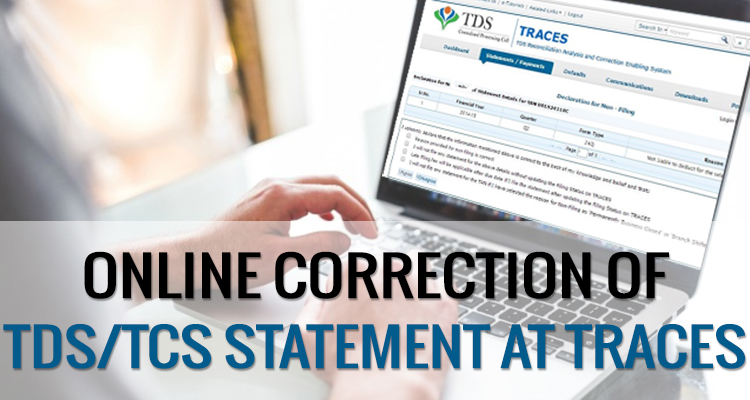
If the deductor has filed a TDS return, but some mistakes occur while furnishing the TDS statement, such as wrongly mentioned PAN, short deduction of TDS amount, excess utilisation of any challan, etc. In that case, the assessee has to do online corrections in the TDS statement on “TRACES” (TDS Reconciliation Analysis and Correction Enabling System).
Steps for Online Corrections in TDS/TCS Statement
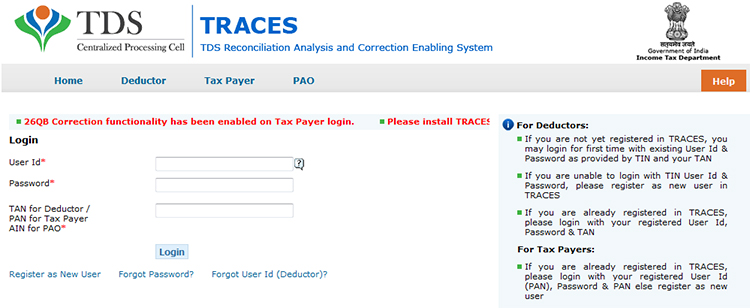
Step 1: Log in to the TRACES website
Step 2: Go to “Request for correction” under “Defaults” by entering the relevant Quarter, Financial Year, Form Type, and Latest Accepted Token number. The correction category should be “Online”, and the request number will be generated
Step 3: The request will be available under “Track Correction Request” when the request status becomes “Available” Click on Available / In progress status to proceed with the correction and provide information of valid KYC
Step 4: Select the type of correction category from the drop-down as “Challan Correction”
Step 5: Make the required corrections in the selected file
Step 6: Click “Submit for Processing” to submit your correction (only available to an admin user). Alternatively, the request can be submitted via a digital signature by an Authorised person.
Step 7: A 15-digit token number will be generated and mailed to the registered e-mail ID
Online Corrections’ List of TDS/TCS
All types of corrections, such as “Personal information, Deductee details and Challan correction,” can be made using the online correction functionality available after the expiry of two years from the end of the financial year in which the original statement was filed.
For quarters 1, 2 and 3, corrections can be made within two subsequent financial years. For Q4, corrections can be filed within two subsequent financial years plus one additional financial year, as the filing due date for Q4 falls in a subsequent financial year.
| Type of Error or Defaults | Correction Type | DSC Required |
|---|---|---|
| If the challan is unmatched | Challan correction | No |
| Add a new challan | Add a challan to the statement | No |
| To clear the interest and late fee demand payment | Pay 220, interest, levy, late filing | No |
| To move the deductee row | Request for overbooked challan (move the deductee row from the challan) | No |
| To update PAN | PAN correction | Yes |
| To add/modify the deductee row | Add/Modify deductee details | Yes |
| To update personal details | Personal information | Yes |
| To modify salary details | Add or delete salary details | Yes |
Note: For the paper return, online correction cannot be done
Status of Online Correction Requests
- Requested: When the user submits a request for correction.
- Initiated: The request is being processed by TDS CPC
- Available: Request for correction is accepted, and the statement is made available for correction. The user can start correcting the statement. Clicking on the hyperlink will take the user to the validation screen. Once the user clicks on the request with ‘Available’ status, the status of the request/statement will change to ‘In Progress
- Failed: Request cannot be made available due to a technical error. The user can resubmit the request for the same details
- In Progress: The user is working on a statement. Clicking on the hyperlink will take the user to the validation screen
- Submitted to Admin User: Sub-user / Admin User has submitted a correction statement to Admin User
- Submitted to ITD: Admin User has submitted a correction statement to ITD for processing
- Processed: Statement has been processed by TDS CPC (either for Form 26AS or for defaults)
- Rejected: Statement has been rejected by TDS CPC after processing. Rejection reasons will be displayed in the ‘Remarks’ column.





Hi
can I submit correction statement of the same quarter which is ‘pending for processing’ since last 15 days, because I know wrong entries in the previously filled statement?
No, once this correction is processed, then only you can file next correction return.
I AM UNABLE TO DO ONLINE PAN CORRECTION WITH THE HELP OF DSC. It is NOT SHOWING PAN CORRECTION OPTION HENCE DSC ALSO REGISTERED AT TRACES SITE.
Contact department’s helpdesk for assistance.
Hi, we have filed TDS details for the fourth quarter. But later we had to correct an assessee detail as it was wrongly entered and filed it on 05/7/2018. Now when we try to download the corrected form 16A from TRACES with the Token number of the corrected statement of TDS, it is showing the error ‘Token number is not valid for the regular statement’. Kindly help. From where can I download the corrected form 16A. WHich token number should be given. When I give the token number of the first return it is showing ‘wrong details entered’. When I give the token number of the corrected return it is saying ‘Token number is not valid for the regular statement’. Kindly help
Hi,
I need a help to solve the problem in TRACES. I have to correct a PAN in online for which I have DSC. While using DSC the screen says – As you are proceeding in Digital Signature By-Pass Mode you are permissible to apply for Challan Correction, Interest payment and Add Challan to statement. So I am unable to correct the invalid PAN. What is this mode how to overcome it and how to rectify the PAN? Kindly advice me. thank you in advance.
Regards,
You can also make correction through KYC mode on traces website.
I have filed correction returns for FY 2017-18 Q1 & Q3 to correct the PAN of a deductee. Subsequently received demand default notice towards interest on late payment. The TDS was paid well before the due date. My question is whether interest is also applicable in respect of correction in PAN?
No, interest is charged only on late payment of TDS or late fee. No interest is charged on PAN correction.