


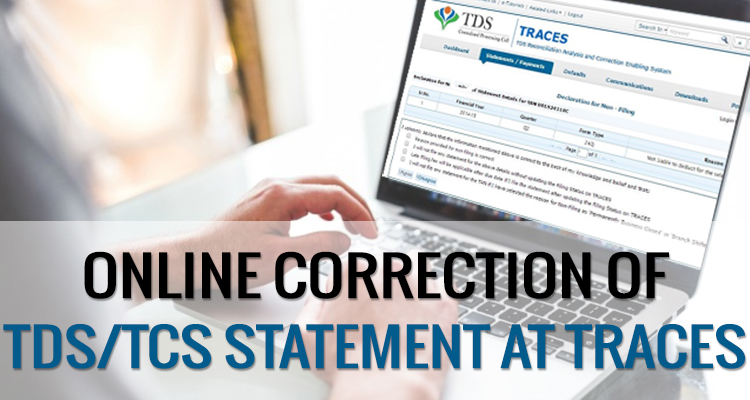
If the deductor has filed a TDS return, but some mistakes occur while furnishing the TDS statement, such as wrongly mentioned PAN, short deduction of TDS amount, excess utilisation of any challan, etc. In that case, the assessee has to do online corrections in the TDS statement on “TRACES” (TDS Reconciliation Analysis and Correction Enabling System).
Steps for Online Corrections in TDS/TCS Statement
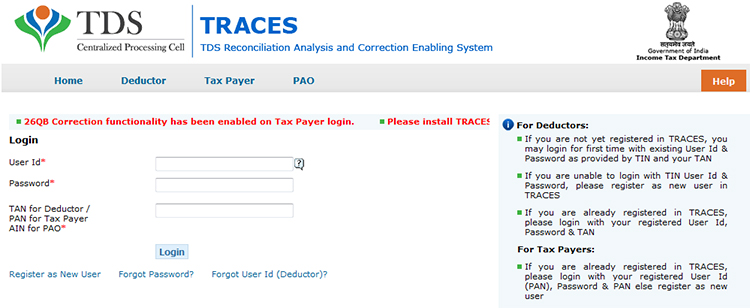
Step 1: Log in to the TRACES website
Step 2: Go to “Request for correction” under “Defaults” by entering the relevant Quarter, Financial Year, Form Type, and Latest Accepted Token number. The correction category should be “Online”, and the request number will be generated
Step 3: The request will be available under “Track Correction Request” when the request status becomes “Available” Click on Available / In progress status to proceed with the correction and provide information of valid KYC
Step 4: Select the type of correction category from the drop-down as “Challan Correction”
Step 5: Make the required corrections in the selected file
Step 6: Click “Submit for Processing” to submit your correction (only available to an admin user). Alternatively, the request can be submitted via a digital signature by an Authorised person.
Step 7: A 15-digit token number will be generated and mailed to the registered e-mail ID
Online Corrections’ List of TDS/TCS
All types of corrections, such as “Personal information, Deductee details and Challan correction,” can be made using the online correction functionality available after the expiry of two years from the end of the financial year in which the original statement was filed.
For quarters 1, 2 and 3, corrections can be made within two subsequent financial years. For Q4, corrections can be filed within two subsequent financial years plus one additional financial year, as the filing due date for Q4 falls in a subsequent financial year.
| Type of Error or Defaults | Correction Type | DSC Required |
|---|---|---|
| If the challan is unmatched | Challan correction | No |
| Add a new challan | Add a challan to the statement | No |
| To clear the interest and late fee demand payment | Pay 220, interest, levy, late filing | No |
| To move the deductee row | Request for overbooked challan (move the deductee row from the challan) | No |
| To update PAN | PAN correction | Yes |
| To add/modify the deductee row | Add/Modify deductee details | Yes |
| To update personal details | Personal information | Yes |
| To modify salary details | Add or delete salary details | Yes |
Note: For the paper return, online correction cannot be done
Status of Online Correction Requests
- Requested: When the user submits a request for correction.
- Initiated: The request is being processed by TDS CPC
- Available: Request for correction is accepted, and the statement is made available for correction. The user can start correcting the statement. Clicking on the hyperlink will take the user to the validation screen. Once the user clicks on the request with ‘Available’ status, the status of the request/statement will change to ‘In Progress
- Failed: Request cannot be made available due to a technical error. The user can resubmit the request for the same details
- In Progress: The user is working on a statement. Clicking on the hyperlink will take the user to the validation screen
- Submitted to Admin User: Sub-user / Admin User has submitted a correction statement to Admin User
- Submitted to ITD: Admin User has submitted a correction statement to ITD for processing
- Processed: Statement has been processed by TDS CPC (either for Form 26AS or for defaults)
- Rejected: Statement has been rejected by TDS CPC after processing. Rejection reasons will be displayed in the ‘Remarks’ column.




Getting error as “unable to submit the correction statement” for all quarters where online revision is required.
did any body found solution to “UNABLE TO SUBMIT CORRECTION STATEMENT”
when i contacted TRACES
they suggested me to follow some specifications like browser versions..
i totally fed up in trying all possible ways…
pls any body here help me..
how can i attach my screen shot here??
no paste / attachment options here:(
“unable to submit the correction statement in traces”
after getting of this in your traces, then don’t go through Google chrome and Mozilla fire fox
choose only “Internet explorer “
after completion of rectification process through online in traces for pan not available customers and submitted to ito then next day it shows the status as rejected as “The correction statement submitted is inconsistent. Kindly file the correction again”.
one day before it can do the rectification process in online and the same updated and next day i tried the remaining work but it shows the above error message.
kindly help us urgently.
Sir, You might have submitted the wrong file or any compulsory field could be missing that’s why the error is generated.
Hi Neetha
Sachin Varshney
I am also having same issue today since morning as DEIVARAJ have.
i.e.“UNABLE TO SUBMIT CORRECTION STATEMENT”. i am using web browser “Google Chrome”
Is this issue because of web browser??
Please help urgently
Might be web browser’s issue or department server was not working properly.
Hi Neetha
Deivaraj R
Am trying to do online correction in traces.
when I went for submit for processing, after
clicking on submit it is giving error
“UNABLE TO SUBMIT CORRECTION STATEMENT”
Pls help
Hi Neetha
A Madhavi.
Am trying to do online correction in traces.
when I went for submit for processing, after
clicking on submit it is giving error
“UNABLE TO SUBMIT CORRECTION STATEMENT”
Pls help
Hi,
Madhavi,
Please take a print screen & share with us, then we will provide solutions:-
I am also having the same problem since sep’16, Please let me know if you get any solution.
cajalajjain@outlook.in
mam might be there some issue in your correction statement or in internet connectivity. Consult with Traces.
Which type error show on screen please write here……….