A Salary slip has its own significance, which shows the income of the employee, the taxes and other deductions related to it, and their take-home amount. As each company has its own method to compute salaries and benefits, the layout of a salary slip often needs to be tailored to meet its specific criteria. Here, the payroll software shows its importance.
It supports businesses in forming clear and organised salary slips that align with their policies and fulfil statutory requirements. Whether you need to change the look of the slip, update benefits, or create numerous slips at once, everything gets facilitated by the payroll software.
The method to customise salary slips using the desktop payroll software for employees has been illustrated in this blog. Specific features such as options for importing or exporting information, creating unique formats, sending salary slips via email, and exporting data to Excel will also be discussed.
Significance of the Customisation of Salary Slips
Concerning salaries, reimbursements, and legal requirements, every company has its own rules. A customised salary slip can support in distinct crucial ways-
- It makes it uncomplicated to comprehend how much money is earned and what deductions are made.
- It ensures that the company follows legal regulations like employee benefits and taxes.
- It creates trust between the employer and the employee by being clear about payments.
- It streamlines processes like applying for loans, visas, and filing taxes.
- It explains information in a professional way, which is helpful for financial and legal matters.
A standard salary slip is not adequate as every organisation is not the same. Thus, desktop payroll software furnishes personalised solutions to fulfil particular requirements.
Import & Export Salary Setup Data
The ability to import and export salary setup data is one of the benefits of using the advanced desktop payroll software.
A. Smoothly Import Salary Structure
The software, rather than manually entering the details of salary, permits HR teams to-
- Add allowances, deductions, and reimbursements
- Map columns to ensure correct data placement
- Import salary components from Excel
- Upload employee master data
It lessens the manual effort and prevents data entry mistakes.
B. Export Salary Setup for Inspection or Edit
Exporting salary setup is helpful when:
- Salary corrections or increments are prepared
- Human Resources (HR) wants an understanding of the yearly salary cost
- Management ought to cross-verify salary details
- Data ought to be transferred to the auditors
The salary configuration shall get faster from this import/export flexibility and ensure accurate customisation of salary slips.
Preparation of User-defined Pay Slips
The main feature of the desktop payroll software is its ability to form user-defined salary slips.
What Can Be Customised?
The software permits organisations to customise-
- Earnings details (basic, HRA, DA, incentives, overtime, etc.)
- Tax deductions (PF, ESIC, TDS, advances, loans, professional tax, etc.)
- Layout and structure of the pay slip
- Month, year, and pay period
- Net salary in figures and words
- Company logo and branding
- Extra fields such as ESIC number, PAN, UAN and bank details
Businesses with such customizable components can form unique salary slips that match their internal style and compliance requirements.
Sending Pay Slips via Email
In the current digital workplace, distributing salary slips manually takes much time. The same issues shall be contested by the Desktop payroll software with a built-in email facility.
How It Helps HR Teams
- Send personal or bulk emails
- Defend salary slips with password-secured PDF
- Track sent status for verification
- Send salary slips straight to the employee’s email ID
Advantages to Workers
- Delivery of the salary slip instantly
- Comfortable access from anywhere
- Suitable storage for tax filing and financial documents
The same lessens the paperwork, ensures confidentiality, and boosts salary distribution.
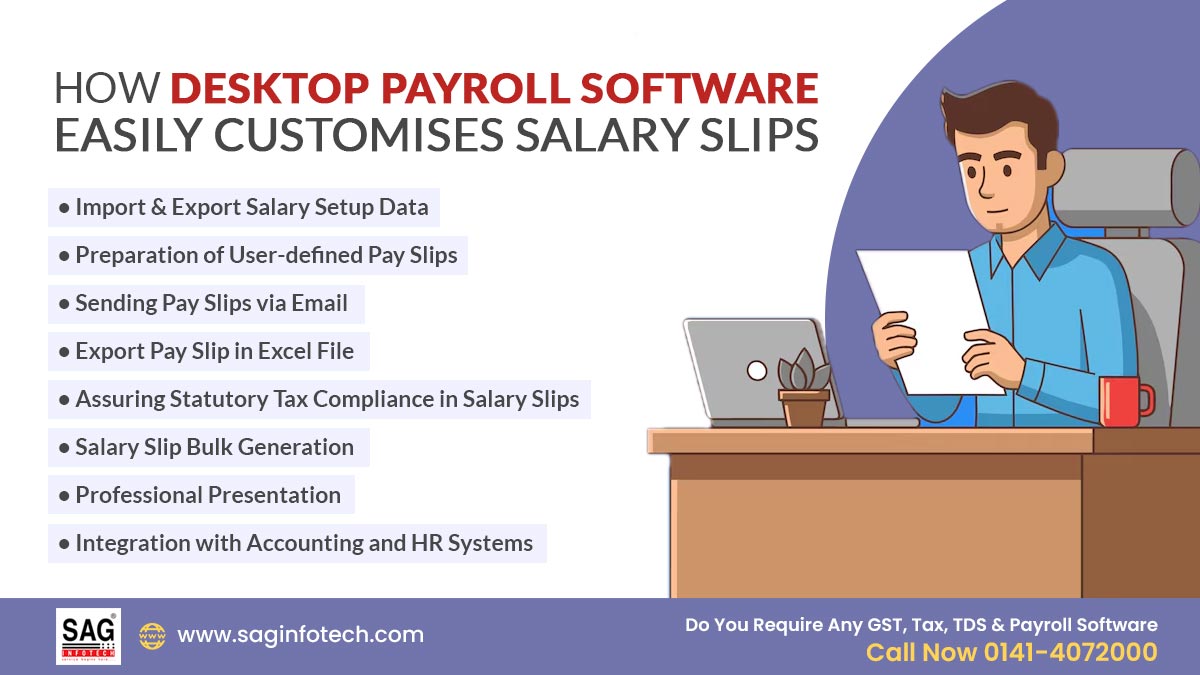
Export Pay Slip in Excel File
Various organisations require salary information in Excel format for their reports or to comply with the rules and regulations. Various payroll programs for computers secure a feature that allows HR departments to export salary slips or overall salary data into an Excel spreadsheet. The same makes it simpler for them to download the information they require.
Value of Export Excel File
- Permits advanced financial calculation
- Good for tallying employee documents
- Assists in reconciliation and audits
- Preparing MIS reports
- Simplifies transferring data with finance groups
HR teams can export data for a single employee, a department, or the whole organisation based on their need.
Assuring Statutory Tax Compliance in Salary Slips
Customising salary slips is not concerned with appearance, but it should fulfil the legal requirements. Payroll software ensures effective compliance with-
- Income tax and TDS
- Professional tax
- Labour laws
- EPF rules
- ESIC calculations
The System Automatically
- Computes PF, ESIC, and TDS
- Uses minimum earnings
- Updates DA and statutory regulations
It ensures that the customised salary slip is precise and compliant with the laws of the government.
Salary Slip Bulk Generation
Generating individual salary slips manually is not possible for large companies. Desktop payroll software permits-
- Bulk printing
- Bulk email
- Multi-branch processing
- Bulk slip creation
It saves time during the activities pertinent to the financial year-end.
Professional Presentation
Customised salary slips made via desktop payroll software look:
- Well-formatted
- Easy to comprehend
- Consistent with business branding
- Experienced
Employees, with the help of logos, organised tables, and clear salary breakdowns, can visually comprehend their pay structure.
Integration with Accounting and HR Systems
Many payroll software solutions support integration with:
- Attendance methods
- HR administration systems
- Accounting software (like Tally and Busy)
The same integration assures that salary slips show precise working days, overtime hours, leave deductions, and reimbursement amounts.
Closure: The current payroll software proposes various opinions for personalising employee pay information, ensuring that each salary slip can be tailored to fit the unique requirements of an organisation. The Desktop payroll software by SAG Infotech delivers user-defined salary slip formats that can be formulated to align with specific company preferences.
It secures features like editable fields and versatile layouts; these tools accommodate an extensive range of components, including allowances, deductions, and tax details.
Consequently, companies can generate salary slips that show their internal structure as well as improve clarity for employees, permitting them to understand their earnings. This personalised strategy provides authority to HR teams to uphold precise and standardised records, which promotes an organised and transparent payroll procedure.