


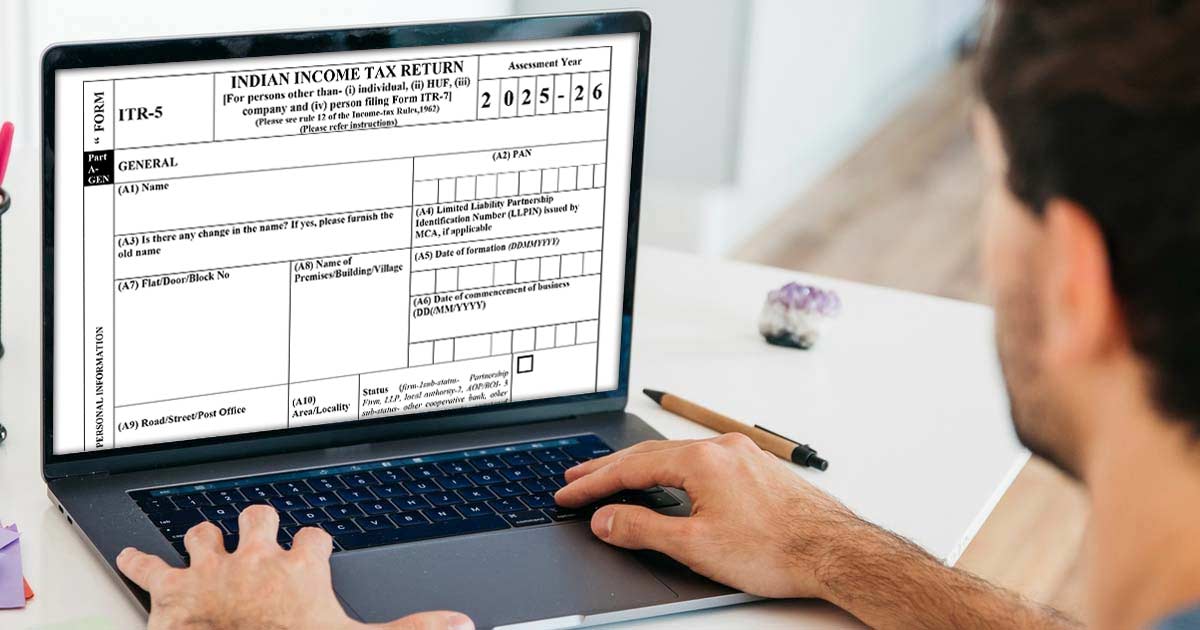
Income Tax Return Filing
Filing an income tax return is a responsibility of every citizen of the country and also mandatory for each one of them. Income Tax Return is the form in which an assessee furnishes all his Income and tax details and thereon submit it to the Income Tax Department. Various ITR forms are ITR 1 Sahaj form, ITR 2, ITR 3, ITR 4, ITR 5, ITR 6 and ITR 7.
For filing the tax returns, every assessee should know and choose an appropriate ITR form, depending on his income and profession. ITR 5 Form is one of the income tax return forms that are to be used by specific parties. [For persons other than- (i) individual, (ii) HUF, (iii) company and (iv) person filing Form ITR-7]
Latest Update
- The latest Excel-based utility (V1.2) and JSON Schema (V1.1) for ITR-5 have been released on the official portal. Download Now
Gen IT Software Demo for Filing ITR-5
Who can File the ITR 5 Form?
ITR 5 Form can be used by Firms, Limited Liability Partnerships (LLPs), Association of Persons(AOP) and Body of Individuals (BOIS), Artificial Juridical Person, Cooperative society and Local authority, subject to the condition that they do not need to file the return of income under section 139(4A) or 139(4B) or 139(4C) or 139(4D) (i.e., Trusts, Political party, Institutions, Colleges, etc.). Individuals, HUFs (Hindu Undivided Families), and Companies are not eligible to use the ITR 5 Form.
E-Filing Audit Reports
After the AY 2013-14, it has become mandatory for an assessee to furnish a report of audit under sections 10(23C)(iv), 10(23C)(v), 10(23C)(vi), 10(23C)(via), 10A, 10AA, 12A(1)(b), 44AB, 44DA, 50B, 80-IA, 80-IB, 80-IC, 80-ID, 80JJAA, 80LA, 92E, 115JB or 115VW, electronically on or before the date of filing the return of income.
Consequences of Late Filing: Failure to file the audit report electronically by the specified deadline can result in a penalty under Section 271B (0.5% of turnover or ₹1.5 Lakh, whichever is less) and the potential disallowance of certain tax exemptions or deductions (especially for Chapter VI-A deductions like 80-IA).
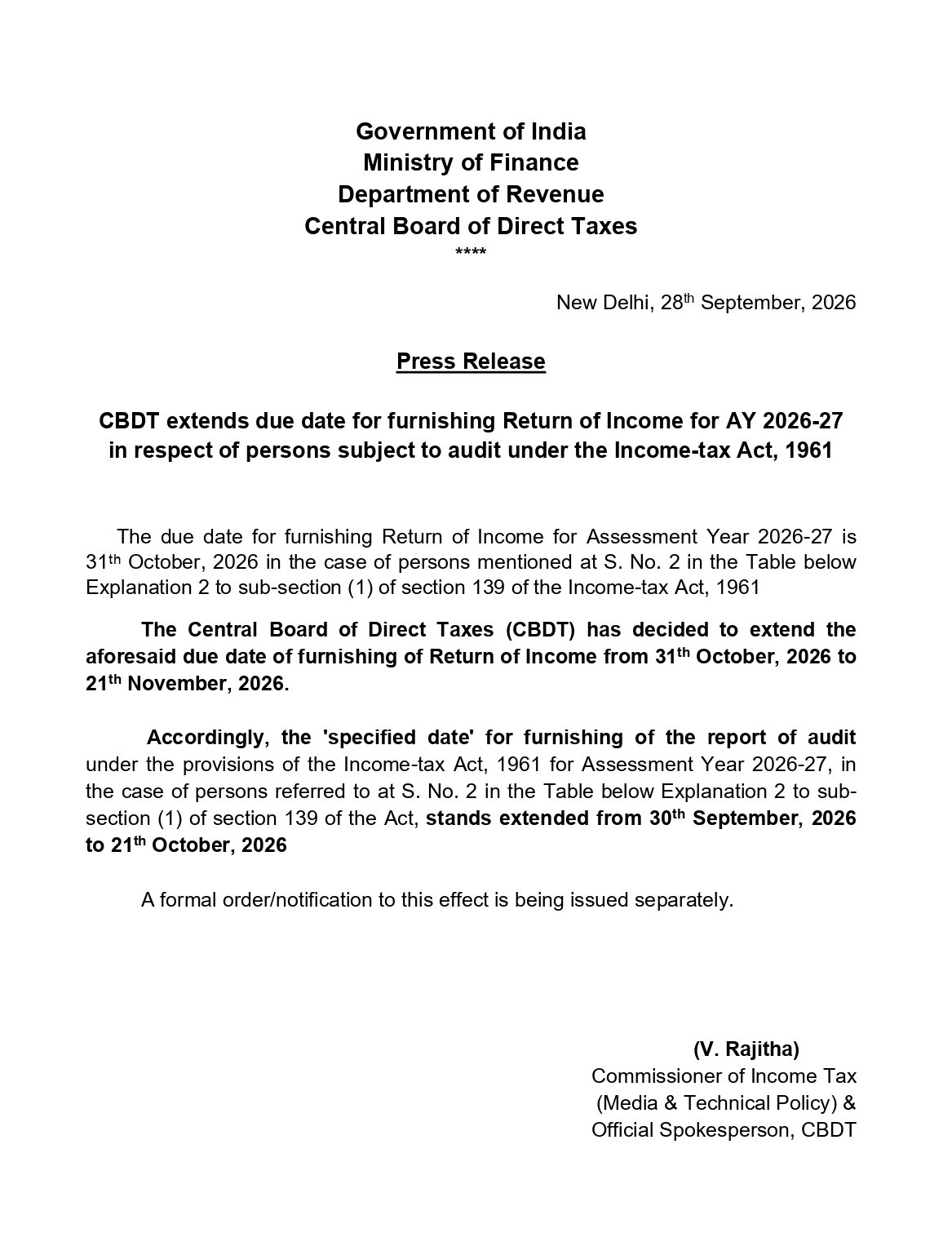
Due Date of ITR 5 Form Filing for AY 2026-27
| Annual Year | For Non-audit Cases | For Audit Cases |
|---|---|---|
| AY 2026-27 | 31st July 2026 (For Assessee not having income from Business or Profession) 31st August 2026 (for Assessee Having Income from a Business or Profession) |
Instructions for Filing ITR 5 Form
When a schedule is not applicable, mention it as “—NA—”.
When an item is inappropriate, write “NA” against that item.
“Nil” stands for nil figures. Write Nil to denote figures of zero value.
For a negative figure or loss, write “-” before such a figure, other than provided in the form. All figures should be represented in the round-off manner to the nearest one rupee. In the same way, the figures for total income/ loss and tax payable should be rounded off to the nearest multiple of ten rupees.
How do I File My ITR 5 Form?
The ITR-5 Form can be filed with the Income Tax Department by two methods, i.e. online and offline. The form can be filed offline by furnishing through json file.
However, in the Online way, it can be filed by furnishing the return through the department’s online utility verification of ITR done by digital signature EVC or sending copy of ITR-V, duly signed by the assessee, within 30 days of filing the return to Post Bag No. 1, Electronic City Office, Bengaluru–560100 (Karnataka) via ordinary post. The other copy should be kept by the assessee with himself as a record.
Read Also: Penalty Provisions If Not File Income Tax Returns for the Current FY
Note: It is mandatory for a firm to furnish the return electronically under a digital signature, whose accounts are liable to audit under section 44AB.
How to Fill Out the Verification Document?
Furnish all the required information in the verification document. Make sure that the verification has been duly attested before filing the return. Mention the designation of the person signing/attesting the return.
Note: Any individual making a false/wrong statement in the return or in the related schedules shall be liable to be hauled in the court under section 277 of the Income-tax Act, 1961 and shall be punishable under the section with imprisonment and fine after the court’s decision against him.
Note: ITR-5 form corrigendum via Notification No. 60/2026. Read More
Step-by-Step Guide to File ITR 5 Form for AY 2026-27?
Part A General

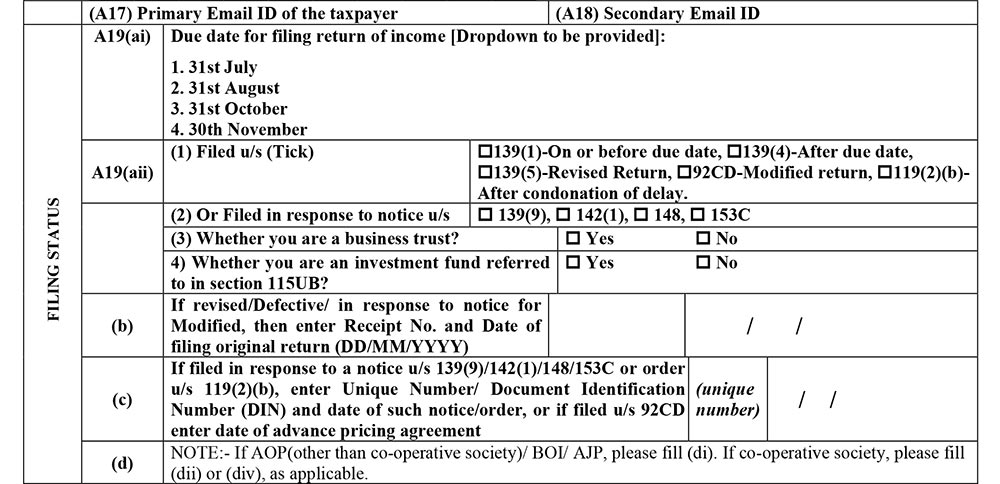
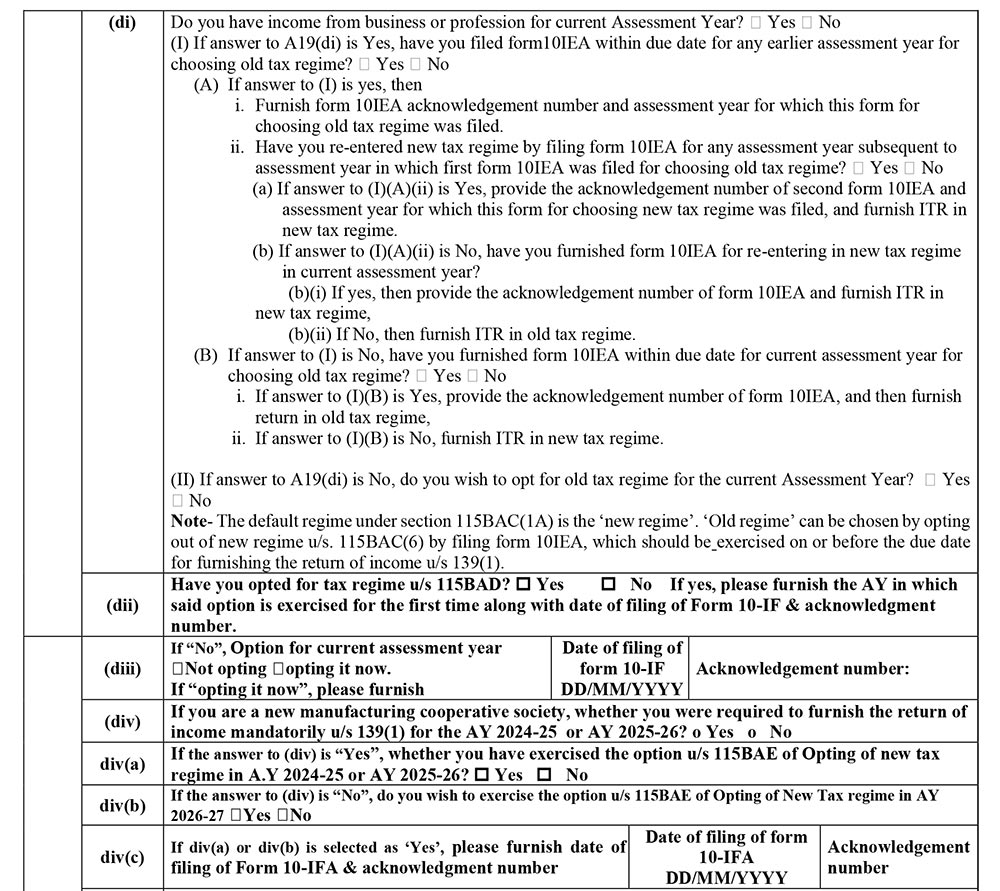
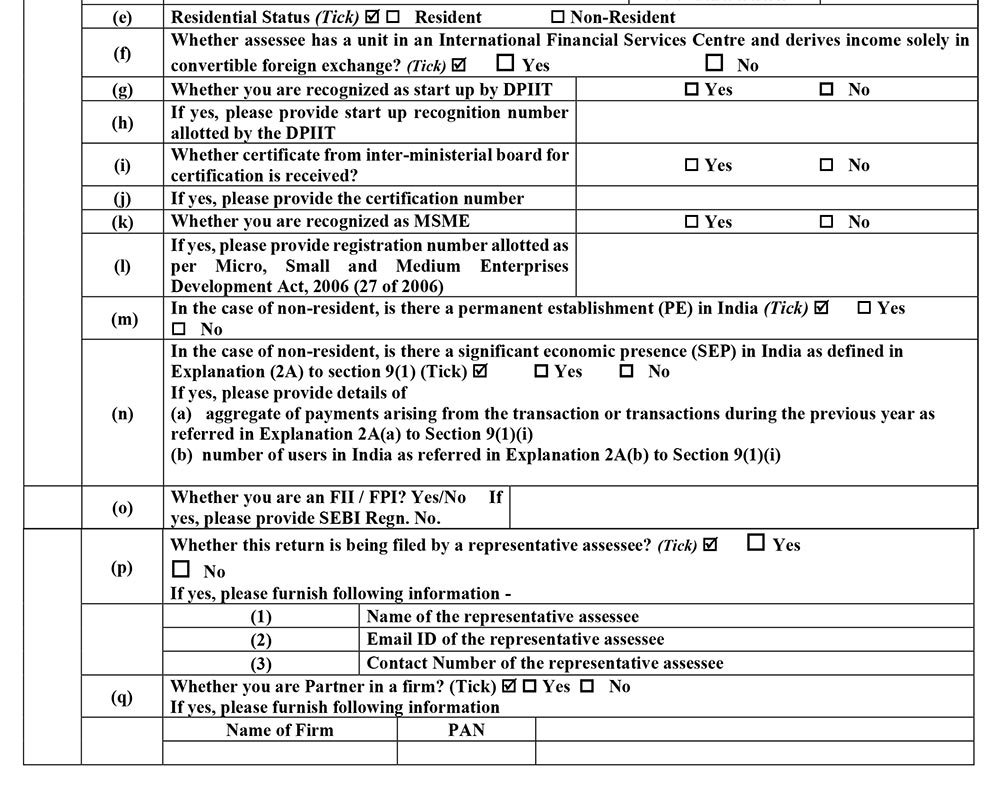
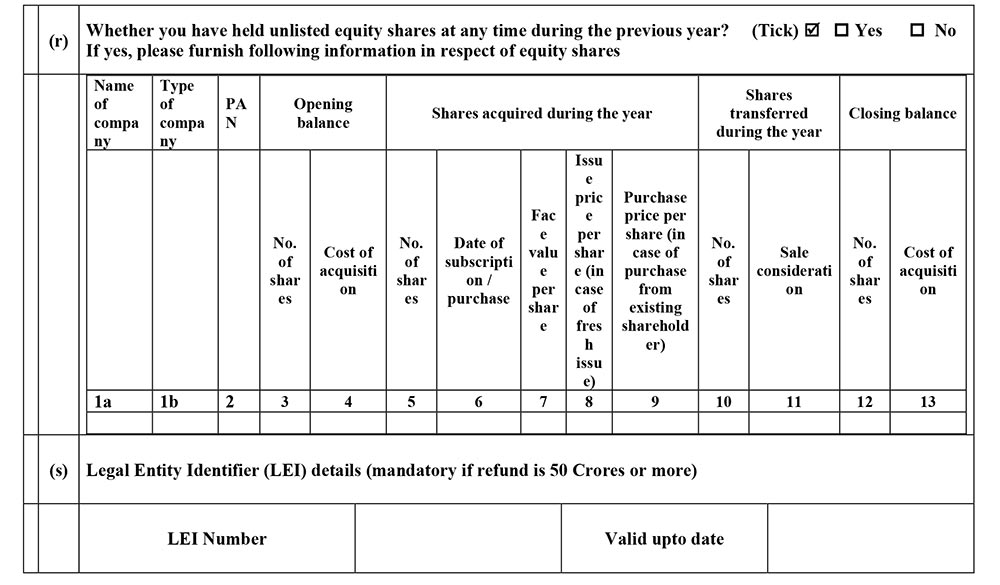
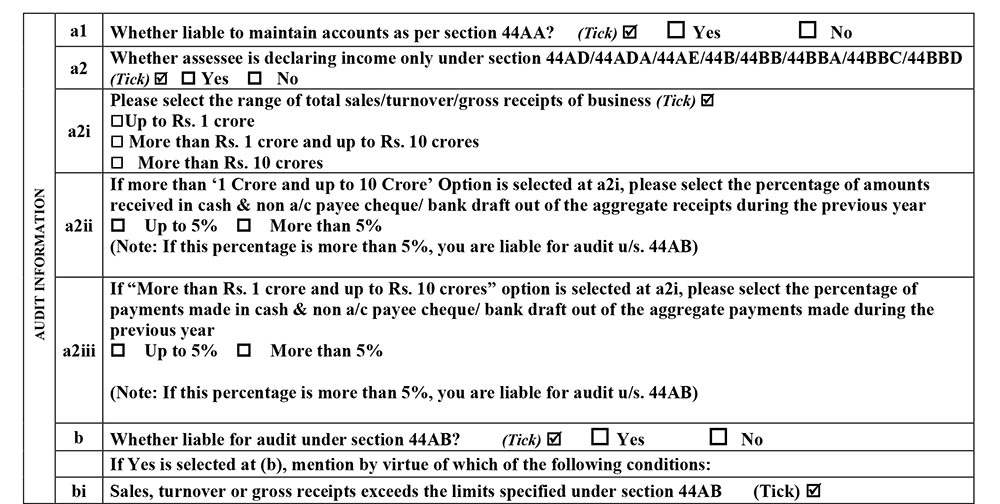
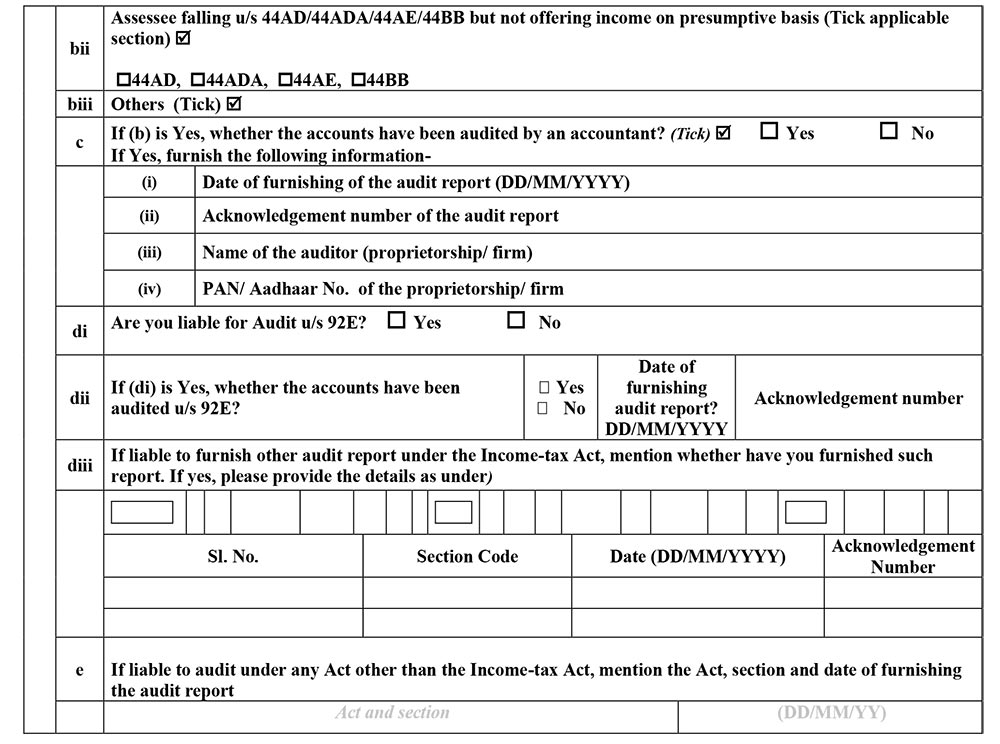

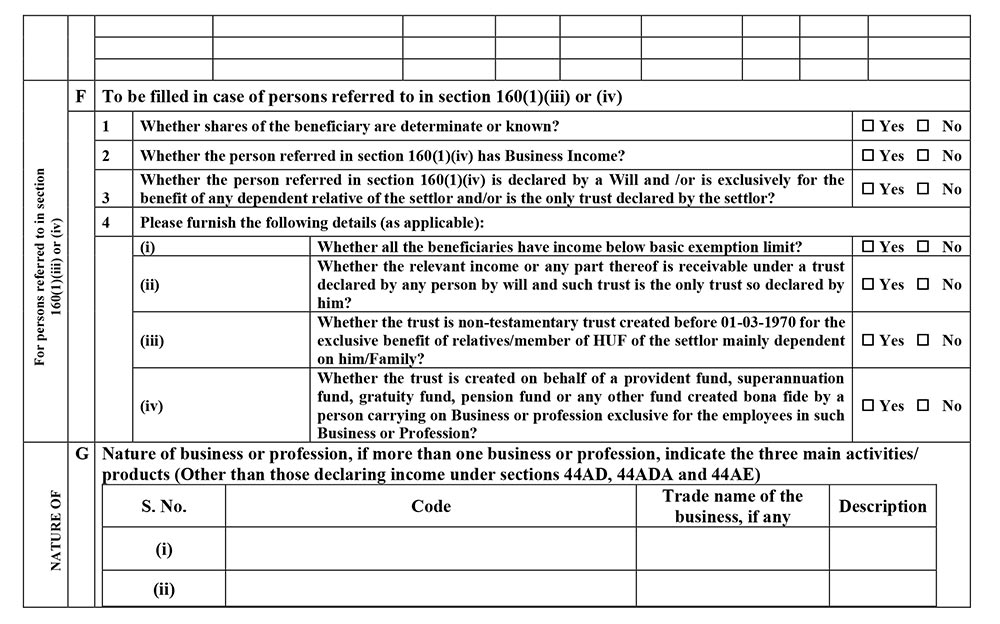
Part-A BS
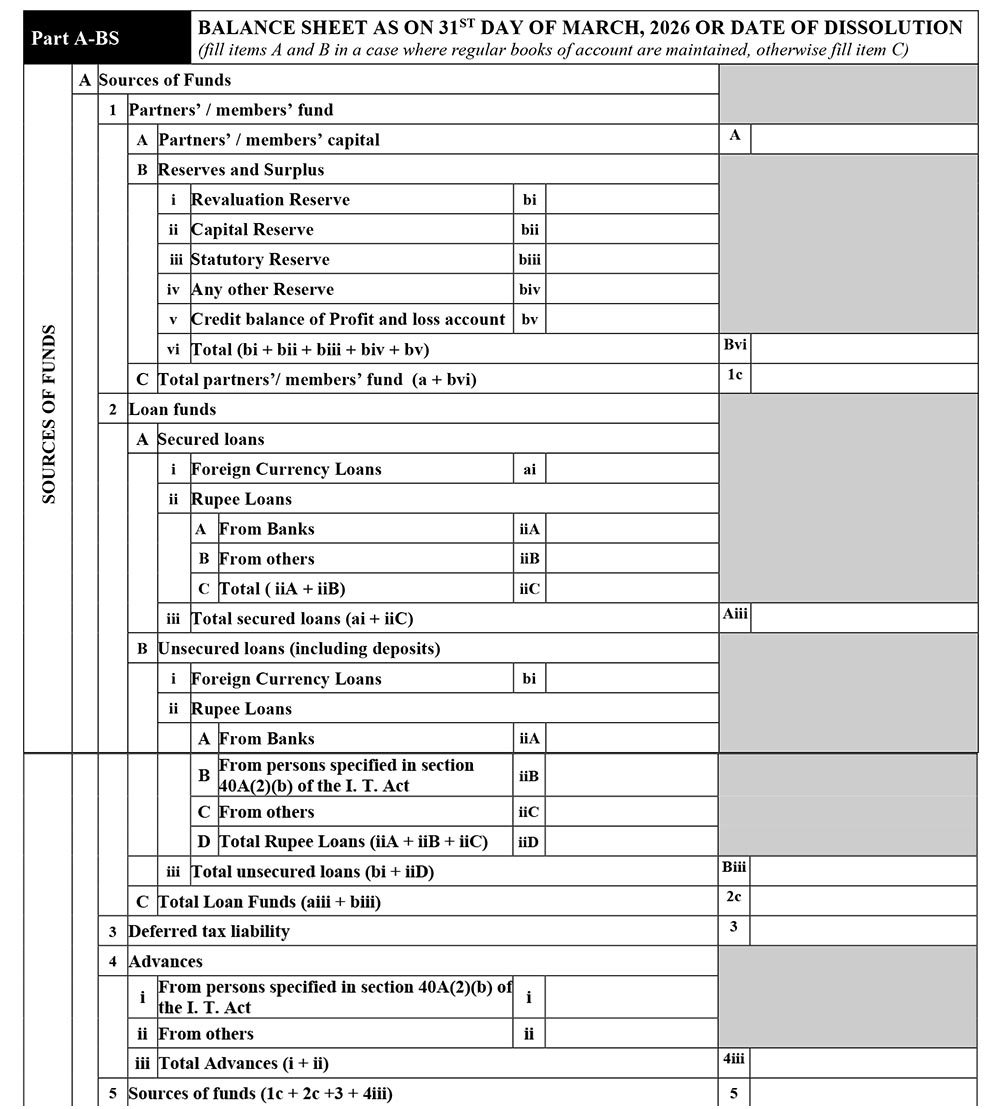
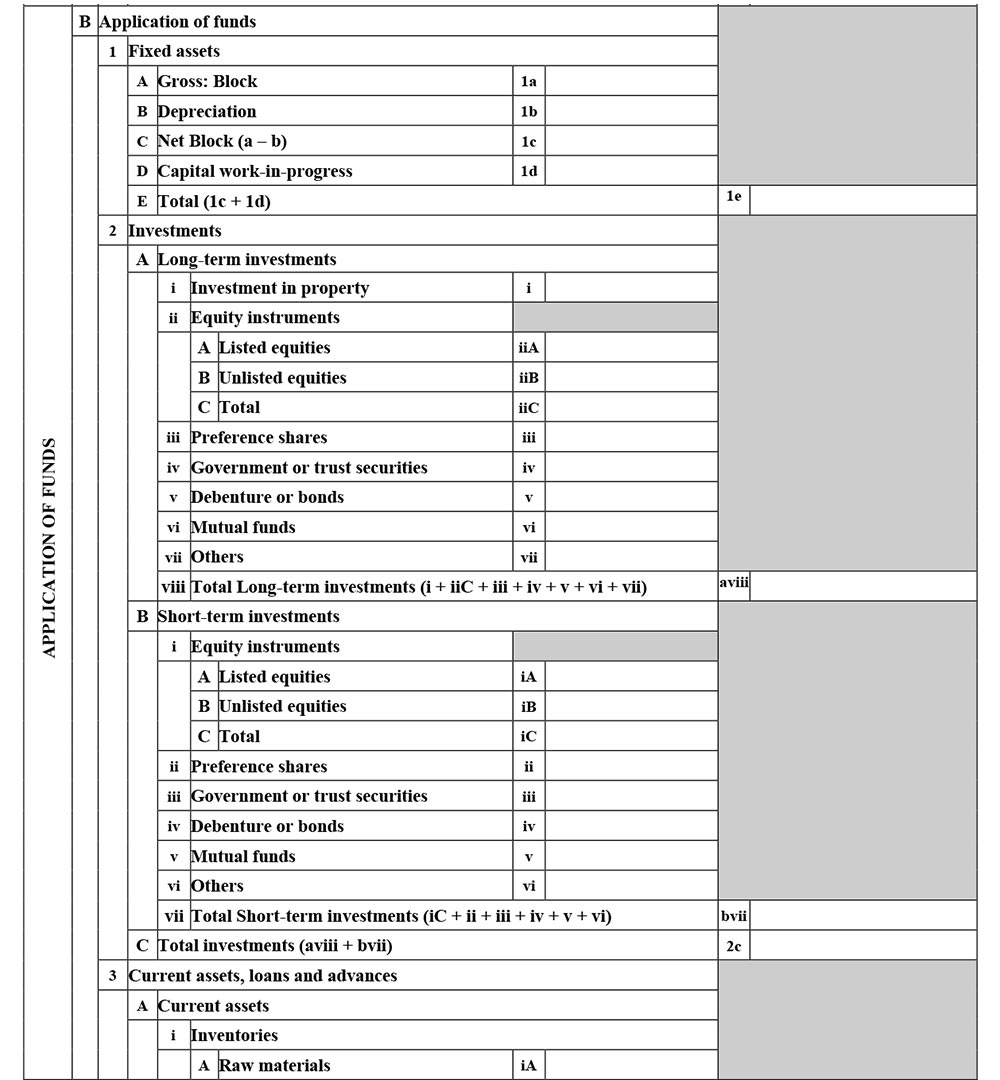
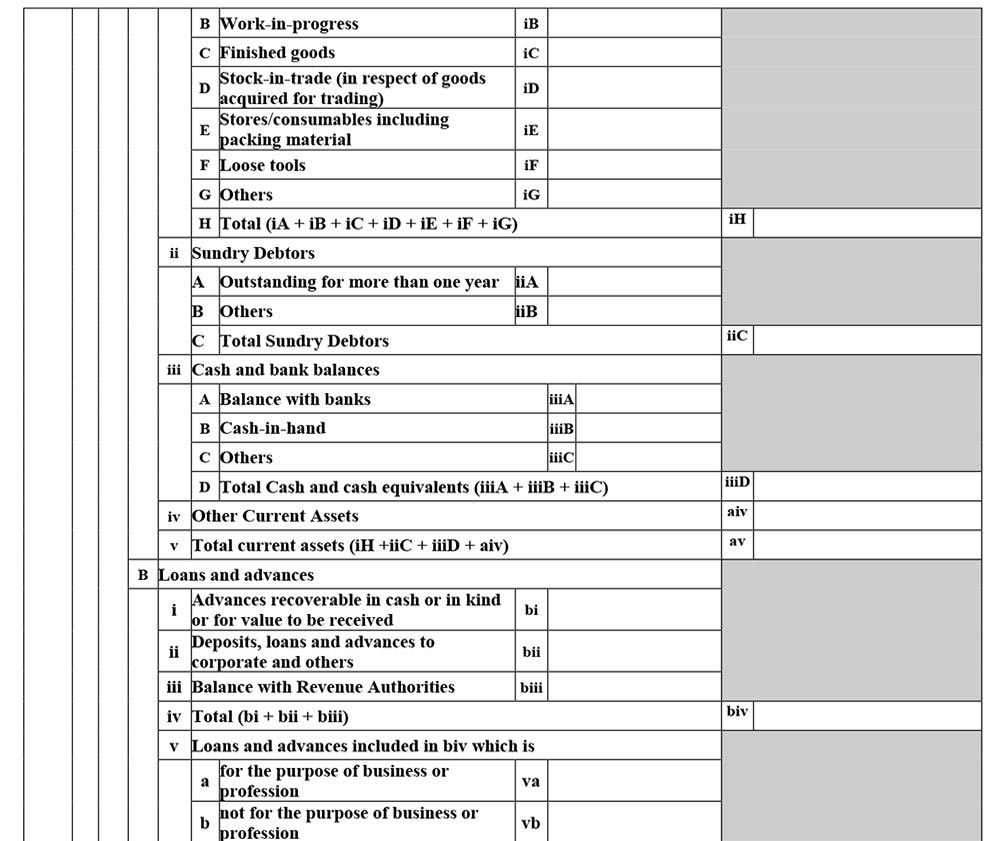
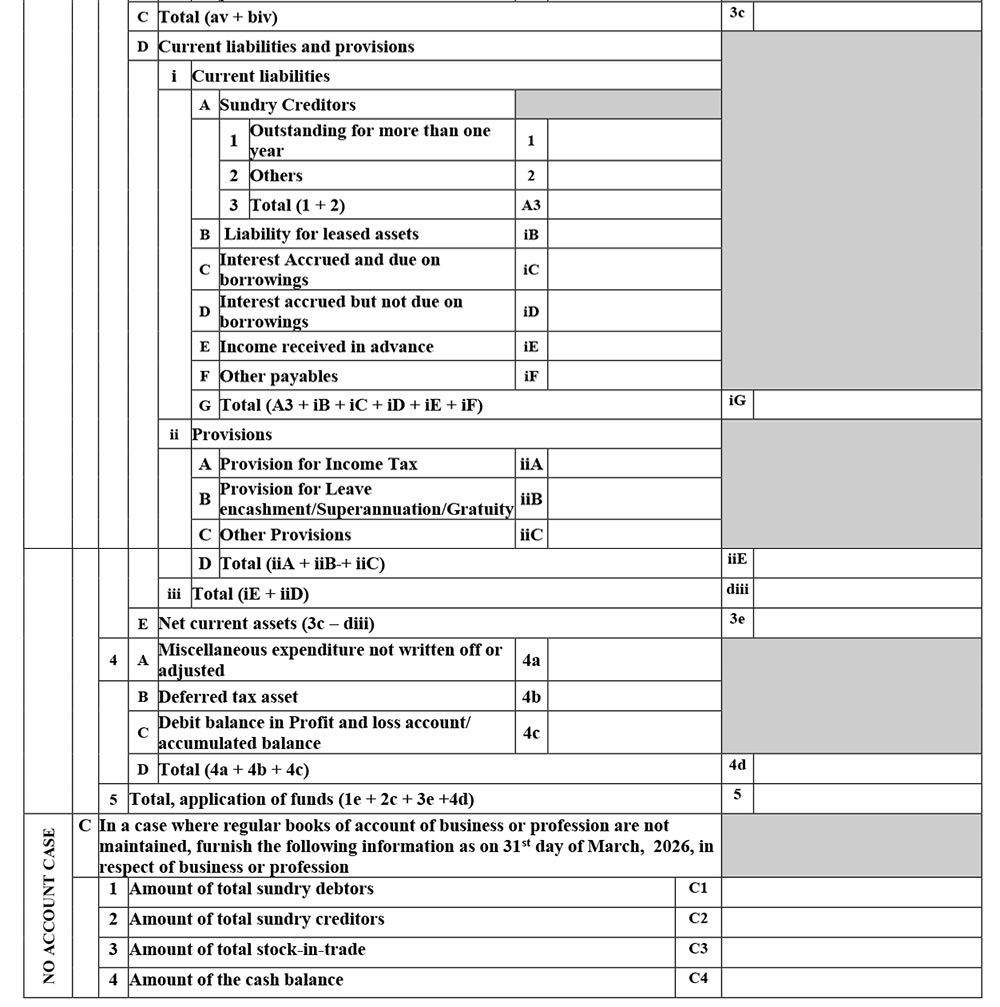
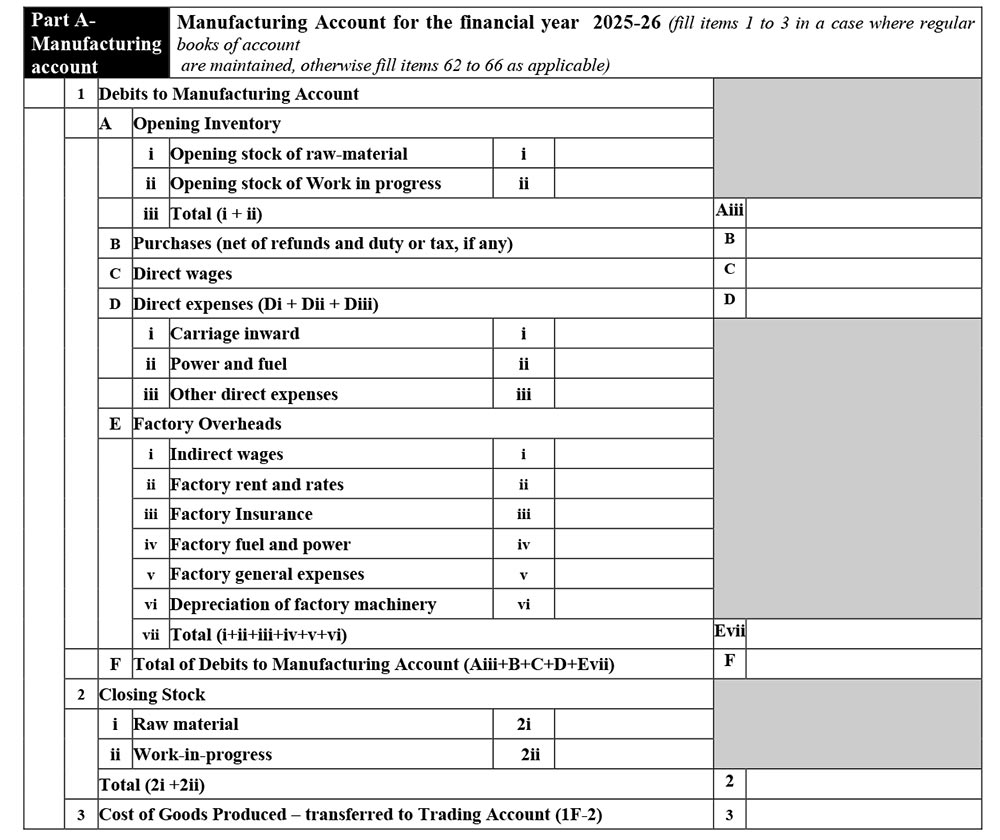
Part-A Manufacturing Account
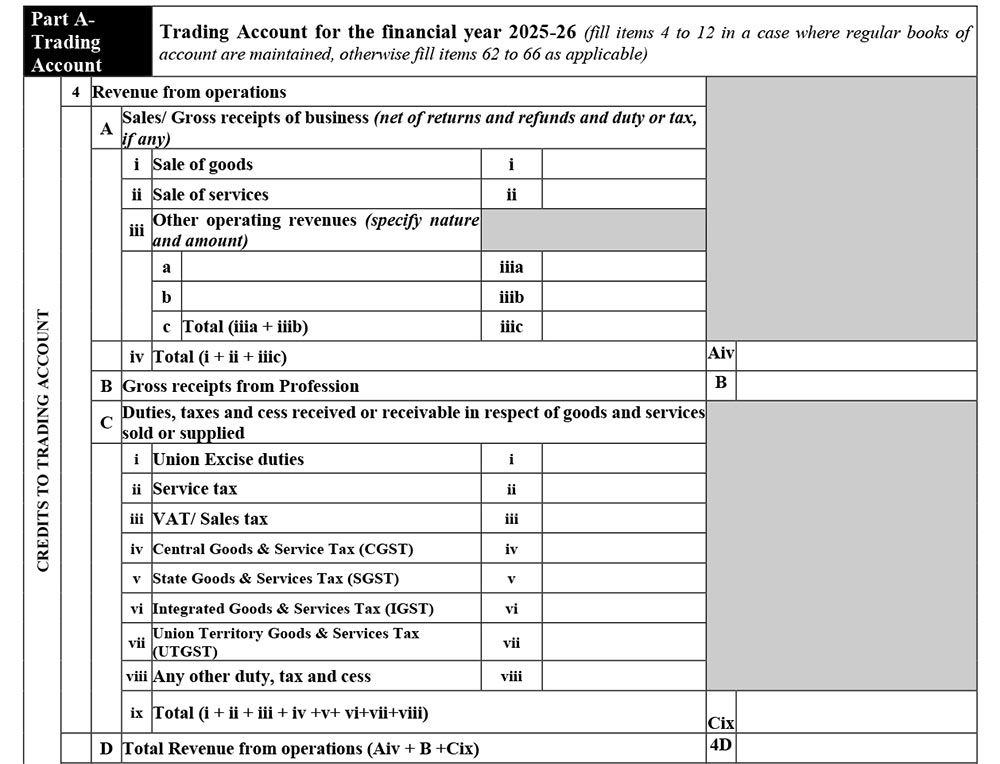
Part-A Trading Account

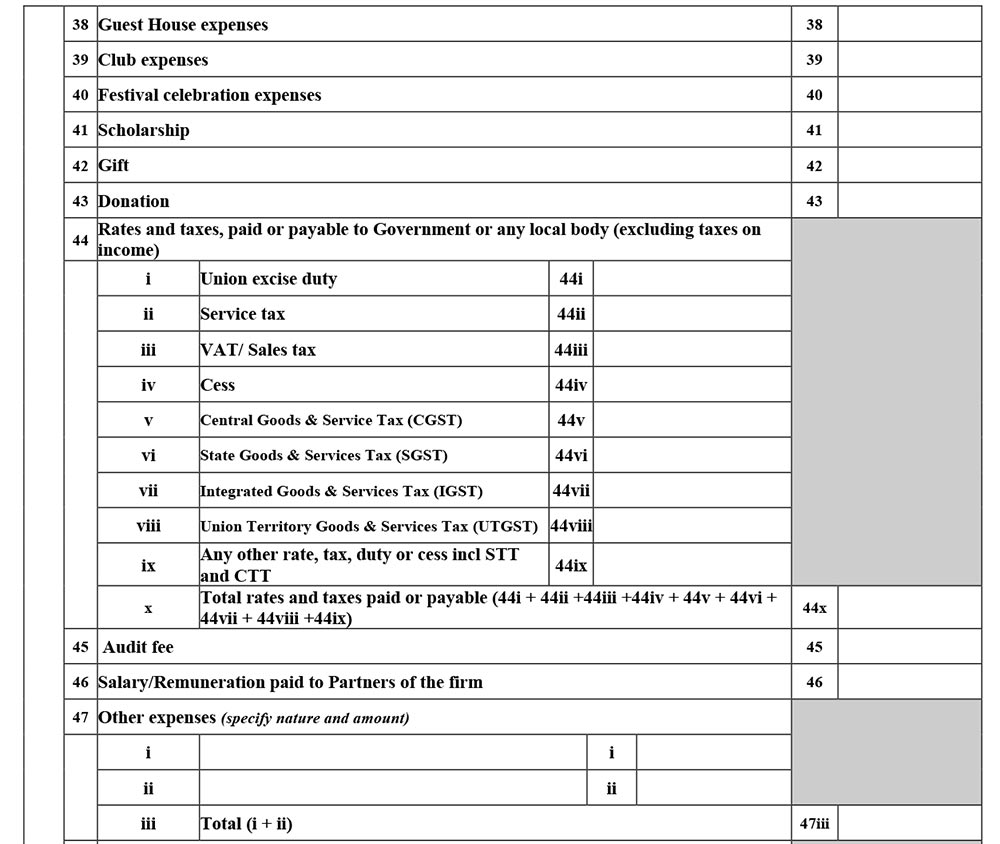
Part-A P&L



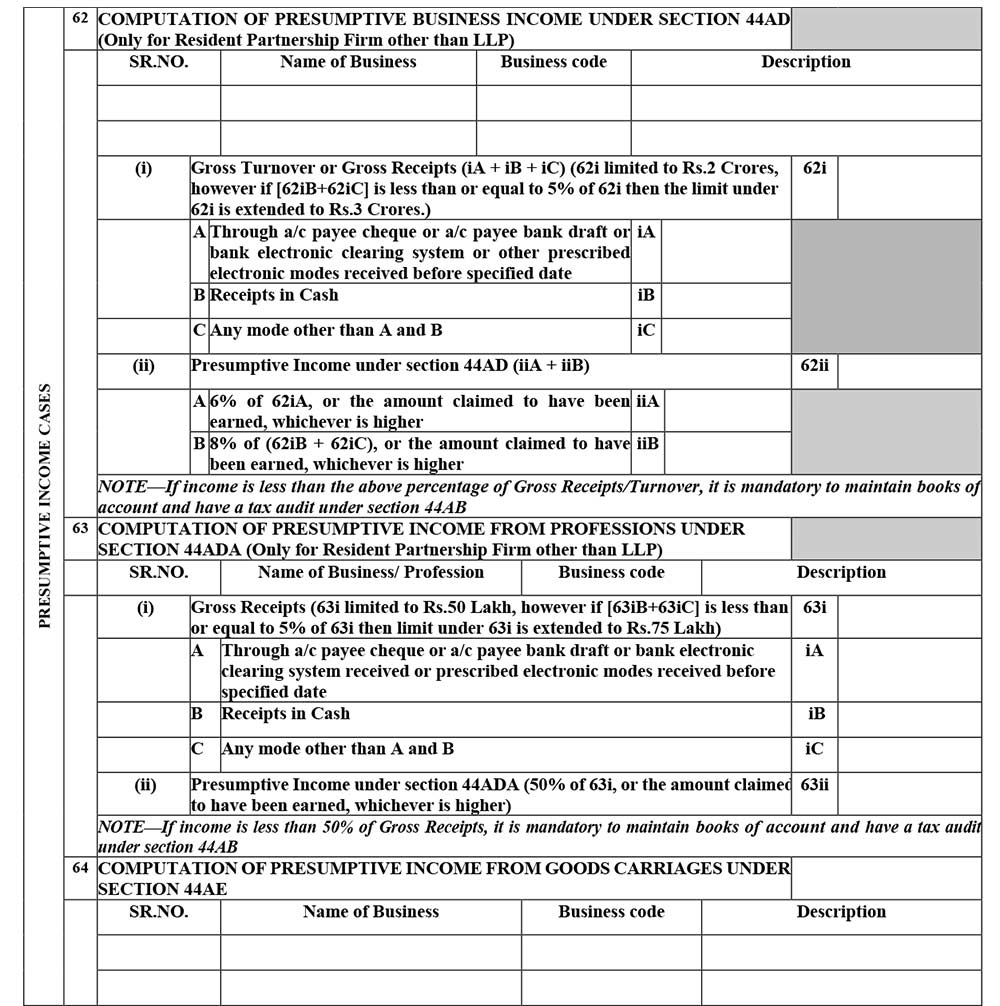


Part-A OI
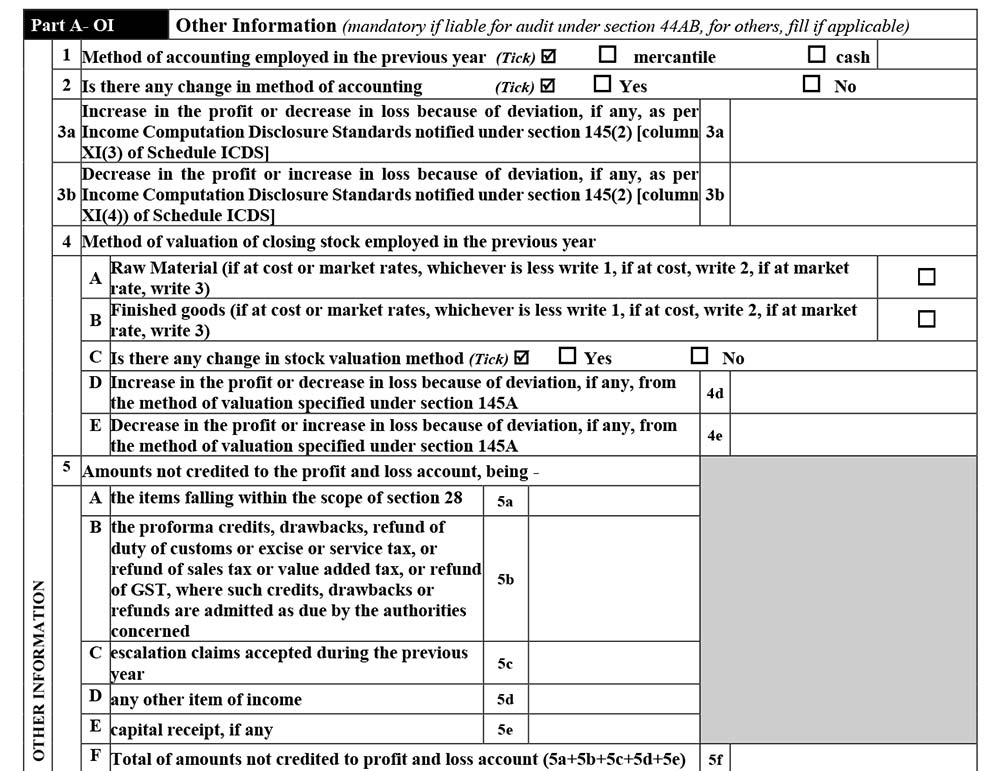
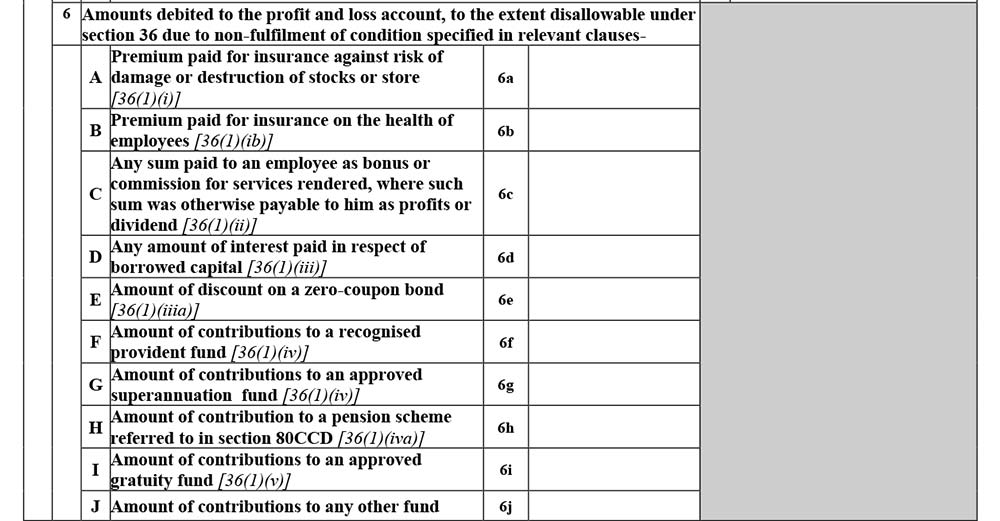
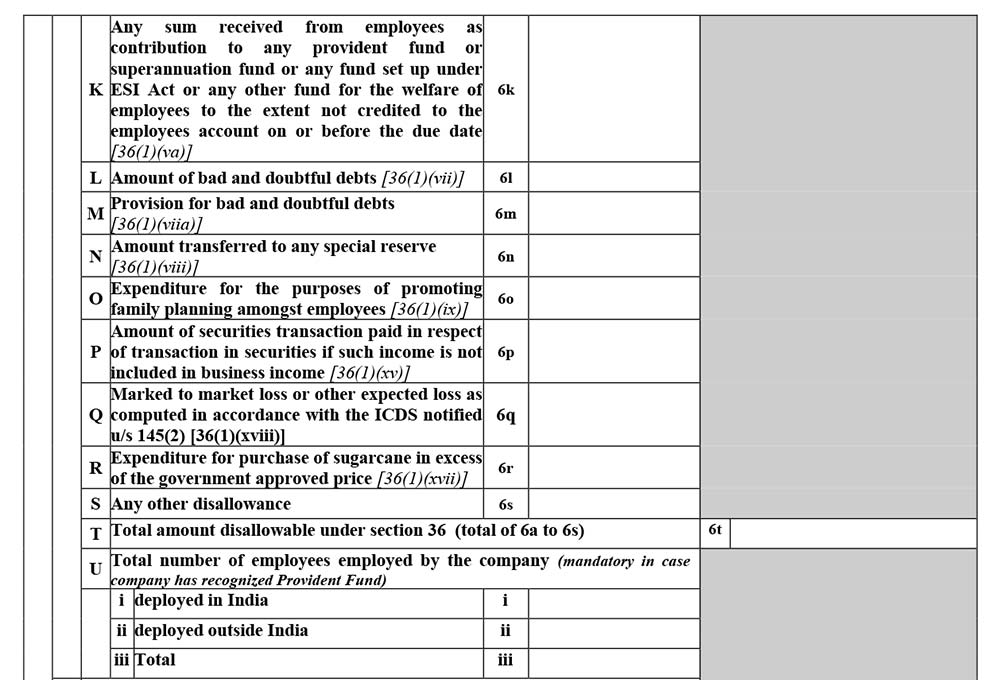
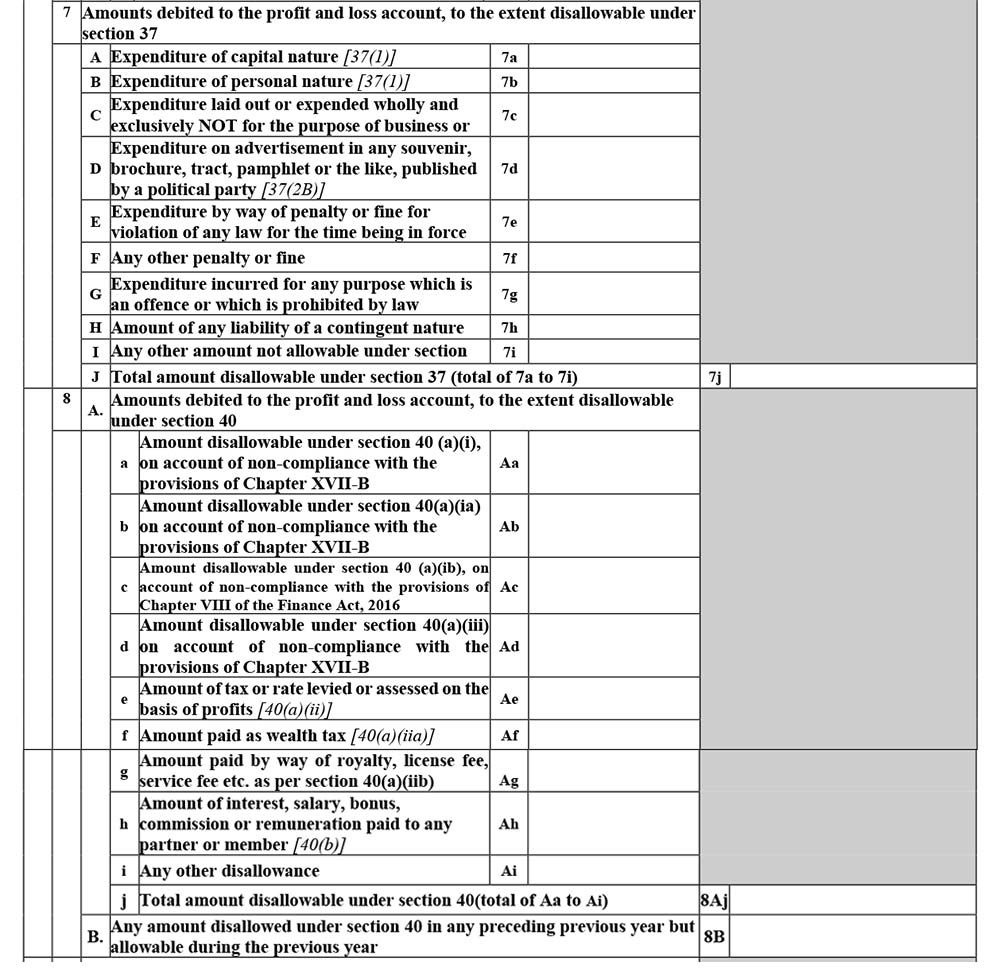
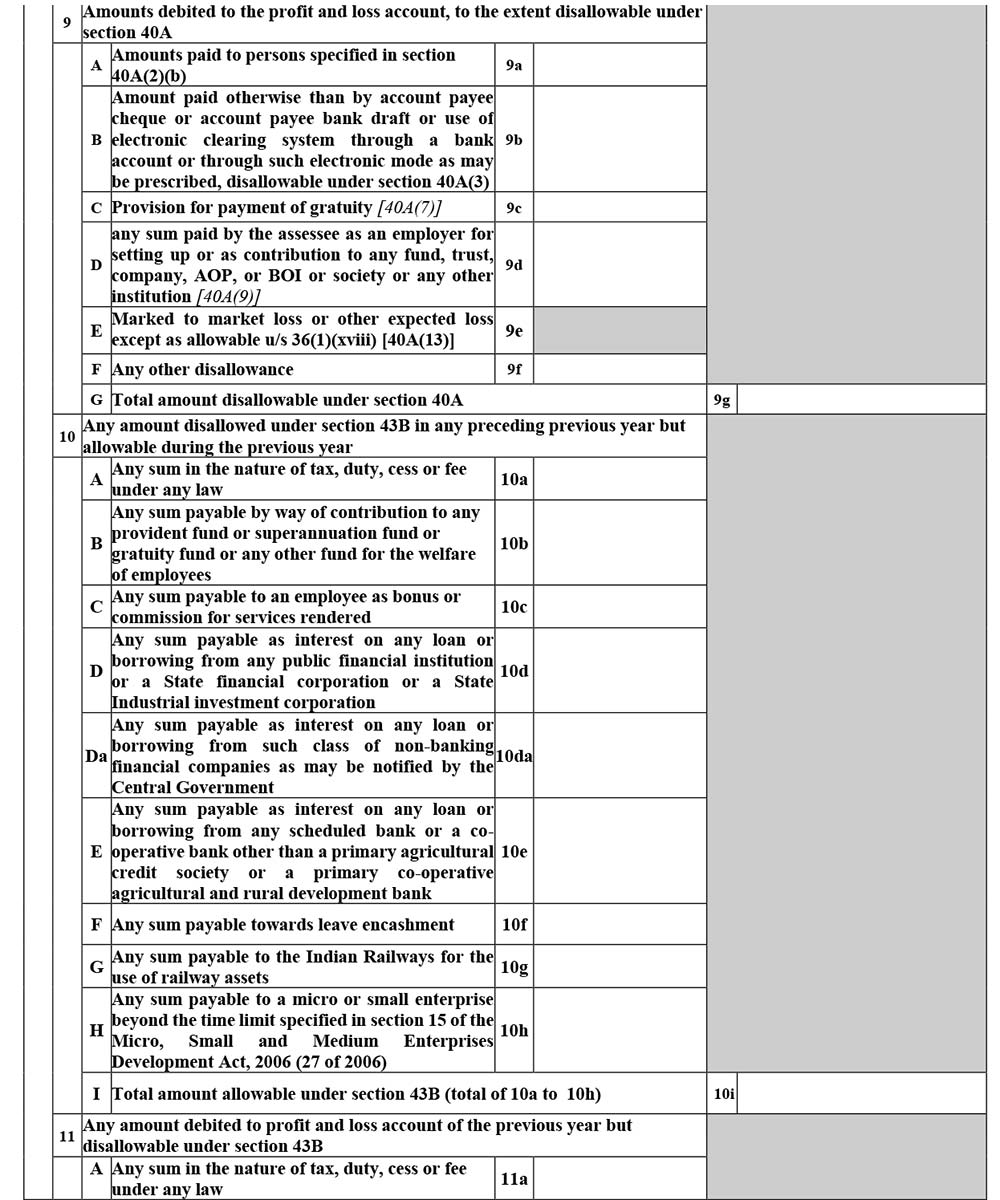
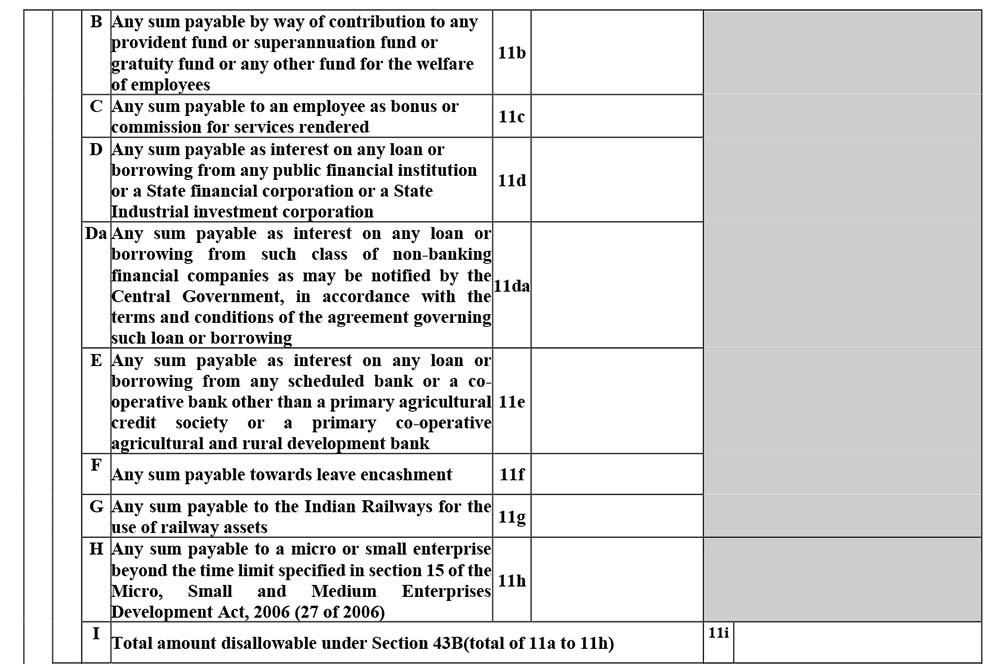
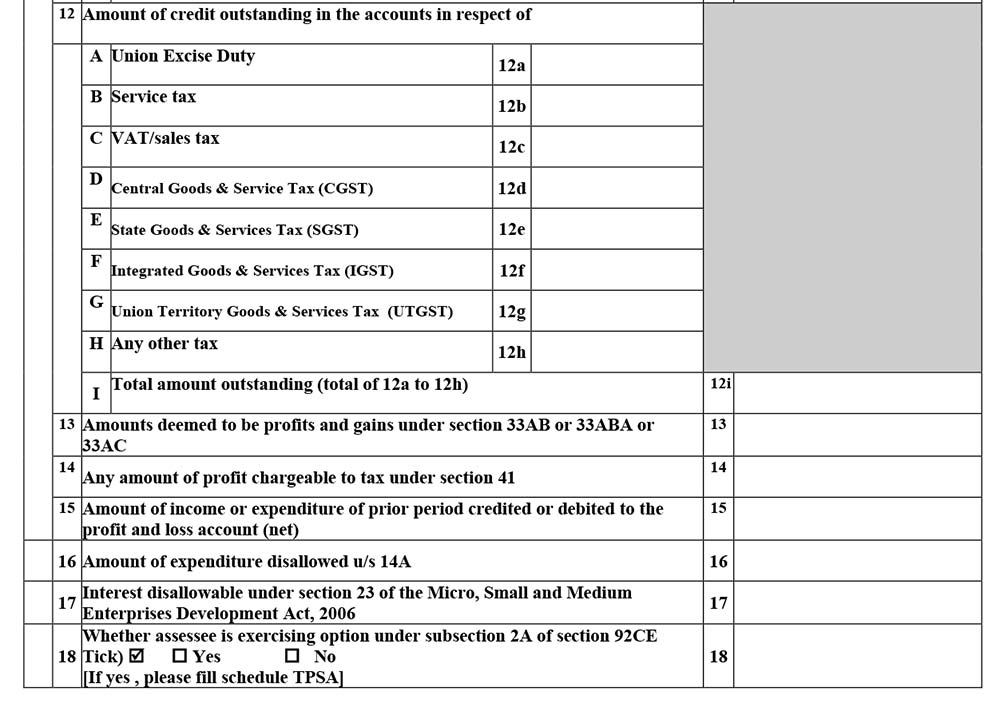
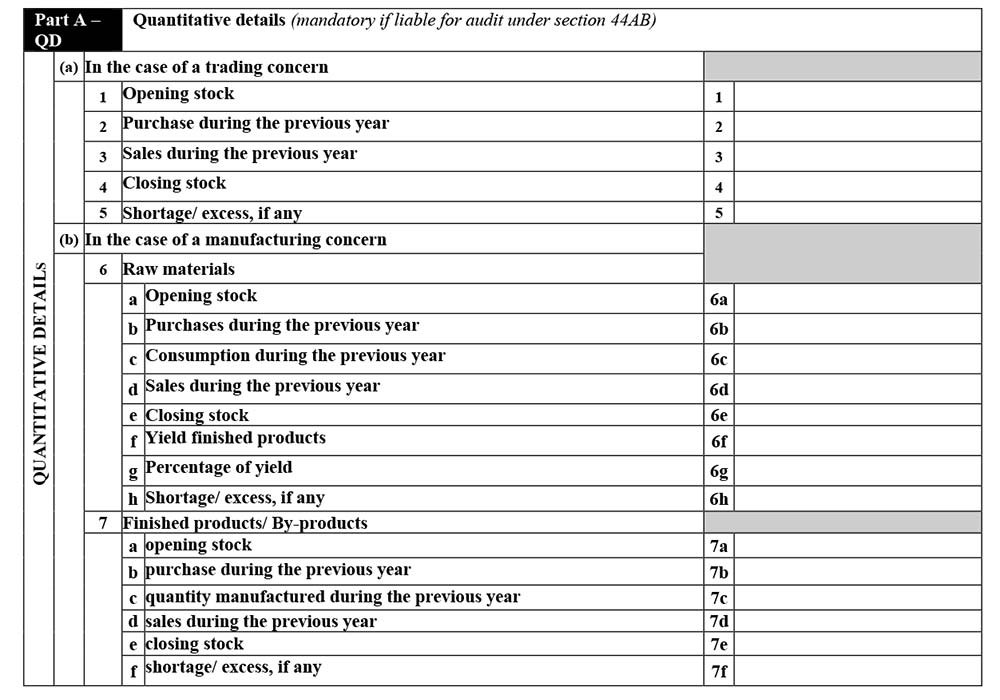
Part-A QD
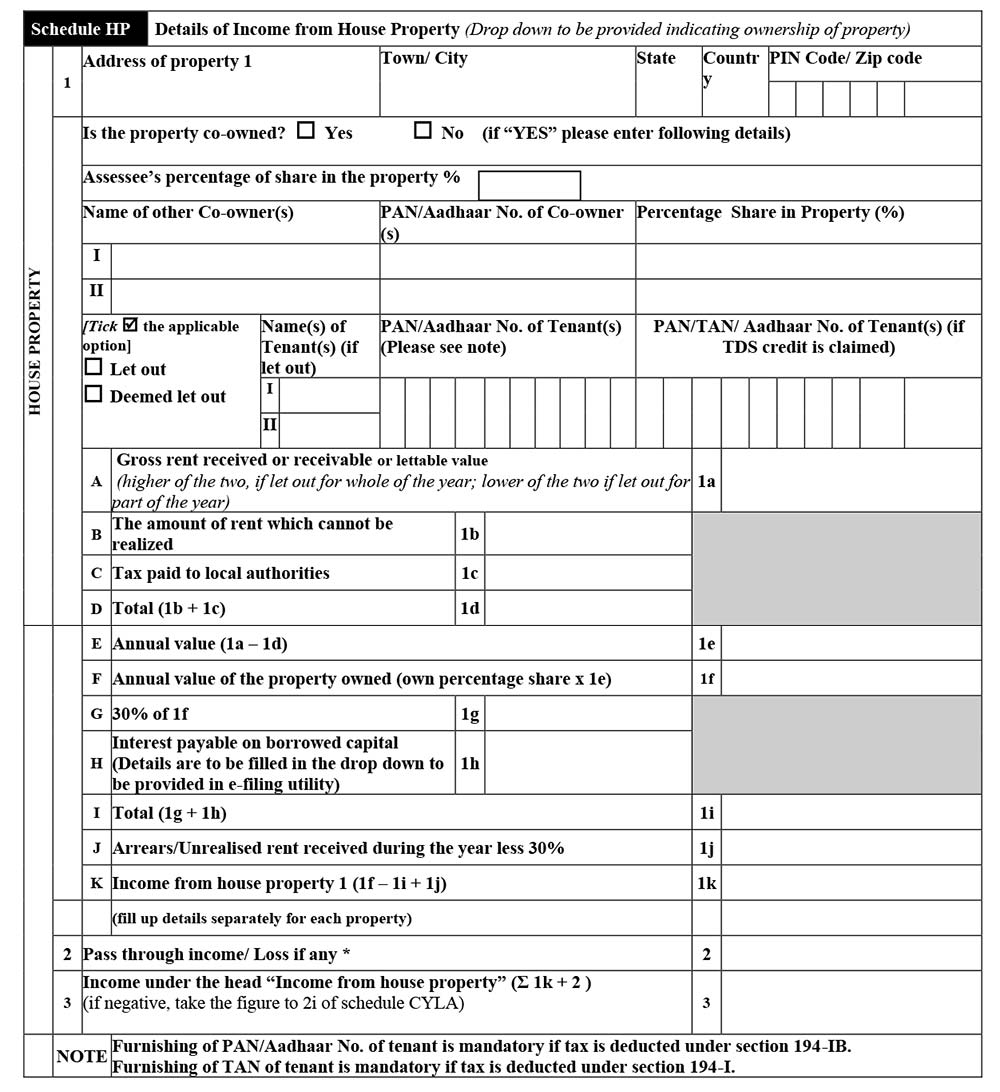
Schedule HP
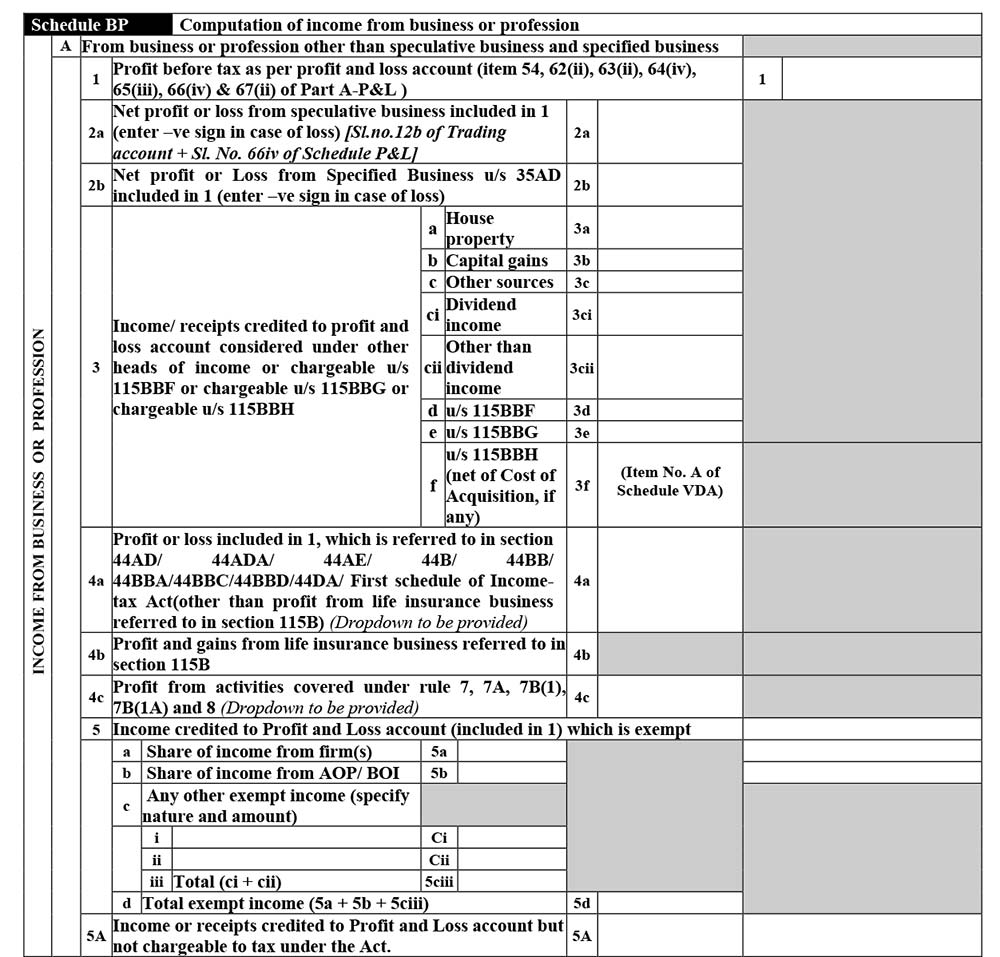
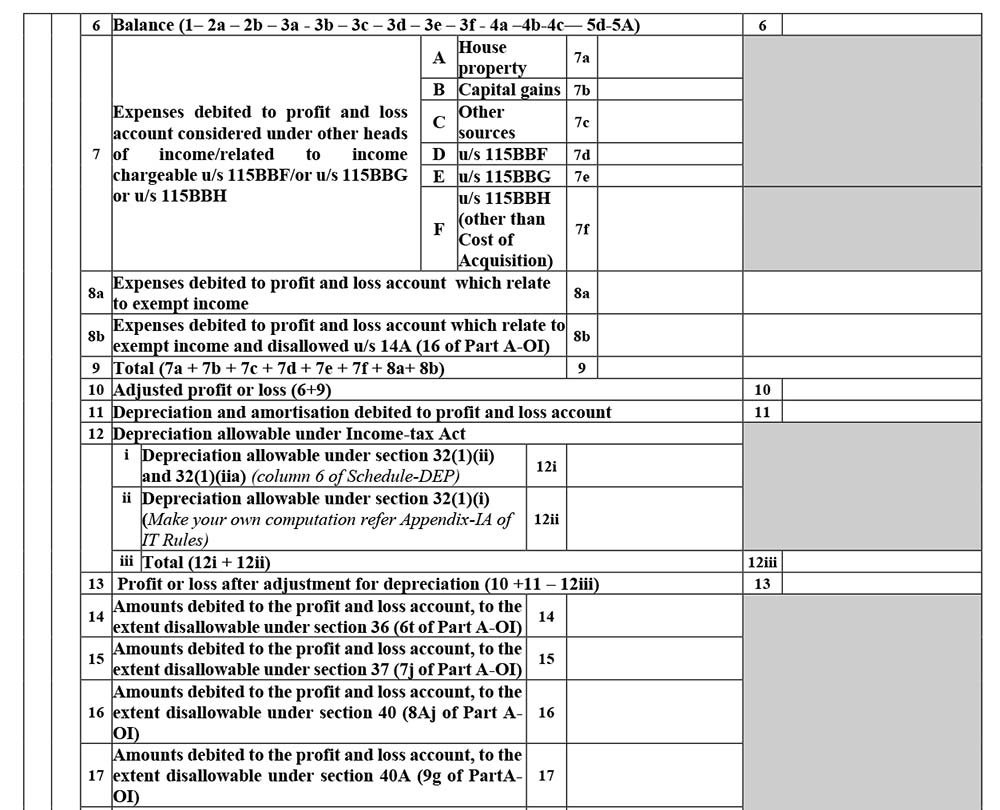
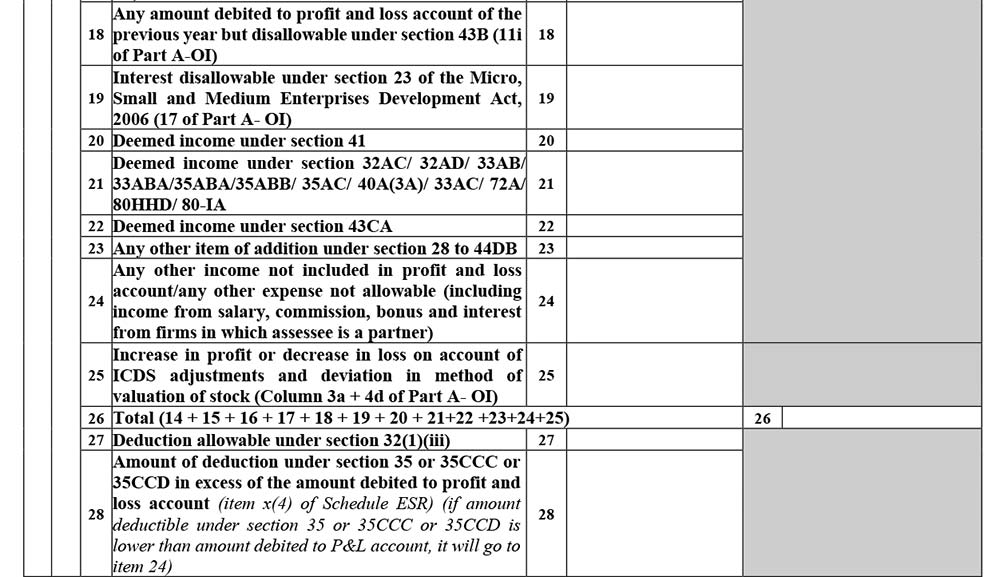
Schedule BP
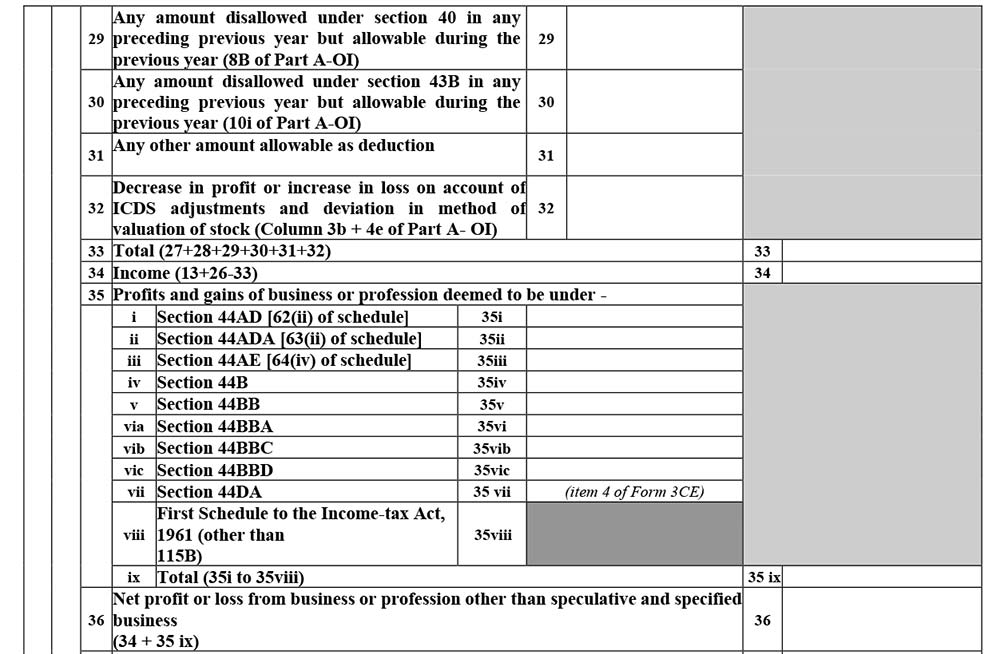
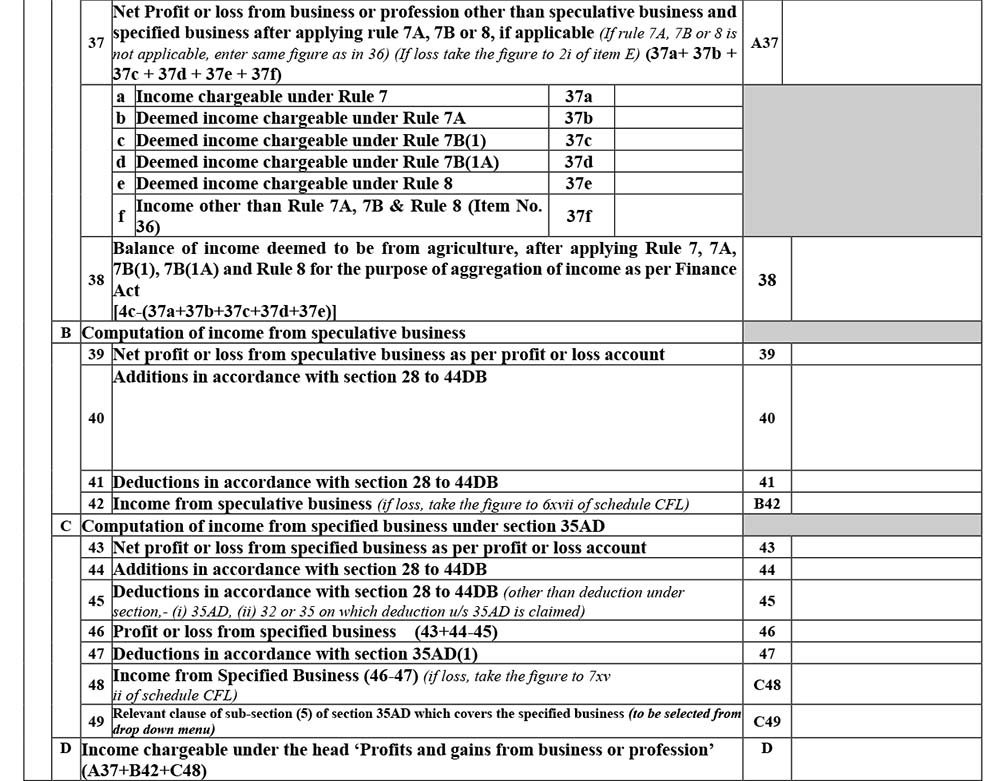
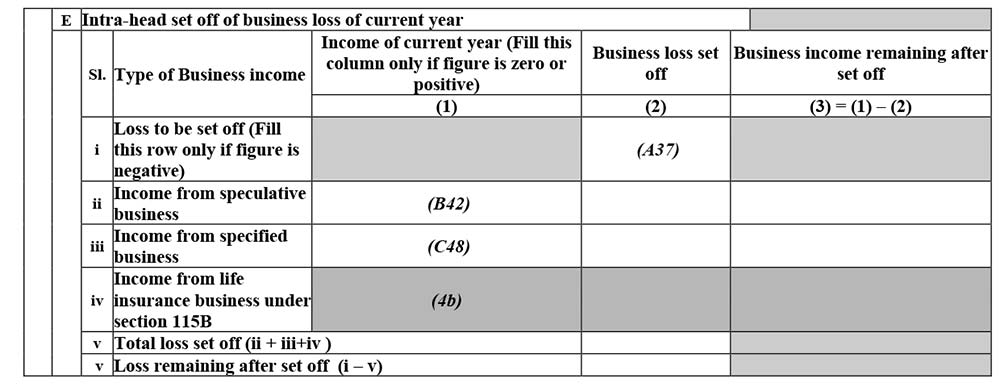
Schedule DPM
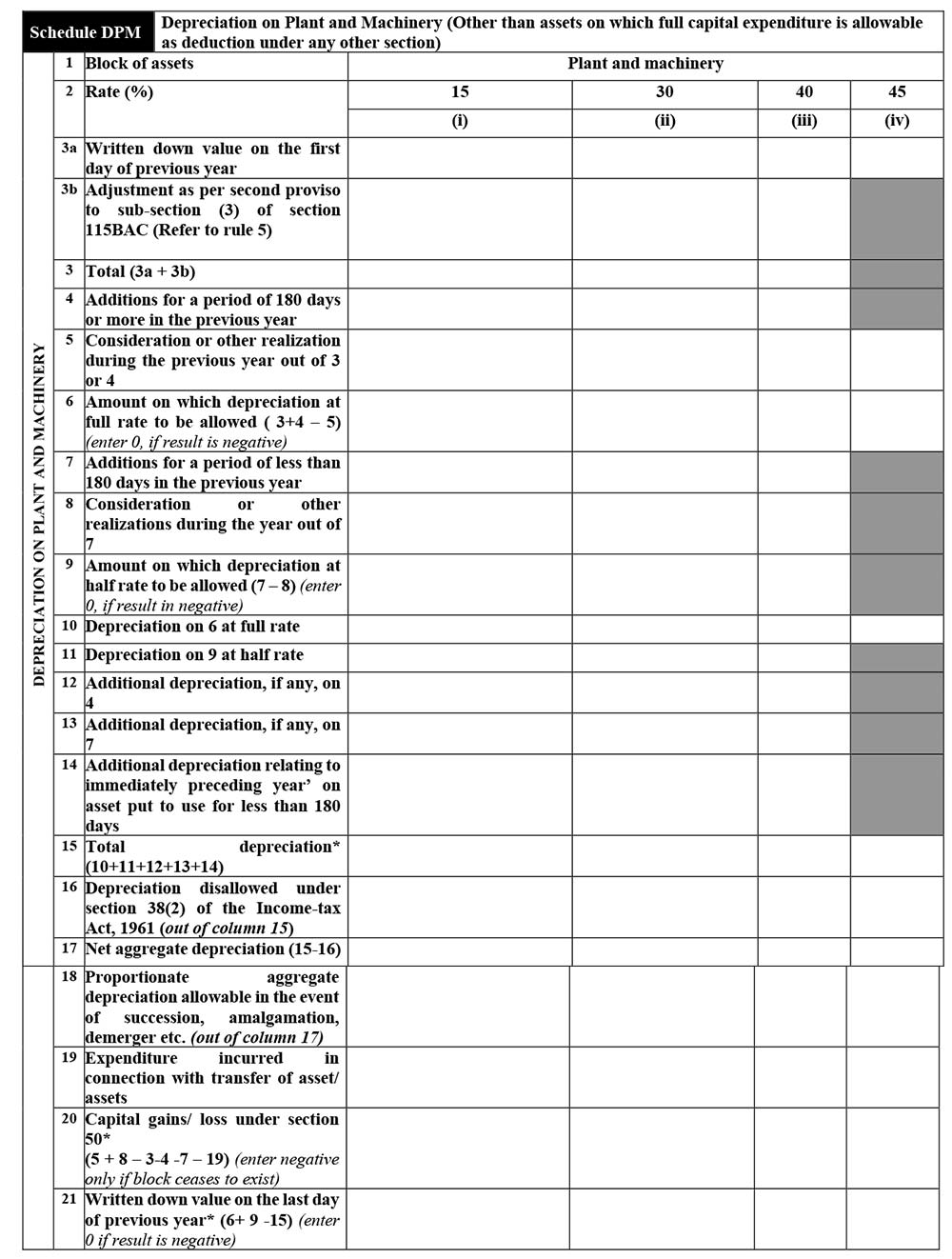
Schedule DOA
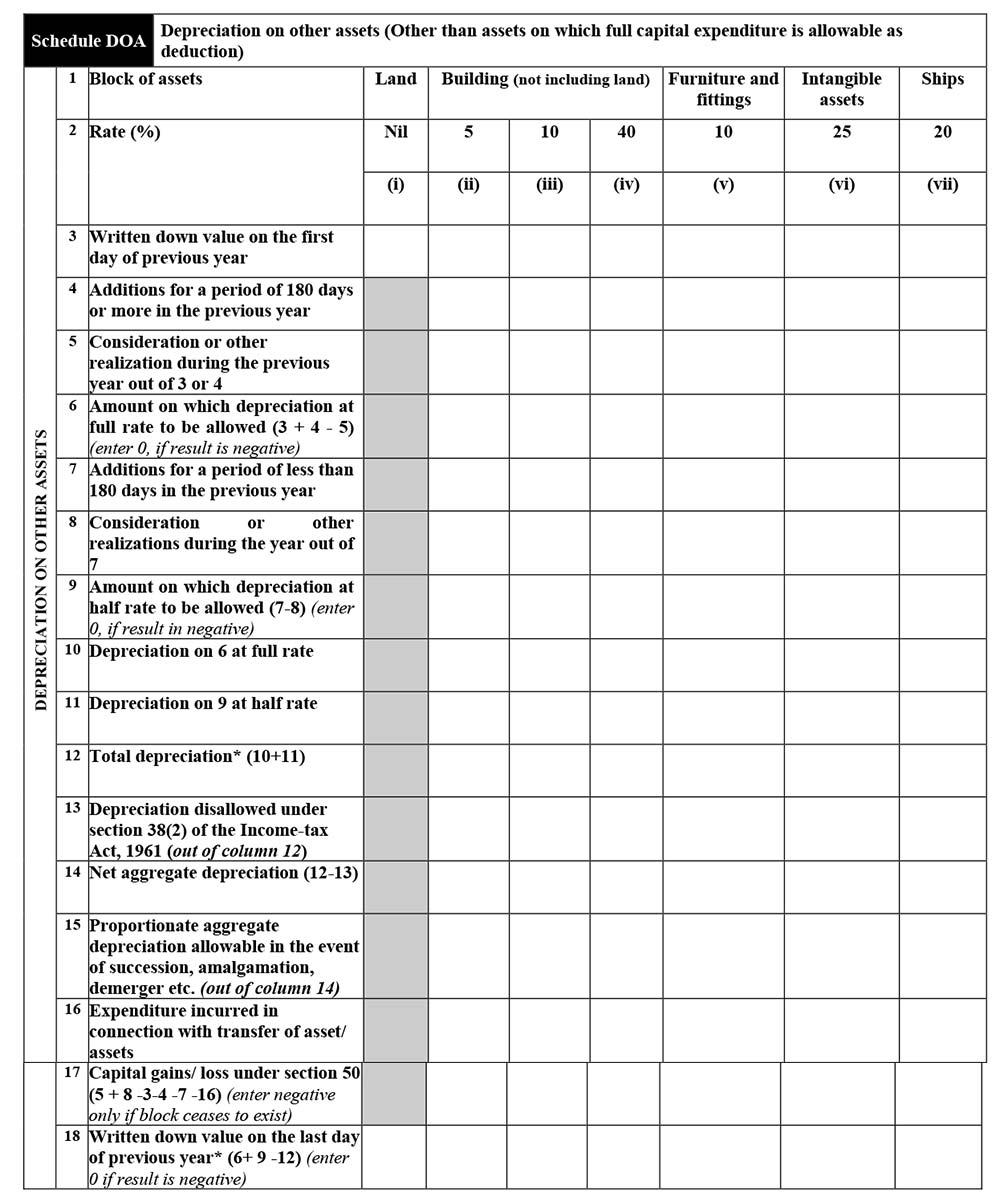
Schedule DEP
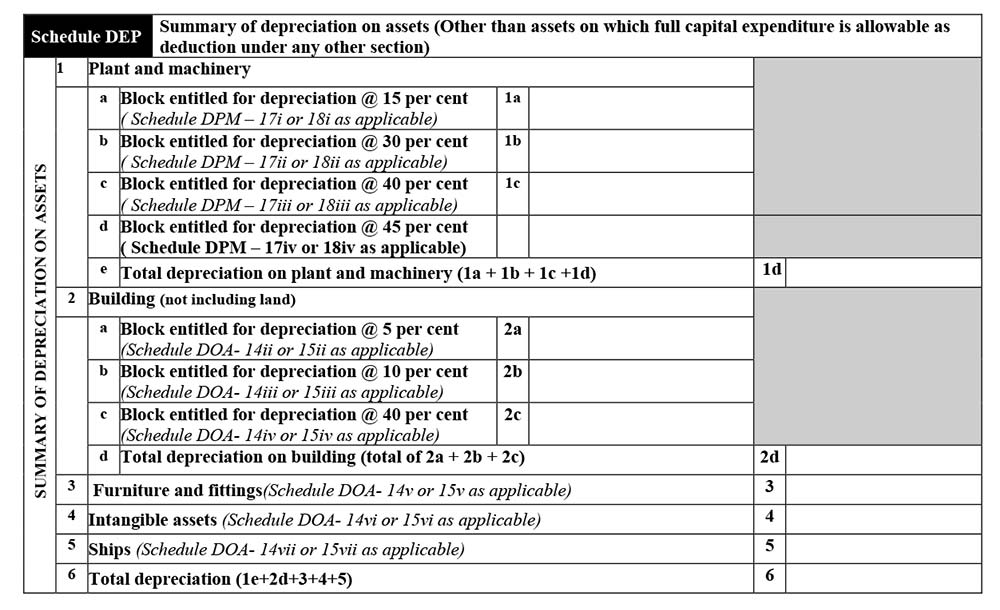
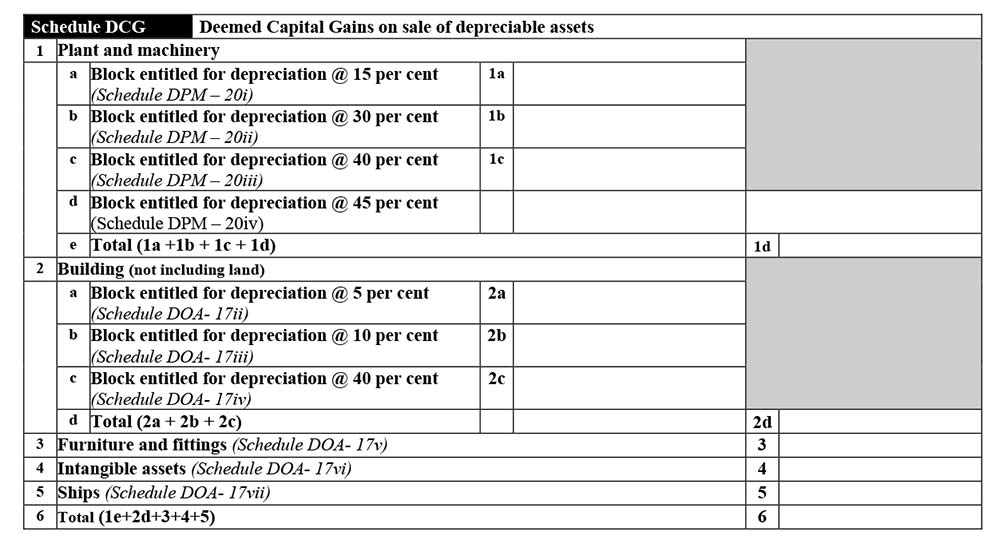
Schedule DCG
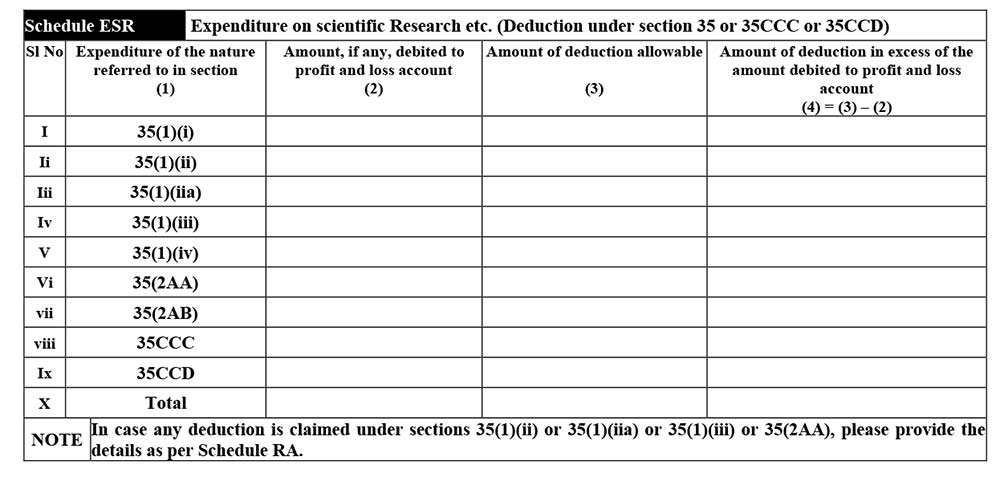
Schedule ESR
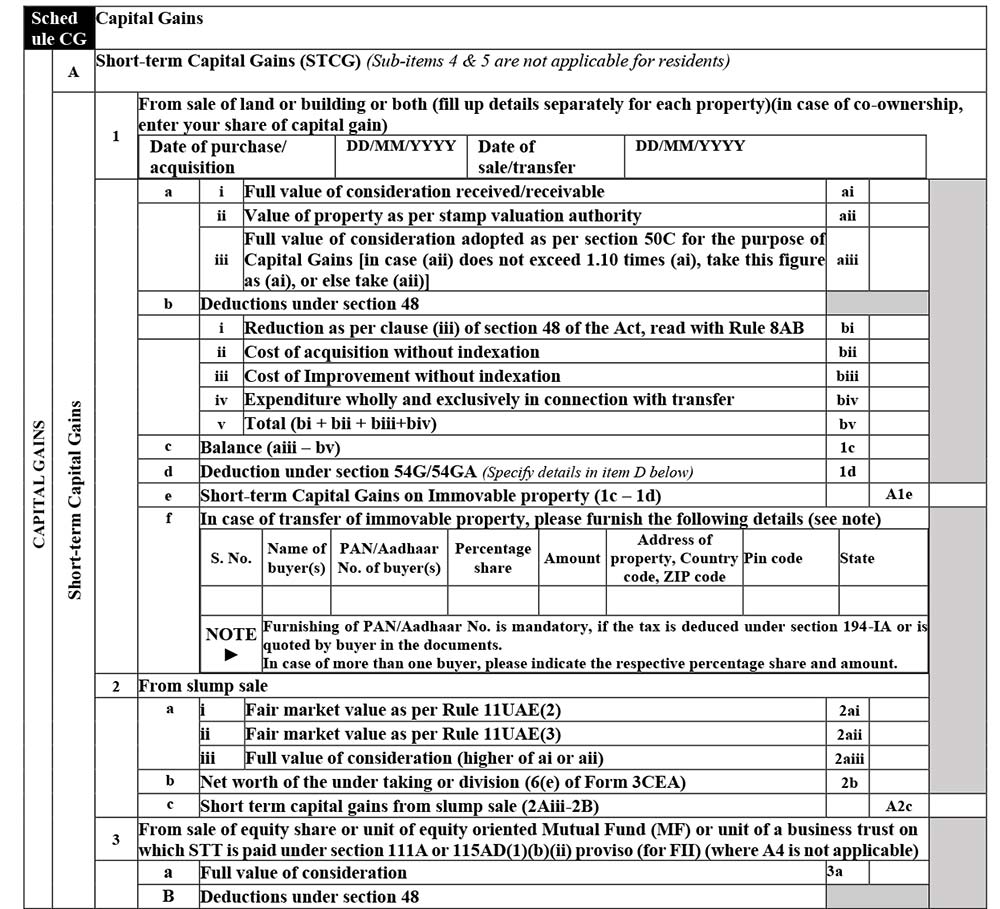
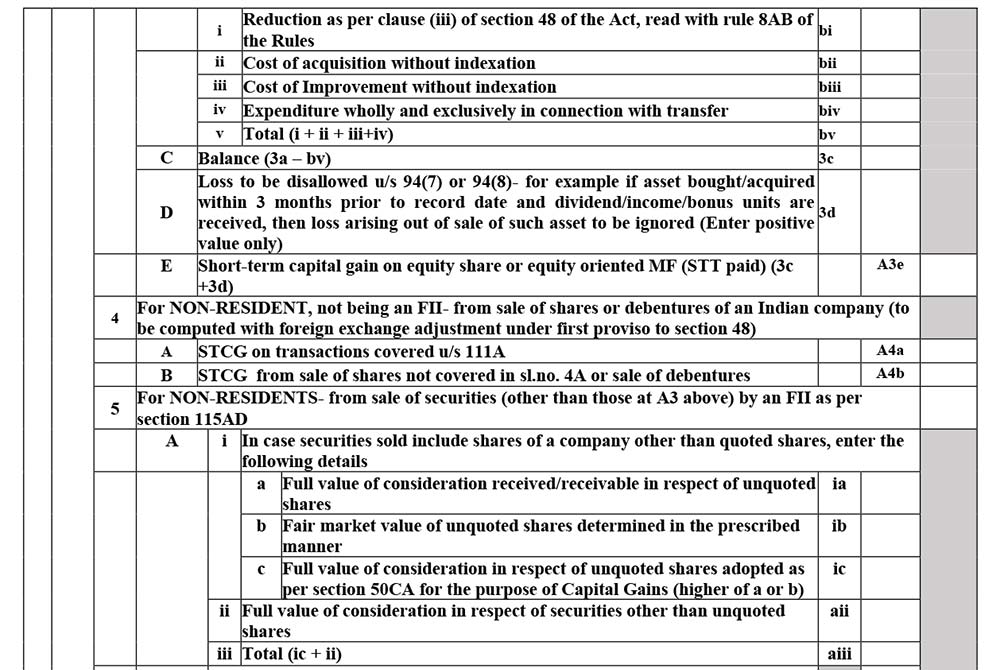
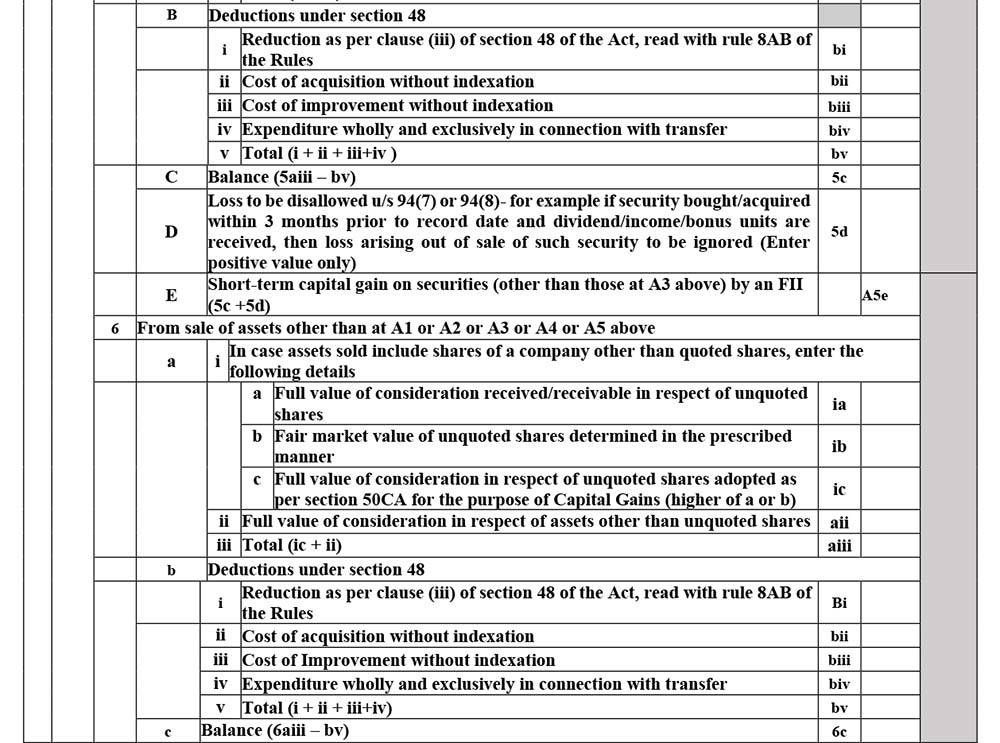
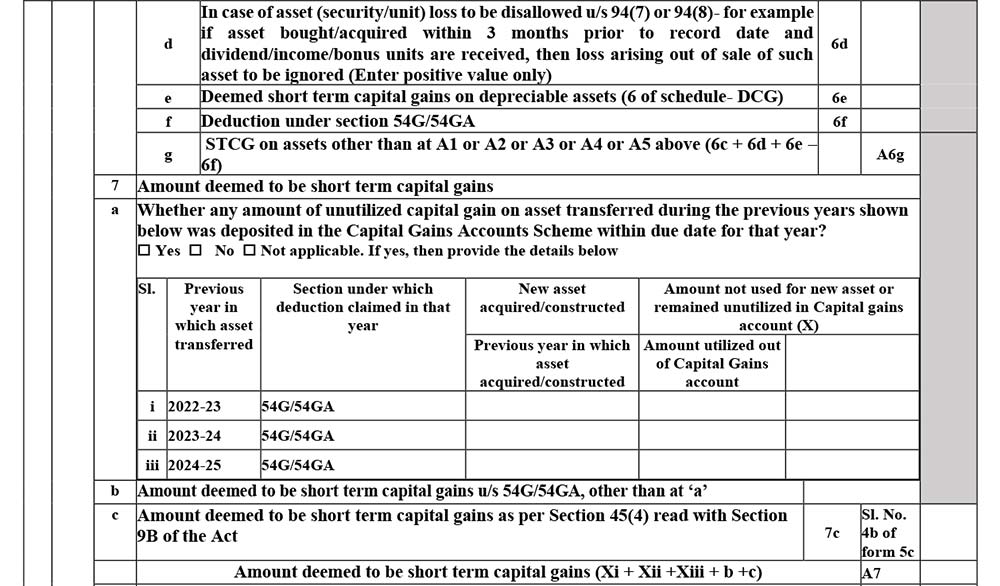
Schedule CG
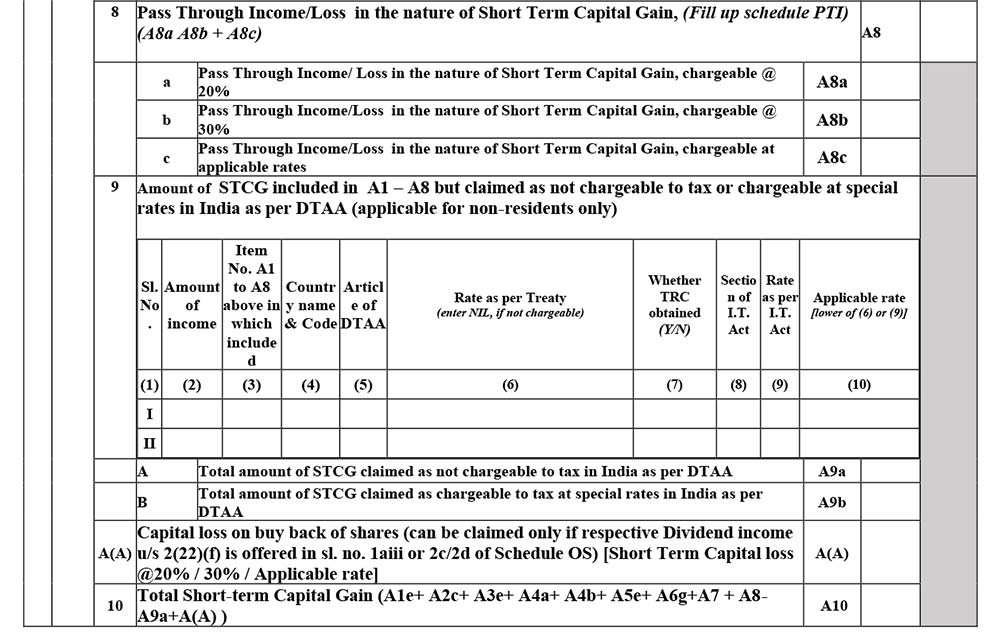
A. Short-Term Capital Gain
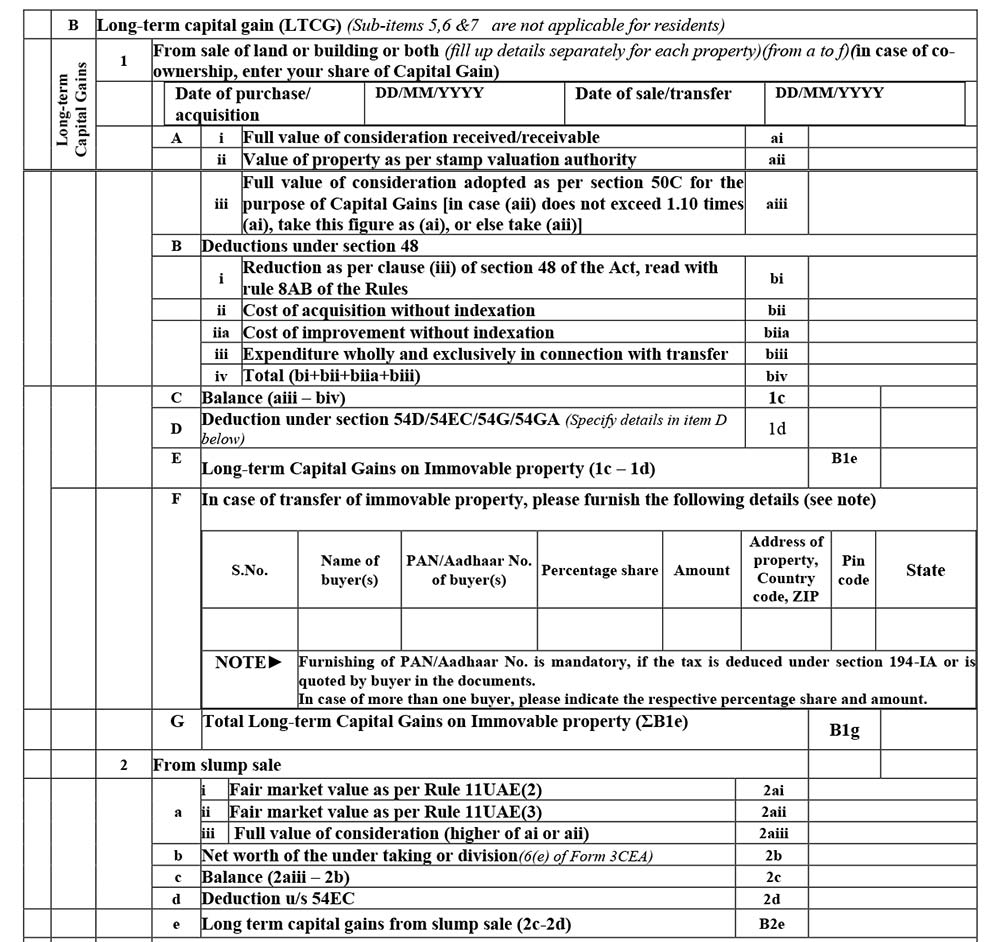
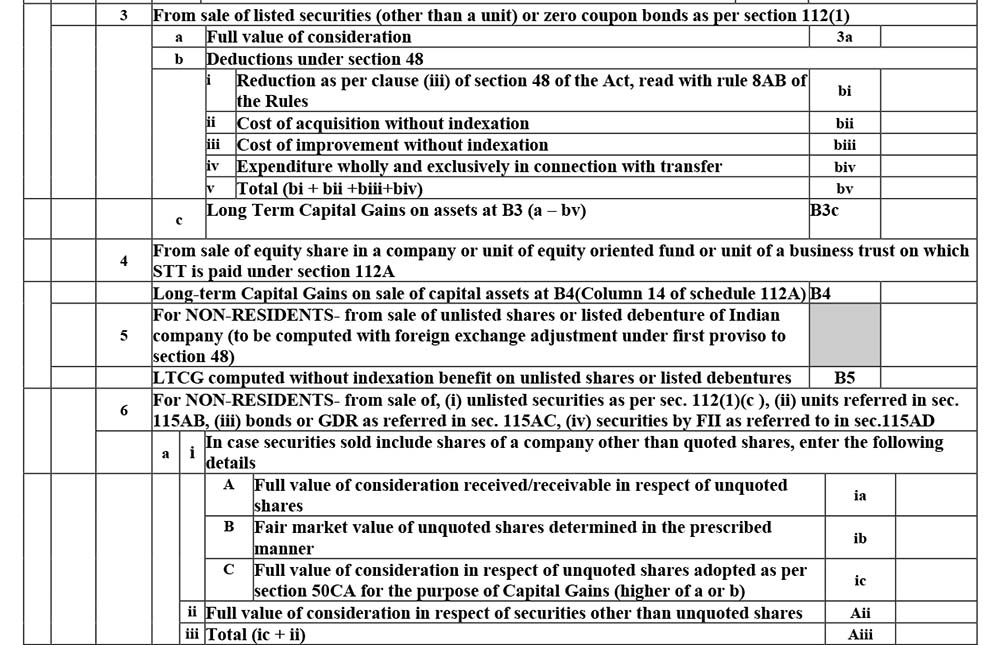
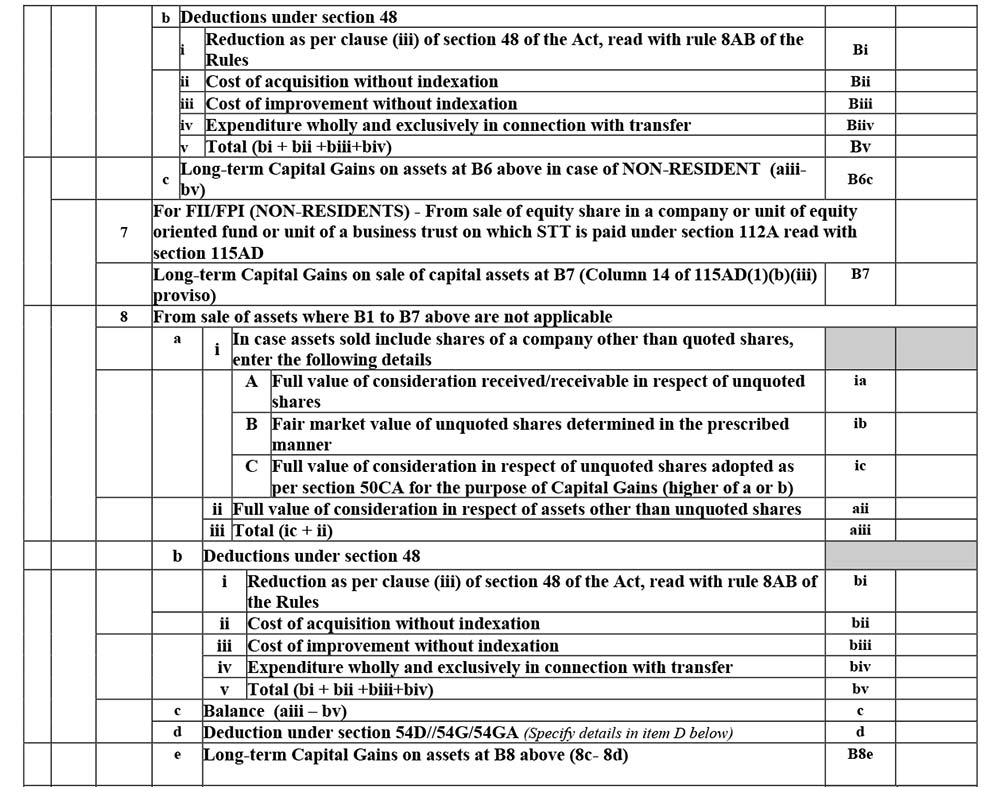
B. Long-Term Capital Gain
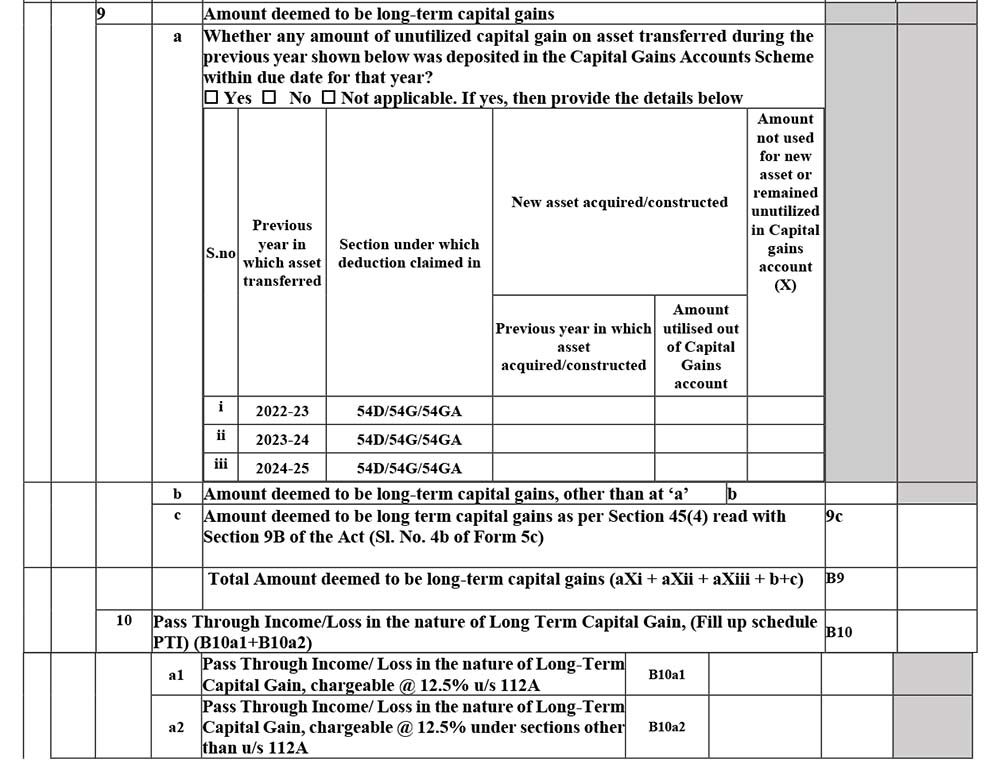
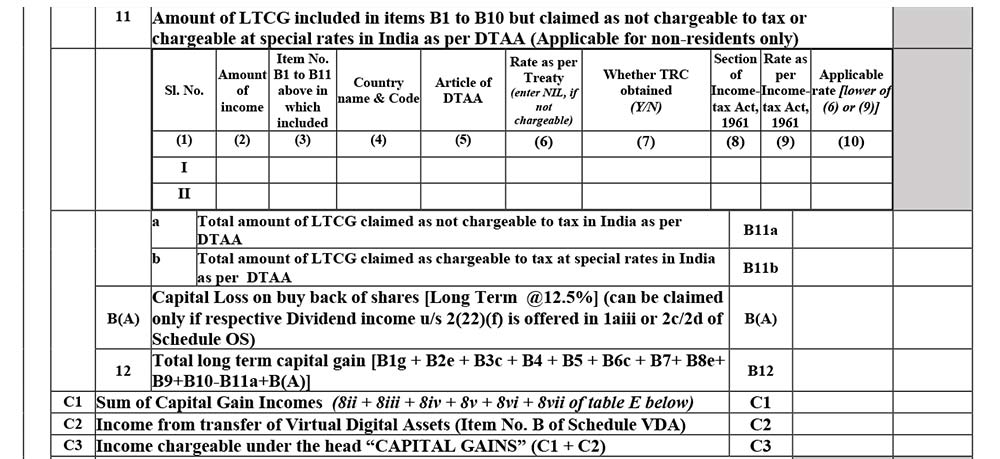
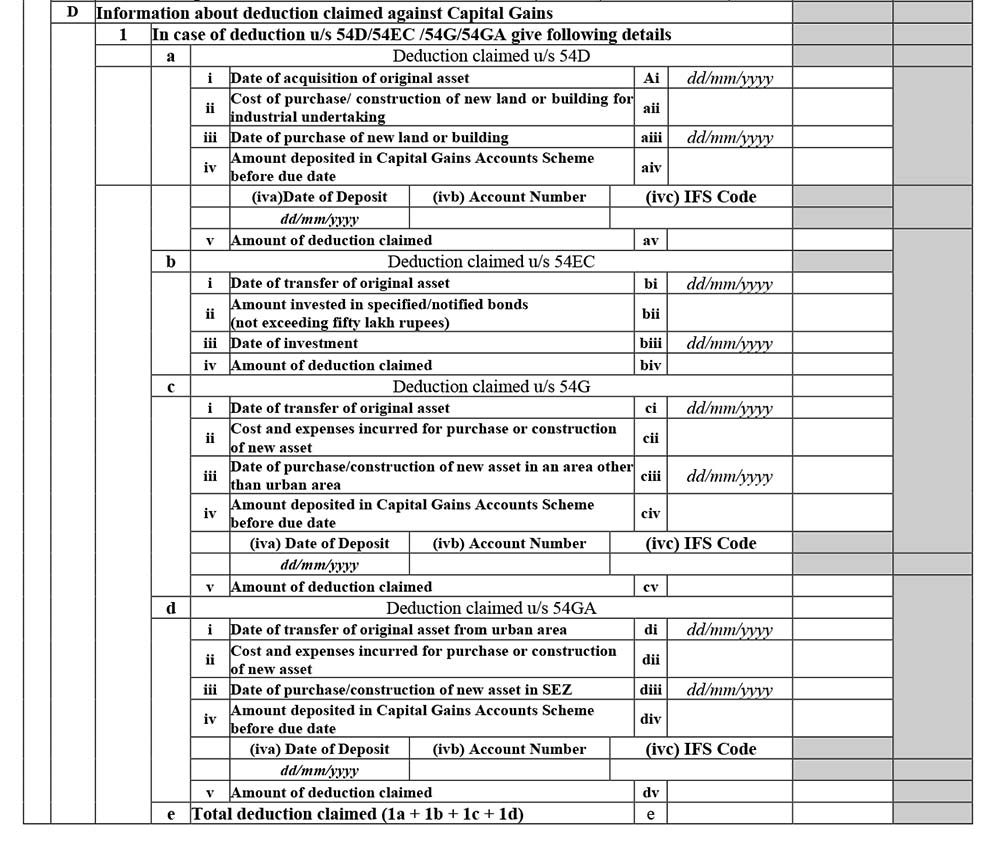
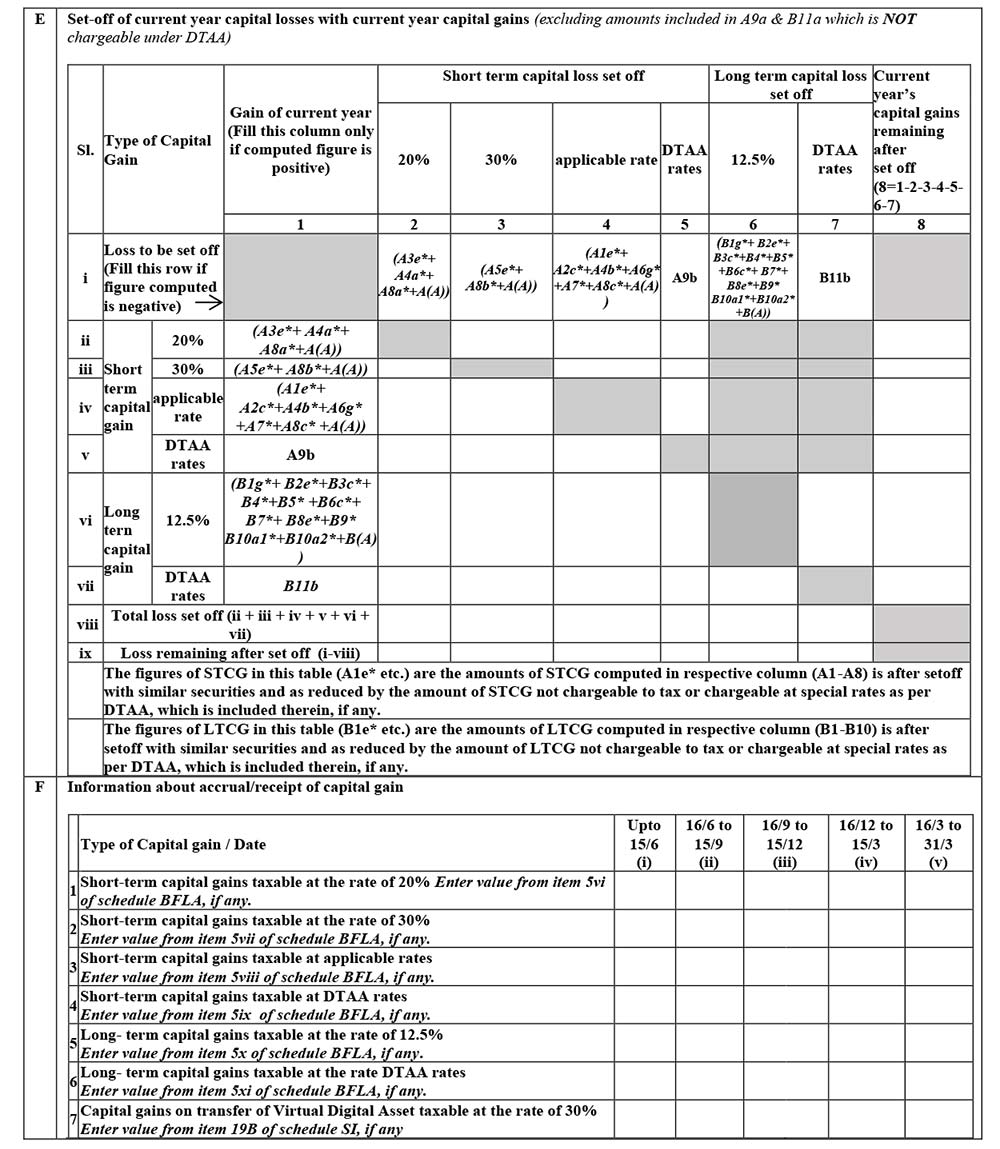
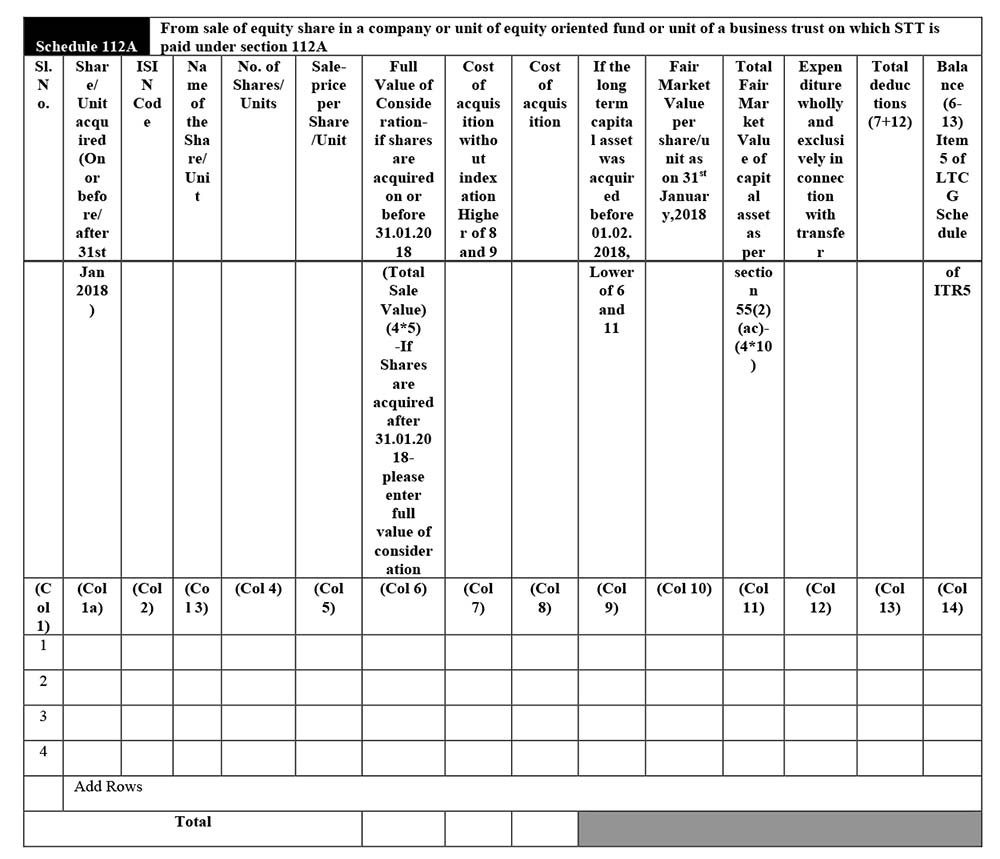
Schedule 112A
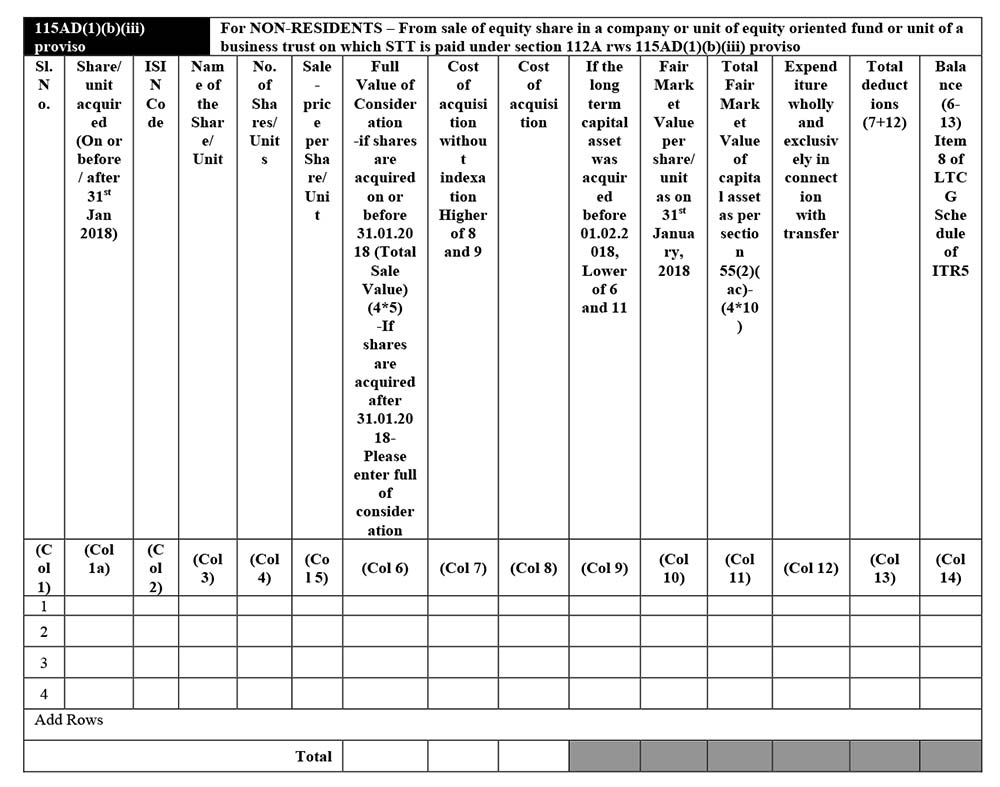
Schedule 115AD(1)(b)(iii) Proviso
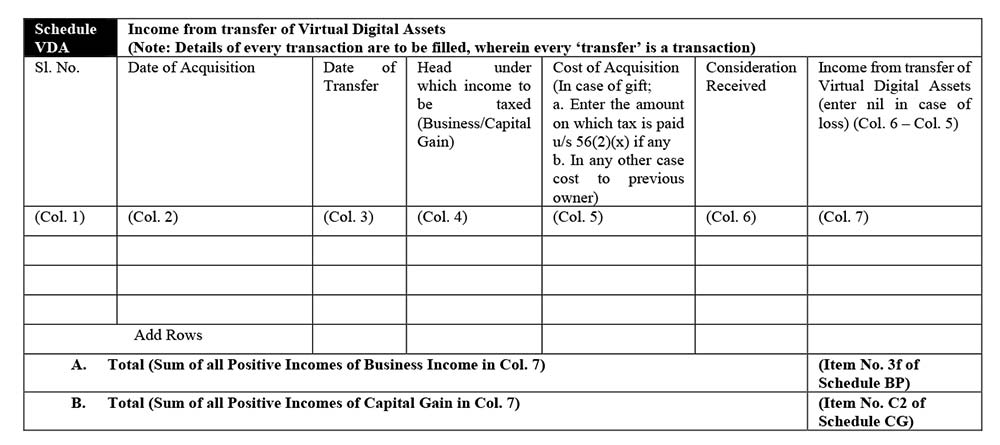
Schedule VDA
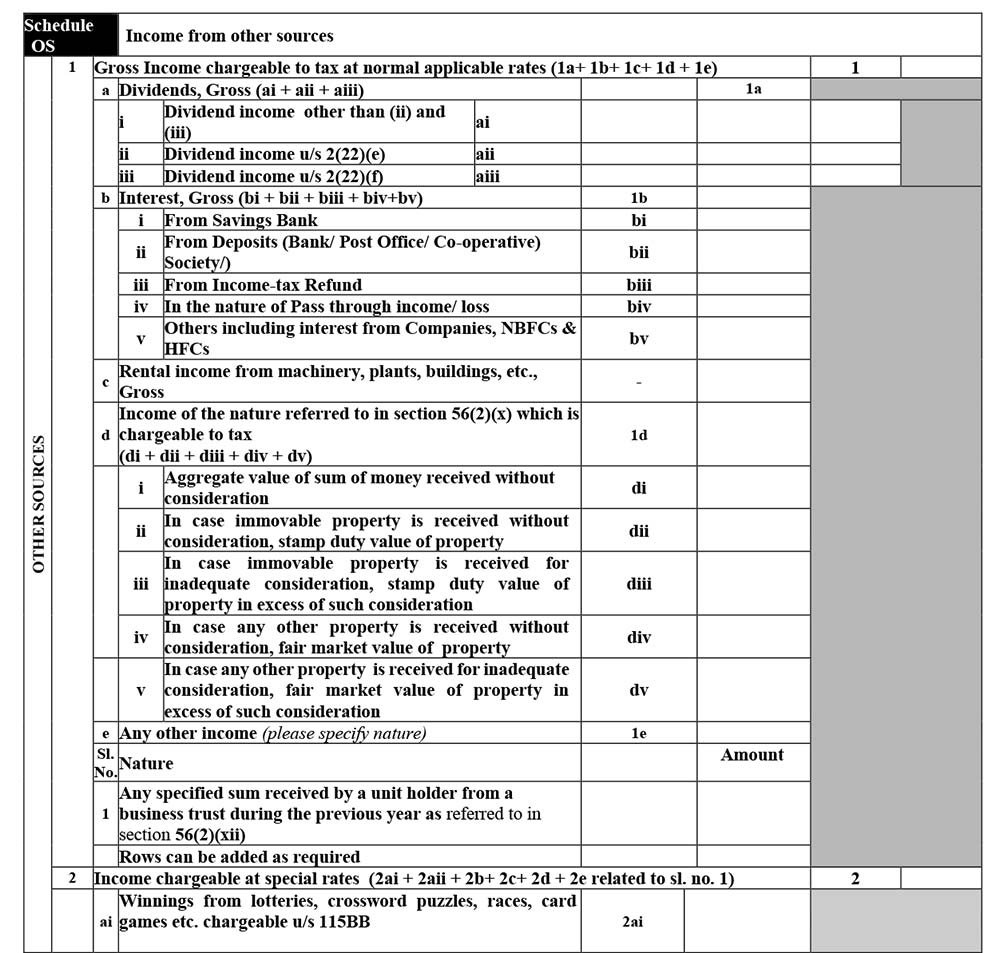
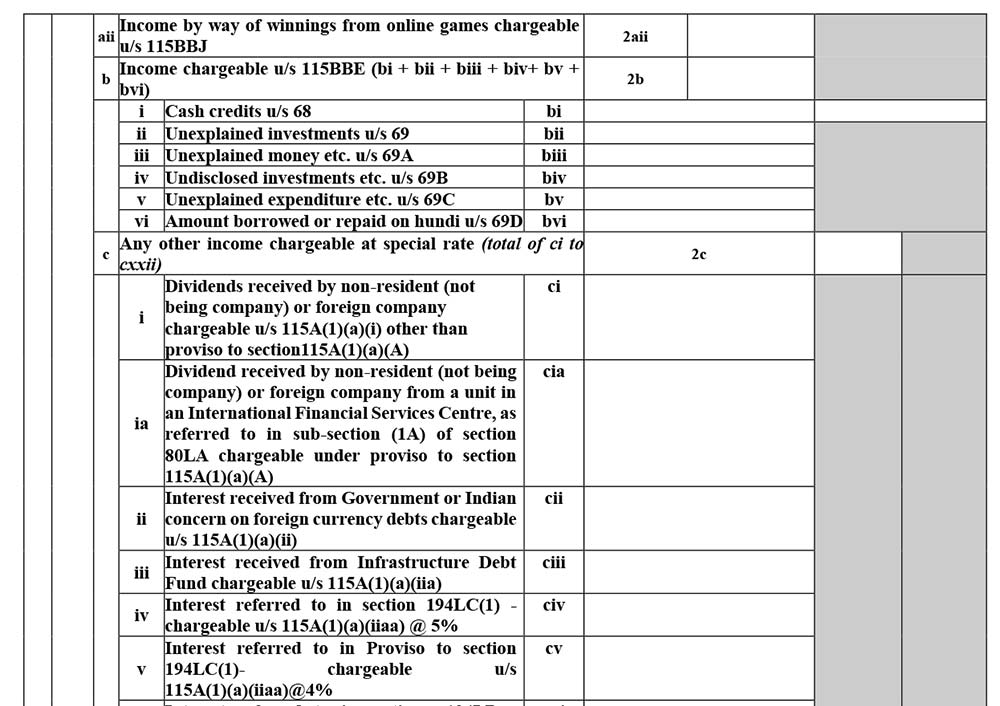
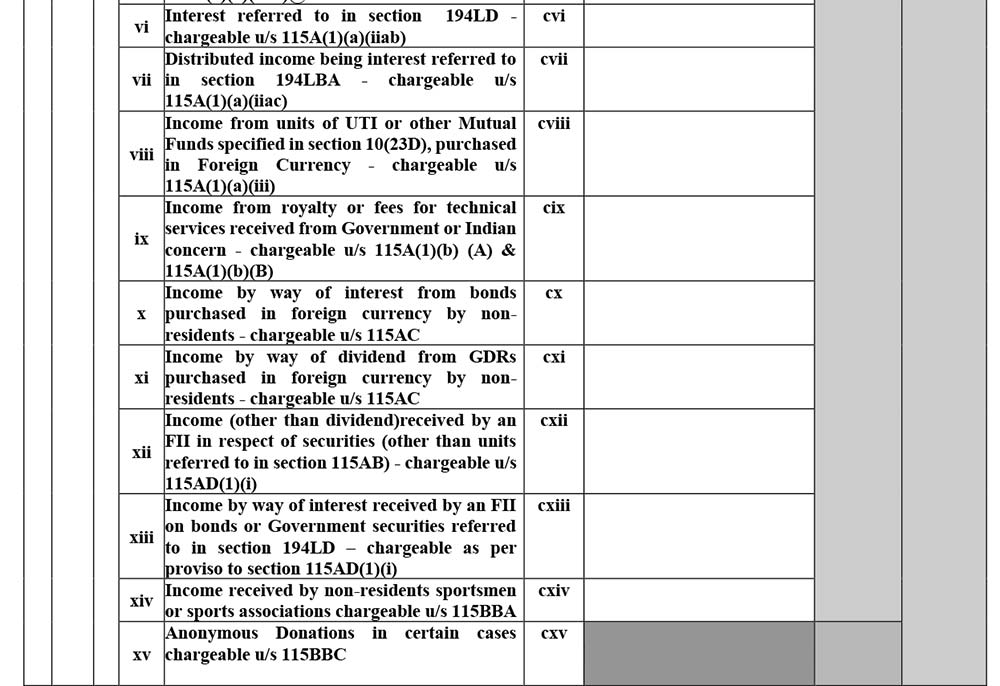
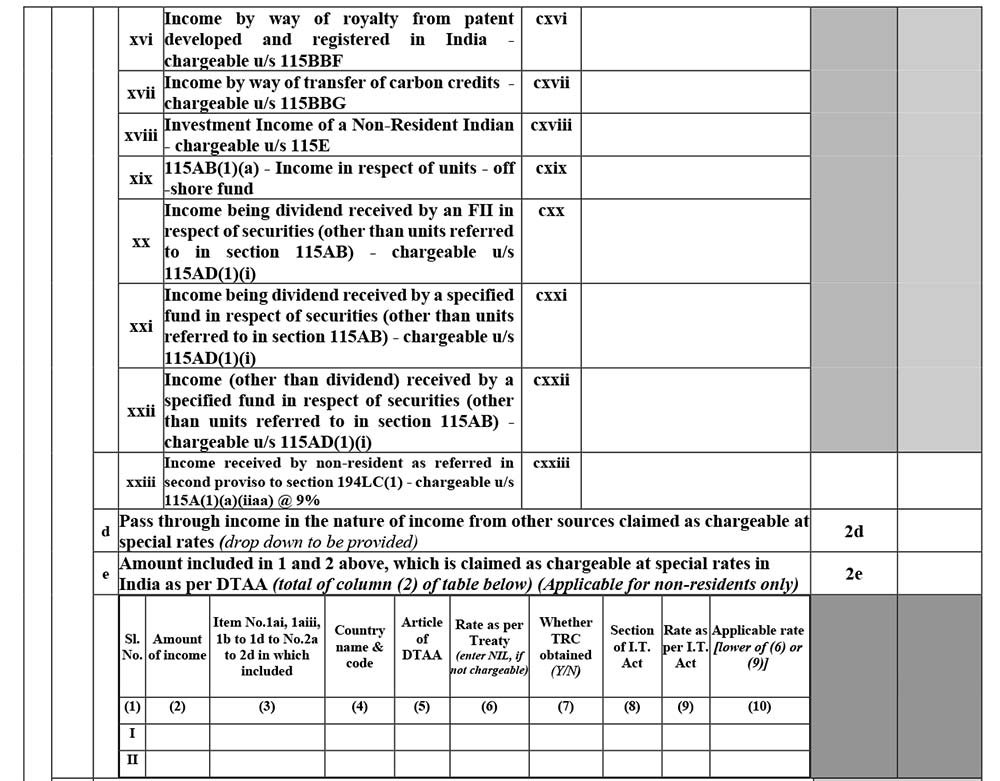
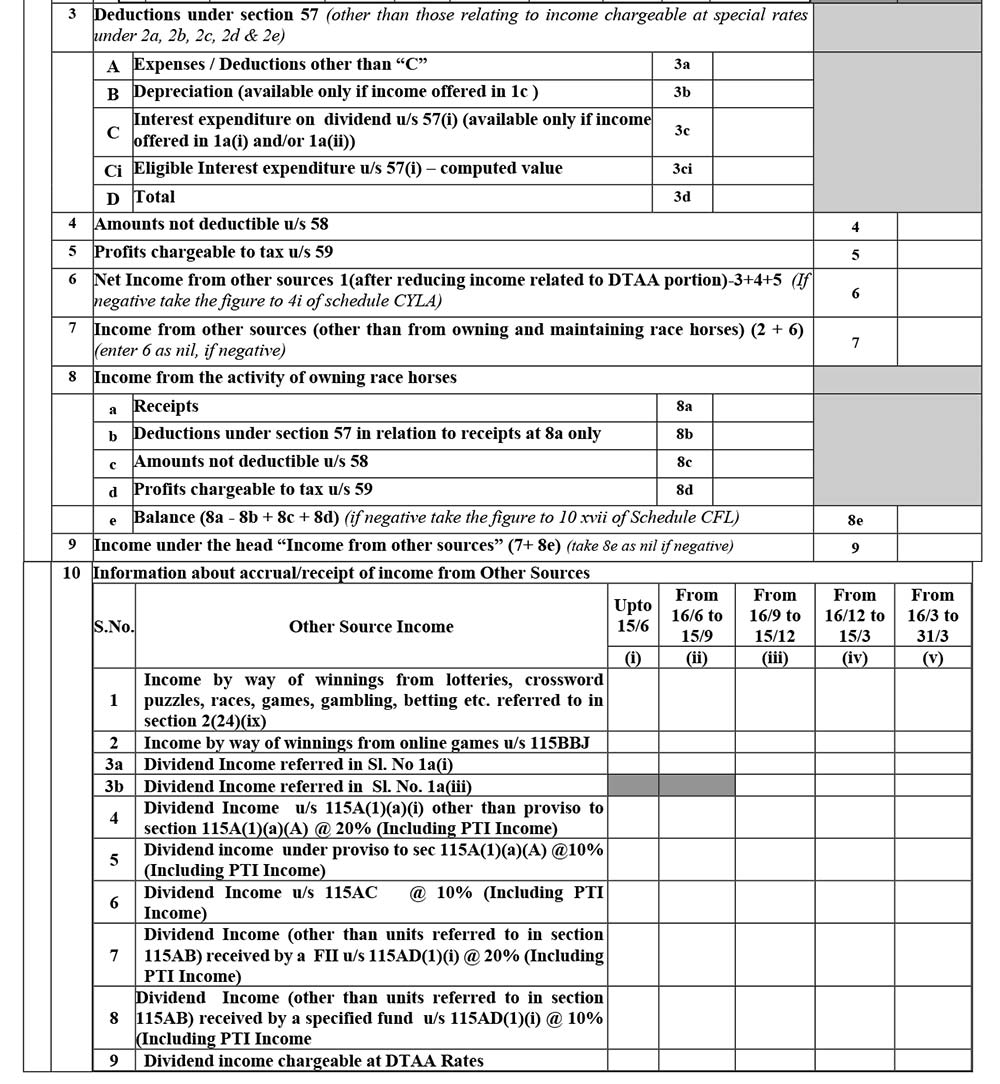
Schedule OS
Schedule CLYA
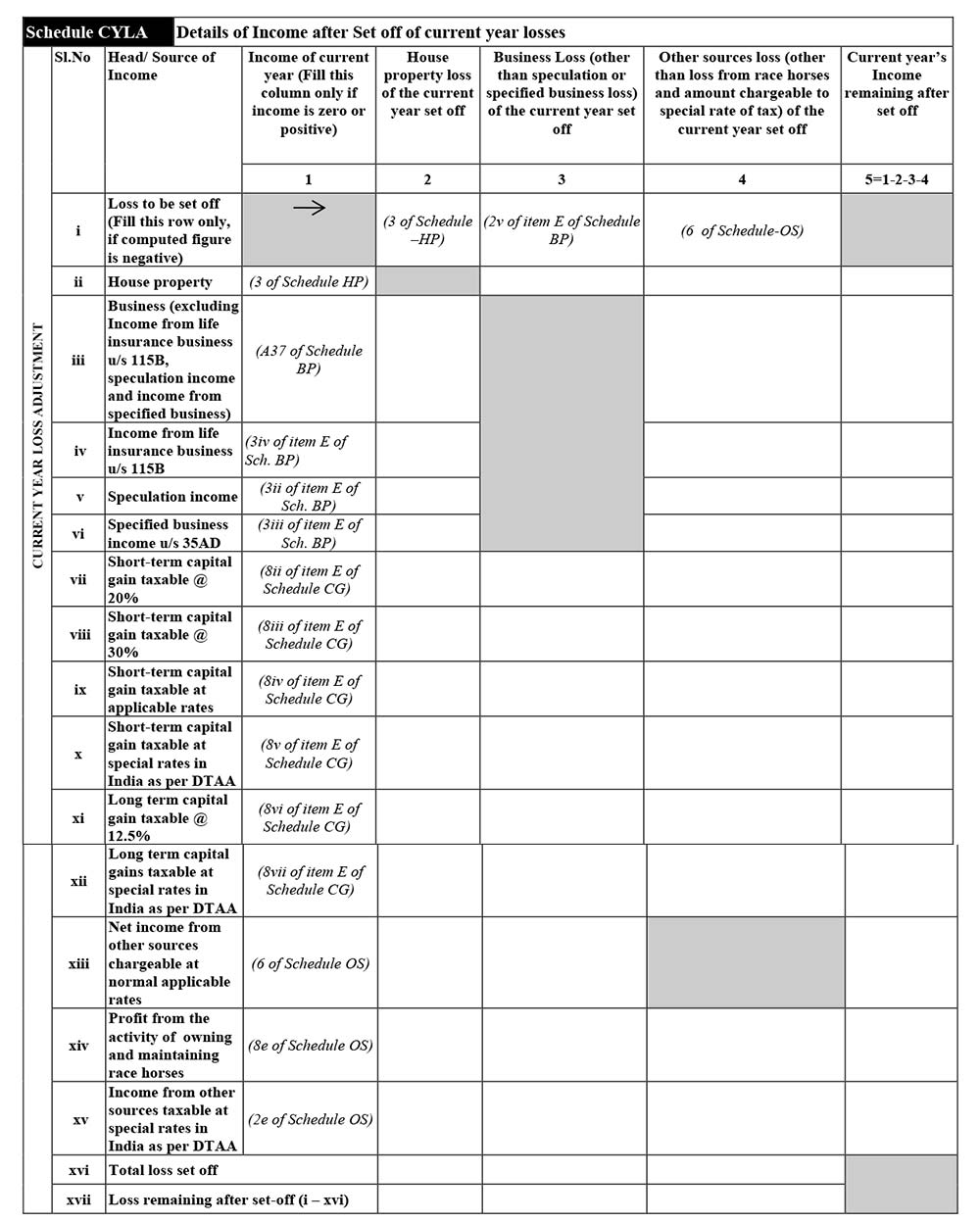
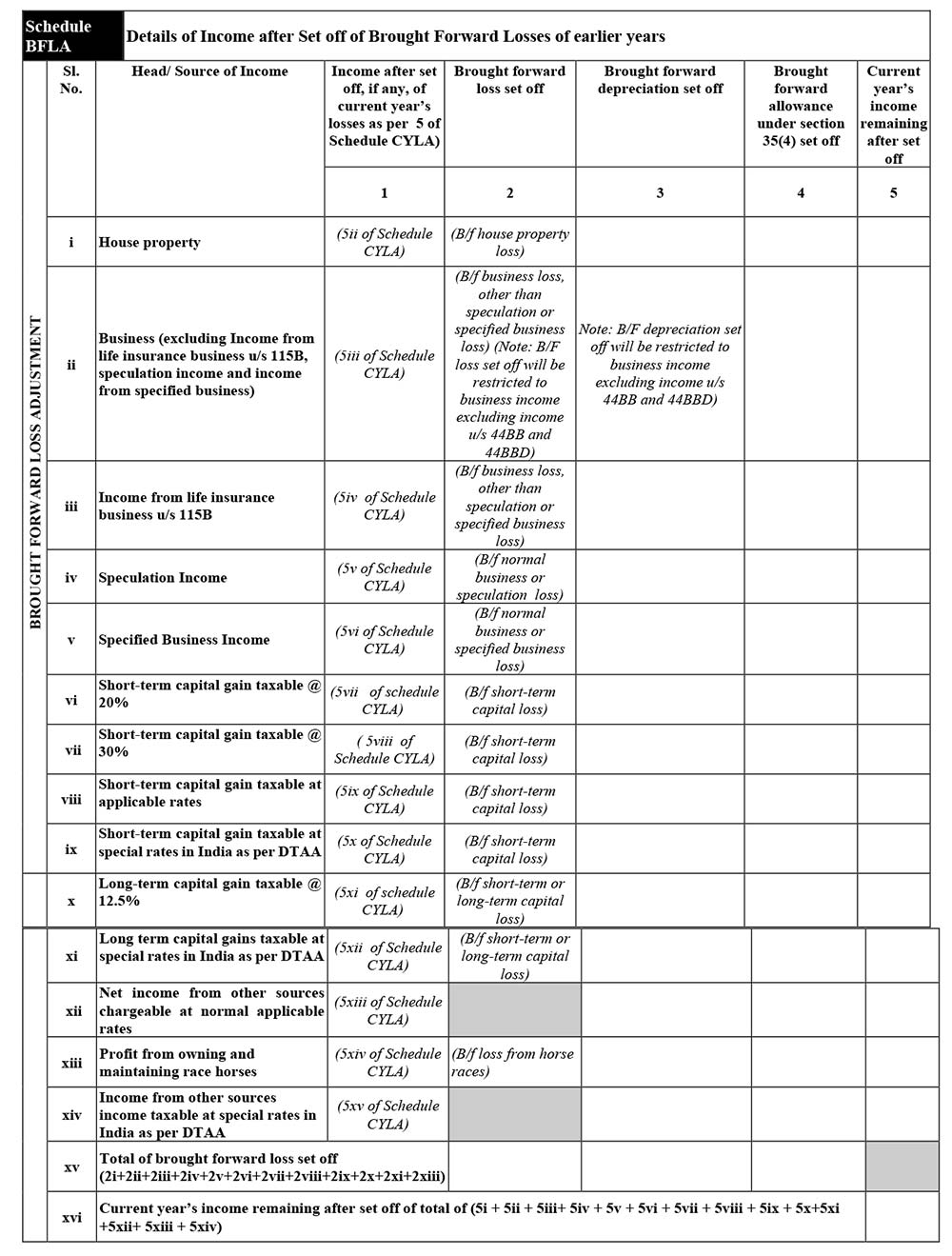
Schedule BFLA
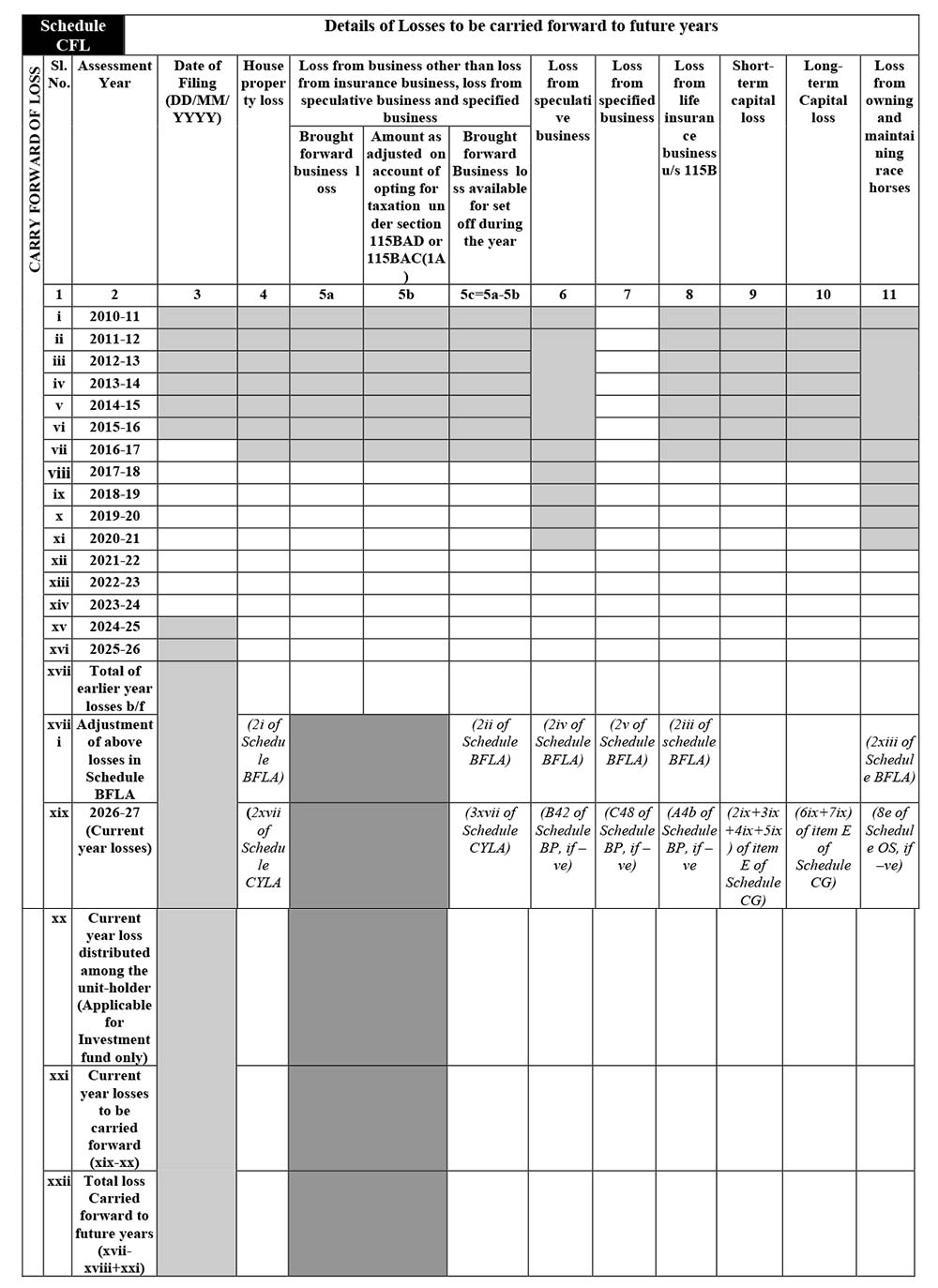
Schedule CLF
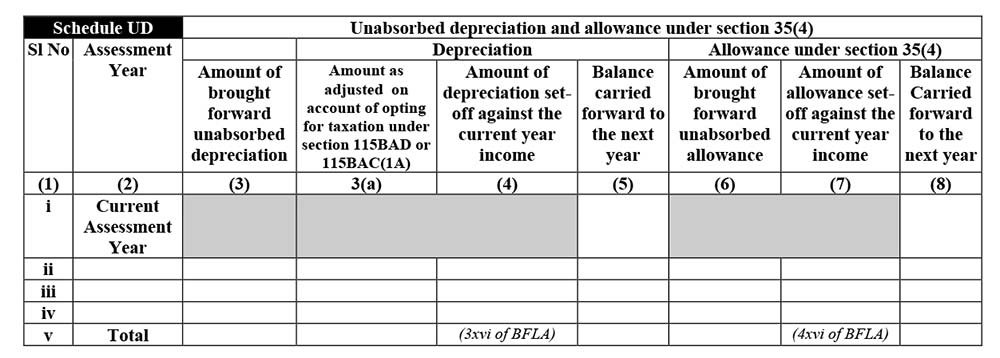
Schedule UD
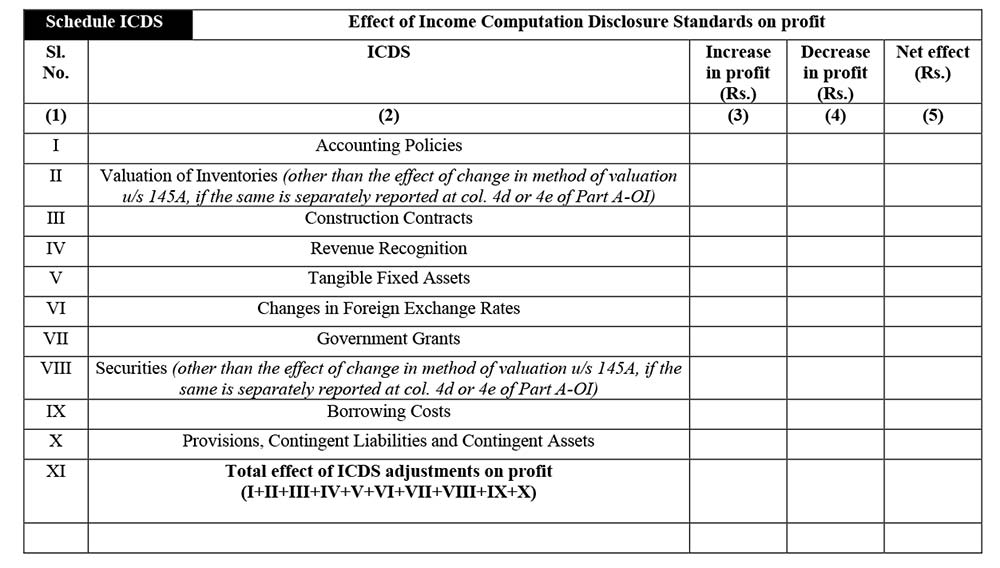
Schedule ICDS
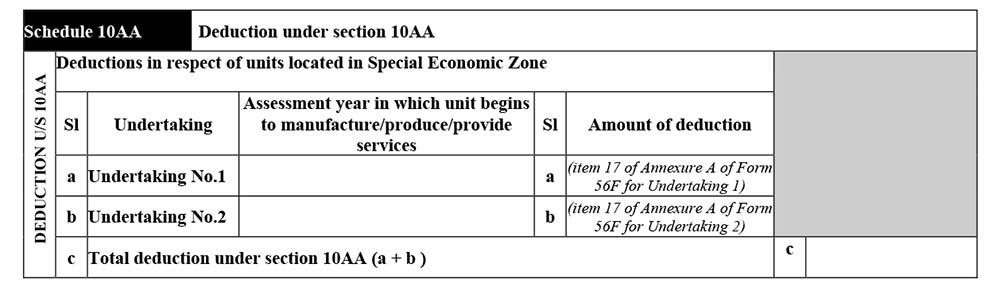
Schedule 10AA
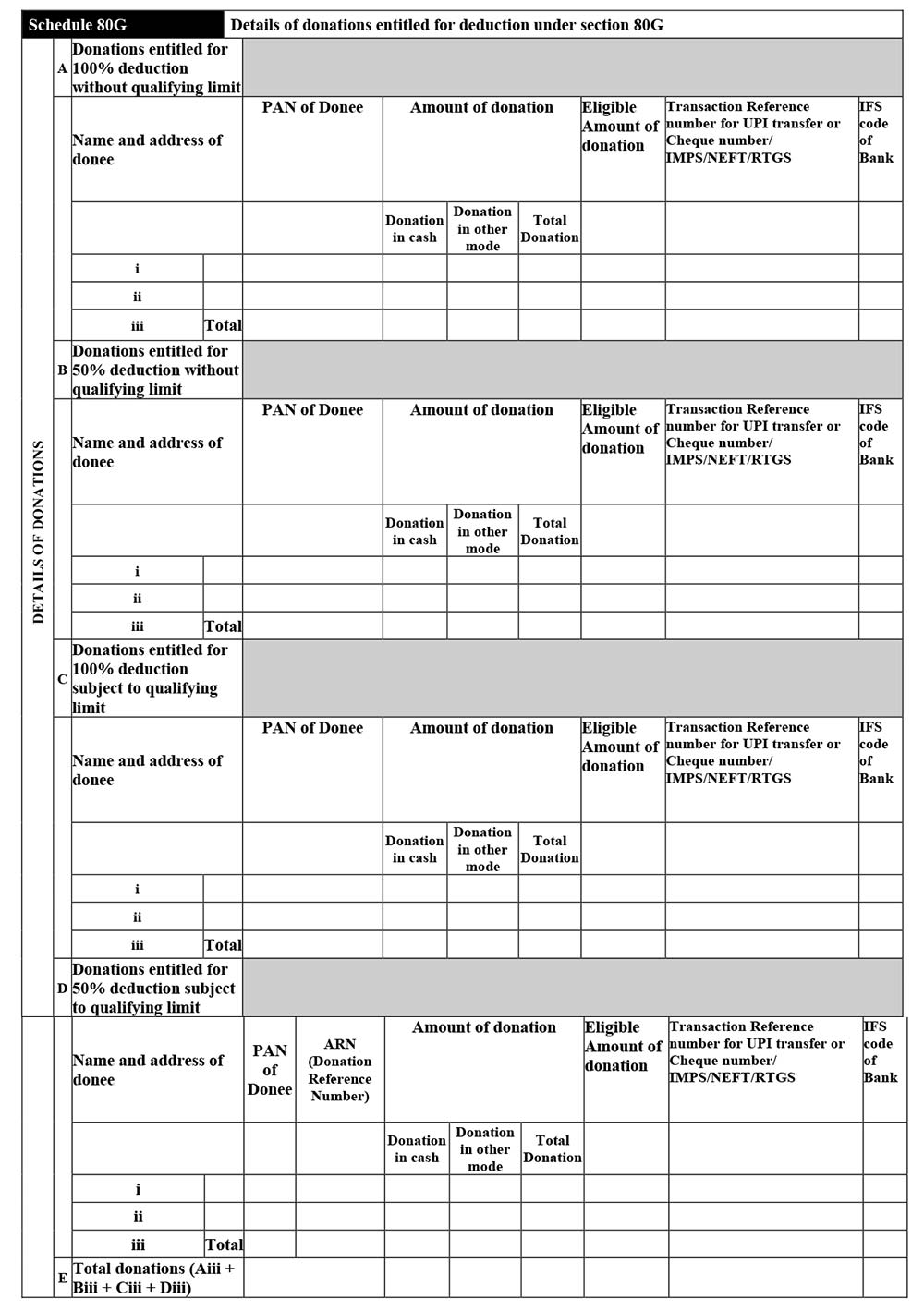
Schedule 80G
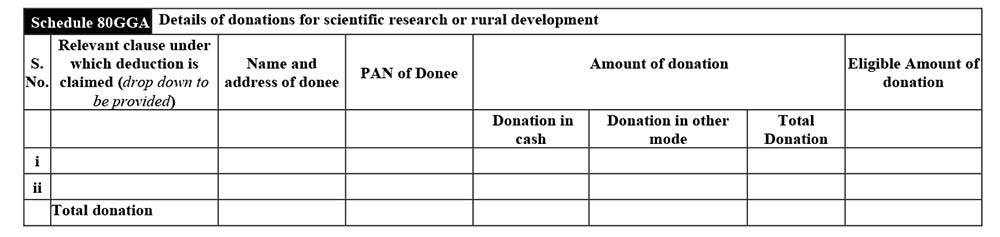
Schedule 80GGA
Schedule 80GGC
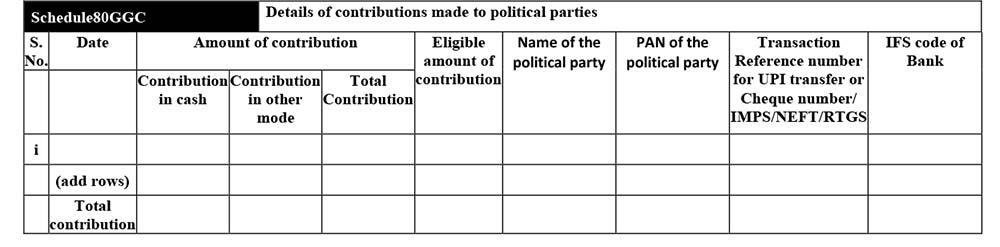
Schedule 80LA
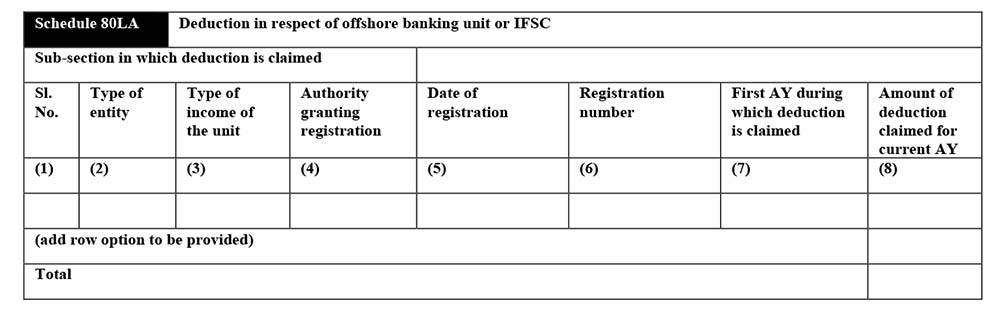
Schedule 80ICA
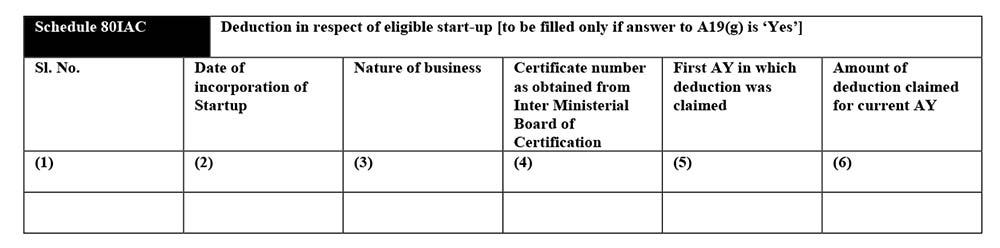
Schedule 80RA

Schedule 80-IA
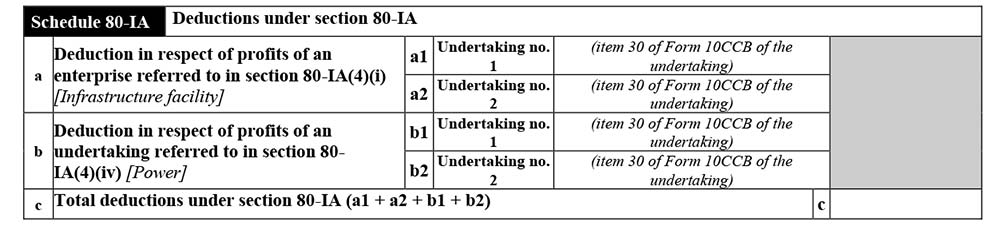
Schedule 80-IB

Schedule 80-IE
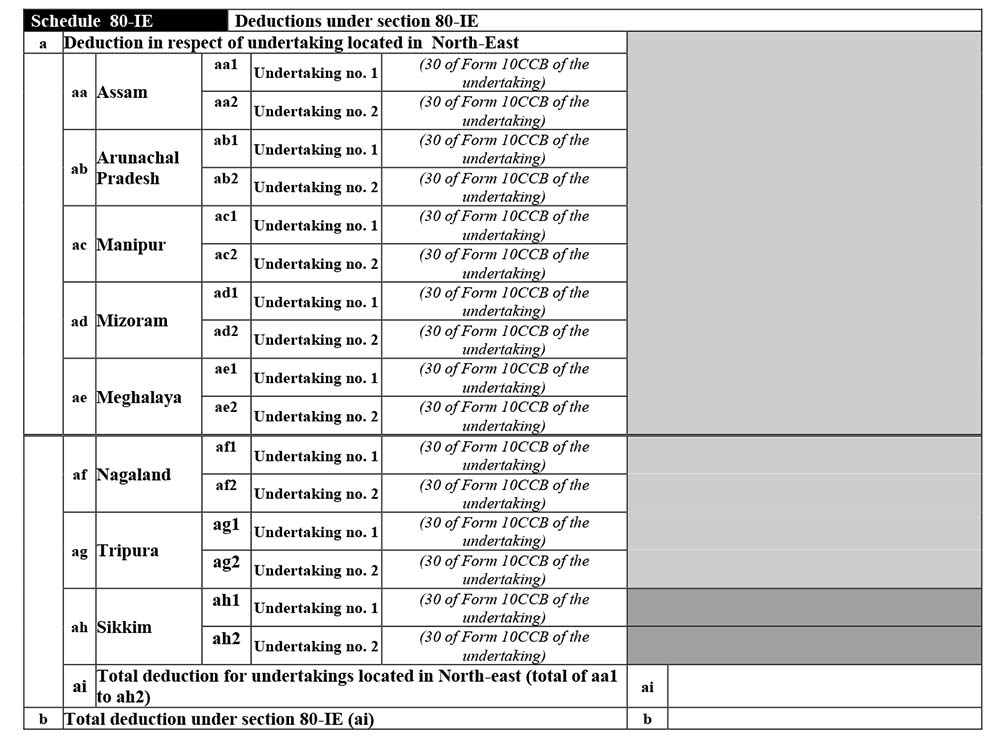
Schedule 80P

Schedule VI-A
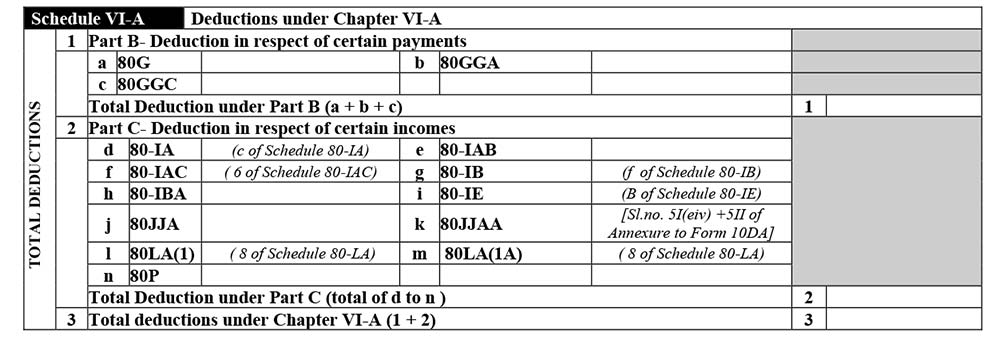
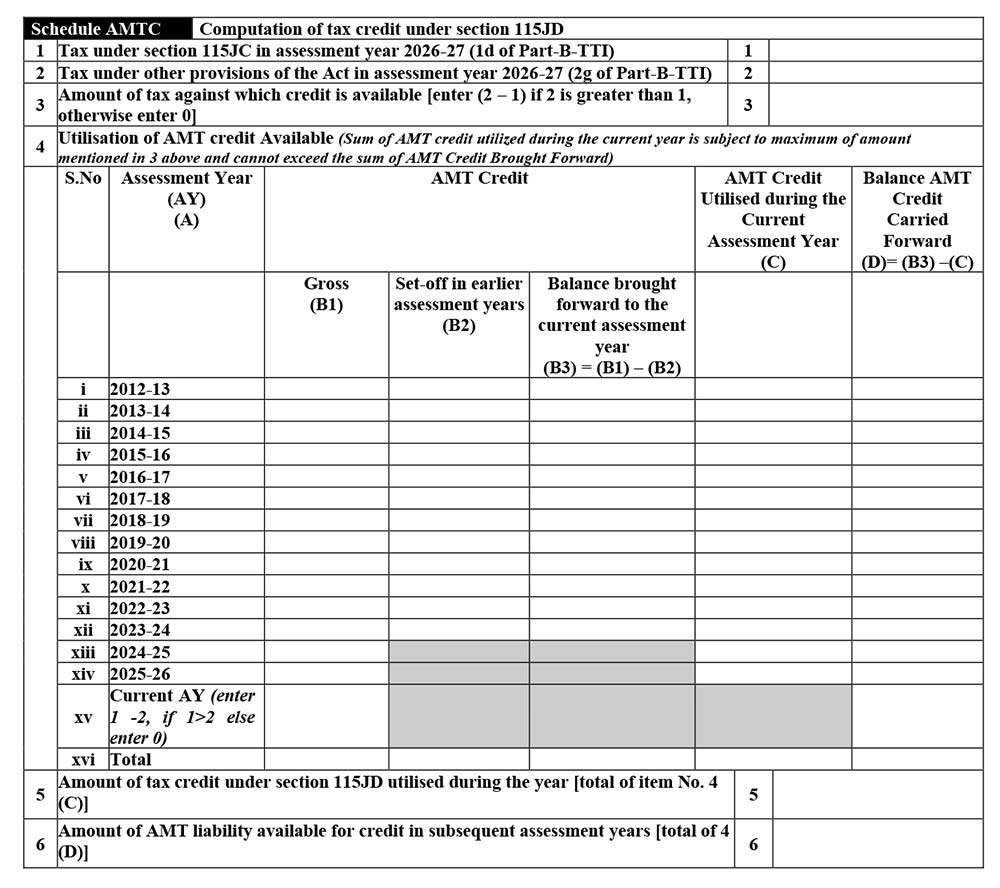
Schedule AMT

Schedule AMTC
Schedule SI
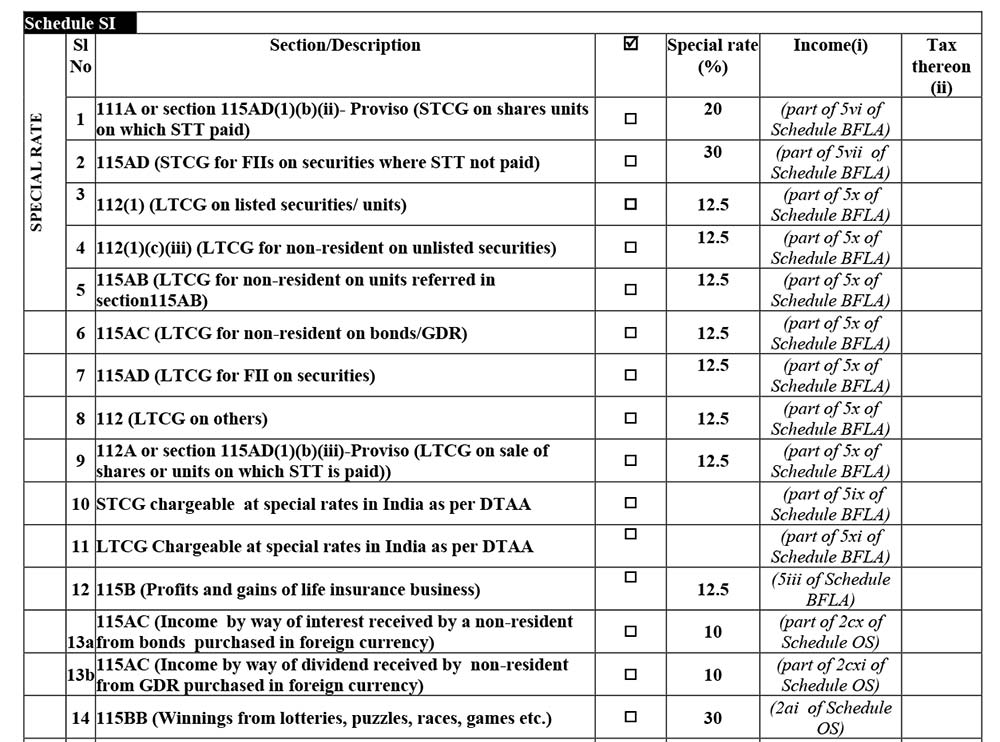
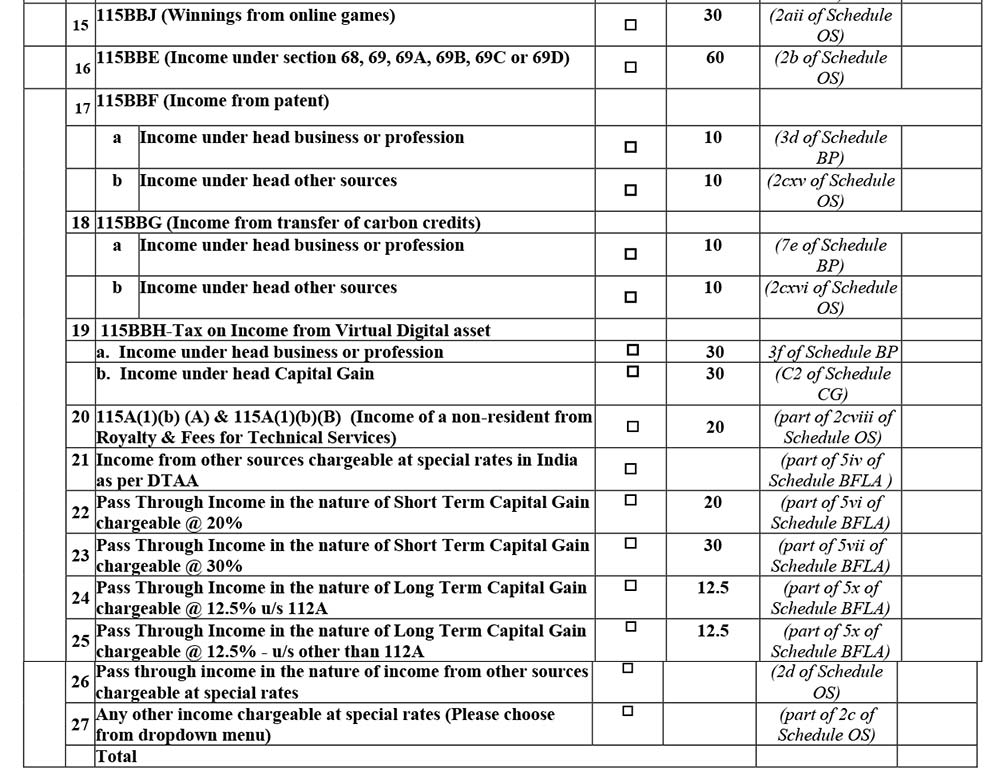
Schedule IF
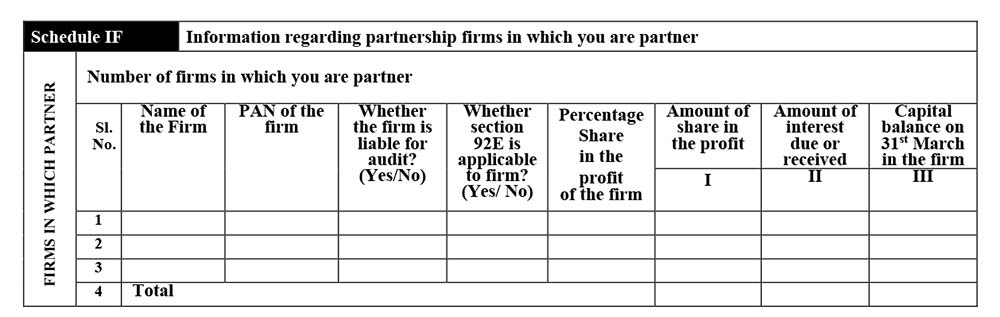
Schedule EI
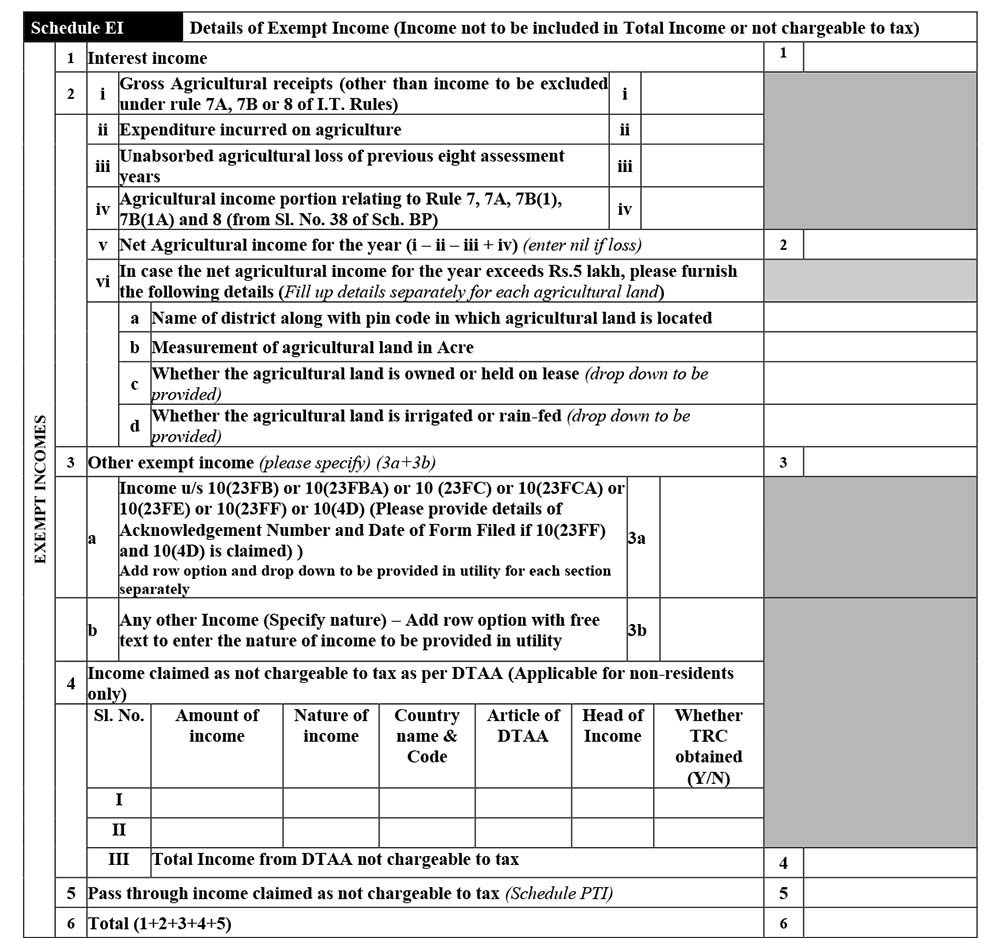
Schedule PTI
Schedule TPSA
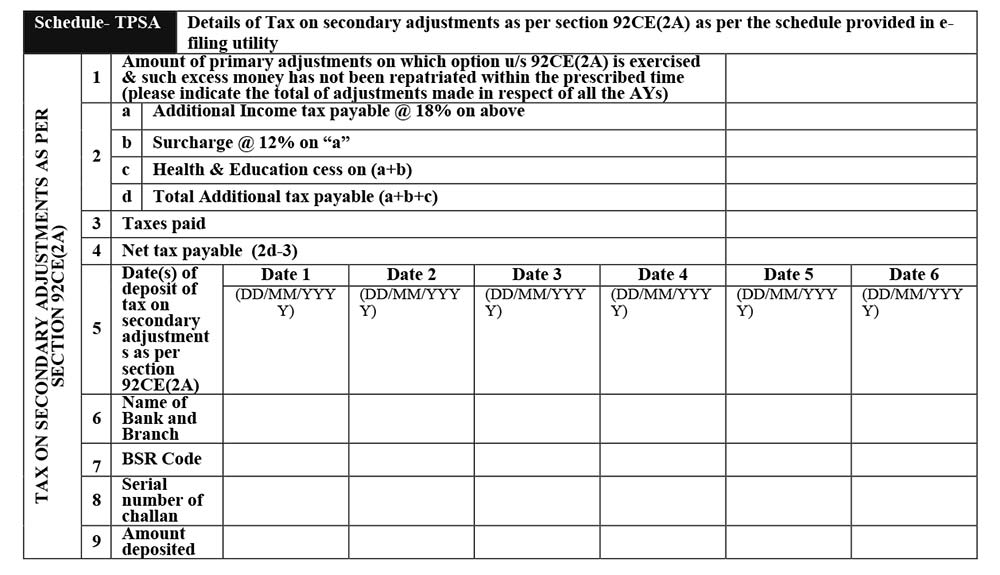
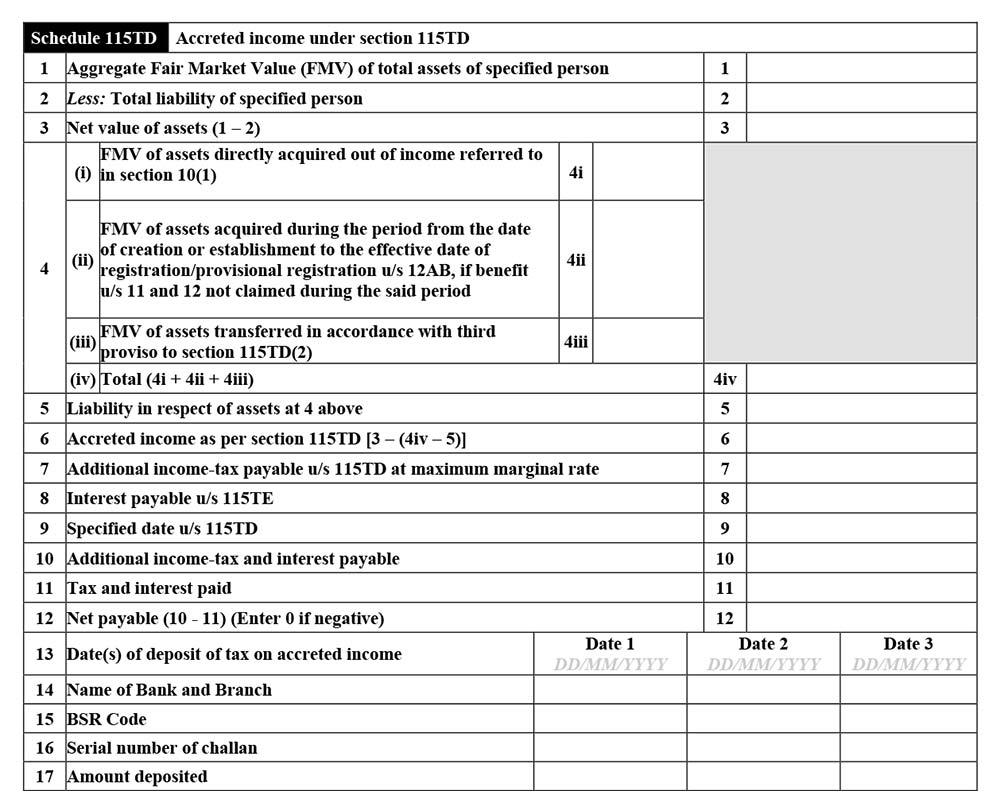
Schedule 115TD
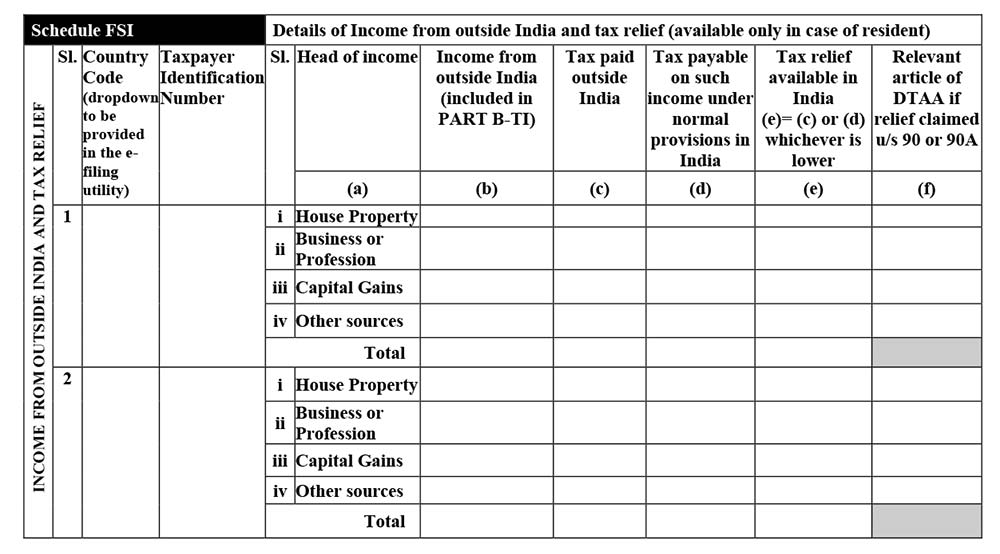
Schedule FSI
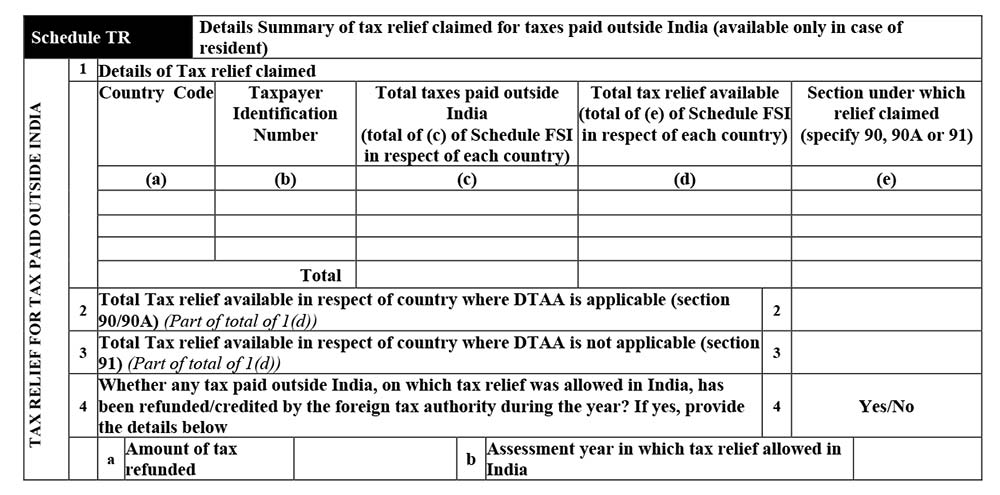
Schedule TR
Schedule FA
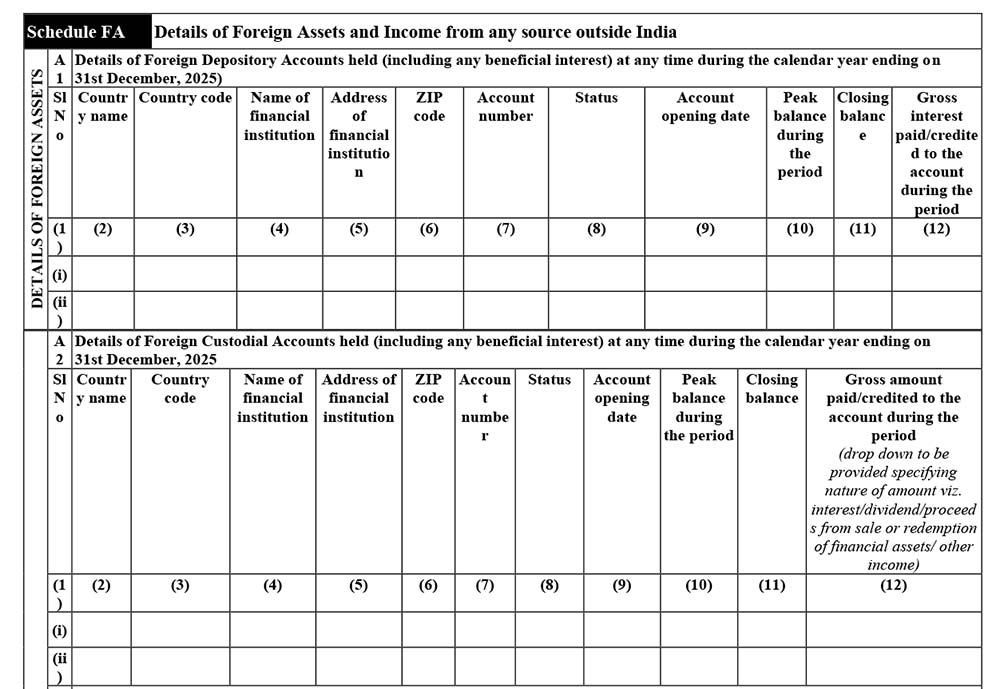
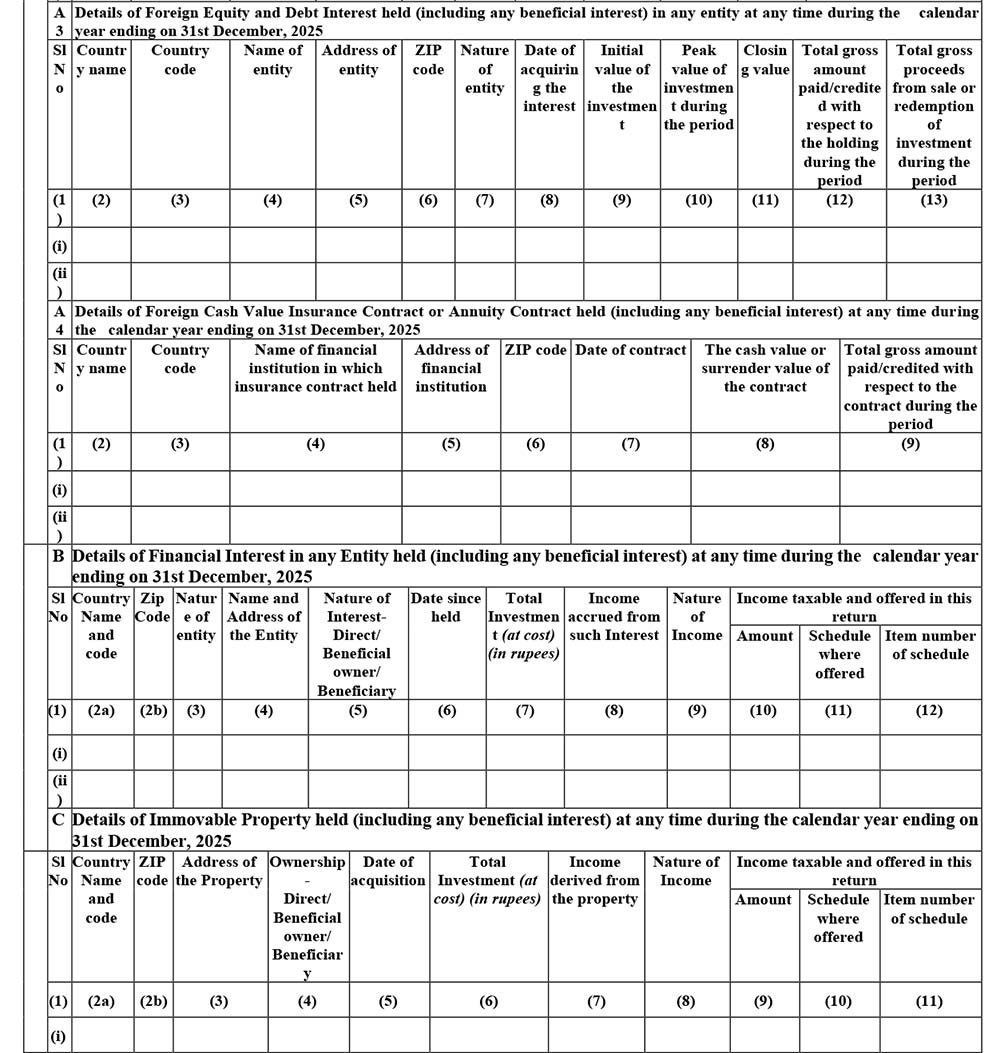
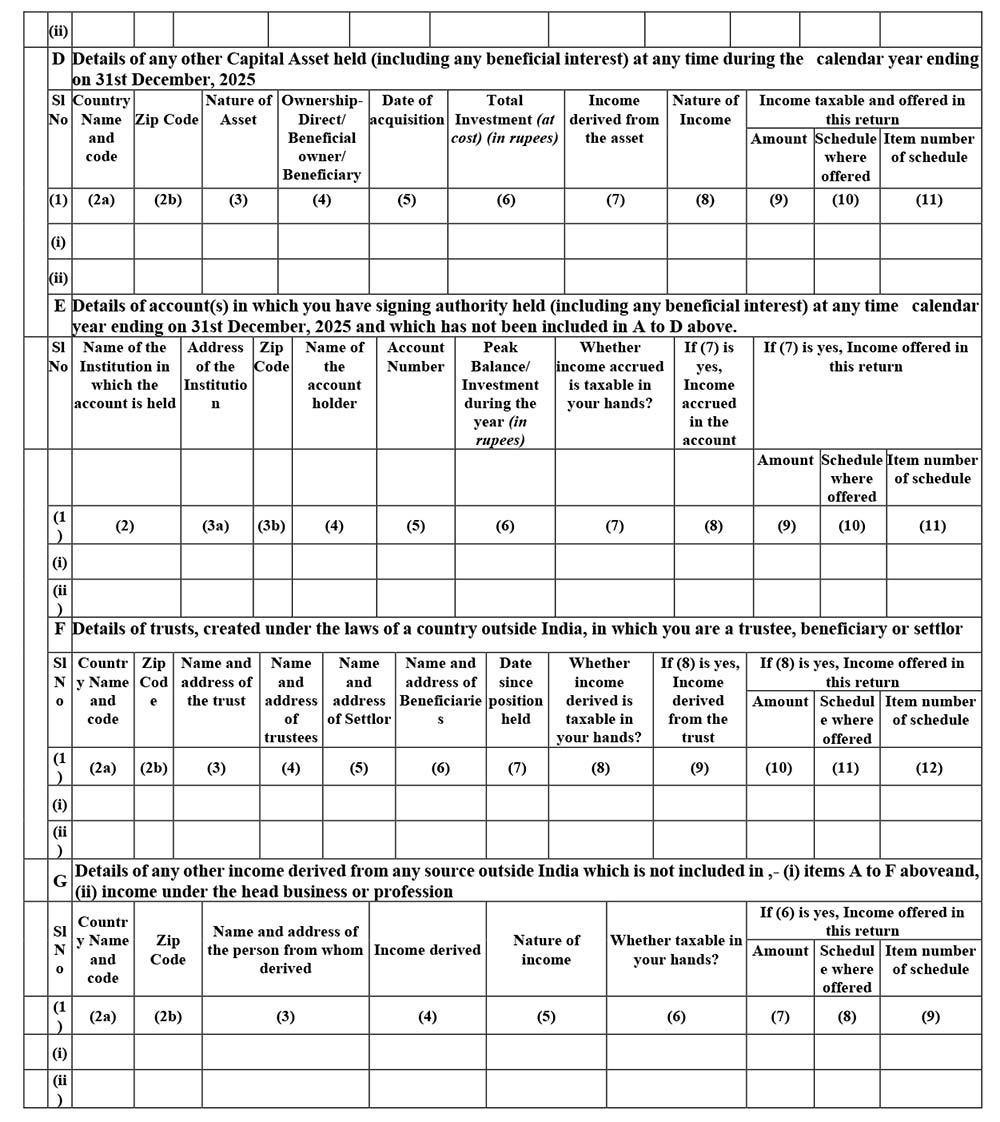
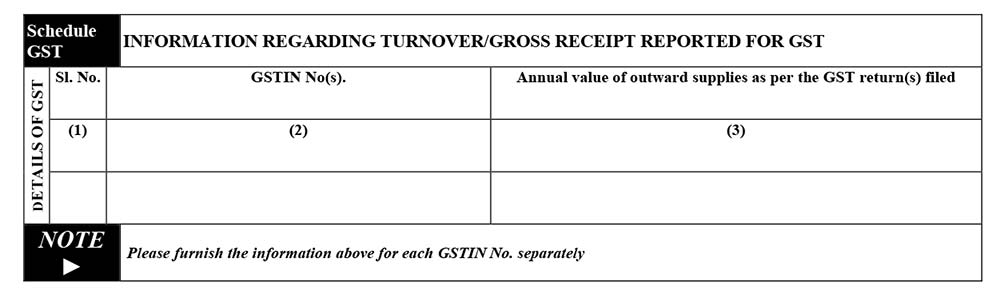
Schedule GST
Part-B-TI
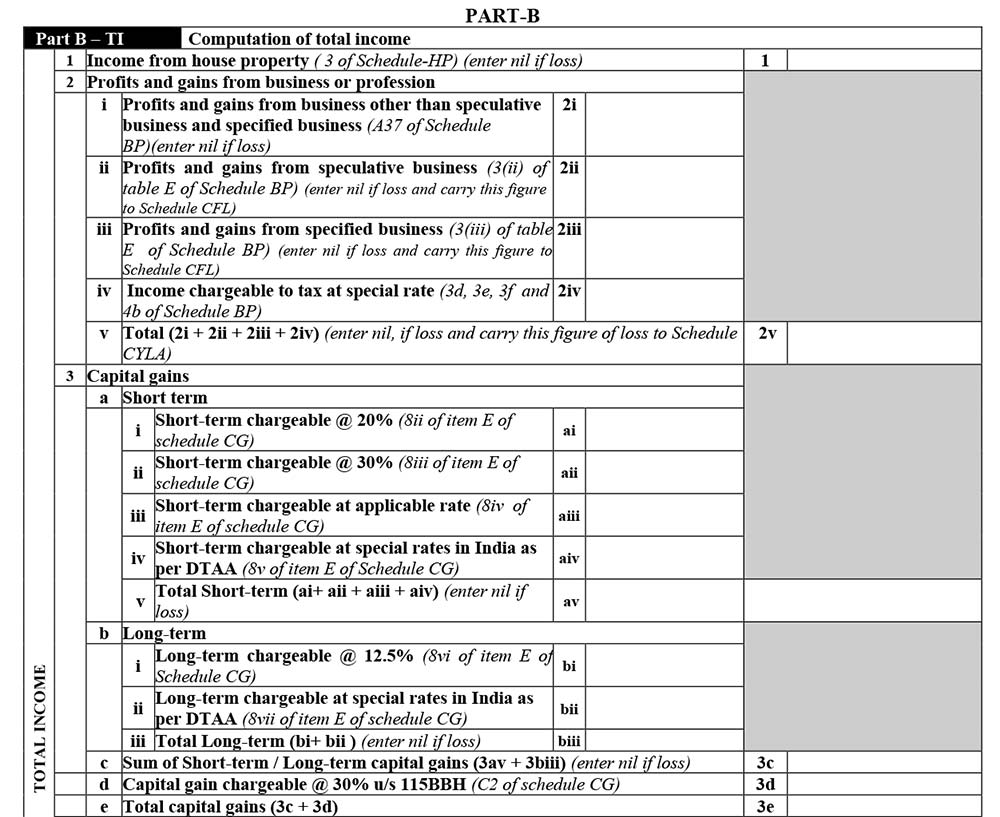
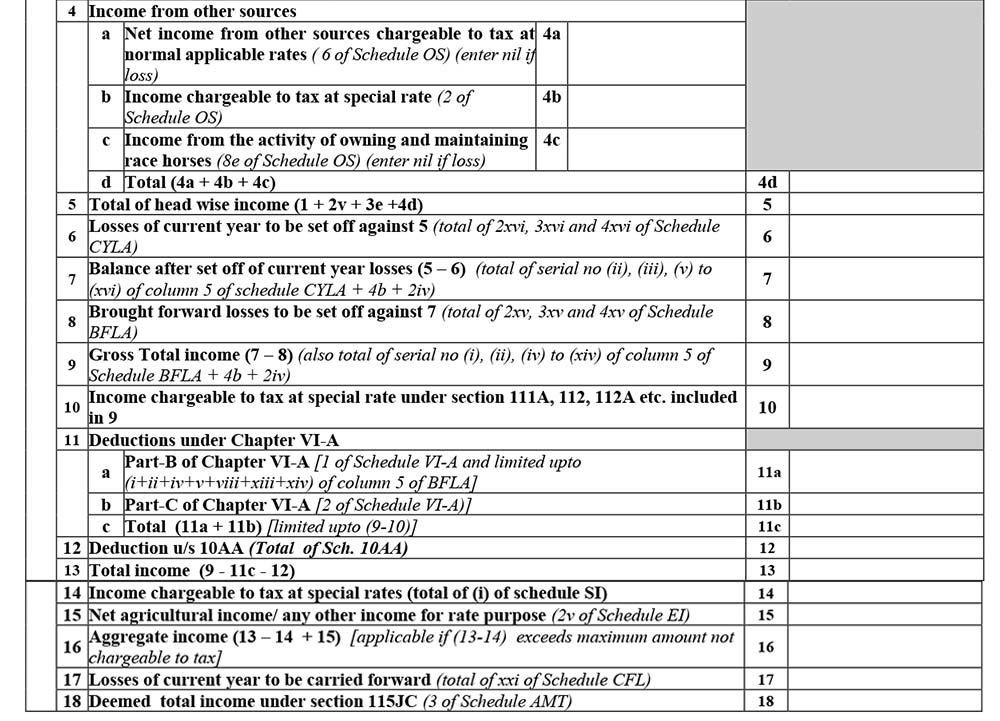
Part-B-TII
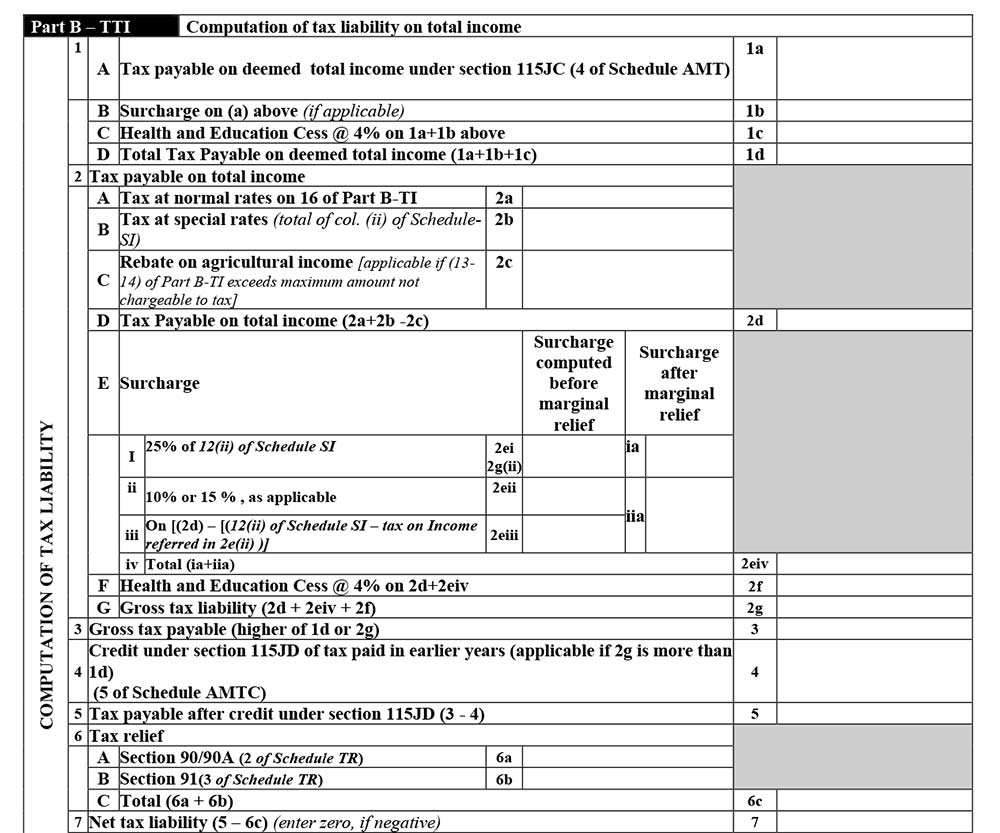
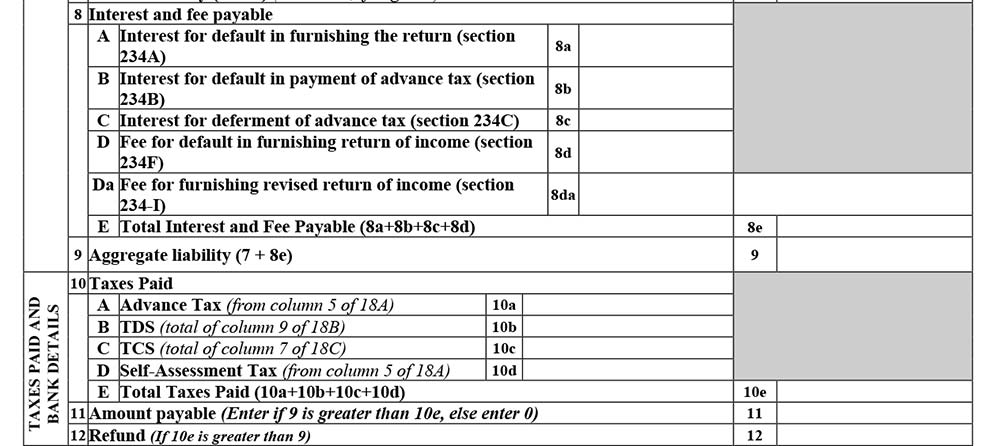
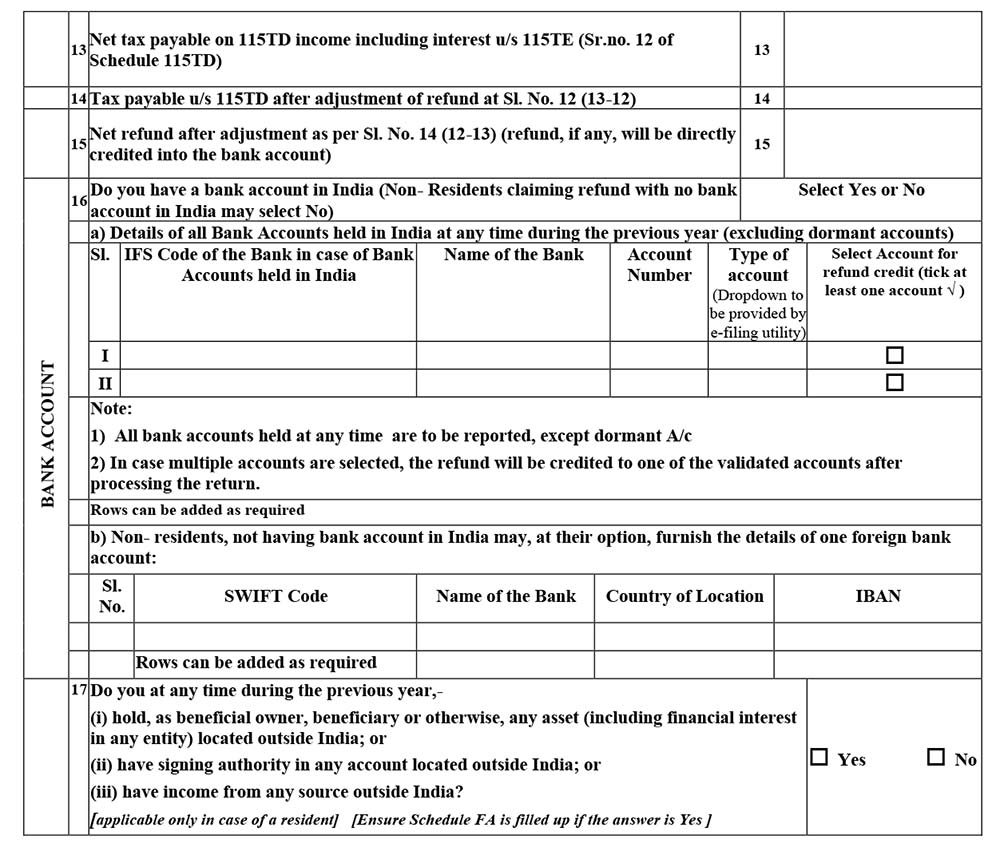
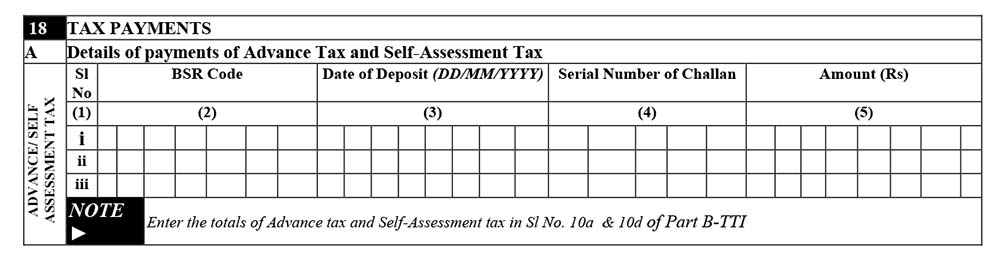
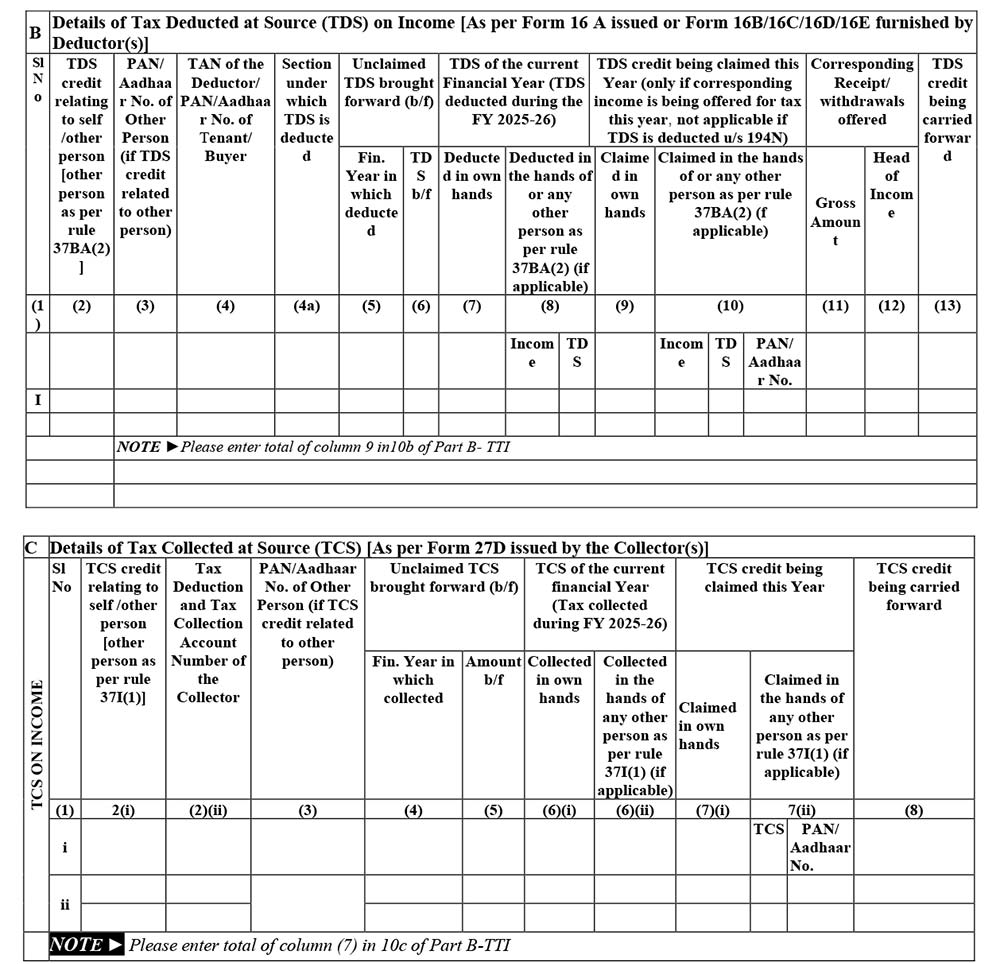
Tax Payment
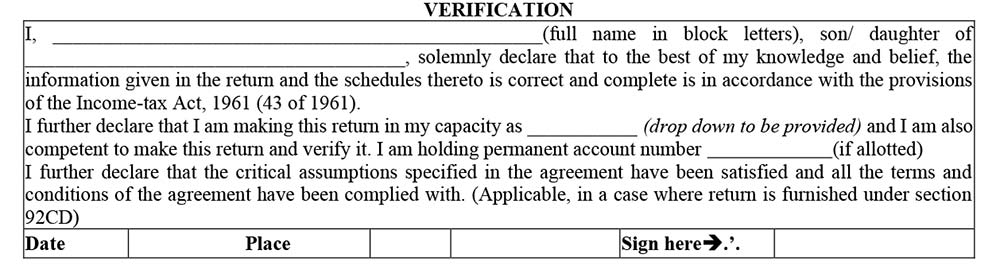
Verification







I am filing ITR 5. The problem regarding 80P is as
At sr. no. 1 amount in banking facilities can not be claimed in sheet: schedule 80P.
While uploading jason for ITR-5 an error massage “Invalid hash value identified, Modification to ITR details outside Utility is not allowed.”
Please advise how to resolve it.
Applicable of filling a IT Return of School is require to file ITR 5, as it is registered under Society Registration Act. During scrolling ITR 5 is not available (others are available e.g. ITR 1, ITR2, ITR3, ITR4 & ITR 7). Pls guide me what I will do? Is it require to file other ITR form? Pls advice.
I am filing ITR-5 with ZERO income. First I tried ITR-4 but it didn’t allow me to file saying for zero income you can’t file ITR-4.
Then I filled ITR-5 with utility, but now in error, it is giving me an error to show in how many firms you are partner. This firm is not a partner in any firm. But the error is not going. So how to resolve this issue.
Where to find the utility to create JSON file. The one available on the INcome tax dept site is not uploading. Portal says access denied