


Under the GST regime, registration is the foremost and the essential step for existing taxpayers as without registration, they would not get GSTIN number, which is a basic identity number of a taxpayer. Filling the correct details in the registration form is necessary but what if somebody entered the wrong details or missed out some important fields?
To ease the hurdles, Rule 12 and Form GST REG 14 provide a way to correct the information without visiting any government office or centre. An applicant can correct some information and change the particulars without approval from any authority and some fields require approval but editing can be done online in both cases.
The amendments for GST registration are categorised into three, which describe the level of approval and time period to amend the fields. While applying for an amendment in particular fields of a registration form, it is mandatory to mention the “Reasons” for the amendment in GST registration process.
Three Types Of Amendments That Can Be Done:
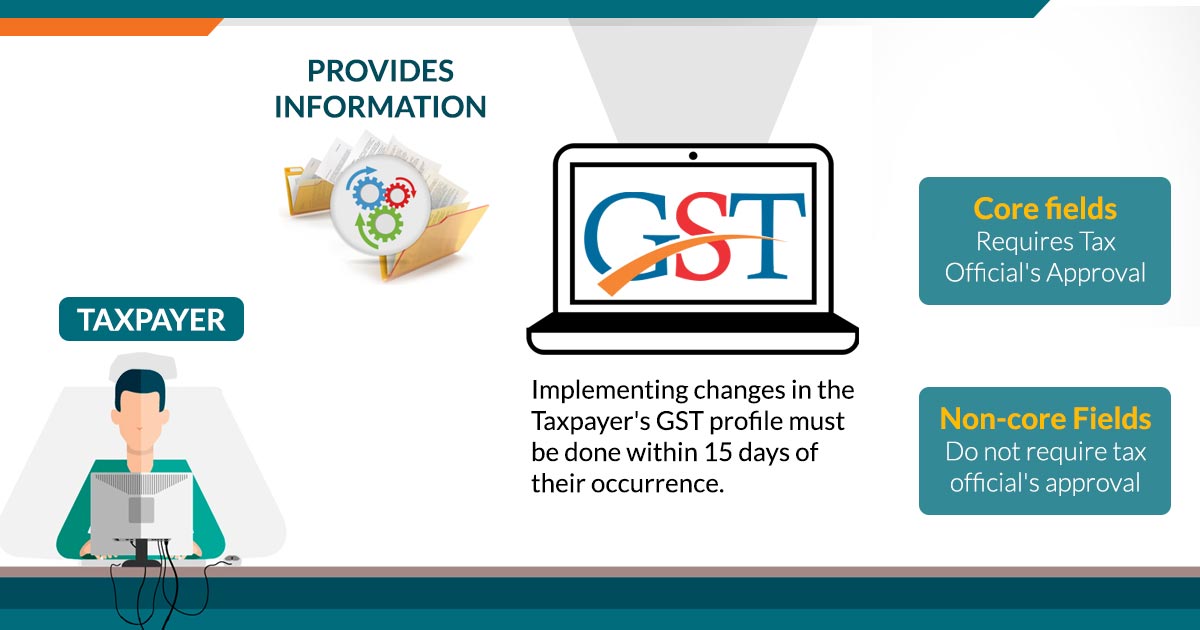
Change In Core Field: The changes in the Core field includes the legal name of the business, the address of the principal place of business, and any additional place of business. It takes 15 days to get approval from a proper office to amend the Core Fields.
Change In Non-core Field: There are some fields that don’t require any approval from a proper office and amendments in Non-core fields can be easily done online. All the fields except those which are covered under core fields come under a Non-core field.
Change In Email Or Mobile Number: The change in email or mobile number requires a verification by OTP(One-Time Password) after online verification on the common GST portal.
Recommended: All Latest Updates on 32nd GST Council Meeting
Try Free Demo for GST Registration Software
Eligible Applicant To Change The Registration Details:
The taxpayers under the following categories can amend the registration details:
- Normal taxpayers and new applicants
- Changes in TDS/TCS registration for the person having a UIN card and belongs to UN Bodies, Embassies & other notified
- person
- Non-resident foreign taxpayer
- GST practitioner
- Online application and retrieval service provider
The Fields Which Cannot Be Changed:
- Any amendment to the details of the PAN card cannot be done as the GST registration is wholly based on the PAN number
- Change in the constitution of the business cannot be done as it requires a change in the PAN number in the first place
- Modification in place of business from one state to another state cannot be possible as GST registration is state-specific
Apart from this, the primary authorised signatory can also be changed with the condition to add a new primary signatory. If the condition is not fulfilled, then changes in the primary signatory are not possible.
Timeline For Amendment in GST Registration Process
In case of any requirement for any modification in the GST registration, a taxpayer needs to submit the application with the required documents for amendments on the GST portal within 15 days. After the GST REG 14 amendment form approval, the changes will be corrected in form GST REG 06.
The application for amendments of registration can be saved for 15 days. However, if an applicant fails to submit the application for any reason, the application for amendments will be removed automatically.
How To Do Changes In Core Fields?
To change the details of the core fields in a registration form, you need to follow below-mentioned step by step procedure:
- Step 1: Go to the GST home page by clicking www.gst.gov.in
- Step 2: Log in with the provided credentials to the GST portal
- Step 3: Click on the ‘Services’ tab from the main menu, hover the mouse on the ‘Registration’ tab under ‘Services’

- Step 4: Click on ‘Amendment Of Registration Core Fields’ to open the link
Business Details Tab
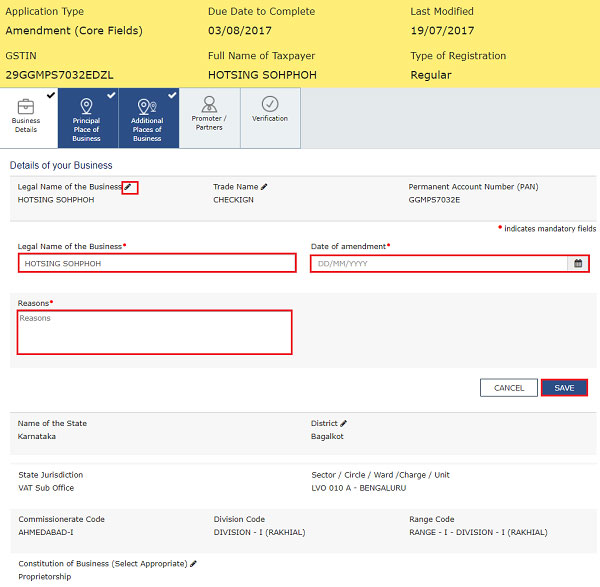
Step 5: The “Business Details’ tab appears as a default. Select the field which you want to edit by clicking the Edit icon
- Edit the particular detail you wish to edit
- Select the ‘Date Of Amendment’ by clicking on the calendar icon
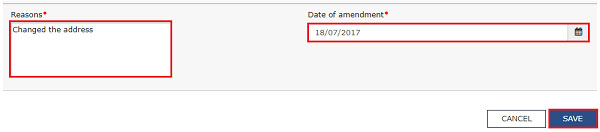
- Provide the reason for the amendment in GST registration process online under “Reasons” tab
- Click the ‘Save’ button given at the bottom of the page
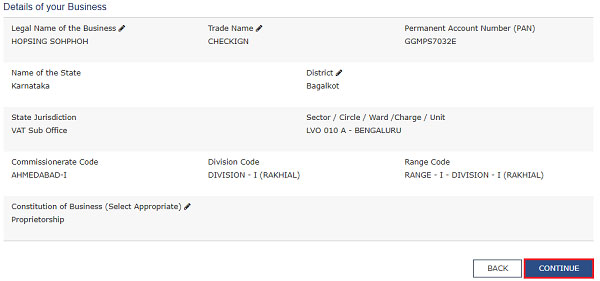
- After verifying all the “Business details”, press the “Continue” button at the bottom of the page
Principal Place of Business Tab
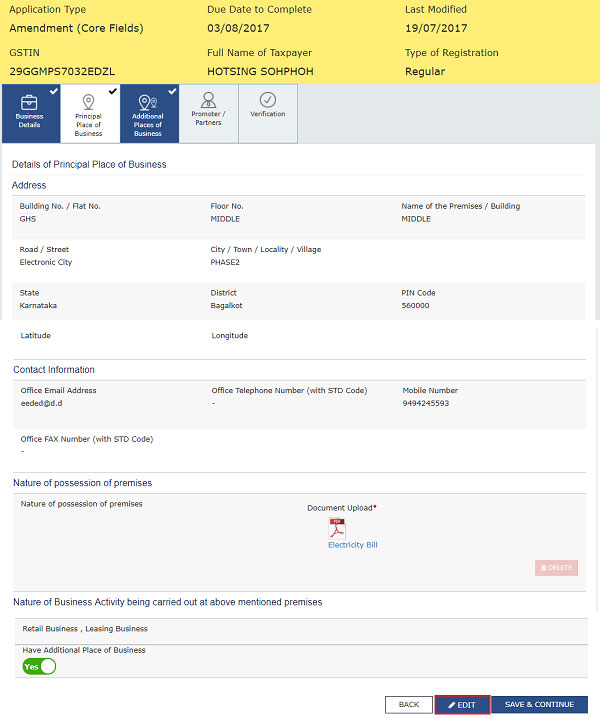
Step 6: Click on “Principal Place of business” provided in the main menu, after that select the “EDIT” button provided at the bottom of the page, if there is need to edit something
- Edit the required details and then follow the same procedure of entering “Reasons”, and “Date Of Amendment”
- Click on “Save” button at the bottom of the page.
Additional Places of Business Tab
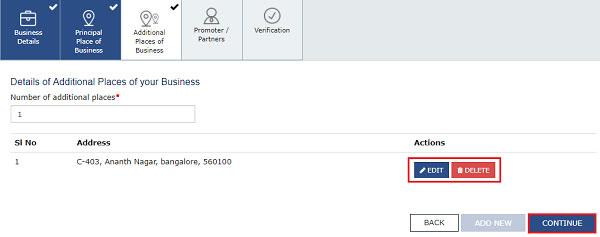
Step 7: Click on the “Additional Places of Business” Tab provided in the main menu, after that enter the details about “Number of additional places”, this field requires filling by values
- Click on the “Add New” button
- Edit the desired details in the relevant field
- After that, follow the same “Reasons” field and “Date Of Amendment”
- Click on the “Save & Continue” and “Save” button at the bottom of the page.
Note: To VIEW, DELETE, and EDIT promoter or partner details, click on the respective button
Promoter / Partners tab
Step 8: Select the “Promoter / Partners” tab, provided in the main menu
- Click on the “ADD NEW” button to add promoter/partners’ details
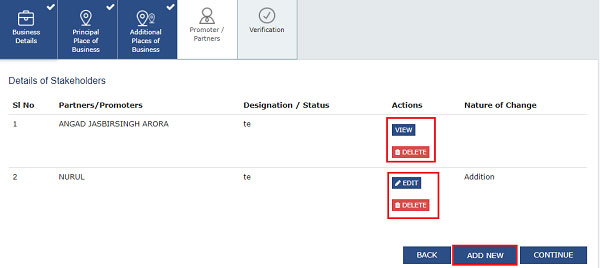
- Enter the details and upload the relevant documents as an identity proof
- After that, follow the same “Reasons” field and “Date of Amendment”
- Click on the “Save” & “Continue” button at the bottom of the page.
Verification Tab
Step 9: Select the “Verification” tab and click on the Verification checkbox
- In the “Name of Authorised Signatory” field, choose the authorized signatory by the drop-down list
- Enter the name of the place in the “Place” field
- After successfully amending the field under “Amendment Of Registration Core Fields”, digitally sign the form by using Digital Signature Certificate (DSC)/ E-Signature or EVC.
After successful completion of the amendment in the GST registration process online, the acknowledgement message will be sent automatically to registered Email and mobile no. in the next 15 minutes. Again, the message of application approval or rejection by a tax authority will be sent by SMS and email to the registered email ID and mobile number.
How To Do Changes In Non-Core Fields?
To change the details of the core fields for a registration form, you need to follow below-mentioned step by step procedure:
- Go to the GST home page by clicking www.gst.gov.in
- Login with the provided credentials to the GST portal
- Click on the ‘Services’ tab from the main menu, hover the mouse on ‘Registration’ tab under services
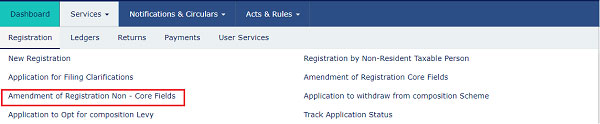
- Click on ‘Amendment Of Registration Non-Core Fields’ to open the link
- The Non-Core fields are shown in editable format, edit the details in the respective fields and tabs

- Select the “Verification” checkbox under the “Verification” tab
- In the “Name of Authorised Signatory” field, choose the authorised signatory by the drop-down list
- Enter the name of the place in the “Place” field
- After successfully amending the field under “Amendment Of Registration Core Fields”, digitally sign the form by using Digital Signature Certificate (DSC)/ E-Signature or EVC.
After successful completion of the amendment in the GST registration process, the acknowledgement message will be sent automatically to the registered Email and mobile no. in the next 15 minutes. The modification done in the Non-core fields doesn’t require any approval by the Tax Official.









We have the principal place of business in Ghaziabad in up- need to change the same from Ghaziabad to Bulandsahar – the same state, please guide the process for the same, what are the documents required
The principal place of business can be changed by login into gst.gov.in–> Services–> Registration–> Amendment of registration.
Hi, This is Bhanu,
I applied for GST registration, the department has sent clarification I replied also. I replied on 12/04/2018, but still, now I haven’t got any reply from the department. Usually how many days it will take time
It usually takes 1-2 weeks to obtain GSTIN from the department after proper submission of registration form. If there is any discrepancy in the form, you will be intimated of the same through mail. Contact department’s helpdesk for further clarification.
In order to change my registration type from Tax Collector to Tax Payer, can I have my login access? So that I can make changes under Amendment GST registration. Is it possible to do in this way?
You have to take a new GSTIN for tax deductor.
Dear Sir,
My principal place of business in Chennai(TN) and additional place of business in Madurai(TN). I got a vendor bill in the billing address & shipping address of Madurai.
My doubt is..whether this bill is valid under GST act or it may create any issue in future?
Thanks in Advance
Always you are giving a right advice, many thanks for that.
Q. After completion of job work by our registered job worker, We want to sale/ dispatch our finished product from job workers premises (with tax invoice) if he is registered in GST, need to do amendment as an additional place of business?
Thanks
If job worker is registered then there is no requirement to declare it as an additional place of business.