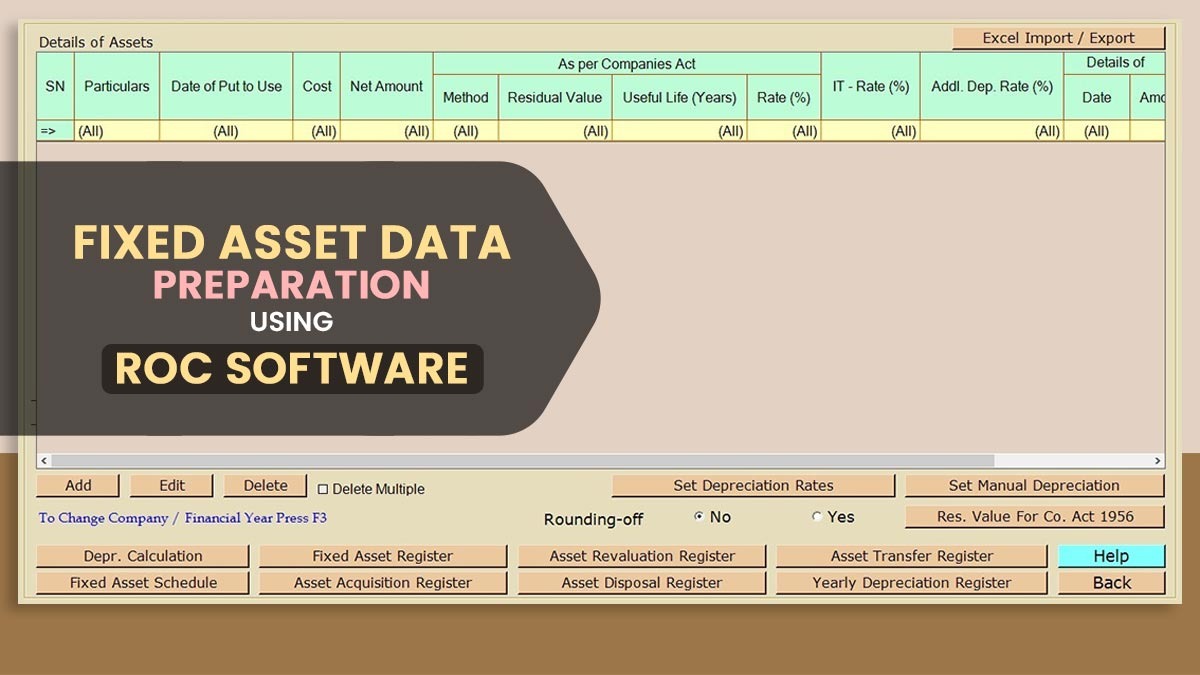
For any business, proper management of fixed assets is essential for accurate financial reporting. Items such as land, buildings, machinery, furniture, and equipment are classified as fixed assets used in operations. Managing records and calculations for these assets can be challenging.
To resolve the bottleneck, the ROC software has been introduced. The software eases the procedure, streamlining businesses to prepare asset data, stay compliant with regulations, and improve accuracy.
What are Fixed Assets?
Fixed assets are long-term items that a company owns and utilises for its business. It comprises real estate, equipment, and furniture. Companies should keep detailed records of these assets as per the norms specified under the Registrar of Companies (ROC). It signifies tracking how much each asset costs, how much it has lost in value over time (depreciation), and its current worth.
Reason to Prepare Fixed Assets Data?
It is crucial to prepare your fixed assets data accurately for various reasons:
- Ensures that financial statements are accurate
- Helps calculate depreciation correctly
- Supports audits and legal compliance
- Reduces the risk of penalties from incorrect submissions
- Helps in making better decisions about how to use assets
Steps to Prepare Fixed Assets Data with ROC Software
We have outlined steps to prepare fixed assets data using ROC Software. This involves organising asset details, entering structured data, verifying records in real-time, and ensuring accuracy and compliance throughout the entire process.
Collect Information on your Assets
Start by collecting all the required information about your fixed assets, like:
- Name and description of the asset
- Purchase date
- Cost of purchase
- Vendor information
- Type of asset (like machinery or furniture)
- Location
An advanced ROC return software allows users to input data in an organised manner, making management easier.
Categorise Your Assets
Correct classification of assets is important for good reporting and depreciation calculations. Some common categories are:
- Land and Buildings
- Machinery
- Furniture
- Vehicles
ROC software includes predefined categories to ensure consistency.
Enter Opening Balances
If you’re switching from another system or starting in the middle of the year, you should enter the starting balances for all your current assets. It signifies inputting:
- Original purchase cost
- Total depreciation so far
- Current value
The software supports you in inserting the same data correctly.
Set Up Depreciation Methods
Depreciation signifies how much an asset loses in value over time, and ROC software assists you in setting this up easily. It permits different methods of calculating depreciation, such as:
- Written Down Value (where the depreciation amount decreases over time)
- Straight Line Method (where the value decreases steadily each year)
You can opt for the appropriate method for your reporting needs.
Keep Track of Changes
During the year, assets might be added, sold, or moved. ROC software streamlines the revisions for management:
- Add new assets
- Record sales or disposals
- Move assets between departments or locations
Keeping things up to date helps maintain a precise asset register.
Check Your Data
Before finalising your asset data, ensuring everything matches your financial statements is crucial. It confirms no errors between what you recorded for your assets and what’s in your accounts.
Generate Reports
After organising your data, you can build various reports with the help of the ROC software. Some valuable reports consist of:
- Fixed Asset Register
- Depreciation Schedule
- Asset Movement Report
Such reports are important for audits and financial filings.
Read Also: How ROC Software Solves Key Challenges in Annual Audits
Stay Compliant with ROC Rules
ROC software supports ensuring your fixed asset data fulfils all the regulatory norms. The same supports in:
- Keeping proper documentation
- Creating reports in the necessary formats
- Streamlining seamless filings and disclosures
The same reduces errors and supports you in following provisions.
Best Practices for Fixed Asset Management
To obtain an effective outcome with the ROC software, acknowledge the following things:
- Regularly update your asset records
- Periodically check the physical condition of your assets
- Keep thorough documentation for each asset
- Review depreciation settings every year
- Back up your data to prevent loss
Benefits of Using ROC Software for Fixed Assets
ROC software delivers benefits like:
- Automates difficult calculations
- Enhances precision and reduces mistakes
- Saves time and eases data management
- Eases report generation for audits and compliance
- Proposes effective control and visibility over your assets
Closure: It is difficult to prepare fixed asset data, but the ROC software makes the process streamlined. This makes financial statements accurate and compliant with statutory norms.