


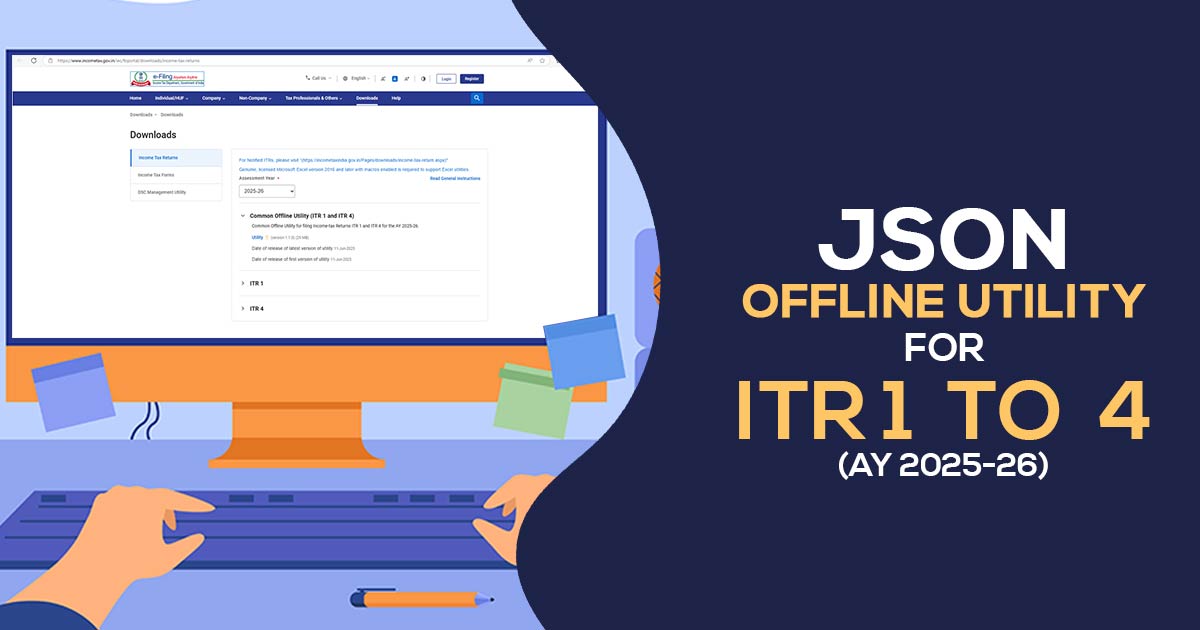
The Central Board of Direct Taxes (CBDT) has released Excel and Java versions of the ITR utilities for ITR-1, ITR-2, ITR-3 and ITR-4 for the Assessment Year 2026-27.
By using the offline utilities, select the assessment year and download the Excel or JSON utility. Inside the system, the utility will be downloaded by default in the name of the ‘download’ folder in a compressed mode (ZIP file), extract (uncompress) the ZIP file from the utilities. The folder needs to be extracted to the same location where the compressed utility was downloaded. Open the utility and initiate the filing.
Latest Update
- The updated version (1.2.4) of the MAC utility for the common offline filing of ITR-1, ITR-2, ITR-3 and ITR-4 is now available on the official portal. Download Now
ITR 1 to ITR 4 e-Filing Software, Get Demo!
Procedure to Download & Install the JSON Offline Utility
Step 1:
Once you access the e-filing portal. You can download the utility below:
- Downloads -> Common Offline Utility (ITR 1, ITR-2, ITR-3 and ITR 4) -> Utilities, click here
Note: – System Wants
- OS – Windows 7 or later are supported (ia64, x64 systems binaries will run on ia32)
- Processor – Intel Pentium 4 processor or later that’s SSE2 capable, or AMD K10 or higher core architecture
- RAM – 2 GB of RAM or more
- HDD – 700 MB or more of free space
Step 2:
Once you tap on the link for the utility shown with respect to Income Tax Return 1, ITR-2, ITR-3 or ITR-4, a ZIP file will start downloading on your system. Open the utility from the extracted folder.
Step 3:
After extracting the downloaded utility from the ZIP file, open the utility from the extracted folder. If you receive this message, tap the “Run Anyway” option in the dialogue box.
Step 4:
After tapping “Run Anyway”, your utility will start installing, after which you can move on to furnishing the ITR.
Step 5:
After installing the utility, you will land on the homepage. Tap on ‘Continue’ to proceed with version V1.2.4.
Major Points to Know Before Using the Utility
- Currently, the offline utility is enabled only for ITR-1, ITR-2, ITR-3 and ITR-4. Utilities for other ITR forms will be made available in subsequent releases.
- The utility is based on the latest JSON technology.
- It allows the import and pre-filling of information through the e-filing portal. You can furnish the remaining information as required. Profile details, except PAN information, can also be edited.
- However, for updating PAN details, you must edit them in your profile on the e-filing portal and regenerate the pre-filled information.
- The facility to directly upload the ITR through the utility is not available. You can prepare and save the return in the utility or export the output JSON file to your system.
- Once filing is enabled, you can upload the generated JSON file to the e-filing portal.
Under add-ons will be approved in Subsequent Releases
- Pre-fill data related to tax payments
- Upload of ITR
- Questionnaire on the grounds of functionality, which assists in finding which ITR is subject to you
- Payment of taxes through this utility
- Facility to check and upload ITR through the utility itself
Step 6:
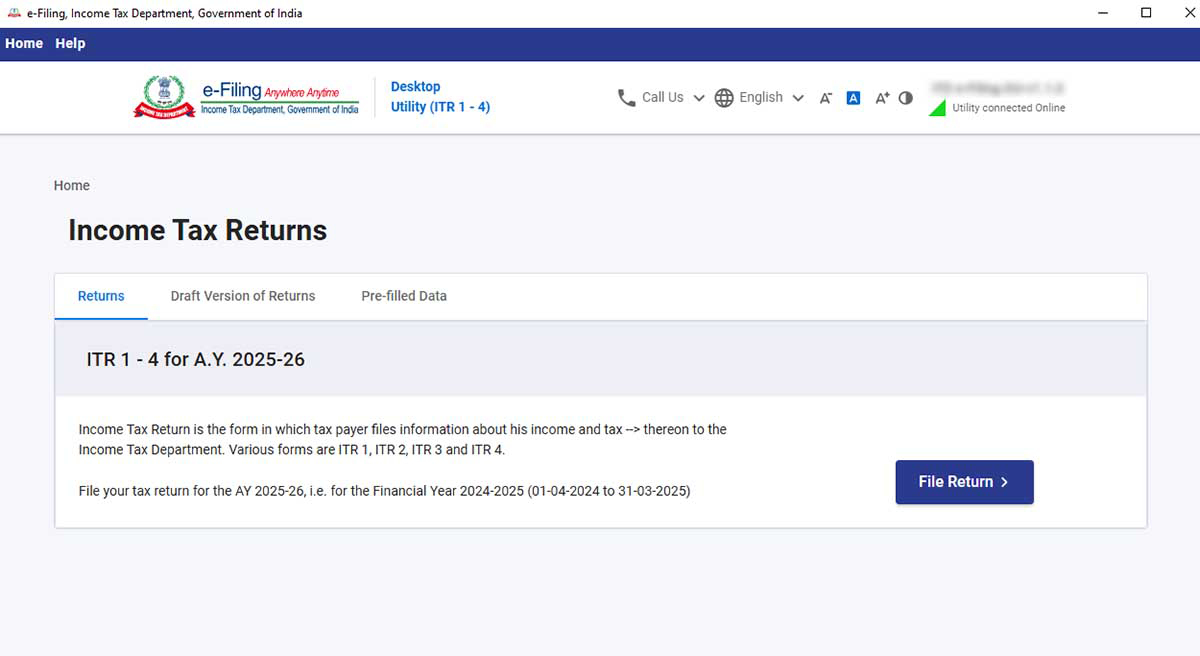
You will find 3 tabs:
- Returns: If filing done by you is for the 1st time, then tap on “File returns” in this tab.
- The draft version of returns: If you previously started an ITR filing but did not complete or submit it, your progress is auto-saved as a draft. Tap “edit” here to resume where you left off.
- Pre-filled Data: Under this, you are allowed to view and verify personal details, tax credits (Form 26AS), and salary details before importing them into your utility. You can download and import these details as a .json file.
Step 7:
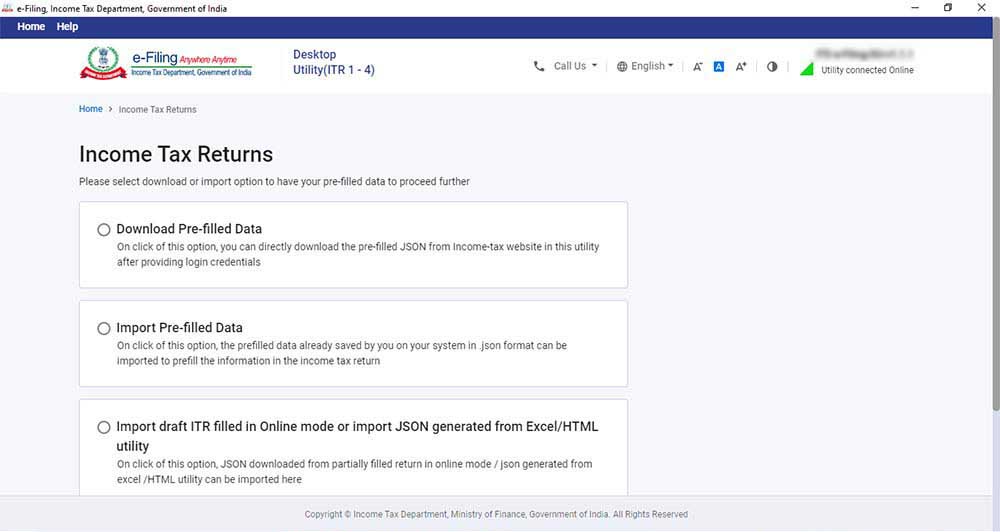
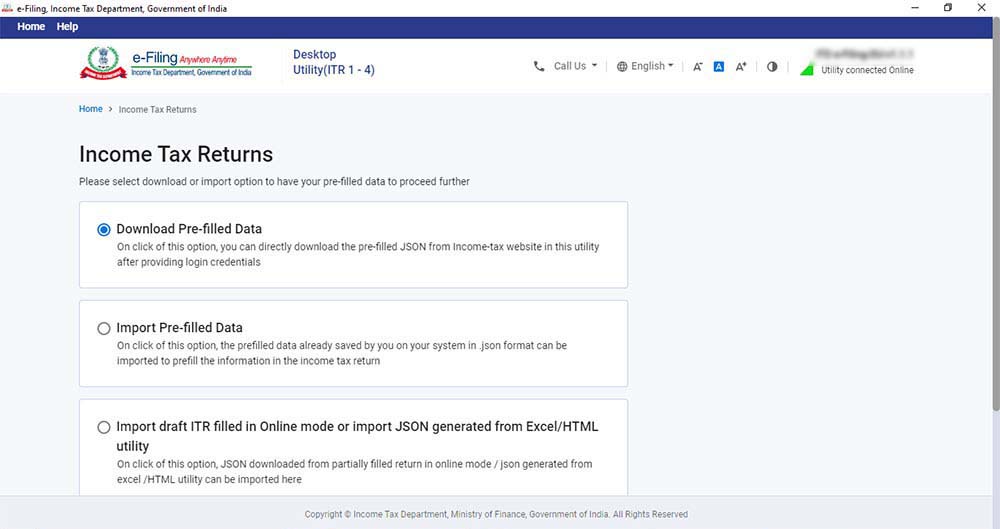
After clicking on “File returns”, select the radio button to “Import pre-filled data”. On tapping the option, the pre-filled information, which was previously saved by you in the system in .json format, will be imported to prefill the data in the income tax return.
Step 8:
Insert PAN for whom you need to furnish the return and choose the “Assessment year”, and tap on “Proceed”. The assessment year 2026-27 can be chosen.
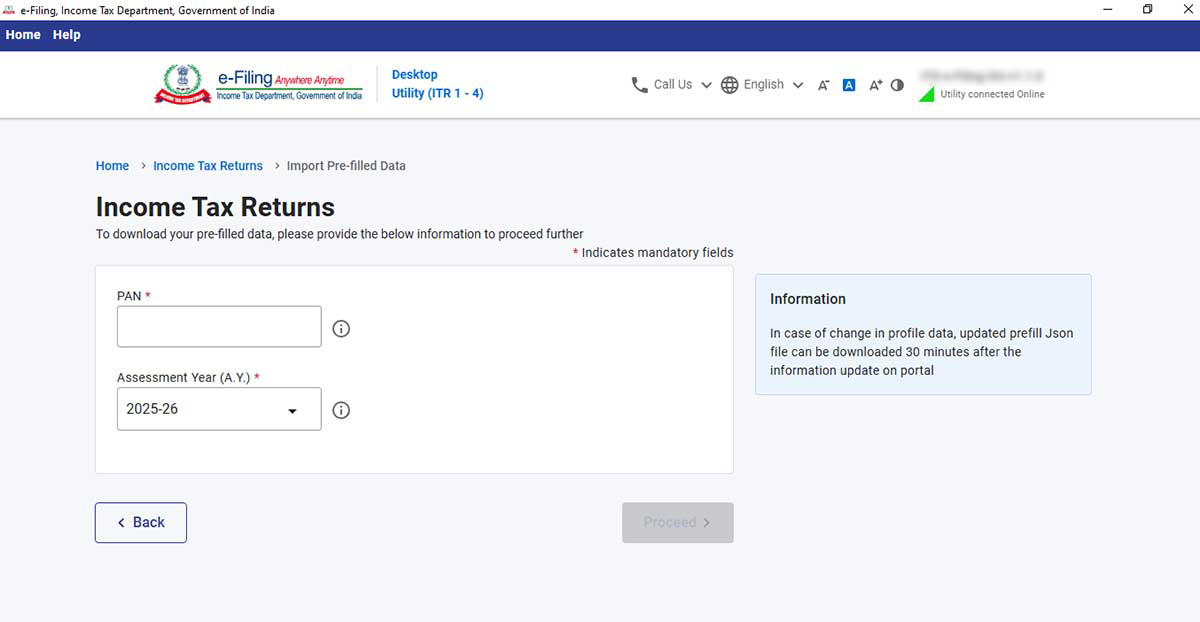
Step 9:
Pre-filled JSON can be downloaded after logging into the e-filing portal through:
‘Home -> Income Tax Return -> ‘Download Pre-Filled Data’ -> Login -> Select Status -> Select ITR Form -> Return Summary, and is imported to the utility for pre-filling the personal and other opened information. Check & Confirm all the given TAB and then proceed to verification -> Preview and submit Your Return -> Proceed to Validation – > Download JSON and then upload the JSON file on Portal.
Next, attach the pre-filled file of JSON via the system and tap on “proceed”.
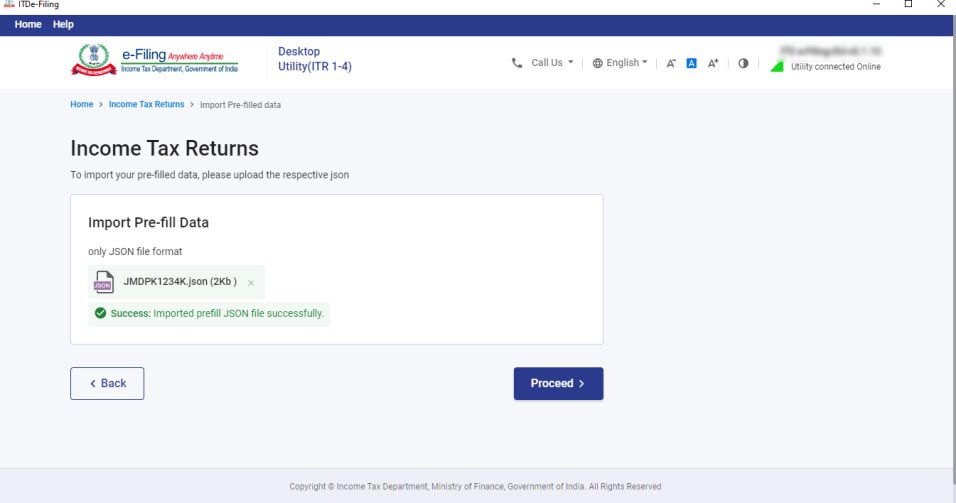
Step 10:
Tapping on proceed in the earlier screen, you will be moved towards the “Income Tax Returns” screen, in which you can view the general pre-filled details via the option of importing a JSON file. Click on “File Return” to continue
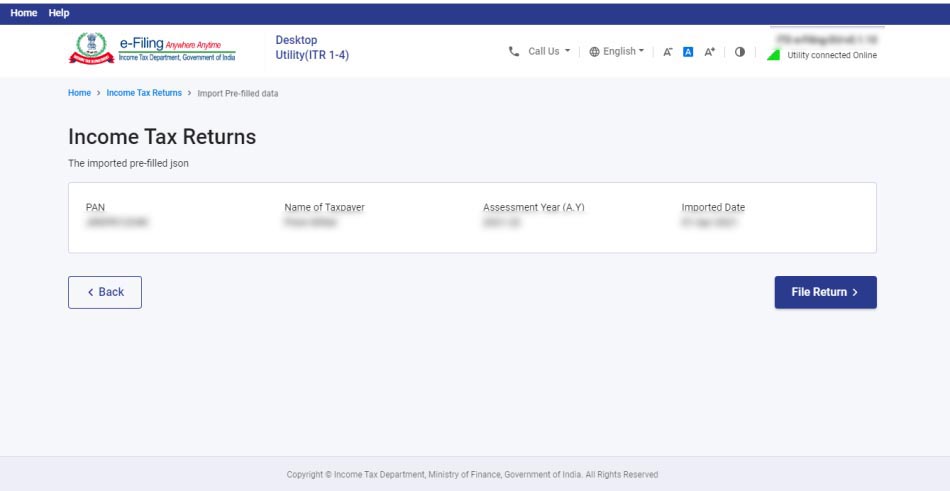
Step 11:
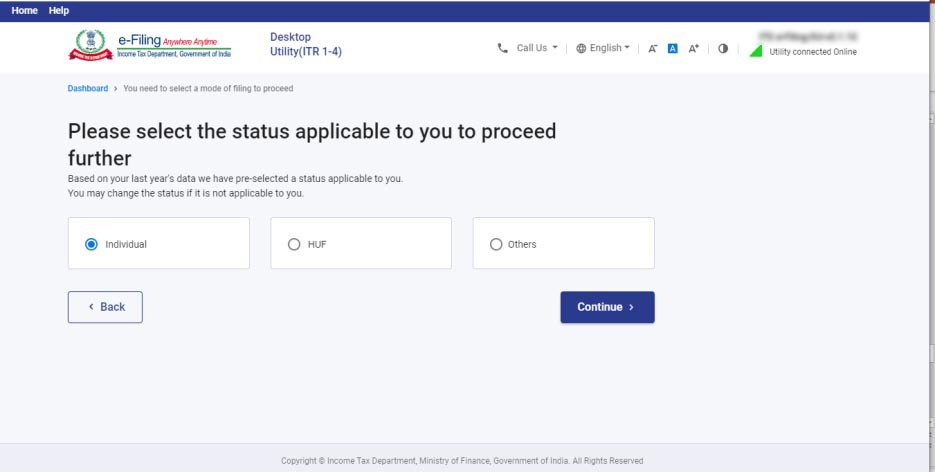
Choose the status that applies to you and tap on “continue”. The status will be prefilled with last year’s information and allowed to be edited.
Step 12:
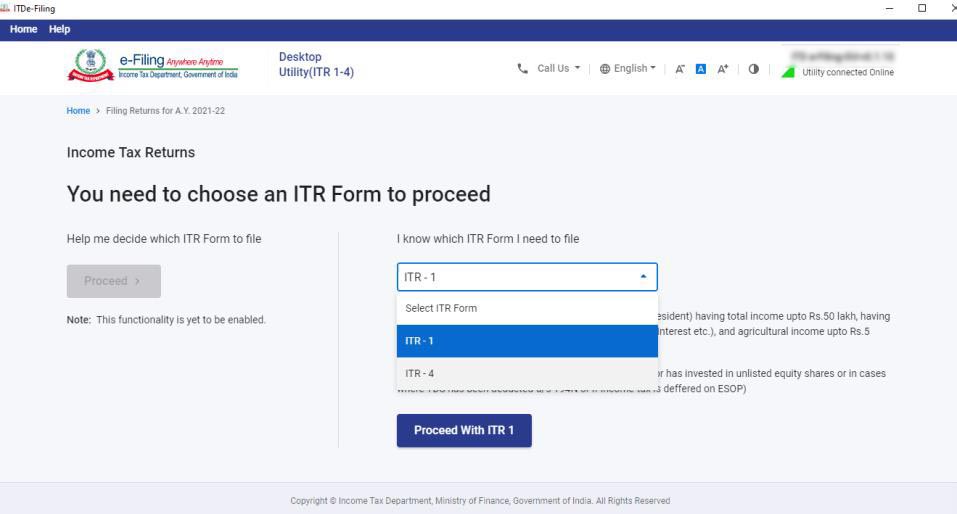
Choose the ITR type you need to furnish from the dropdown, then click “Proceed”. The user-friendly questionnaire to determine the Income Tax Return (ITR) subject to you will be included in a subsequent release of the offline utility.
Step 13:
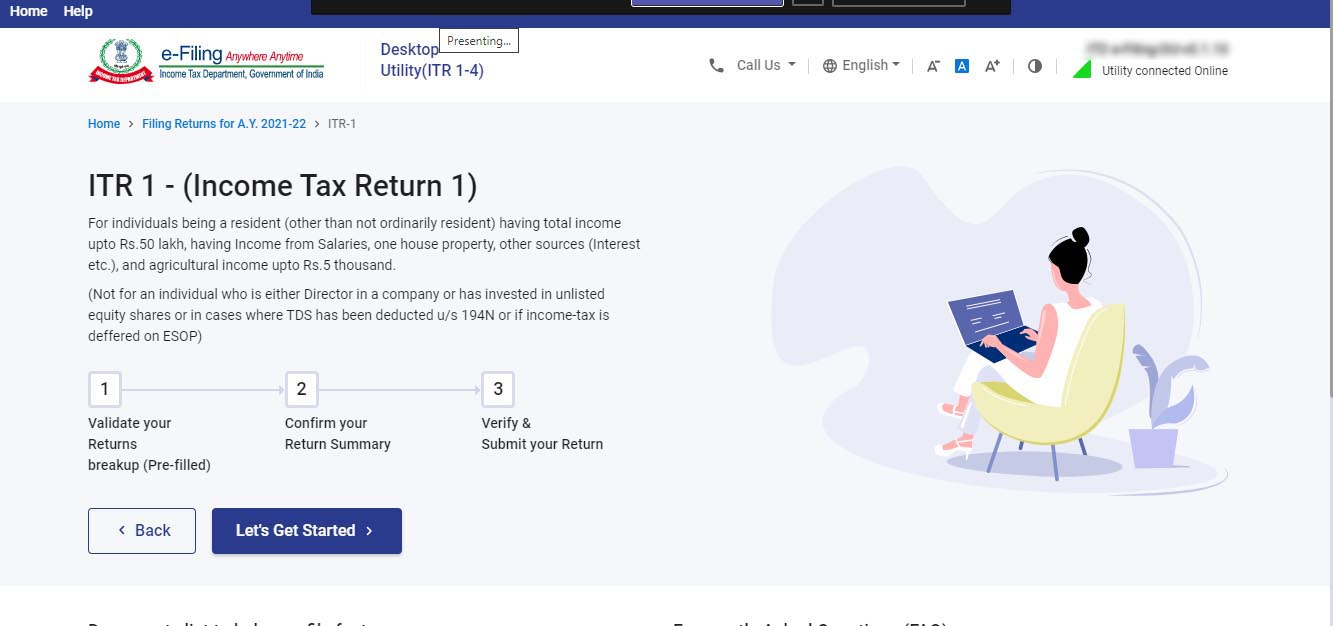
To execute the filing, Tap on “let’s get started”.
Step 14:
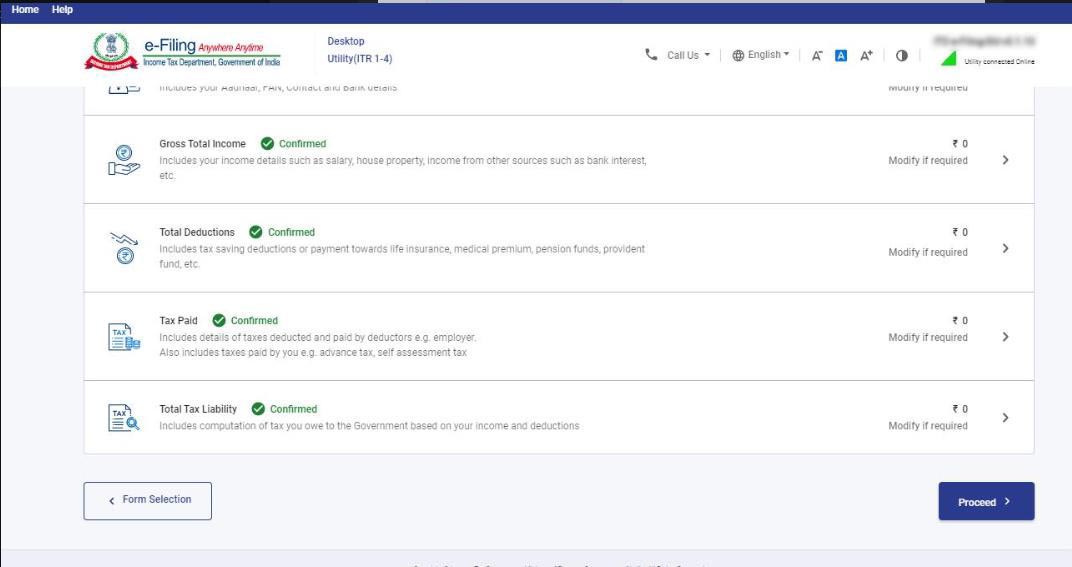
Fill in the subject and important field of the ITR (Income Tax Return) form -> verify all the tabs of the ITR form and the tax that is computed.
Step 15:
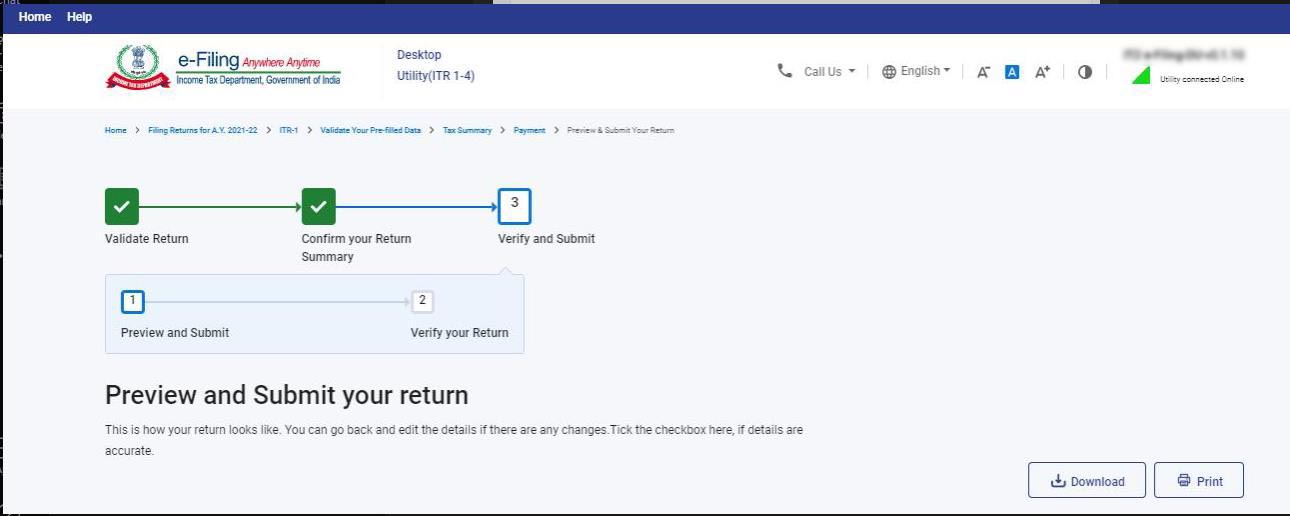
You could download or print the preview by tapping the corresponding buttons. You can download the preview on your system. It will be downloaded in PDF format. Step-by-Step Guide – Fill Income-tax Return
Step 16:
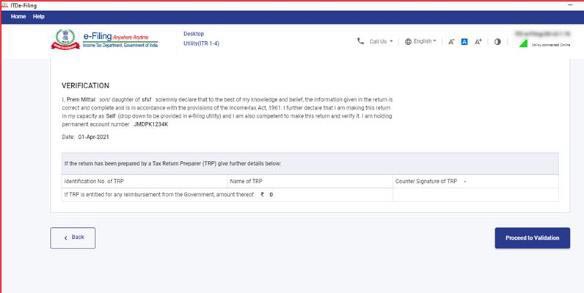
Tap on the “Proceed to validation” to validate the Return
Step 17:
All the errors need to be verified by the user post that he can download JSON. You need to tap on the error you will automatically come to the field that has a relation with the error.
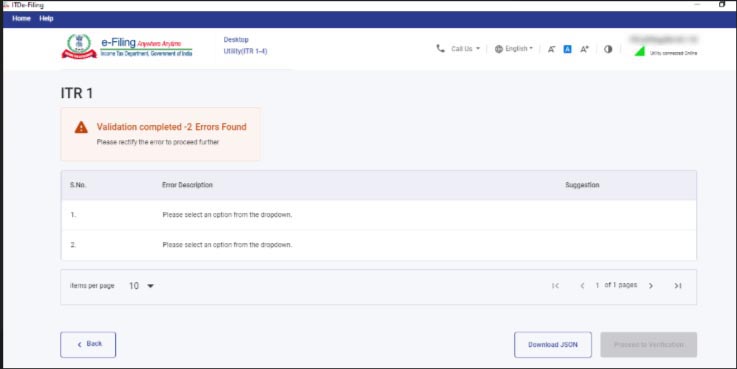
Finally, get the JSON file after removing all the validation errors and upload it to the income tax portal.
Read Also: Free Download Income Tax Return E-Filing Software









CAN I FILE INCOME TAX RETURN FOR THE ASSESSMENT YEAR 2021-22 IN THE MONTH OF OCTOBER 2022
i think the utility is not good
It not shown any deduction.
how should i fill the IT returns
How to download AIS? There is no services tab in the portal. Tried many times. Please guide me.
Not submitted itr
Dowloaded JSON file, but tried to open in PDF. Pls help to restore JSON
An useless software developed by overhyped company, basic need are not met. I have querries as follows:1) What is JASON, where it is written, is it must? how to activate-no guidence 2) At home page one will look for last year forms and new forms, where are those- its there ine help how-Why? 3) For ITR 3 – no detaisl coming 4) I want to fill in ITR 3 exactly the way it was done last year= but it should be done as it is with only data changes in relation to last year– But Question in step 14, 15 are so ridiculous- I do not know these answer;