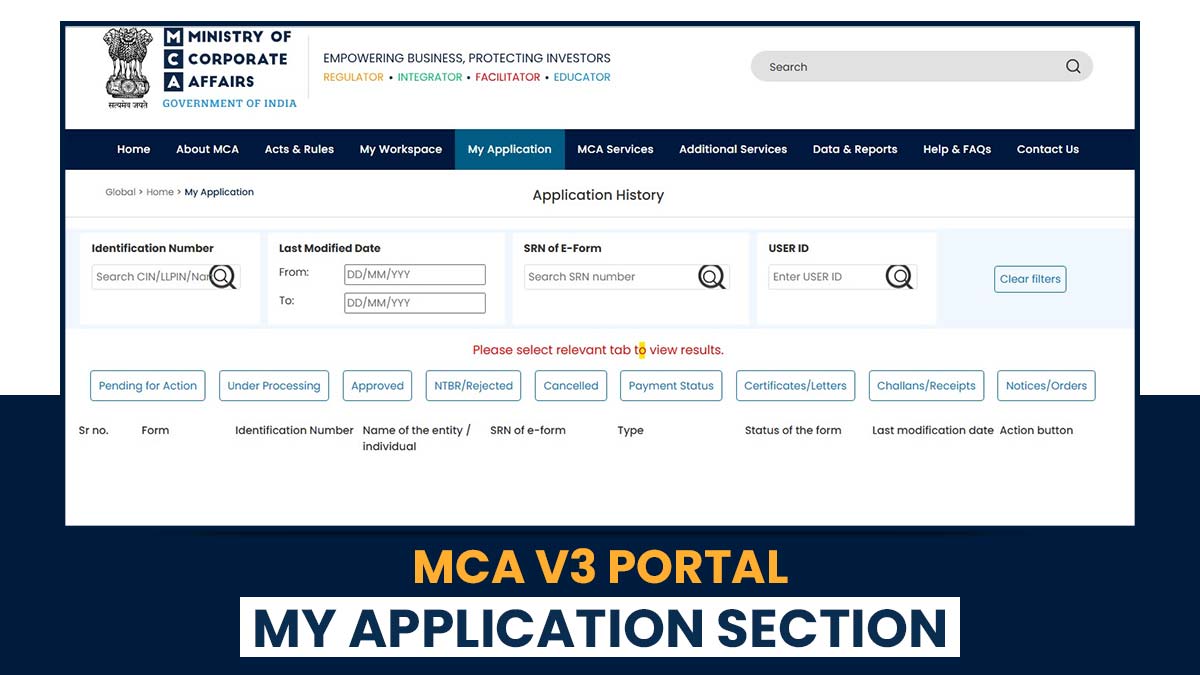
The Ministry of Corporate Affairs (MCA), through the MCA V3 portal, has modernised its compliance system, proposing accessibility, transparency, and automation in company filings. It provides distinct features; the “My Application” section stands out as a centralised dashboard for tracking and handling all filed forms and transactions.
Professionals can further streamline their MCA compliance process by using Gen Complaw Software (a complete ROC filing system), which integrates seamlessly with MCA V3 and enables quicker uploads, efficient document management, and real-time SRN tracking.
What’s New in the “My Application” Section of the MCA V3 Portal?
The My Application module in MCA V3 permits users, such as company secretaries, chartered accountants, and business owners, to access and handle their submitted forms effectively. It supports you to:
- Track the real-time status of your SRNs
- Download challans and form PDFs
- Access submitted and supporting documents
- Cancel SRNs (where permitted)
- View rejection or resubmission remarks from MCA officers
The same operation lessens the manual follow-ups and furnishes a clear record of all filings performed on the MCA portal.
Steps to Access MCA V3 My Application
Comply with these steps to access your filed applications:
- Go to the MCA Portal: Proceed to www.mca.gov.in and log in using your registered credentials.
- Navigate to My Application: From your user dashboard, tap on My Application under the main menu.
- Filter Your Search: Use filters like SRN, Form Type, Filing Date, or Status to find specific applications.
- View Application Details: Once you locate the SRN, tap on it to view details such as form name, filing date, document list, and remarks.
Download PDF (Challan) and All Filed Documents
The portal permits you to download the required documents pertinent to your application-
- Find Your Application: Locate your SRN under the My Application tab.
- Download Challan: Tap Download Challan to get the payment acknowledgement in PDF format.
- Download Form PDF: Choose Download Form to retrieve your filled form copy.
- Access Attachments: Download any supporting documents submitted at the time of form filing.
Tip: Users of Gen Complaw software are enabled to save these challans and PDFs automatically within the dashboard of the software. This makes compliance records streamlined to organise and retrieve.
What is the Method to Cancel SRN in MCA V3?
You can cancel your SRN (if allowed) via the portal if you have made an error in your submission or payment.
Steps to Cancel SRN:
- Log in to MCA V3
- Proceed to My Application
- Select the SRN you want to cancel
- Tap Cancel SRN (available only for specific forms)
- Specify a valid reason and submit your cancellation request
After the request is accepted, the system updates the SRN status to Cancelled. For professionals managing multiple filings, Gen Complaw Software assists in monitoring SRN statuses and alerts users when cancellation options are available.
View Rejection or Resubmission Remarks
The remarks from MCA officers can be viewed easily if an application is rejected or requires resubmission.
Steps:
- Open My Application
- Find the related SRN
- Tap View Remarks to see the official comments
These remarks navigate users when there is a need for corrections before resubmission. Users via Gen Complaw can view and update submitted forms quickly, reducing compliance delays.
What is the Reason to Use the Gen Complaw Software with MCA V3?
Gen Complaw Software by SAG Infotech is a stringent solution made for ROC, XBRL, and MCA filings. Its easier integration with the MCA V3 portal improves user productivity and compliance precision.
Advantages of Gen Complaw Software
- Real-time SRN tracking and challan download
- One-click access to MCA forms and documents
- Auto-reminders for pending filings and resubmissions
- Centralised document repository for compliance records
- Simplified filing experience for CAs, CSs, and company professionals
Professionals, via integrating MCA V3’s My Application feature with Gen Complaw Software, can get governance over company filings while lessening time and manual effort.
Closure: Effective visibility and control over all company filings are confirmed under MCA V3 My Application feature by authorising users to download challans, view documents, cancel SRNs, and check rejection or resubmission remarks.
Compliance shall get easier when paired with Gen Complaw software, allowing automated updates, instant downloads, and effortless management of MCA-related tasks.
Professionals with such tools can stay compliant, save time, and maintain precision across all ROC filings in a digital landscape.