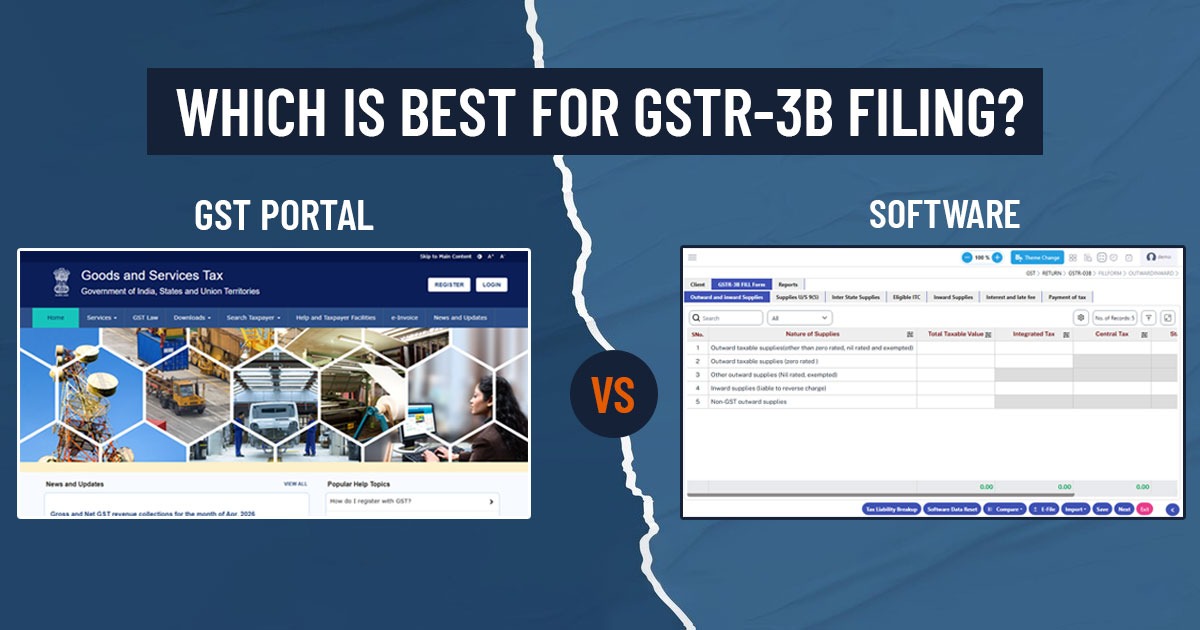
Under the Goods and Services Tax (GST) system, filing GSTR-3B is a crucial monthly compliance requirement. Taxpayers in this return are required to declare the summary of their sales, Input Tax Credit (ITC), and tax liability. The GST portal furnishes a clear method to file returns, while GST software offers automation and advanced compliance features. The decision between these options is influenced by business size, transaction volume, and accuracy requirements.
Understanding GSTR-3B Filing
GSTR-3B is a self-declared summary return that should be filed either monthly or quarterly under the Quarterly Return Monthly Payment (QRMP) scheme, even if there are no transactions. It consists of details regarding outward supplies, ITC claimed, and the net tax payable. Once GSTR-3B is submitted, it cannot be revised, so it is essential to ensure accuracy.
Recent revisions in compliance, like non-editable auto-populated values and stringent validations, require businesses to confirm the accuracy of reporting before submission.
Filing through the GST portal
For filing GST returns, the GST portal is the official platform. It permits taxpayers to enter their data, compute tax liability, and file their returns seamlessly.
Features
- Free and Government-authorised Platform
- Manual Data Entry for Sales, ITC, and Tax
- Auto-population of Certain Fields from GSTR-1
- Direct Tax Payment and Filing
Limitations
- No Bulk Upload or Automation
- High Chances of Manual Errors
- No Reconciliation Tools
- Time-consuming for Multiple GSTINs
- Technical Glitches During Peak Periods Have Been Reported
Furthermore, manual filing limits copy-paste functionality and necessitates repetitive data entry, which raises both effort and error risks.
Filing Through GST Software
Some important GST software solutions, such as SAG Infotech GenGST, ClearTax, Tally-based tools, and other compliance solutions, are designed to ease return filing through automation and intelligent validations.
Features
- Auto-import of Data From Accounting Systems
- Bulk Upload and JSON-based Filing
- Automated Reconciliation (GSTR-2A/2B vs Books)
- Error Detection Before Filing
- Multi-client or multi-GSTIN Management
- Dashboard Reporting and Analytics
Merits
- Lessens Manual Effort and Errors
- Enhances Precision with Pre-validations
- Saves Time, Especially for Professionals
- Supports ITC Optimisation and Compliance Tracking
Software solutions can furnish 200+ validations and automated reconciliation, ensuring precise GSTR-3B filing.
Table-Wise Detailed Comparison (GSTR-3B Sections)
GSTR-3B includes multiple tables where information should be reported precisely. The difference between the portal and software is illustrated in a table:
Table 1 & 2: GSTIN and Legal Name
The tables present essential information for the return, specifying the taxpayer and the relevant tax period.
- GST Portal: These tables cannot be edited and auto-filled as per the user’s login credentials. If you are a tax professional and manage multiple clients, then you should log out and log in for each separate GSTIN, which enhances the chances of filing for the incorrect entity during peak hours.
- GST Software: Via a centralised Client Master, these tables are operated. There is no need for re-logging when switching between different companies or GSTINs from a single dashboard. The software typically includes a “Status Tracker” in these tables to quickly indicate which clients have pending filings.
Table 3.1 & 3.1.1: Outward & Inward Supplies
This section includes the information on sales, zero-rated supplies, and supplies obligated for reverse charge.
- GST Portal: It needs manual entry of “Total Taxable Value” and bifurcation of taxes (IGST, CGST, SGST, Cess). Some values are auto-populated from GSTR-1, but discrepancies must be manually corrected and reconciled.
- GST Software: It fetches information from your sales registers or GSTR-1. It functions with real-time validation to confirm that the tax computed matches the taxable value, averting entry errors before data is even uploaded.
Table 3.2: Inter-State Supplies
Records details of inter-state supplies made to unregistered individuals, composition dealers, and UIN holders.
- GST Portal: You should manually choose the “Place of Supply” (State/UT) for each category. It can be difficult if you have sales in multiple states.
- GST Software: It filters your sales data by “Place of Supply” and populates Table 3.2 as per the customer category (Unregistered/Composition) identified in your master data.
Table 4: Eligible Input Tax Credit (ITC)
For claiming tax offsets, it is the crucial table.
- GST Portal: Values are auto-populated from GSTR-2B. However, the portal offers limited tools to reconcile the data appearing in 2B with your actual purchase invoices. If 2B is lacking information, you must manually adjust the tiles.
- GST software: It proposes a Reconciliation Engine. It differentiates your purchase books from the GSTR-2B. It shows missing invoices (where suppliers haven’t filed) and prevents you from claiming ineligible ITC, which protects you from future department notices.
Table 5 & 5.1: Exempt, Nil-rated, and Non-GST Inward Supplies
- GST Portal: It needs manual computation of total values from intra-state and inter-state purchases of exempt goods.
- GST software: It classifies these purchases as per HSN codes or tax rates (0%) specified in your accounting entries.
Table 6: Payment of Tax & Challan Generation
- GST Portal: You are required to tap “Proceed to Payment.” If the cash ledger is not adequate, you are required to manually create a challan. The system recommends a pattern for “credit utilisation,” but making adjustments to it requires manual overrides.
- GST Software: It computes the optimal tax offset. It examines your cash and credit balances and recommends the tax-efficient method to pay (e.g., using IGST credit first for CGST/SGST) to reduce cash outflow. In just a single tap, it can generate the payment challan.
Read Also: How GST Software Simplifies the Challan Facility for Taxpayers
When should you use the GST Portal?
The GST Portal is appropriate if:
- You are a Small Taxpayer with Minimal Transactions
- Filing is Occasional or NIL Returns
- Budget Constraints Restrict Software Investment
When Should You Use GST Software?
GST software is effective when:
- You Operate Large Transaction Volumes
- You Handle Multiple Clients or GSTINs
- Precision and Compliance Risk are Important
- You Require Reconciliation and Reporting
Final Verdict: Which is effective?
There isn’t a universal solution that applies to everyone, but in practical terms:
- The GST Portal is ideal for basic compliance and small taxpayers
- GST Software is effective for professionals, businesses, and high-volume users
As compliance requirements become more intricate, with stricter validations and non-editable fields, depending only on manual filing is increasingly risky. A smart GST software enhances efficiency and helps avoid costly errors, notices, and penalties.
Closure: While the GST Portal is essential for return filing, GST software is a powerful tool that enhances accuracy, automation, and efficiency. For businesses looking to scale or ensure error-free compliance, using software for GSTR-3B filing is becoming the smarter option.