


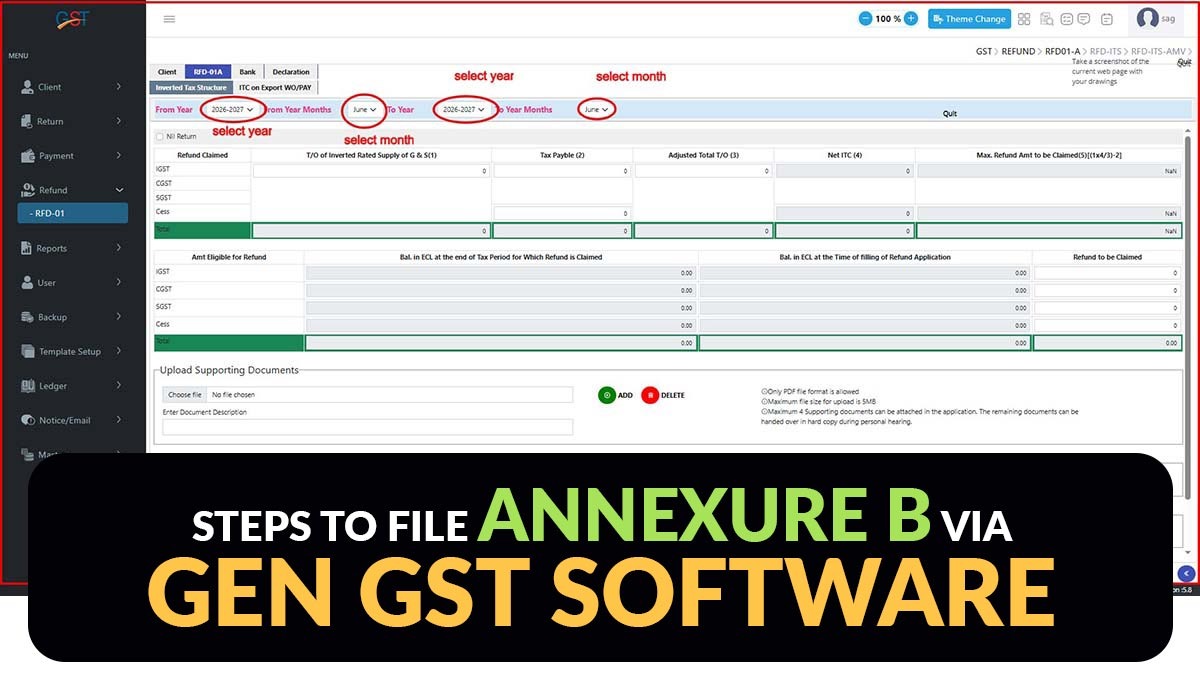
In India, the Goods and Services Tax (GST) system is continuously being updated to simplify compliance for businesses and streamline tax-related processes. As part of these updates, a new section, Annexure B, has been added to the GST Refund Form.
This updated section helps businesses claim refunds for the taxes they have paid. Gen GST Software by SAG Infotech simplifies this process by providing a user-friendly solution that assists businesses in managing GST refunds and complying with the requirements of Annexure B.
What is Annexure B in the GST Refund Form
Annexure B is a document that people utilise when applying for a refund under the Goods and Services Tax (GST) system. The same document includes information about all the purchases taxpayers made and the tax they paid on those purchases, which they desire to get back.
Annexure B supports GST officials in verifying that the refund requests are correct through the comparison of the details in this document with the stored information in their records. It clarifies procedures and assists in averting mistakes or attempts at fraud in claiming refunds.
Significance of Annexure B for GST Refund Claims
Annexure B has an important role in the GST refund filing process as it:
- Furnishes invoice-level details of eligible ITC
- Streamlines verification of refund claims by tax authorities
- Lessens discrepancies between GST returns and refund applications
- Enhances transparency and compliance
- Accelerates refund processing through accurate documentation
If there are mismatches in the invoice information, then it may cause delays or rejection of refund applications. Thus, keeping accurate records is crucial.
Benefits of using Gen GST Software for Refund Filing
- Automated GST compliance management
- Faster Annexure B preparation
- Accurate ITC reconciliation
- Improved refund claim accuracy
- User-friendly interface for professionals and businesses
- Regular updates according to the GST law changes
Read Also: Why You Need Sales Reconciliation in the GST Software
Steps to Prepare Annexure B Using Gen GST Software
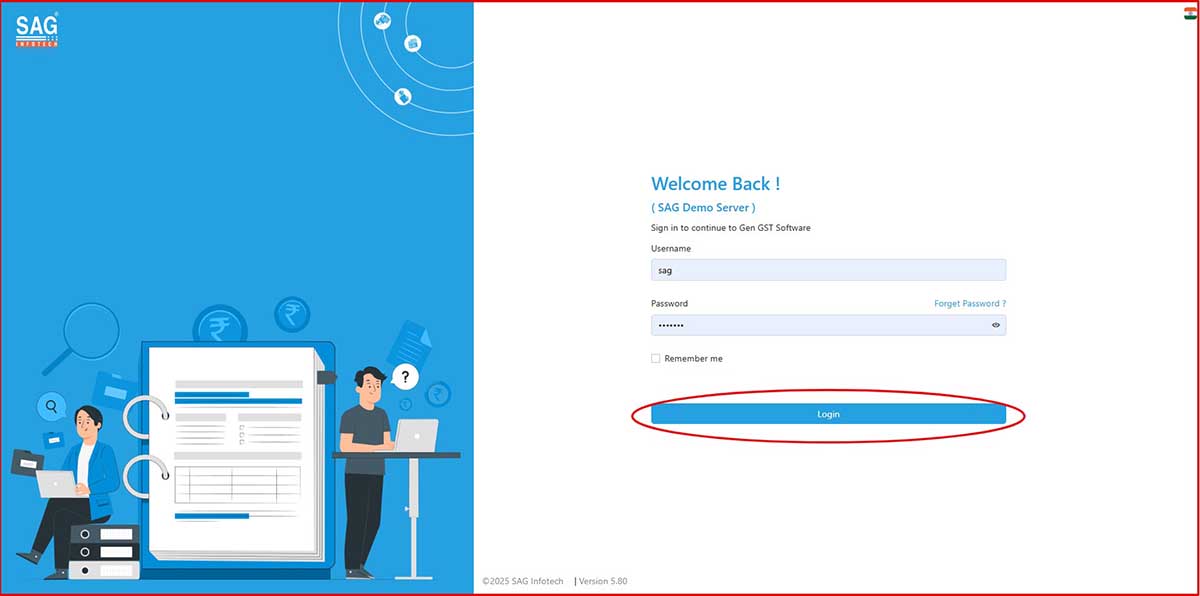
Step 1: Taxpayers need to install the Gen GST Software (Desktop or Online version) and log in using the username and password provided.
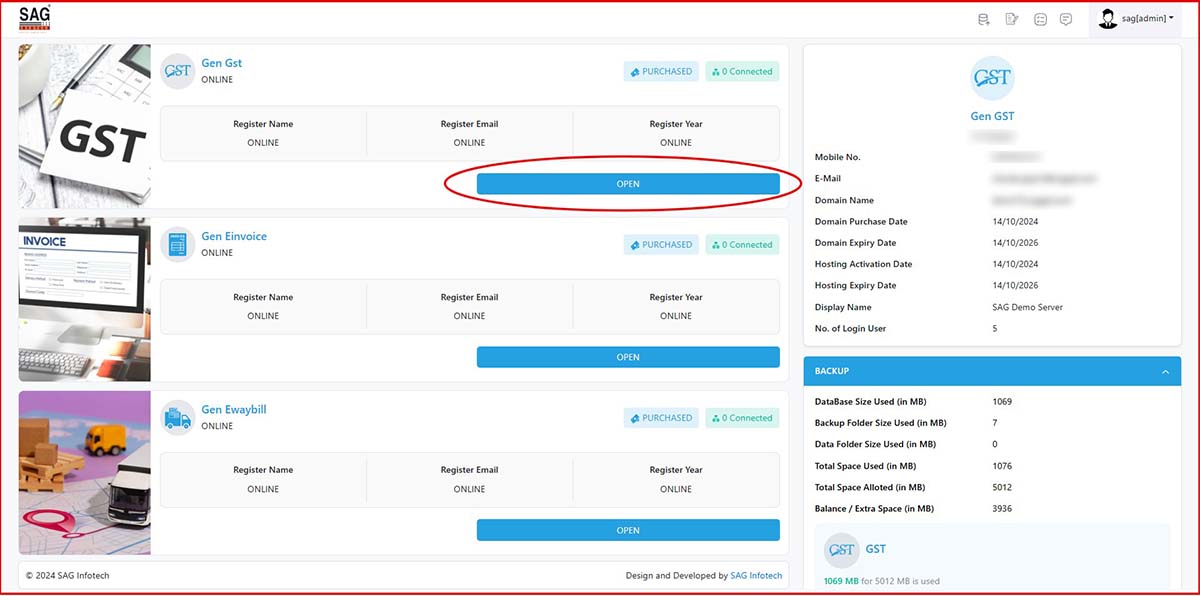
Step 2: After logging in, the Gen GST Online dashboard will open.
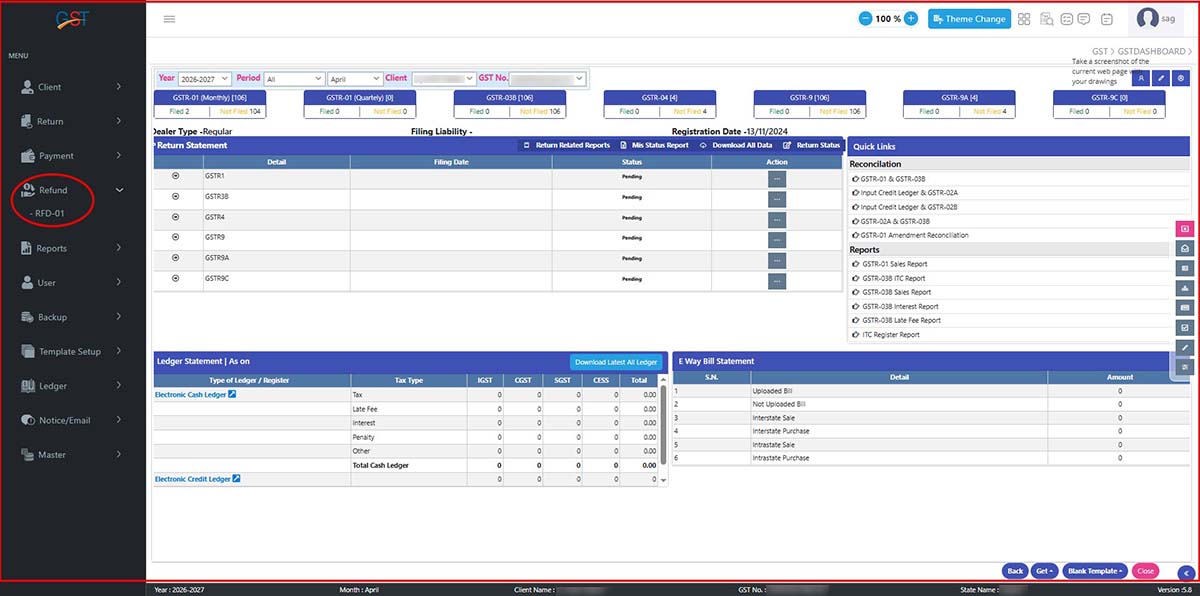
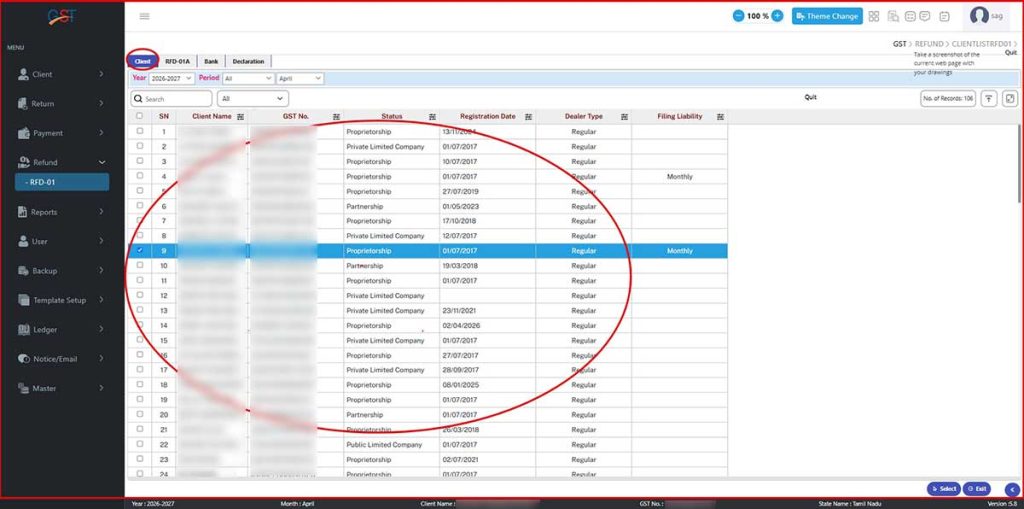
Step 3: Move the cursor to Refund > RFD-01 and select the client from the list.
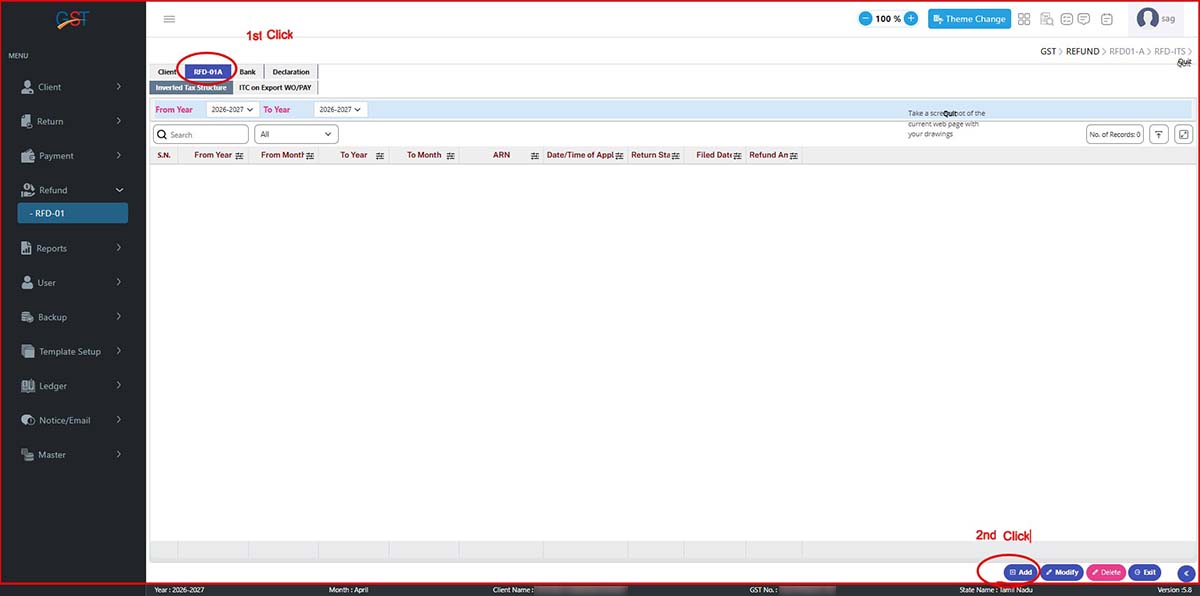
Step 4: After selecting the client, click on RFD-01A and then click the Add option.
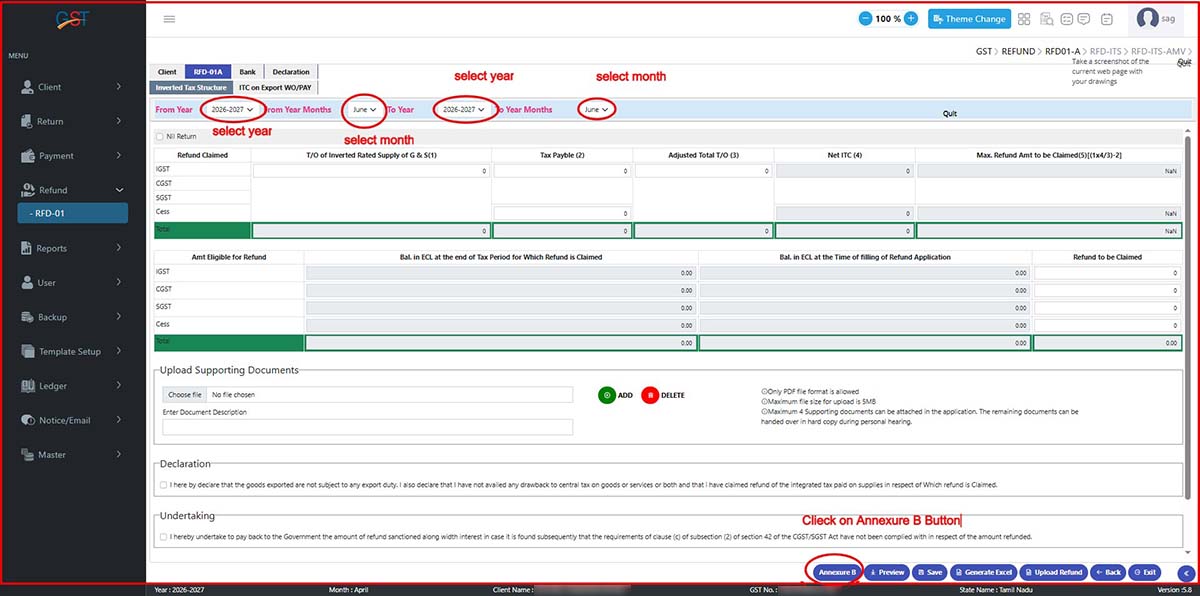
Step 5: Proceed to the next step by selecting From Year > From Month > To Year > To Month. Then, click on the Annexure B button.
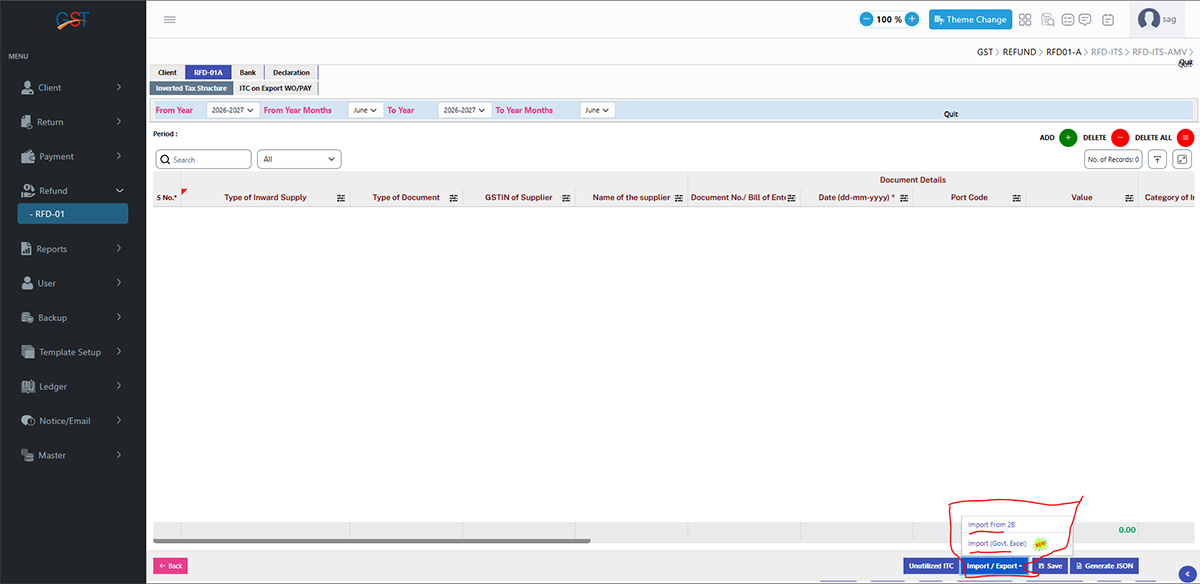
Step 6: After clicking the Annexure B button, select the Import/Export option and choose either Import from GSTR-2B or Government Excel.
Step 7: After selecting the desired option, choose the Excel file, upload it, load the data, and then click Import Valid Data. After that, click Download Template.
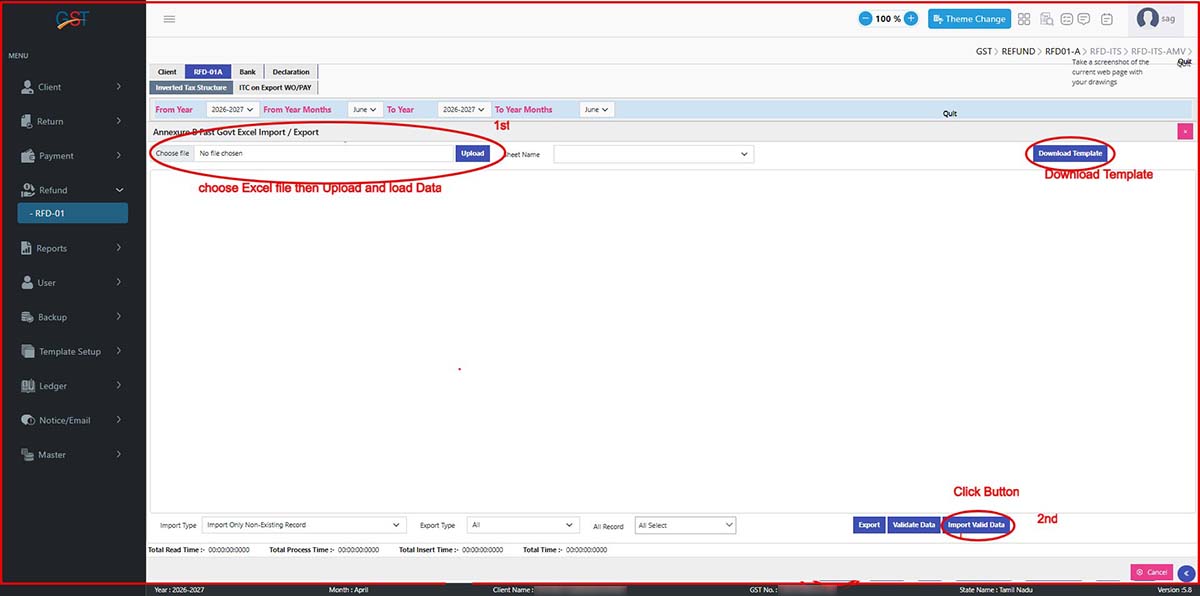
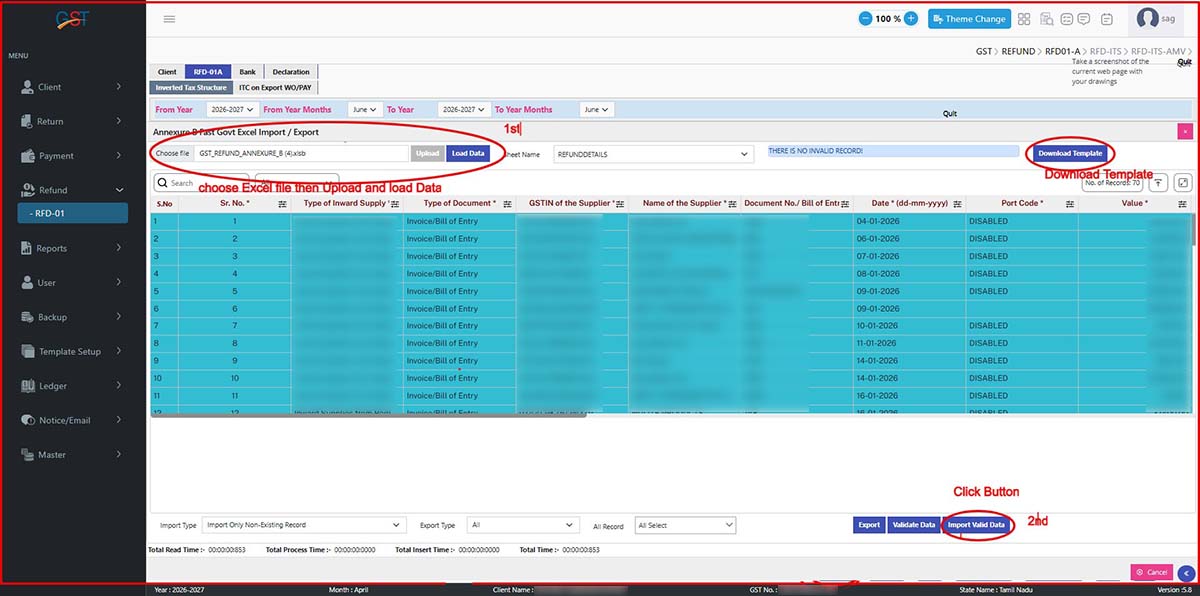
Step 8: Finally, after uploading the Excel file, save the data and click Generate JSON to download the JSON file.
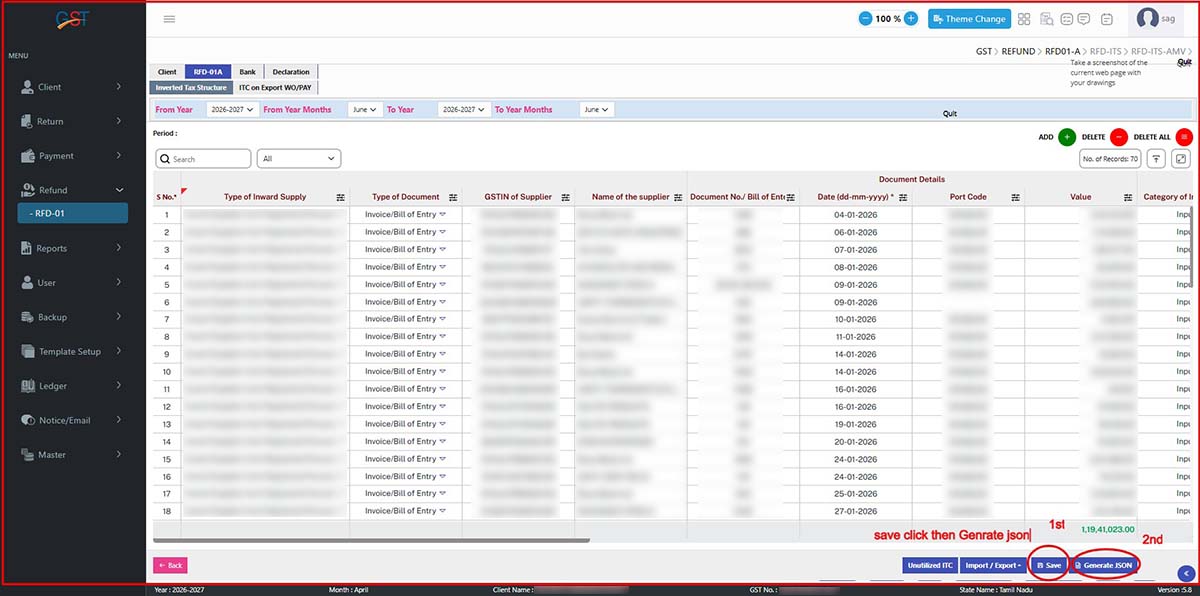
Note: Data not available in GSTR-2B, such as HSN data and port codes, must be entered manually.
Closure
The new update to Annexure B simplifies the verification of GST refunds by requiring more detailed records of input tax credits. However, filing the same statement manually can be time-consuming and may lead to errors.
Taxpayers can use Gen GST software to prepare Annexure B accurately, stay compliant with regulations, and improve their GST refund process.









TOOLS FOR PREPAIRE ANNEXUE B ERROR LESS CREATE JSON FILE